
Pulsar Gaming Gears Xlite V3 eS Manual
PDF manual · 10 Pages
English



Quick check
Incorrect answer, please try again.
Chat with your Pulsar Gaming Gears Xlite V3 eS manual using AI
Get instant AI answers from your Pulsar Gaming Gears Xlite V3 eS manual
Ask anything about the Pulsar Gaming Gears Xlite V3 eS. Answers come from this manual, with the pages they are based on.
Ask a Question
Do you recommend Xlite V3 eS?
Yes NoDo you recommend Xlite V3 eS?
Yes NoFrequently Asked Questions
Press and hold buttons 1, 2, and 3 simultaneously for 3 to 4 seconds. The LED indicator will blink yellow to confirm pairing mode is active.
Is this answer helpful?
For stable performance, the dongle should be positioned within 50cm of the mouse with no obstacles blocking the signal path.
Is this answer helpful?
Yes, press the DPI button to activate the OLED display. Press it again to cycle through settings while the screen shows only the DPI value.
Is this answer helpful?
Hold the Polling Rate button and press the right mouse button to adjust the LOD height while viewing the value on the OLED screen.
Is this answer helpful?
Do not expose the battery to temperatures above 54°C (130°F) as it risks leakage, explosion, or fire hazards.
Is this answer helpful?
Advantages and Disadvantages
Advantages

- Intuitive OLED display for real-time setting adjustments
- Stable 2.4GHz wireless connection with low latency
- Customizable debounce time and motion sync features
- Sleek black design suitable for professional setups
- Easy pairing process with visual LED indicators
Disadvantages

- Dongle must be placed very close to the mouse for best performance
- Battery life varies significantly depending on usage intensity
- OLED screen turns off automatically after a short wait period
- Requires specific button combinations which may take practice
- No physical software included for advanced macro programming
Product Specification
Suitability
right hand
Keys
5 (total), 2 (main), 2 (left), 1 (scroll wheel click)
Scroll Wheel
1x 2-way (metal)
Tracking
LED-red/IR
Resolution
26000dpi, reducible to 50dpi, adjustable in 50dpi steps
Sensor
PixArt PAW 3395
Switches
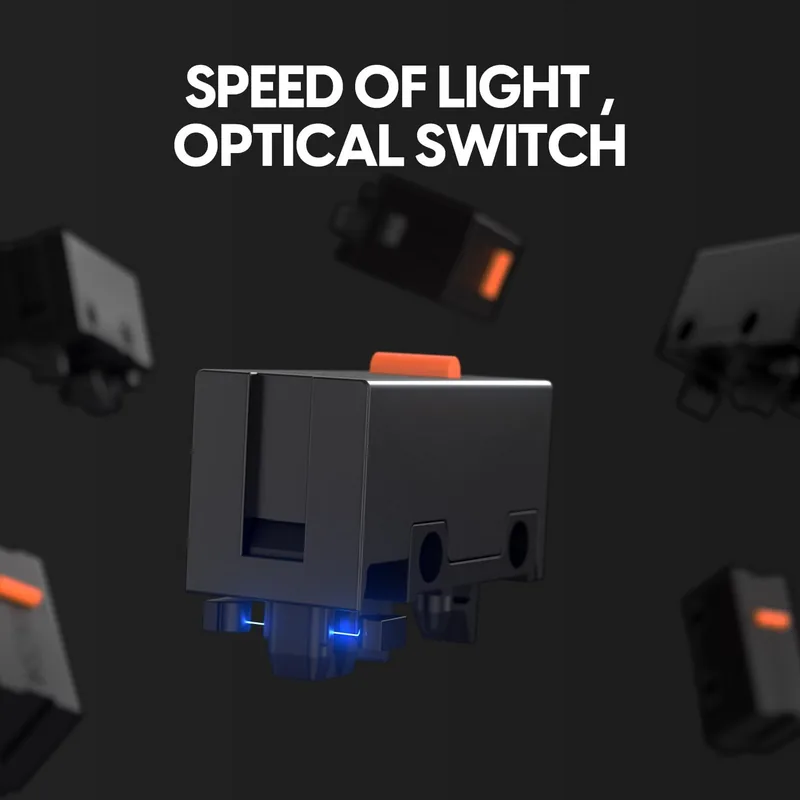
optical switches, Raesha Optical, 90 million clicks
Polling Rate
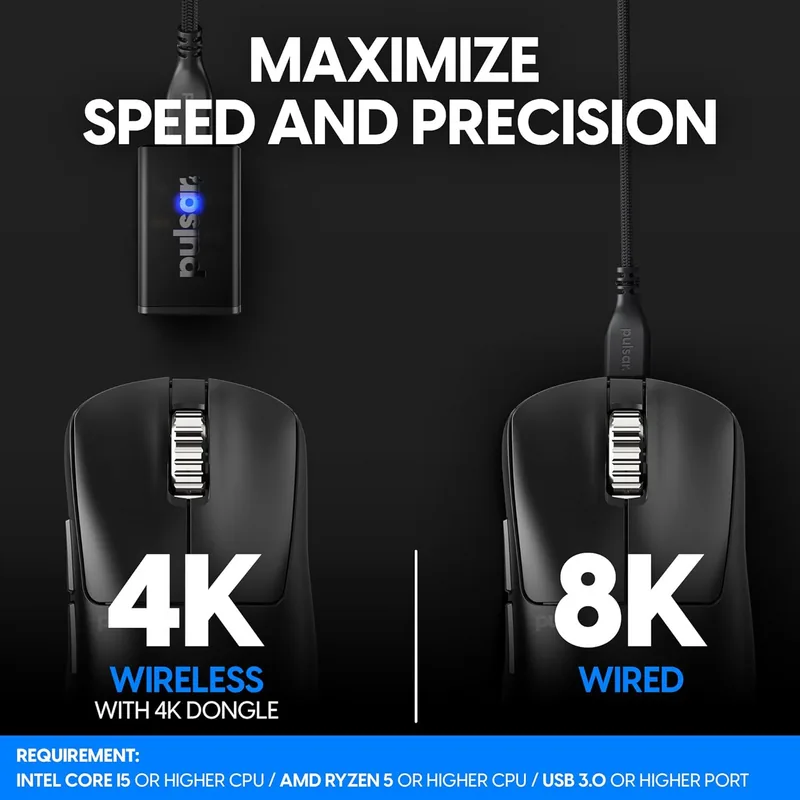
8000Hz, adjustable to 4000/2000/1000/500/125Hz (wired USB); 4000Hz, adjustable to 2000/1000/500/250/125Hz (wireless, with 4K Wireless Dongle, included)
Lighting
N/A
Connection
wired (1.8m), USB-A 3.0 or wireless (2.40GHz), USB-A (USB-A receiver), detachable cable (USB-C port)
Power Supply
Battery (built-in, 500mAh), charging cable (USB-C)
Dimensions (WxDxH)
2.60x1.69x4.80in
Approximate Volume
5.56cu in (approximate shape)
Weight
2.29oz
Color
solid, black, logo
Features
Display (OLED), battery indicator, textile cable
Product Description
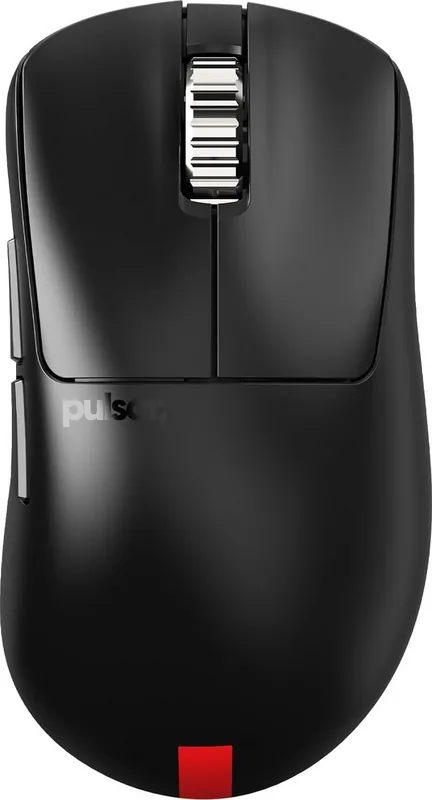
Elevate Your Gaming with the Pulsar Gaming Gears Xlite V3 eS Wireless
The Pulsar Gaming Gears Xlite V3 eS Wireless in sleek black is a masterpiece of engineering designed for serious gamers who demand precision and speed. This wireless mouse combines ultra-lightweight construction with cutting-edge technology to deliver an unparalleled gaming experience. Whether you are competing in fast-paced shooters or strategic MOBAs, the Xlite V3 ensures every movement translates instantly to your screen.
One of the standout features is its advanced OLED display system. Users can customize essential settings directly on the device without needing external software. You can adjust DPI levels, polling rates, debounce times, lift-off distance (LOD), and enable Motion Sync through intuitive button combinations. The OLED screen provides immediate visual feedback, showing current values before saving changes after a brief pause. This seamless integration allows for quick tweaks during gameplay sessions.
Connectivity is handled via a dedicated 2.4GHz dongle that offers stable performance within a 50cm range. It is crucial to position the receiver close to the mouse, ideally using a USB 3.0 port or higher, to minimize interference. The LED indicator helps users manage power states and pairing modes easily. Pairing the dongle involves holding specific buttons until the light blinks yellow, ensuring a secure connection every time.
The mouse also prioritizes battery safety and environmental responsibility. It includes clear warnings about proper battery disposal and recycling to protect both the user and the planet. The Li-ion battery is designed for longevity but requires careful handling to avoid damage from heat or moisture. For those seeking support, the manufacturer provides global resources and regional contact points for warranty and troubleshooting needs.
With its customizable options and robust build, the Pulsar Gaming Gears Xlite V3 eS Wireless stands out as a top-tier choice for enthusiasts looking to refine their setup. It bridges the gap between high-performance hardware and user-friendly customization.
Important Notes
- Always keep the dongle within 50cm for optimal stability.
- Use USB 3.0 ports or higher to prevent latency issues.
- Avoid exposing the device to temperatures above 54°C.
- Recycle batteries responsibly according to local regulations.
Search for 67,732 Manuals online


Type-in Brand or Model