
Pulsar Gaming Gears X2H Manual
PDF manual · 5 Pages
English



Quick check
Incorrect answer, please try again.
Chat with your Pulsar Gaming Gears X2H manual using AI
Get instant AI answers from your Pulsar Gaming Gears X2H manual
Ask anything about the Pulsar Gaming Gears X2H. Answers come from this manual, with the pages they are based on.
Ask a Question
Do you recommend X2H?
Yes NoFrequently Asked Questions
Use the software to change settings between 50 and 26,000 DPI. The LED flashes colors to confirm changes when you adjust sensitivity levels for better control.
Is this answer helpful?
You can set the polling rate to 1,000 Hz for faster processing via the software settings, though you can choose 125, 250, or 500 Hz.
Is this answer helpful?
Hold the left click, right click, and scroll buttons together for 3 to 4 seconds until the LED blinks to indicate pairing mode has been activated.
Is this answer helpful?
The product comes in Light Blue, Blue, Magenta, and White finishes for personalization to match your gaming setup aesthetic.
Is this answer helpful?
Yes, it uses a USB-C port for charging, though using an extension cable is recommended to prevent signal interference during gameplay.
Is this answer helpful?
A blinking red light signals a low battery situation requiring immediate attention to prevent the device from powering off during use.
Is this answer helpful?
Do not throw in household waste. Follow local electronic recycling laws for proper disposal to protect the environment from harmful waste materials.
Is this answer helpful?
Advantages and Disadvantages
Advantages

- High DPI range from 50 to 26,000 allows precise customization for any grip style.
- Adjustable polling rates up to 1000 Hz ensure minimal input delay during gameplay.
- PTFE feet offer exceptional glide speed and durability on various mousepad surfaces.
- Wireless pairing via buttons eliminates the need for dongles while maintaining stable connection.
- USB-C port allows convenient charging and data transfer capabilities effectively.
Disadvantages

- Customization requires software installation which takes time to set up initially.
- Battery life duration depends heavily on usage and is not explicitly stated in hours.
- Pairing mode requires holding three buttons simultaneously which may be slightly awkward for some users.
- LED indicators can draw additional power reducing total battery lifespan over time.
- Driver installation is automatic but might require a restart for full functionality changes.
Product Specification
Hand Orientation
Right Hand
Buttons
5 (total), 2 (main), 2 (side), 1 (Scroll Wheel Click)
Tracking
Red LED/IR
Resolution
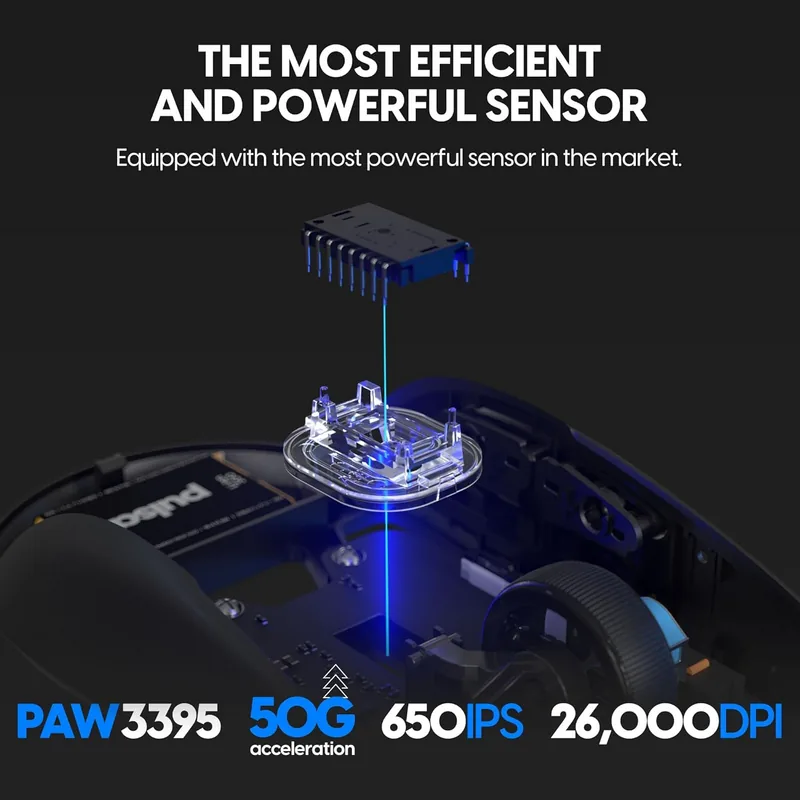
26,000dpi, adjustable to 50dpi, adjustable in 50dpi steps
Sensor
PixArt PAW 3395
Switches
optical switches, Raesha Optical, 90 million clicks
Lighting
N/A
Product Description
Experience Precision with Pulsar Gaming Gears X2H
The Pulsar Gaming Gears X2H stands out as a premier choice for gamers seeking wireless freedom without compromising on lag or accuracy. This hardware is built to last. When users connect the device to a standard USB port, the mouse automatically installs the necessary drivers for immediate operation. For those looking to maximize their setup, consulting the Pulsar Gaming Gears X2H Manual provides deep insights into optimizing sensor performance and button mapping. The sleek design accommodates various grip styles, ensuring comfort during intense match sessions.
Customization Capabilities
Advanced users will appreciate the granular control offered by the software driver. You can configure the sensitivity levels extensively ranging from 50 to 26,000 DPI. While the factory default sits at 800 DPI, competitive players often prefer higher settings for swift cursor movement. Furthermore, the polling rate offers significant flexibility. Settings include 125, 250, 500, or 1000 Hz, with the latter providing the fastest response time available on the market today.
Wireless Connectivity Solutions
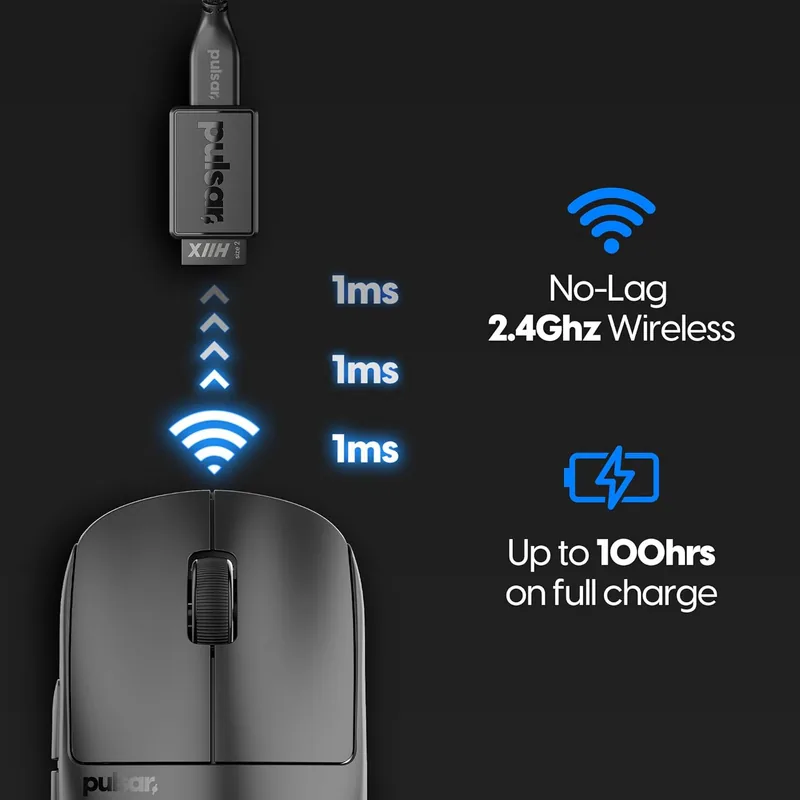
Connection stability is crucial for multiplayer experiences. The unit utilizes a wireless pairing mode activated by holding the left click, right click, and scroll wheel buttons simultaneously for 3 to 4 seconds. Wait for the LED indicator to blink and you will know the device has entered pairing mode successfully. It is recommended to use the provided USB extension cable to prevent any signal interference or cable snagging during rapid movements on the desk.
Battery Management and Safety
Power management keeps your gameplay uninterrupted. The LED indicator serves as a status light that returns to your current DPI color once charging is complete. A blinking red light signals a low battery situation requiring immediate attention. Safety is a priority; avoid exposing the Li-ion battery to temperatures above 54 degrees Celsius. Proper disposal of the electronics follows Waste Electrical and Electronic Equipment regulations to protect the environment from harmful waste materials.
Ergonomic Features
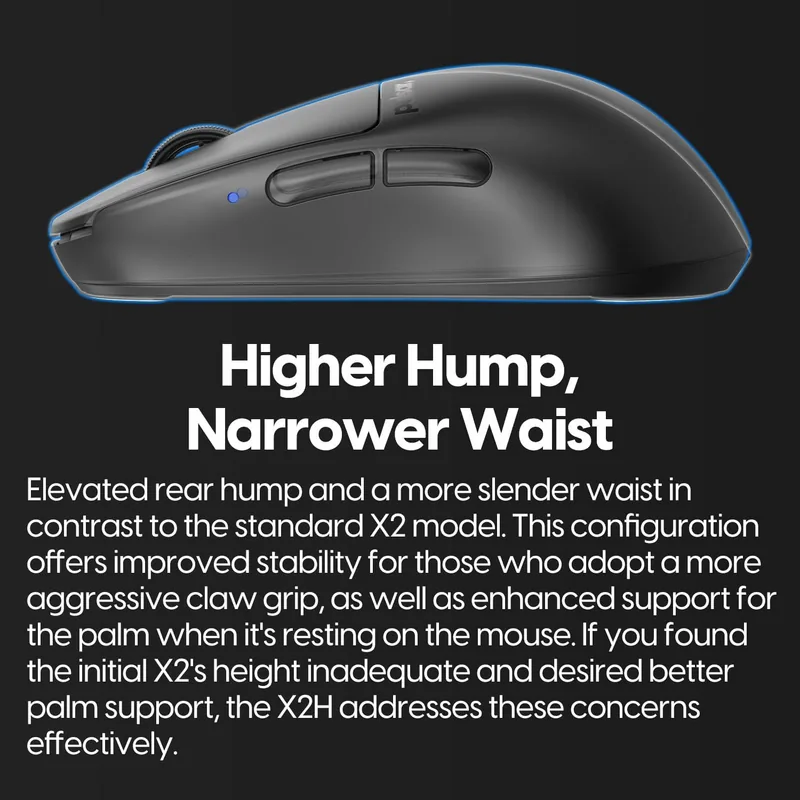
High-quality optical sensors track movement accurately across almost any surface. PTFE feet are installed to ensure minimal friction and consistent gliding speed as you maneuver your avatar. Navigation buttons allow for forward and backward actions directly from the hardware, improving browser efficiency without needing to switch keys. Choose from Light Blue, Blue, Magenta, or White variants to match your aesthetic preference while maintaining top-tier functionality for gaming applications. Many users prefer the Blue variant for visibility.
*Note: Warranty information is available on the official support website for registered users. *Note: Always keep batteries away from children to prevent accidental ingestion or damage to electronics.
Search for 67,732 Manuals online


Type-in Brand or Model