
Pulsar Gaming Gears X2A Manual
PDF manual · 6 Pages
English



Quick check
Incorrect answer, please try again.
Chat with your Pulsar Gaming Gears X2A manual using AI
Get instant AI answers from your Pulsar Gaming Gears X2A manual
Ask anything about the Pulsar Gaming Gears X2A. Answers come from this manual, with the pages they are based on.
Ask a Question
Do you recommend X2A?
Yes NoFrequently Asked Questions
The default DPI setting is 800 DPI. However, you can adjust it up to 26000 DPI using the provided software for your specific needs.
Is this answer helpful?
The LED will blink in red color to indicate a low battery level. Once charging is complete, it returns to your DPI color.
Is this answer helpful?
Yes, through the software you can set the polling rate to 125, 250, 500 or 1000 Hz depending on your preference.
Is this answer helpful?
Hold the right, left, and scroll buttons simultaneously for 3 to 4 seconds until the LED blinks to indicate pairing mode.
Is this answer helpful?
While the text focuses on USB, it supports standard drivers and software installation via the website for general compatibility.
Is this answer helpful?
Please consult the official warranty section on the support website for specific policy details regarding your purchase location.
Is this answer helpful?
Align the angle with the center of both button holes and attach the corresponding button or cover accordingly.
Is this answer helpful?
Advantages and Disadvantages
Advantages

- Highly adjustable DPI ranging from 50 to 26000 with software control for precision.
- Fast 1000Hz polling rate default for instant response and reduced lag.
- Replaceable side buttons allow for custom hand configurations easily.
- Reliable USB-C port provides convenient and fast charging capabilities.
Disadvantages

- Requires downloading specific software for full customization features.
- Pairing mode requires holding multiple buttons simultaneously to activate.
- LED battery indicator may be slightly distracting during night play.
Product Specification
Hand Compatibility
Both hands (left hand, right hand)
Buttons
7 (total), 2 (primary), 2 (left), 2 (right), 1 (scroll wheel click)
Scroll Wheel
1x 2-way
Tracking Technology
Red LED / IR
Resolution
26000 dpi, reducible to 50 dpi, adjustable in 50 dpi steps
Sensor
PixArt PAW 3395
Switches
Optical switches, Raesha Optical, 90 million clicks
Polling Rate
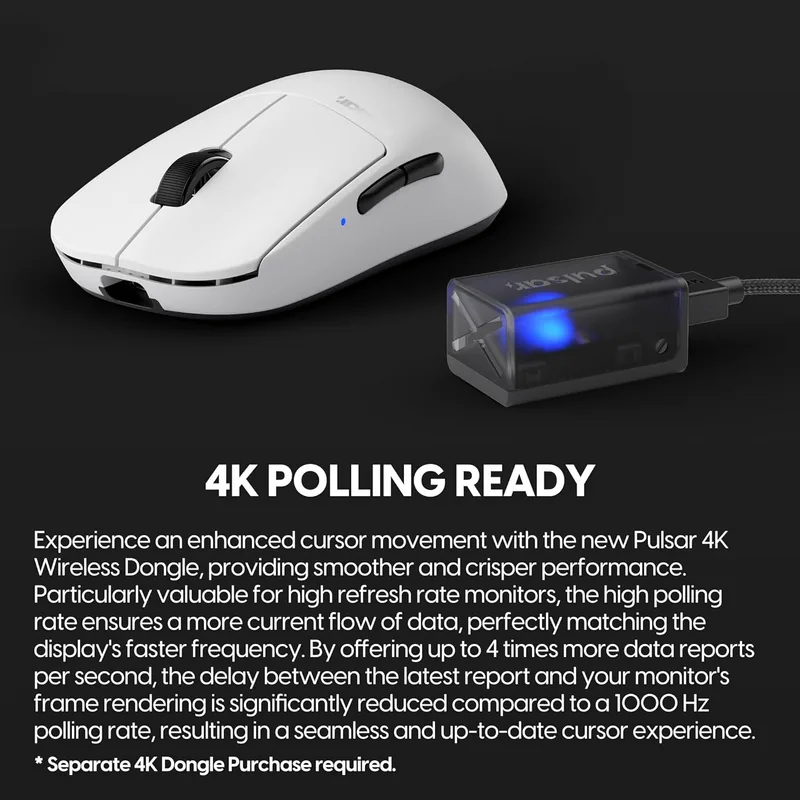
1000 Hz, adjustable to 500 / 125 Hz (wired USB / wireless 2.4GHz); 4000 Hz, adjustable to 2000 / 1000 / 500 / 250 / 125 Hz (wireless, with 4K Wireless Dongle, optional)
Lighting
N/A
Connection
Wired (5.91 ft), USB-A 2.0 or wireless (2.40GHz), USB (USB-A receiver), Detachable cable (USB-C port)
Power
Battery (built-in), Charging cable (USB-C)
Dimensions (WxHxD)
2.48 x 1.50 x 4.74 in
Approximate Volume
4.58 in^3 (approximated shape)
Weight
2.01 oz
Color
Multicolor, White, Black (Scroll Wheel, side buttons), Logo
Features
Interchangeable thumb buttons (magnetic), Battery level indicator, Braided cable
Product Description
Elevate Your Gaming Performance Today
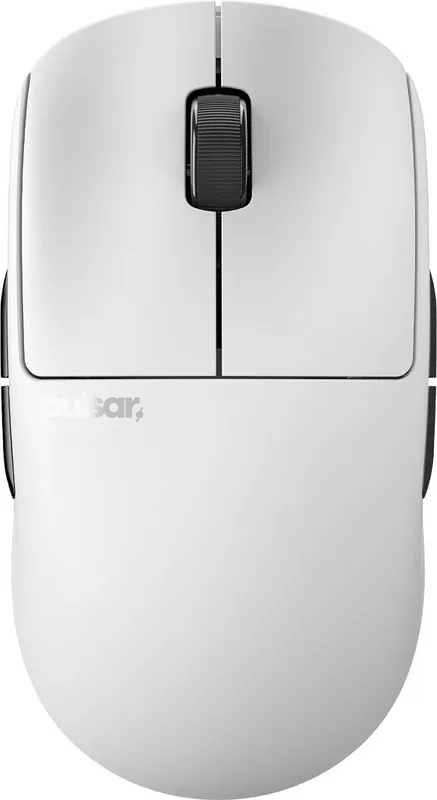
When searching for the ultimate gaming accessory, the Pulsar Gaming Gears X2A Wireless white, USB Manual serves as a definitive reference for serious enthusiasts. This mouse is meticulously designed for competitive players who demand absolute precision and speed in every session. The sleek design houses advanced technology that adapts seamlessly to your unique playstyle. You do not need time-consuming physical installation drivers as the software installs automatically when connecting to a free USB port. Download the software from the official website to access full settings. This manual provides essential guidelines for setup and maintenance.
Unmatched Customization Options for Pros
One of the standout features available for this device is the highly adjustable DPI ranging from 50 to 26000 steps. The default setting is 800 DPI, but powerful software allows fine-tuning to suit specific game genres perfectly. Additionally, the polling rate offers choices between 125 and 1000 Hz. Most users prefer the default 1000 Hz for instant response times without delay. The LED indicator on the mouse provides clear visual feedback regarding your current DPI setting or battery charging status. Three blinks confirm mode changes during operation. Colors available include Light Blue, Blue, Magenta, and White for personal choice. Many gamers prefer the higher DPI for faster aiming precision.
Comfort and Ergonomics Matter
The device features high-quality PTFE feet for smooth gliding across any surface pad. It also comes with a reliable USB-C port for convenient and fast charging. You can replace side buttons easily to change hand configurations effortlessly during competitive matches. The included USB extension cable is very useful for preventing signal interference during intense gaming sessions. Remember to keep the device away from moisture and heat sources above 54 degrees Celsius to ensure safety and longevity of the internals. The high-grade feet are durable and offer consistent performance. The USB-C connection ensures modern compatibility with all devices.
Battery Life and Connectivity Details
Charging is handled via a built-in rechargeable battery for long play sessions. You will know exactly when it is time to charge by the LED blinking in a distinct red color. Once fully charged, the LED returns to your selected DPI color to show readiness. Pairing mode is activated by holding the right, left, and scroll buttons simultaneously for a few seconds. This ensures a stable wireless connection without lag issues interfering with your shots. Support channels are available globally via support email. It is important to charge fully before first use for health and safety.
Note: Always check the official warranty section on the website for detailed support information regarding your purchase.
Search for 67,732 Manuals online


Type-in Brand or Model