
Projecta ProScreen Manual
PDF manual · 2 Pages
English



Quick check
Incorrect answer, please try again.
Chat with your Projecta ProScreen manual using AI
Get instant AI answers from your Projecta ProScreen manual
Ask anything about the Projecta ProScreen. Answers come from this manual, with the pages they are based on.
Ask a Question
Do you recommend ProScreen?
Yes NoFrequently Asked Questions
You need to follow the mounting instructions provided in the manual. It aligns with wall studs at specific intervals to ensure safety.
Is this answer helpful?
It is a manual pull-down screen with a matte white surface designed for consistent color reproduction.
Is this answer helpful?
The text lists 2800mm for height, which corresponds to the 280cm specification found on the product name.
Is this answer helpful?
Matte white helps reduce hotspots in ambient light better than high gain surfaces.
Is this answer helpful?
You need specific brackets and hardware listed in the diagram attached to the mounting instruction sheet.
Is this answer helpful?
The manual mechanism usually has a fixed tension for stability but can be checked periodically.
Is this answer helpful?
Based on the 179x280cm size, it is designed for specific cinematic formats suitable for large presentations.
Is this answer helpful?
Advantages and Disadvantages
Advantages

- Large surface area provides immersive viewing experience.
- Matte white finish reduces glare and hotspots effectively.
- Manual operation ensures reliability without motor issues.
- Sturdy mounting brackets offer stable wall attachment.
- Accurate aspect ratio suits cinematic content formats.
Disadvantages

- Manual installation requires effort and precision.
- Heavy weight necessitates two people for setup.
- Potential for sagging if tension is not adjusted.
- Complex alignment process during bracket placement.
- Limited mobility once permanently installed.
Product Specification
Screen Dimensions
70.47x110.24 in
Diagonal Size
126 in
Aspect Ratio
16:10
Gain
1.0
Operation Mode
Manual
Mounting Type
Ceiling Mount, Wall Mount
Border
Yes
Product Description
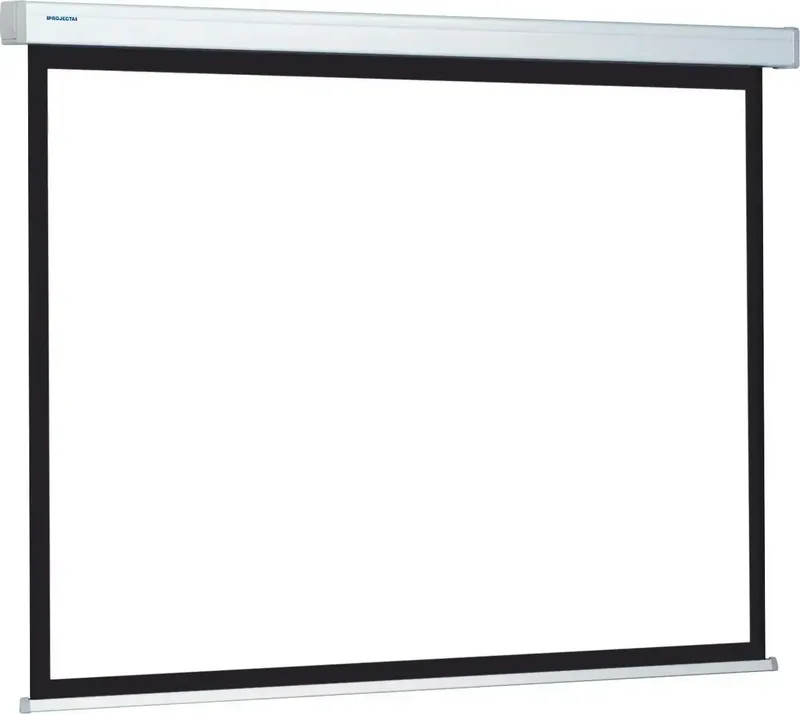
Projecta ProScreen Matte White 179x280cm Overview
Elevate Your Home Cinema Experience
When constructing a viewing space, the quality of your projection surface is paramount for an immersive experience. The Projecta ProScreen Matte White 179x280cm Manual offers a robust solution for large format displays. This model features a 280cm height, which allows for an expansive view that fills your field of vision. The matte white finish is engineered to handle ambient light better than high gain surfaces while maintaining vibrant color accuracy throughout the viewing area.
Installation and Mechanical Details
The manual operation system relies on a quality tension mechanism that smooths deployment. You will find detailed diagrams within the user manual regarding bracket alignment. Specific mounting points are labeled clearly for secure attachment to your wall structure. The dimensions provided indicate a substantial footprint that requires a solid wall for support. Proper alignment of the brackets ensures the screen hangs perfectly flat without wrinkles or warping over time. The 2800mm vertical measurement confirms the tall format suitable for widescreen content. A 16mm roller is often used in this ProScreen series to ensure smooth retraction. Users appreciate the solid construction found in the manual mounting brackets. The instructions clarify that wall studs are required for the heaviest units. Long-term stability is achieved by following the step by step guide.
Performance in Various Lighting
Unlike glossy alternatives, the matte texture scatters light evenly to optimize contrast. This minimizes hotspots that often plague large screens in bright rooms during the day. It is particularly useful for environments where ambient light cannot be fully controlled or blocked. The texture also protects against fingerprints and dust accumulation which can degrade image clarity over time.
Final Thoughts on Selection
Choosing a manual screen versus an electric one comes down to budget and preference for a permanent setup. This model provides a stable installation option that prioritizes image purity over convenience. It is ideal for permanent home theater setups where ease of retrieval is less critical than image quality. Ensure you have the necessary tools before attempting the assembly on site. The weight is significant so having two people helps during the initial setup phase. Many users report a lifetime of use with minimal maintenance required.
Important Maintenance Notes
Clean the surface with a soft dry cloth only to preserve the coating. Do not apply chemical cleaners to the matte finish as it may damage the texture. Check the tension bar periodically to ensure it has not drooped due to age. This care routine ensures years of sharp image projection for your favorite movies. The ProScreen series is known for durability and consistent performance over many years.
Search for 67,732 Manuals online


Type-in Brand or Model