
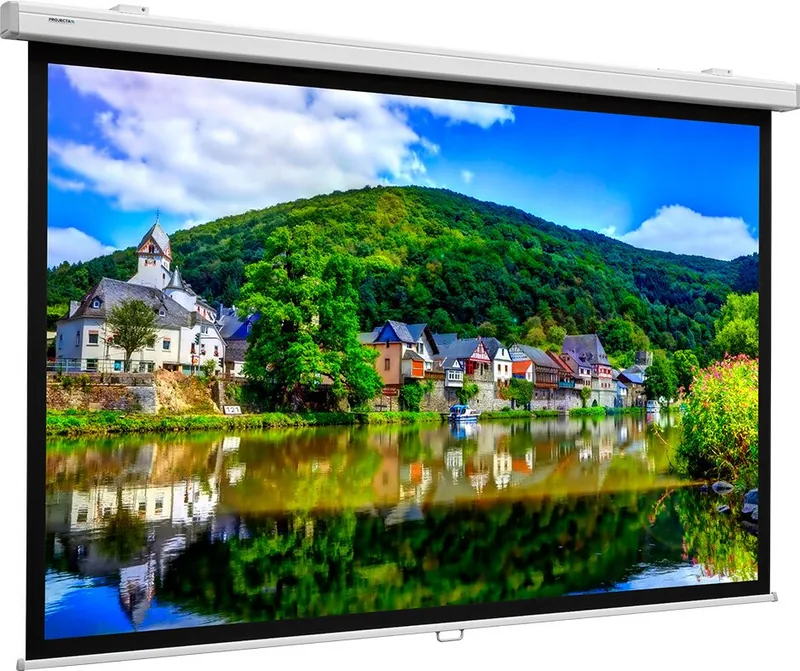
Projecta ProScreen CSR Manual
PDF manual · 2 Pages
English



Quick check
Incorrect answer, please try again.
Chat with your Projecta ProScreen CSR manual using AI
Get instant AI answers from your Projecta ProScreen CSR manual
Ask anything about the Projecta ProScreen CSR. Answers come from this manual, with the pages they are based on.
Ask a Question
Do you recommend ProScreen CSR?
Yes NoFrequently Asked Questions
Use a large flat screwdriver to turn the adjustment knob on the right end of the screen. Turn counterclockwise to increase speed and clockwise to decrease.
Is this answer helpful?
This is often a speed issue. Turn the adjustment knob one quarter turn counterclockwise to resolve the locking problem at the bottom.
Is this answer helpful?
The screen measures 154cm in height and 240cm in width. Ensure your wall space accommodates these dimensions for proper viewing.
Is this answer helpful?
Yes, the manual provides instructions for mounting to walls or ceilings yourself. Just ensure you follow the alignment steps precisely.
Is this answer helpful?
Keep the screen clean to maintain peak performance. Avoid harsh chemicals and check the manual for specific cleaning recommendations.
Is this answer helpful?
A large flat screwdriver is recommended for turning the adjustment knob to avoid stripping the screw head accidentally during maintenance.
Is this answer helpful?
Variants may exist in different sizes. Check the specific projecta proscreen manual for available dimensions for your needs.
Is this answer helpful?
Advantages and Disadvantages
Advantages

- Adjustable retraction speed prevents internal mechanical damage
- Matte white surface minimizes hotspots effectively for clarity
- Detailed guide aids DIY installation without professional cost
- Durable construction ensures longevity of operation for years
- Precise mounting dimensions ensure level screen alignment
Disadvantages

- Manual operation requires physical effort to raise and lower
- Adjustment knob needs a specific tool like a screwdriver
- Incorrect mounting can lead to uneven drops and distortion
- Retracting issues may require multiple adjustment attempts
- Wall or ceiling mounting requires precise drilling for holes
Product Specification
Screen Size
60.63"x94.49"
Diagonal
107"
Aspect Ratio
16:10
Gain
1.0
Operation Mode
Manual
Mounting Type
Ceiling Mount, Wall Mount
Product Description
Elevate Your Home Theater Experience With Precision And Clarity
Introduction to the Projecta ProScreen CSR Matte White 154x240cm System
When setting up the ultimate home entertainment system, the projection screen is often overlooked by casual hobbyists and enthusiasts alike who focus on the projector itself. However, the Projecta ProScreen CSR Matte White 154x240cm Manual reveals how crucial proper setup is for a perfect viewing angle and overall system performance. These instructions detail the installation process for this specific model, ensuring homeowners achieve optimal picture quality without any unwanted distortion. High quality screens matter significantly for image clarity and contrast ratios in any home theater setup you might plan for your living space.
Key Features and Technical Specifications
The Projecta ProScreen CSR series is designed specifically for manual retraction systems that are sturdy. Users can find specific instructions for mounting this unit securely to walls using clear diagrams. The instructions suggest careful measurement to ensure the screen drops straight for best results. Precise dimensions like 154cm by 240cm are critical for room planning. One notable feature mentioned in the guide is the adjustable retraction speed mechanism found inside the housing. This knob allows users to customize how fast the screen retracts, preventing damage to internal springs.
Mounting Dimensions and Compatibility
Proper mounting requires attention to specific hole patterns listed in the guide. Users must align measurements accurately to secure the screen. Incorrect alignment can lead to an uneven drop causing picture distortion. The technical drawing helps visualize the exact placement for bolts. This ensures the unit hangs level and operates smoothly without strain. Following these steps guarantees a flat surface for your projection needs.
Maintenance and Care Instructions for Longevity
Keeping your screen clean is vital for maintaining peak performance throughout the many years of ownership. The matte white surface reflects light effectively while minimizing hotspots common in cheap or uncoated alternatives found elsewhere. If the screen fails to retract smoothly, the guide advises turning the adjustment knob found on the right end of the housing casing. A quarter turn counterclockwise can often resolve locking issues at the bottom of the casing effectively. Using a large flat screwdriver is recommended for these adjustments to avoid stripping the screw head accidentally during maintenance. This attention to detail in the design helps maintain performance over years of intensive use in various lighting conditions and environments.
Final Thoughts on Installation And Usage Success
Whether for a casual movie night or a professional presentation, this projector screen delivers superior visual results consistently. The Projecta ProScreen CSR Matte White 154x240cm Manual provides all necessary guidance for successful installation without requiring professional help. Ensure you follow the steps to avoid alignment issues that could ruin contrast. With proper care, this screen offers years of reliable service for your personal viewing pleasure and entertainment needs. Enjoy high definition projection with confidence and ease while creating an immersive environment for all your favorite content.
Search for 67,732 Manuals online


Type-in Brand or Model