
Profoto B10 Manual
PDF manual · 38 Pages
English



Quick check
Incorrect answer, please try again.
Chat with your Profoto B10 manual using AI
Get instant AI answers from your Profoto B10 manual
Ask anything about the Profoto B10. Answers come from this manual, with the pages they are based on.
B10 Maintenance Schedule
If stored for more than 6 months without use, check the charge. If less than 2 LEDs light up, recharge to half-full before further storage.
Replace the front lens if it has visible damage such as cracks or deep scratches that affect functionality.
Free maintenance reminders
Timed to your purchase date. Always free, unsubscribe anytime.
Ask a Question
Do you recommend B10?
Yes NoFrequently Asked Questions
It combines portable size, 250Ws flash power, wireless control, and a built-in LED light. That makes it a strong choice for portraits, travel shoots, events, and hybrid photo-video work.
Is this answer helpful?
Yes. You can adjust flash power manually using the main dial, and the unit also supports TTL through compatible Air devices. This makes it easy to switch between automatic and hands-on control.
Is this answer helpful?
Yes. It works with a wide range of Profoto light shaping tools, including reflectors and umbrellas. This helps you modify softness, direction, and contrast for more creative lighting.
Is this answer helpful?
Normal mode is tuned for consistent color across the power range, while Freeze mode is optimized for the shortest flash duration. Freeze is useful when you need to capture fast action.
Is this answer helpful?
The battery can provide up to 400 full-power flashes or around 75 minutes of continuous light use, depending on settings and usage. Charging time is up to about 90 minutes.
Is this answer helpful?
Yes. Bluetooth connectivity allows control through the Profoto app. You can manage settings, get updates, and use the light more conveniently from a compatible phone.
Is this answer helpful?
Advantages and Disadvantages
Advantages

- Compact 250Ws flash with strong output for location work and mobile studio setups.
- Supports AirTTL, manual control, and High-Speed Sync for flexible shooting workflows.
- Built-in LED continuous light is useful for video, modeling, and mixed media content.
- Bluetooth app control and firmware updates make setup and maintenance easier.
Disadvantages

- Best performance depends on compatible Profoto Air accessories and system setup.
- Internal parts like the front glass, flash tube, and LED require authorized service.
- Battery life is good, but continuous light use shortens runtime significantly.
- Advanced menus and wireless features may take time for new users to learn.
Product Specification
Flash Power
250Ws
Guide Number
74.50 (6.56ft/ISO 100)
Power
1/1-1/10
Flash Duration
1/1000-1/19000s
Recycle Time
0.05-2.0s
Modeling Light
LED
Trigger Type
Bluetooth, Radio
Special Features
Battery
Dimensions
4.33x3.94x6.89in (WxHxD)
Weight
3.31lb
Product Description
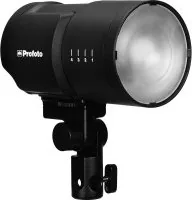
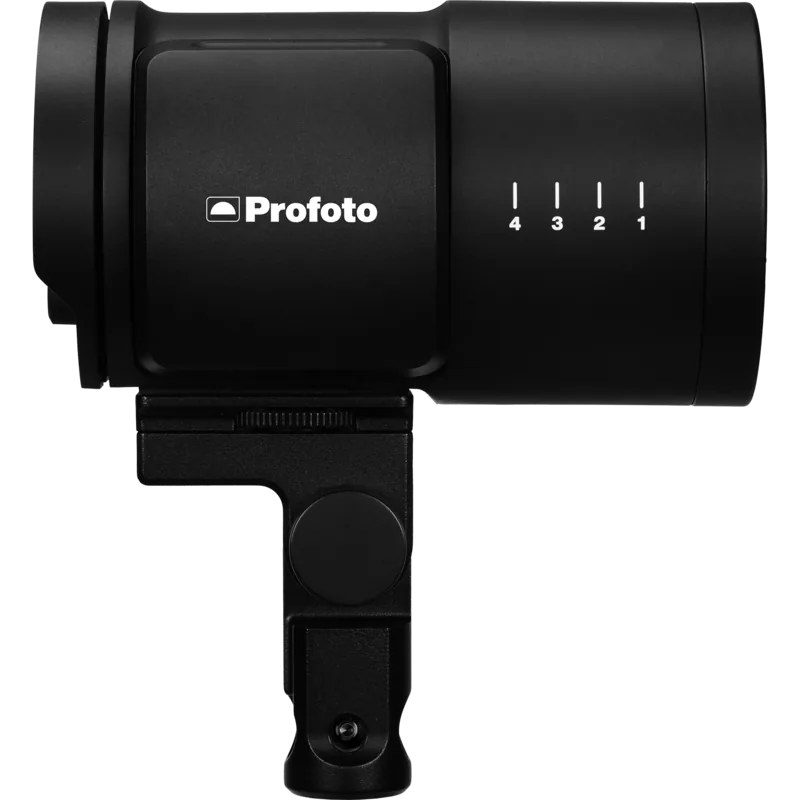
Profoto B10 250 AirTTL Manual: Portable Light, Professional Control
The Profoto B10 250 AirTTL Manual reflects a compact flash designed for photographers who want studio-quality lighting without carrying a studio-sized setup. With a maximum output of 250Ws, the B10 balances power and portability in a body that is easy to mount on a stand, tripod, or ball head. It is built for creators who move fast, work on location, and still expect consistent, polished results.
One of the strongest qualities of the B10 is its flexibility. The flash supports AirTTL, High-Speed Sync, and remote control through compatible Profoto Air devices, making it simple to adapt to different shooting styles. Whether you prefer automatic exposure support or full manual control, this light is designed to fit into a streamlined workflow. The manual controls are clear, and the display gives fast access to power, Air settings, Bluetooth, and flash modes.
The B10 also stands out with its continuous LED light, which is useful for both video and hybrid shooting. You can choose between FREE and PROP behavior depending on whether you want independent video light control or a modeling light that follows flash power. Color temperature adjustment adds even more creative freedom, while the compact design keeps the whole setup travel-friendly and efficient.
Lighting control is a major theme here. The B10 works with a large range of Profoto light shaping tools, including reflectors and umbrellas, so shaping contrast and softness becomes simple. Combined with the Normal and Freeze flash modes, it gives photographers a way to choose between color consistency and shorter flash duration. That makes it equally relevant for portraits, action, and content creation.
Battery life is practical for real-world shoots, with up to 400 full-power flashes and fast charging support. Bluetooth app connectivity adds another layer of convenience, allowing updates and remote adjustments from a smartphone. Overall, this light is aimed at photographers who value clean engineering, strong mobility, and precise control in one compact package.
Notes
- Use indoors or in safe controlled environments.
- Check battery status before long sessions.
- Match Air channel and group settings for wireless work.
- Let authorized service handle internal component replacement.
Search for 67,706 Manuals online


Type-in Brand or Model