
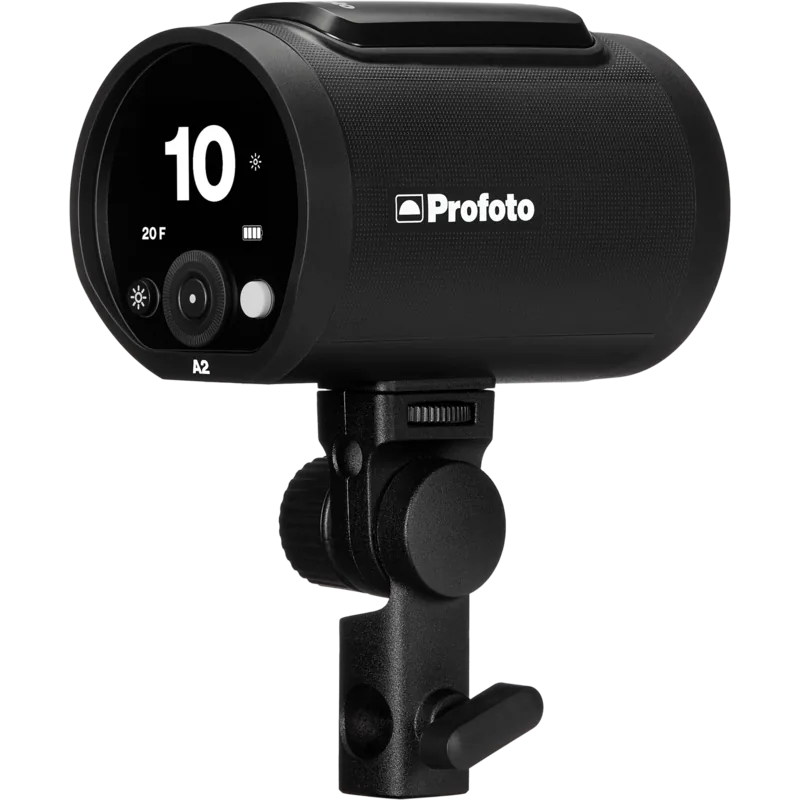
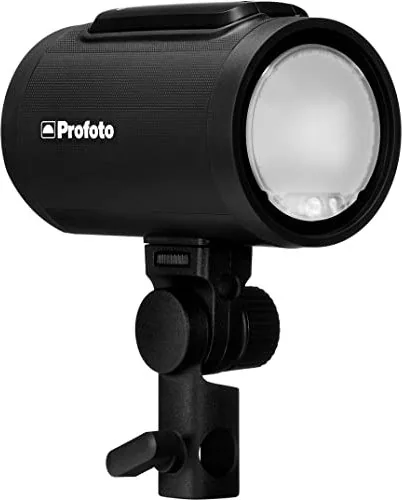
Profoto A2 Manual
PDF manual · 30 Pages
English



Quick check
Incorrect answer, please try again.
Chat with your Profoto A2 manual using AI
Get instant AI answers from your Profoto A2 manual
Ask anything about the Profoto A2. Answers come from this manual, with the pages they are based on.
Ask a Question
Do you recommend A2?
Yes NoFrequently Asked Questions
Remove the battery by pressing the release button, place it in the supplied charger, and connect to mains power. The indicator will show orange during charging and green when complete. Do not leave the battery uncharged for long periods.
Is this answer helpful?
No, the Profoto A2 requires dedicated Profoto AirX-enabled remotes or the Profoto app for wireless control. Using non-Profoto equipment may void warranties or cause operational issues.
Is this answer helpful?
The flash power scale ranges from 0.1 to 10 f-stops relative to maximum output. Decreasing one step reduces light output by half, allowing precise control over exposure levels.
Is this answer helpful?
No, the A2 is intended for indoor use only. Do not expose it to moisture, dripping water, or humid conditions. Contact service if liquid enters the unit.
Is this answer helpful?
Mount the stand adapter first, then slide the umbrella shaft (7-8mm diameter) into the integrated holder until it clicks securely into place.
Is this answer helpful?
An EXP indicator appears on the display, and a sound plays if enabled. This occurs if the flash fires before fully recharging and the quick burst function cannot compensate.
Is this answer helpful?
Yes, navigate to the Settings menu, select Advanced, and choose Factory Reset. This restores all configurations to their original defaults.
Is this answer helpful?
Advantages and Disadvantages
Advantages

- Compact and lightweight design ideal for on-location shoots
- Built-in AirX wireless connectivity supports TTL and HSS
- Magnetic mount allows easy attachment of Clic lightshapers
- Intuitive dial and display for quick power adjustments
- High-quality build ensures long-term durability and reliability
Disadvantages

- Battery capacity may limit continuous shooting at full power
- No built-in diffuser included in the base package
- Requires separate purchase of compatible remotes for full features
- Limited operating temperature range compared to some competitors
- Display brightness can be hard to read in direct sunlight
Product Specification
Flash Power
100Ws
Power
1/1-1/1000
Flash Duration
1/350-1/56000s
Recharge Time
0.1-1.6s
Color Temperature
5700-5900K
Modeling Light
2.1W LED
Trigger Type
Radio
Mount Thread
1/4, 5/8
Features
Battery, portable
Dimensions
3.1x3.1x5 in (WxDxH)
Weight
1.7 lbs
Product Description
Unlocking Creative Potential with the Profoto A2
The Profoto A2 represents a pinnacle of portable flash technology, designed for photographers who demand reliability and versatility in any shooting environment. With over half a century of expertise behind its creation, this compact flash unit embodies the brand's commitment to never neglecting a single detail. Every product undergoes an extensive testing program to ensure it meets strict performance, quality, and safety standards before reaching your hands. Whether you are capturing portraits, events, or studio work, the A2 is built to stay with you for years while helping you grow as a creative professional.
Getting started with the A2 is an adventure into limitless light shaping possibilities. The device features a sleek design that integrates seamlessly with various accessories, including umbrellas and magnetic Clic lightshapers. Its intuitive interface allows for quick adjustments to flash power, continuous lighting modes, and wireless connectivity settings. By downloading the Profoto app and signing up for a MyProfoto account, users gain access to firmware updates, product news, and expert tips on mastering light. This ecosystem ensures that your gear remains at the forefront of photographic technology.
Safety is paramount when using high-voltage equipment like the A2. The user guide emphasizes strict adherence to general safety instructions, including avoiding moisture, extreme temperatures, and unauthorized modifications. The battery must be handled with care to prevent risks such as fires, burns, or explosions. Always use the intended charger and ensure proper ventilation around the unit. If any part of the equipment becomes damaged or emits smoke, stop usage immediately and contact service professionals. These precautions guarantee a safe and productive experience for all users.
Key Features Overview
The Profoto A2 combines powerful performance with user-friendly operation. Its built-in AirX connectivity enables seamless control via remotes and apps, offering TTL automation and High-Speed Sync capabilities. The adjustable continuous light serves as an effective modeling tool, while the quick burst function compensates for rapid firing sequences. With a robust battery system and durable construction, the A2 is ready to tackle demanding shoots without compromising on results.
Final Thoughts
Investing in the Profoto A2 means joining a legacy of innovation and excellence. It is more than just a flash; it is a tool that empowers photographers to shape light exactly as they imagine. From its magnetic attachment points to its advanced wireless settings, every feature is designed to enhance creativity and streamline workflow.
Search for 67,706 Manuals online


Type-in Brand or Model