
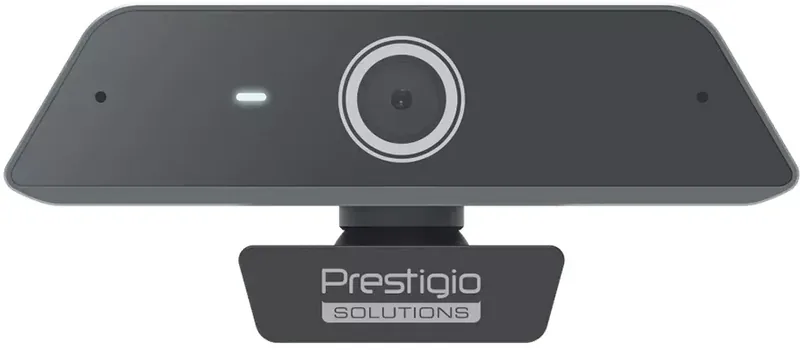
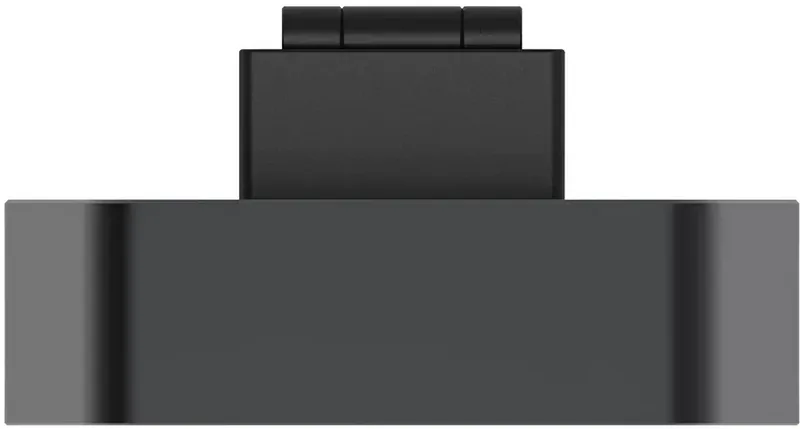
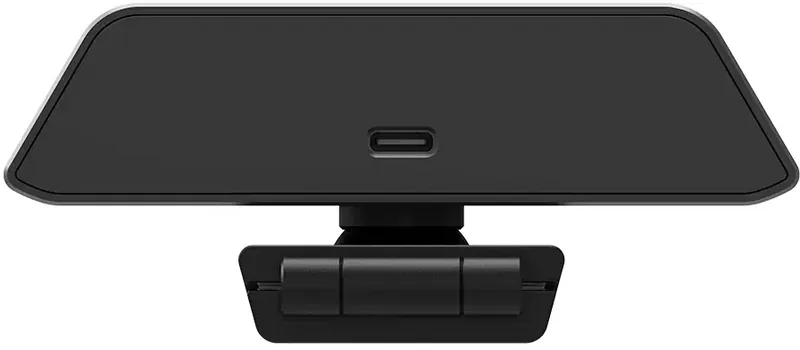
Prestigio PVCCU13M201 Manual
PDF manual · 18 Pages
English



Quick check
Incorrect answer, please try again.
Chat with your Prestigio PVCCU13M201 manual using AI
Get instant AI answers from your Prestigio PVCCU13M201 manual
Ask anything about the Prestigio PVCCU13M201. Answers come from this manual, with the pages they are based on.
Ask a Question
Do you recommend PVCCU13M201?
Yes NoFrequently Asked Questions
This device captures video in UHD resolution at 30 frames per second using a 13-megapixel sensor. It outputs formats including MJPG, YUY2, and H.264 for versatile software compatibility.
Is this answer helpful?
No, the device supports Plug and Play functionality on supported operating systems. You can connect it directly via the USB cable without installing additional drivers manually.
Is this answer helpful?
The dual microphone array has a voice pickup range of zero to four meters. This allows for clear audio capture even when you move away slightly from the lens.
Is this answer helpful?
Recommended systems include Windows 7, 8, 8.1, 10, Linux, and Mac OS. Ensure your software uses the latest updates for optimal video and audio performance during calls.
Is this answer helpful?
Yes, the bracket offers 360-degree rotation support. It also includes a tilting angle capability of up to ten degrees to find the perfect vertical perspective.
Is this answer helpful?
Do not expose the device to heat, water, or direct sunlight. Maintain operating temperature between zero and forty degrees Celsius and avoid dusty environments to prevent damage.
Is this answer helpful?
The product comes with a one-year warranty covering defects. Service life is listed as two years. Detailed terms are available on the official website or packaging documentation provided.
Is this answer helpful?
Advantages and Disadvantages
Advantages

- 13MP UHD Resolution delivers crisp video quality suitable for professional broadcasts and everyday calls.
- Dual microphone system captures voice clearly from up to four meters away with advanced noise reduction.
- Supports Plug and Play operation across major operating systems without requiring manual driver installation.
- Flexible mounting options include tripod compatibility and a 360-degree rotating bracket for dynamic angles.
- Sony image sensor ensures excellent low-light performance and accurate color reproduction during recording sessions.
Disadvantages

- Reliance on USB Type-C connections may require adapters for older computers lacking native ports.
- One year warranty period is relatively short compared to some competing brands offering extended coverage.
- Fixed exposure and white balance settings limit manual control for experienced content creators needing fine tuning.
- No built-in privacy shutter included which requires separate accessory purchase for security conscious users.
- Physical dimensions might obstruct monitor bezels on smaller screens due to the compact but rigid housing.
Product Specification
Type
Webcam
Image Sensor
1x 1/3.06" CMOS 13.0 MP
Resolution
3840x2160 Pixels (30fps)
Field of View
67.8 deg (horizontal), 53.1 deg (vertical), 79.8 deg (diagonal)
Pan
Manual
Tilt
Manual
Connections
1x USB-C (Port)
Wireless
N/A
Camera Cover
N/A
Microphone
Integrated (stereo), 13.12 ft range
Speakers
N/A
Lighting
N/A
Power Supply
Via USB
Mounting
Clip Mount
Dimensions (WxHxD)
4.57 x 2.14 x 1.89 in
Weight
5.33 oz
Package Contents
Camera, USB-C to USB-A Cable
Features
Status LED
Manufacturer Warranty
1 Year
Product Description
Experience Crystal Clear Video Calls with the Prestigio 13MP UHD Webcam
Enhance Your Professional Presence
In todays digital landscape, clear communication is paramount for success. The Prestigio 13MP UHD Webcam delivers exceptional clarity for remote work, online meetings, and streaming content creation. Equipped with a high-performance image sensor, this device ensures you appear sharp and professional on every screen. It stands out among competitors by offering superior pixel density and dynamic range for vivid images.
Stunning Visual Quality
At the heart of this camera lies a thirteen-megapixel sensor capable of capturing video in UHD resolution at thirty frames per second. The one-third point zero six-inch Sony sensor provides superior light sensitivity and color accuracy throughout the day. Whether you are broadcasting live or recording tutorials, the output remains smooth and detailed without motion blur. Advanced noise reduction algorithms including twenty-dimensional and thirty-three-dimensional processing minimize background interference effectively. This keeps your focus strictly on what matters most during interactions.
Seamless Connectivity and Flexibility
Installation is effortless thanks to the Plug and Play functionality. Compatible with Windows, Mac OS, and Linux systems, users do not need to install cumbersome drivers manually. The USB Type-C interface ensures fast data transfer and reliable connection stability for long sessions. A dedicated cable is included in the package to facilitate immediate setup. The camera bracket supports 360-degree rotation allowing you to angle the view exactly where needed without moving your chair. Additionally, the unit mounts easily onto standard tripods for stationary setups used in presentations.
Operational Efficiency and Audio
Dual microphone arrays capture voice clearly from up to four meters away. Voice pickup ranges allow for natural conversation distance without sacrificing audio fidelity. Automatic white balance and exposure compensation adapt quickly to changing lighting conditions. Users benefit from backlight compensation support ensuring visibility even in bright rooms. Recommended operating systems ensure broad compatibility across personal computing devices globally.
Safety and Maintenance Guidelines
Proper care extends the lifespan of your device significantly. Avoid exposing the unit to direct sunlight or extreme heat sources. Operating temperatures should remain between zero and forty degrees Celsius consistently. Humidity levels should stay within ten percent to ninety percent relative humidity. Keep the lens clean and dry to maintain optical performance over time. If issues arise, contact authorized service centers rather than attempting self-repair yourself. Always check application settings to ensure the USB Video Device is selected correctly during calls to avoid blank screens.
Note: When encountering problems like blank screens or microphone silence, verify the latest software versions. Ensure sound settings in your communication platform select the correct USB Video Device nameplate. Increasing volume settings helps if audio seems quiet. These steps resolve common user errors efficiently.
All information contained herein is subject to change without prior notice to users. Up-to-date information and detailed descriptions can be found in the instructions available for download.
Search for 67,732 Manuals online


Type-in Brand or Model