apparaat. Selecteer de toetsenbordtaal in het menu
met toetsenbordinstellingen. Raadpleeg indien
nodig de handleiding van uw besturingssysteem
OK.
«Bluetooth».
MANUEL BLUETOOTH
BLUETOOTH MANUAL
BLUETOOTH-HANDBUCH
MANUAL BLUETOOTH
BLUETOOTH-HANDLEIDING
BLUETOOTH
MANUAL BLUETOOTH
BLUETOOTH-MANUAL
MANUALE BLUETOOTH
INSTRUKCJA BLUETOOTH
NÁVOD BLUETOOTH
NÁVOD K BLUETOOTH
WINDOWS
1.2.
ANDROID
1.2.
MAC OS
/2
%
Quick check
I'm not a robot
Incorrect answer, please try again.
Chat with your Port Designs Office Mouse manual using AI
Get instant AI answers from your Port Designs Office Mouse manual
Ask anything about the Port Designs Office Mouse. Answers come from this manual, with the pages they are based on.
Ask a Question
0/1000
Do you recommend Office Mouse?
YesNo
0
Klaus Meyer
6 months ago
Does the device actually come with a USB Type C charging port since some reports say Micro USB?
0
Manual.ly
6 months ago
Thank you for asking. The charging port is Micro USB. A USB Type C adapter is included specifically for the 2.4 GHz dongle connectivity. We are updating our listing to clarify this distinction to prevent further confusion. Please contact us if you need the dongle adapter details.
M: QW-35-FL
M: QW-35-FL
Frequently Asked
Questions
A
Open your device settings menu and navigate to Bluetooth options. Ensure Bluetooth is active and the mouse is powered on. Select the mouse from the available devices list and follow the on-screen pairing instructions.
Is this answer helpful?
A
Yes, the device supports standard Bluetooth protocols found in Windows, macOS, and Android operating systems. Installation steps differ slightly by platform but follow similar connection logic.
Is this answer helpful?
A
The rechargeable battery is designed for extended office use. Recharging occurs via USB. Monitor the battery level through your system settings to ensure uninterrupted workflow during critical tasks.
Is this answer helpful?
A
Yes, the mouse offers dual connectivity. You can use the included USB receiver for a stable connection or pair directly via Bluetooth wireless technology depending on your preference.
Is this answer helpful?
A
Ensure the device is powered on and in pairing mode. Check if Airplane mode is off on your host device. Refresh the available devices list or try rebooting the Bluetooth service for a fresh connection attempt.
Is this answer helpful?
A
No specialized software is needed for basic operation. The device utilizes standard drivers within the operating system for immediate plug-and-play functionality across supported platforms without additional downloads.
Is this answer helpful?
M: QW-35-FL
Advantagesand
Disadvantages
Advantages
Rechargeable battery reduces long-term cost and waste significantly
Dual connectivity options provide flexibility across multiple devices
Seamless installation process supported by Windows and Mac OS
Ergonomic office design ensures comfort during extended use
Secure Bluetooth encryption protects data during transmission
VS
Disadvantages
Battery requires regular charging to maintain optimal performance
Cannot pair with devices that have Bluetooth disabled by default
Setup process may vary slightly across different Android versions
Potential interference from other wireless devices in close range
USB receiver may be difficult to transport without a dedicated port
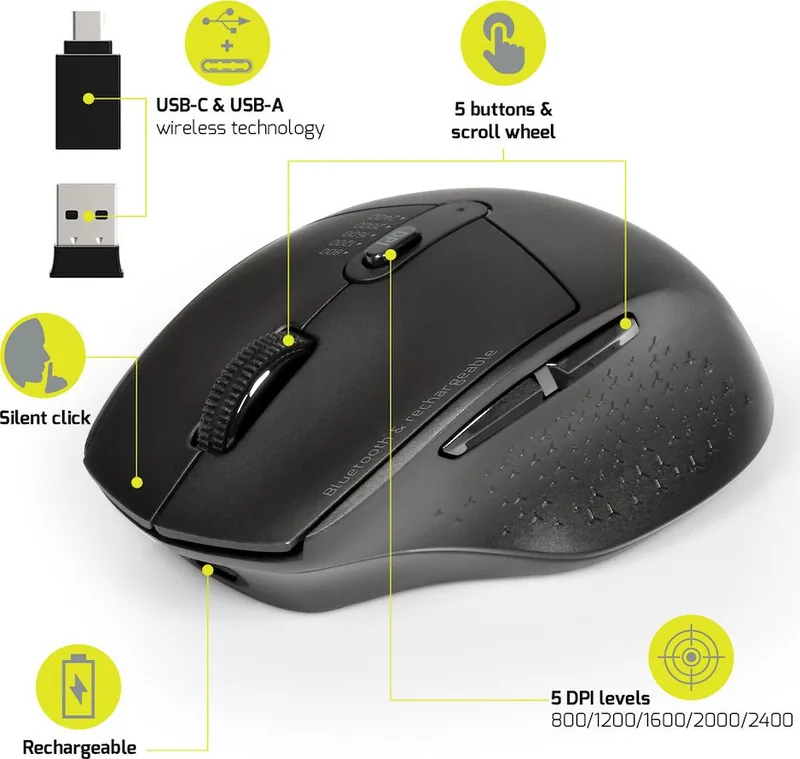
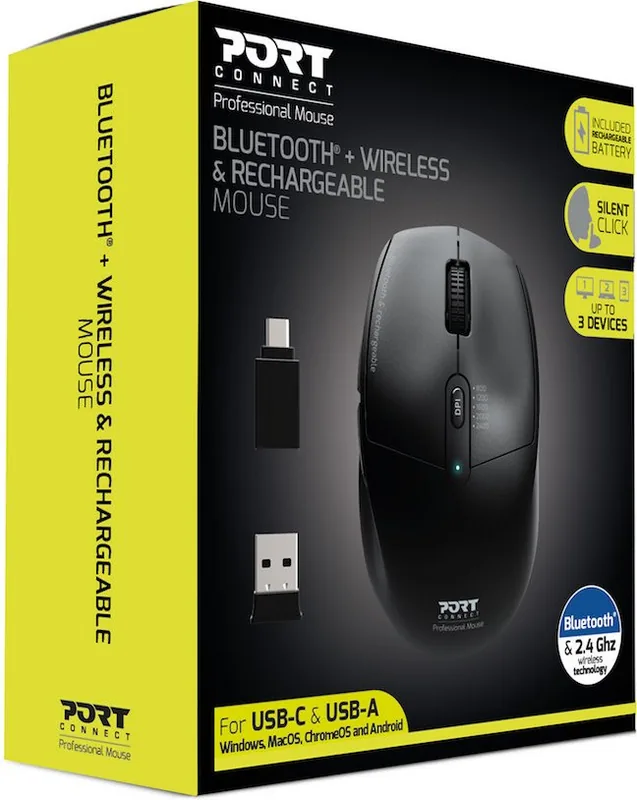
wireless (2.40GHz), USB-A, USB-C (USB-A Receiver, USB-C Receiver via Adapter) or wireless (Bluetooth 3.0, Bluetooth 5.0)
Power
Battery (built-in, 300mAh)
Dimensions (WxHxD)
2.68x1.69x4.29 in
Approximate Volume
5.07 in3 (approximate shape)
Weight
2.82 oz
Color
Solid, Black
Features
Bluetooth connections switchable by button (3 devices), thumb rest, reduced click noise, non-slip surface (sides textured)
M: QW-35-FL
Product
Description
Elevate Your Workspace with the Port Designs Wireless Rechargeable Office Mouse
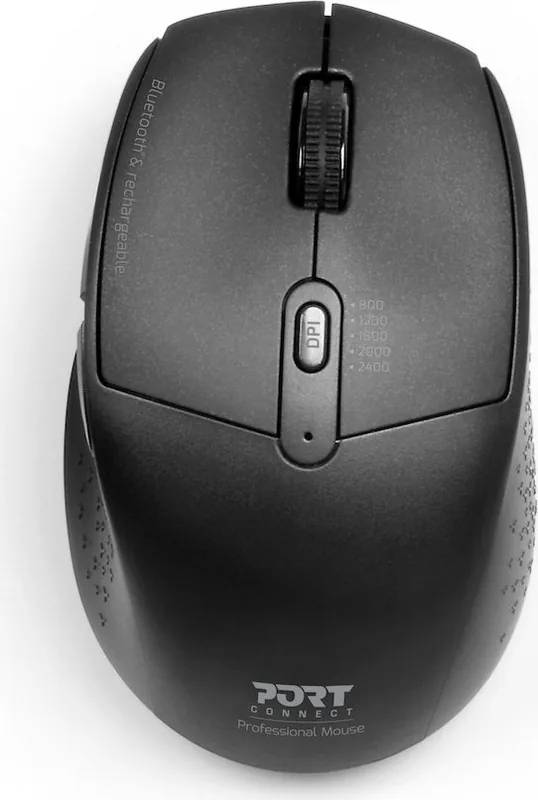
The Port Designs Wireless Rechargeable Office Mouse is designed to streamline your daily tasks while offering unmatched flexibility. Whether you are working from a home office or a corporate environment, this device provides a seamless experience across multiple platforms. Its core feature lies in its dual connectivity options. You can pair it effortlessly using standard Bluetooth wireless technology or utilize the USB receiver for a stable connection. This versatility ensures you can work effectively on computers, tablets, and smartphones without being tethered to a desk.
One of the standout benefits is the rechargeable battery system. Traditional disposable batteries are wasteful and expensive over time. By choosing a rechargeable option, you reduce environmental impact and save money. The mouse is designed to be powered and detectable upon activation, allowing for quick setup processes. Simply ensure your device has Bluetooth enabled and that the mouse is in pairing mode. The installation process is straightforward. On Windows, navigate to Settings and Devices. On Mac OS, access System Preferences. On Android, open the Settings app under Connected devices. These steps are intuitive and require no specialized software or external applications. Users appreciate the simplicity of the connection wizard.
Beyond connectivity, the ergonomics cater to long work sessions. The office design focuses on comfort during extended use. Precision tracking ensures that your cursor movement matches your hand movements accurately. This is crucial for graphic work, document editing, or general navigation. Furthermore, the device adapts easily to various operating systems. If you switch between a laptop and a tablet, the mouse maintains its functionality without recalibration. The battery status should be monitored to ensure optimal performance during critical meetings or deadlines. Charging it regularly ensures you never experience interruption during important workflows. Consistent performance across inputs is achieved via ecosystem settings.
Additionally, the setup emphasizes the importance of power management. Ensure the accessory is powered on and detectable before initiating the pairing sequence. This step prevents common errors during initial configuration. The wireless accessory utilizes technology to communicate securely with your primary device. Security is maintained through standard encryption protocols inherent to Bluetooth standards. This ensures that your data remains private during transmission. The range is sufficient for typical desk setups allowing you to sit back and relax.




Klaus Meyer
6 months ago
Does the device actually come with a USB Type C charging port since some reports say Micro USB?
Manual.ly
6 months ago
Thank you for asking. The charging port is Micro USB. A USB Type C adapter is included specifically for the 2.4 GHz dongle connectivity. We are updating our listing to clarify this distinction to prevent further confusion. Please contact us if you need the dongle adapter details.