
Poly Sync 20 Manual
PDF manual · 13 Pages
English



Quick check
Incorrect answer, please try again.
Chat with your Poly Sync 20 manual using AI
Get instant AI answers from your Poly Sync 20 manual
Ask anything about the Poly Sync 20. Answers come from this manual, with the pages they are based on.
Ask a Question
Do you recommend Sync 20?
Yes NoFrequently Asked Questions
The device ships in deep sleep mode. Connect the USB cable to a power source or computer to wake it up. The LED bar will illuminate once powered on.
Is this answer helpful?
Yes, if you have the Teams model. Press the dedicated Teams button to interact with the application, provided the software is installed on your device.
Is this answer helpful?
Allow approximately four hours to charge the speakerphone fully using a USB AC adapter or computer USB port.
Is this answer helpful?
Yes, the Plantronics Hub is available for free download on Windows, Mac, iOS, and Android via the official Poly website or app stores.
Is this answer helpful?
Yes, you can connect your mobile phone to the USB-A port on the speakerphone to charge it, provided the speakerphone battery is at a medium level or higher.
Is this answer helpful?
Use Plantronics Hub on a computer to initiate a device recovery. Enter your Product ID (PID) to complete the recovery process manually.
Is this answer helpful?
Advantages and Disadvantages
Advantages

- Dual connectivity with Bluetooth and USB-C for maximum flexibility
- Dedicated Microsoft Teams button for streamlined collaboration
- Built-in lanyard slot enhances portability and ease of transport
- Plantronics Hub integration allows for extensive customization and firmware updates
- USB-A charging port enables powering mobile devices simultaneously
Disadvantages

- Requires manual activation from deep sleep mode upon initial setup
- Microsoft Teams features are limited to specific model configurations
- Some softphones require additional software installation for full control
- Firmware updates cannot be interrupted or used during the process
- Bluetooth USB adapter configuration may vary slightly by operating system
Product Specification
Interfaces
1x USB-A (female), 1x USB-C (male), Bluetooth 5.0
Microphone range
6.56 ft
Frequency range
100Hz-6.70kHz (microphone), 80Hz-20kHz (speaker)
Power supply
Battery, USB-A (female), USB-C (male)
Talk time
20h
Features
IP64-certified
Color
gray
Dimensions
7.17x3.74x1.34 in
Weight
12.35 oz
Product Description
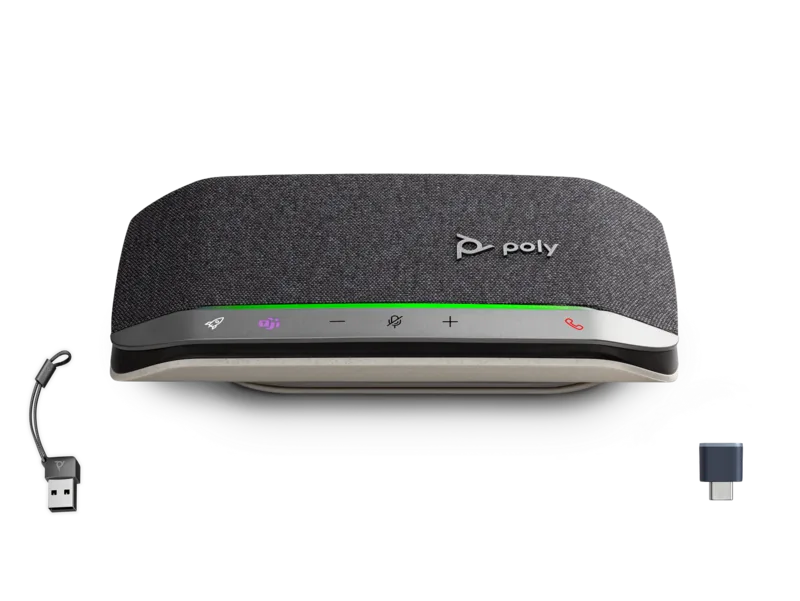
Elevate Your Audio Experience with the Polycom Sync 20 Standard USB-C
The Polycom Sync 20 Standard USB-C represents a significant leap forward in portable communication technology. Designed for professionals who demand clarity and convenience, this speakerphone seamlessly blends high-fidelity audio with versatile connectivity options. Whether you are working from a home office, a corporate cubicle, or a coffee shop, the Sync 20 ensures your voice is heard clearly while filtering out distracting background noise.
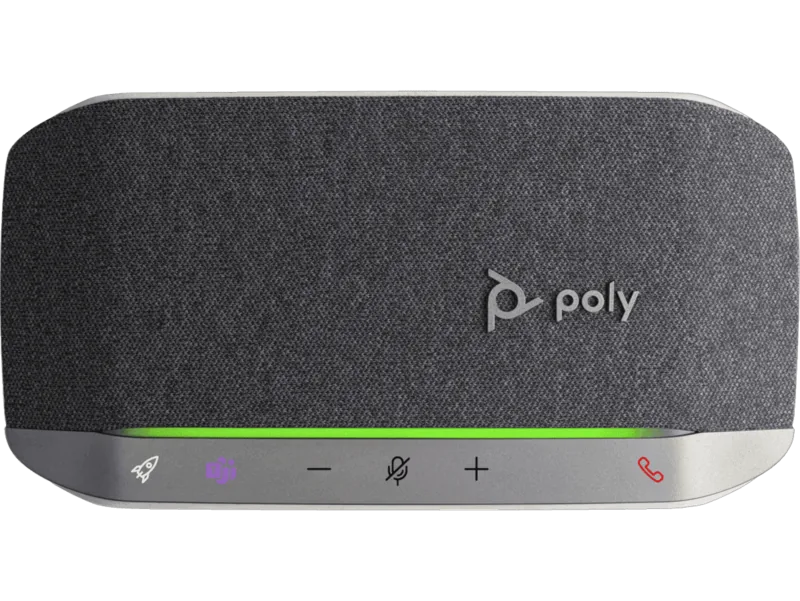
At the heart of this device is its robust dual-connection capability. It supports both Bluetooth wireless pairing and direct USB-C wired connections, giving users the flexibility to switch between devices effortlessly. The inclusion of a dedicated Microsoft Teams button on specific models further streamlines workflow for enterprise users, allowing instant access to conference controls without navigating complex software menus. The intuitive LED status indicators provide immediate visual feedback on call status, battery life, and connection quality, ensuring you never miss an important moment.
Portability is a key design feature, enhanced by a built-in lanyard slot that allows for easy transport. The device comes pre-configured for deep sleep mode to conserve energy, waking up instantly when connected to power. Users can also leverage the Plantronics Hub software to customize button functions, update firmware, and manage device settings across Windows, Mac, iOS, and Android platforms. This level of customization ensures the speakerphone adapts to your specific needs, whether you prioritize music streaming, voice assistant activation, or seamless call management.
Key Features
The Sync 20 offers a compact form factor without compromising on performance. Its advanced microphone array captures speech accurately, while active noise cancellation helps maintain focus during noisy environments. The ability to charge mobile phones via the integrated USB-A port adds a layer of utility, making it a central hub for your daily tech needs.
Important Notes
- Ensure the device is activated from deep sleep mode before first use.
- Firmware updates should be performed only when not actively using the device.
- The Microsoft Teams button requires the Teams application to be installed for full functionality.
Search for 67,732 Manuals online


Type-in Brand or Model