
Poly EncorePro 515 Manual
PDF manual · 2 Pages
English



Quick check
Incorrect answer, please try again.
Chat with your Poly EncorePro 515 manual using AI
Get instant AI answers from your Poly EncorePro 515 manual
Ask anything about the Poly EncorePro 515. Answers come from this manual, with the pages they are based on.
Ask a Question
Do you recommend EncorePro 515?
Yes NoFrequently Asked Questions
The range includes EP515, EP515-M, EP525, EP525-M, and EP545. Each model offers specific features suitable for different workflows.
Is this answer helpful?
While functional without it, the Poly software download provides access to settings and updates. You should install it for best results.
Is this answer helpful?
Yes, the headset supports Windows and Mac systems including iOS and Android mobile devices.
Is this answer helpful?
It supports prolonged usage throughout workdays without frequent recharging needed for other brands. Specific hours depend on ANC usage.
Is this answer helpful?
Multi-device switching supports phones and computers simultaneously creating a unified communication hub experience.
Is this answer helpful?
Yes, Custom Button settings allow users to tailor functions according to personal preference via software.
Is this answer helpful?
USB-A and USB-C ports are supported eliminating compatibility issues across different machines and offices globally.
Is this answer helpful?
Advantages and Disadvantages
Advantages

- Universal compatibility with major operating systems and devices.
- Active Noise Cancelation for clear audio in noisy settings.
- Poly software allows deep customization of headset settings.
- USB-A and USB-C support ensures broad connectivity options.
- Long battery capacity for all-day work meetings.
Disadvantages

- Requires Poly software for full feature access and updates.
- Cabled connection limits mobility compared to Bluetooth only models.
- Specific model numbers complicate selection for non-technical users.
- No dedicated voice assistant button visible in controls.
Product Specification
Type
Headphones (On-Ear)
Form Factor
Headband, mono
Microphone
Boom microphone
Wireless
No
Cable
Single-sided
Controls
1-button remote, volume control, mute button
Certified for
Cisco/Avaya, Skype for Business, UC
Software Features
Level limiting
Color
Black
Weight
0.11 lbs
Product Description
Elevate Your Workspace Audio Experience
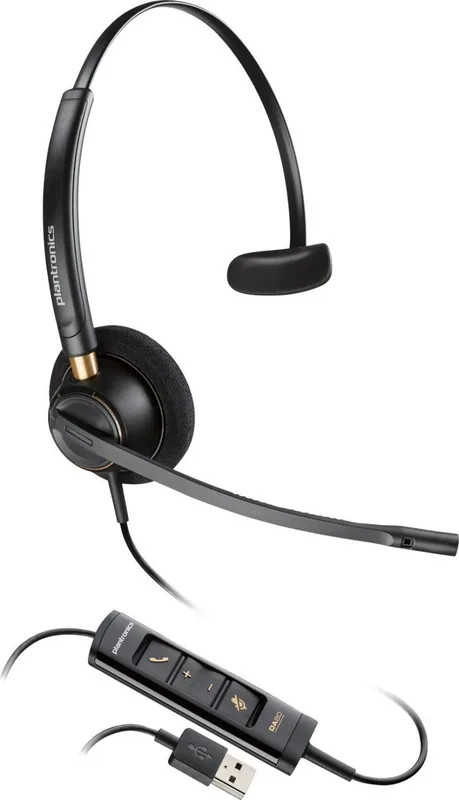
Welcome to the next generation of professional audio gear designed for clarity and ease. The Poly EncorePro 515 represents a significant leap in professional headset technology. Designed for high-performance communication, this device integrates seamlessly into daily workflows for remote teams. Users benefit from robust connectivity options that support modern computing needs in various settings. Connectivity is streamlined through USB-A and USB-C ports eliminating compatibility issues across different machines and offices globally. This versatile hardware ensures that your team stays connected regardless of the location or device used for meetings.
Advanced Control Features
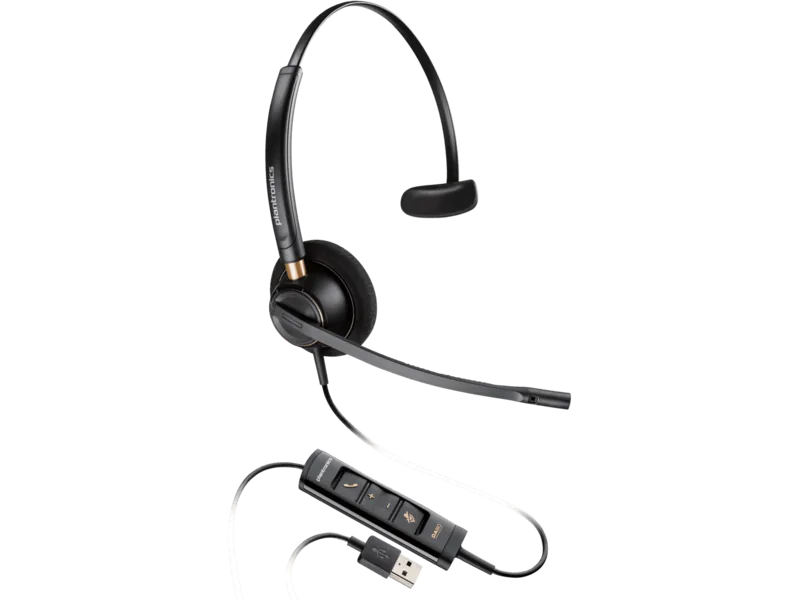
Audio management has never been simpler with the intuitive button layout found on the ear piece. Volume adjustment and mute functions are easily accessible without interrupting your flow or meeting rhythm. Active Noise Cancelation technology ensures distraction-free conversations even in busy environments with background noise. Power management allows for prolonged usage throughout workdays without frequent recharging sessions needed for other brands. This reliability minimizes downtime during critical business communications.
Customization and Integration
Poly software download tools enable users to tailor settings according to personal preference and business requirements efficiently. You can update device firmware directly to access the latest features and security patches regularly. Multi-device switching supports phones and computers simultaneously creating a unified communication hub. This flexibility ensures that productivity remains uninterrupted during transitions between tasks and calls throughout the day. Downloading the correct version ensures maximum compatibility.
Versatile Compatibility
Operating systems such as Windows and Mac are fully supported alongside mobile platforms like iOS and Android devices effectively. This universal support makes the headset an ideal choice for hybrid work environments requiring consistency. Whether attached to a desktop or used on a tablet, the performance remains consistent across all supported platforms reliably. It adapts to your changing hardware needs effortlessly.
Important Notes
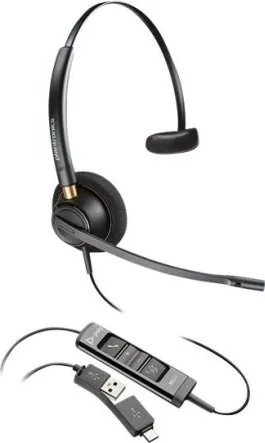
Ensure that the Poly software is installed for optimal performance and feature availability immediately after setup. Specific models include variant EP515 and the USB-C compatible versions for newer hardware. Check connectivity cables for damage before setup to prevent interference during calls. Regular updates maintain security and functionality standards across the fleet keeping devices secure for enterprise use. Protect your investment by following the provided guidelines.
Search for 67,732 Manuals online


Type-in Brand or Model