
Poly Calisto 5300 Manual
PDF manual · 9 Pages
English



Quick check
Incorrect answer, please try again.
Chat with your Poly Calisto 5300 manual using AI
Get instant AI answers from your Poly Calisto 5300 manual
Ask anything about the Poly Calisto 5300. Answers come from this manual, with the pages they are based on.
Ask a Question
Do you recommend Calisto 5300?
Yes NoFrequently Asked Questions
Slide the power button towards the Bluetooth symbol for two seconds until you hear Pairing. Enable Bluetooth on your phone, select Poly CL5300Series, and wait for the successful connection confirmation.
Is this answer helpful?
A red blinking light typically indicates that the device is currently being charged or that the mute function has been activated, depending on the specific LED location and pattern described in the manual.
Is this answer helpful?
Yes, you can connect directly via the built-in Bluetooth capabilities or use the standard USB cable for a wired connection without needing the separate Bluetooth USB adapter.
Is this answer helpful?
It takes approximately 3.5 hours to achieve a full charge using a USB connection to a computer or a compatible USB power outlet.
Is this answer helpful?
No, the dedicated Microsoft Teams button is only available on specific Teams-enabled models of the Calisto 5300 series and requires the Teams app to be installed.
Is this answer helpful?
You can download the Plantronics Hub for Windows or Mac directly from the official poly.com/software website to customize device settings.
Is this answer helpful?
Advantages and Disadvantages
Advantages

- Seamless switching between wired and wireless connections
- Dedicated Microsoft Teams button for instant meeting access
- Clear LED status indicators for easy monitoring
- Compact and portable design ideal for travel
- Advanced noise cancellation for clear audio
Disadvantages

- Battery requires 3.5 hours for a full charge cycle
- Microsoft Teams app installation is mandatory for full feature use
- USB power adapter not included in the package
- Adapter design may vary between different batches
- Limited to specific models for certain advanced software features
Product Specification
Microphone Range
3.28 ft
Coverage Area
360°
Microphone Count
1 (integrated)
Frequency Range
100Hz-7.50kHz (microphone), 150Hz-20kHz (speaker)
Talk Time
16h
Color
black
Dimensions
4.28x4.28x1.22 in
Weight
7.58 oz
Product Description
Poly Calisto 5300: The Ultimate Wireless Conference Solution
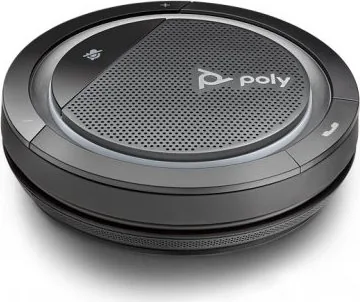
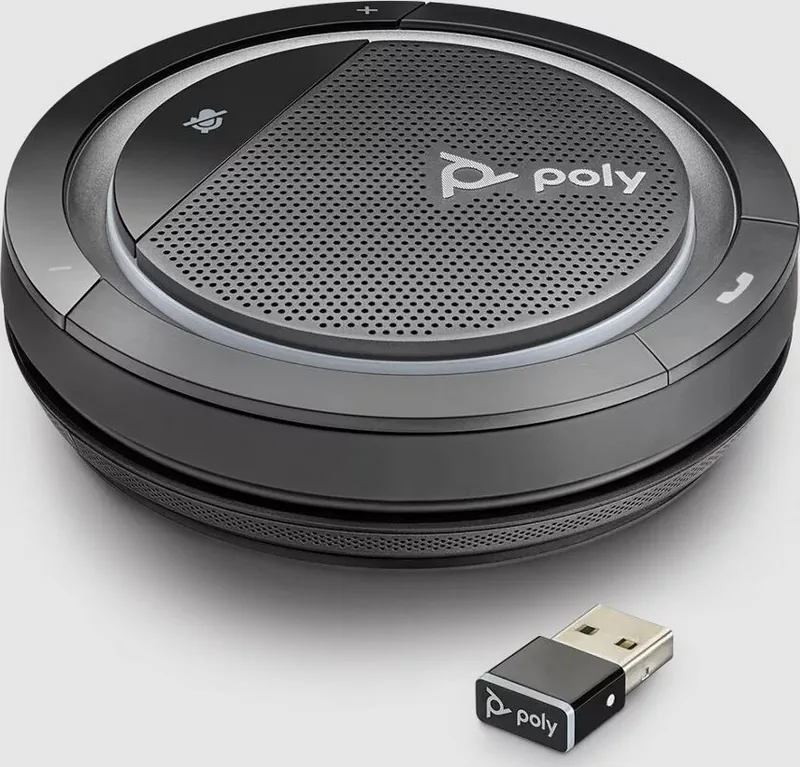
The Poly Calisto 5300 represents a significant leap forward in portable audio technology, designed specifically for modern professionals who demand clarity and flexibility. This sleek conference speakerphone bridges the gap between desktop convenience and mobile freedom. Whether you are working from a home office, a co-working space, or a hotel room, the Calisto 5300 ensures your voice is heard clearly without the clutter of cables.
At its core, this device offers versatile connectivity options. Users can easily switch between wired USB connections for stable computer integration and Bluetooth pairing for seamless mobile collaboration. The inclusion of a dedicated Microsoft Teams button on specific models further streamlines communication, allowing instant access to meetings with a single press. The intuitive LED indicators provide immediate visual feedback on connection status, battery life, and mute functions, eliminating guesswork during critical calls.
Powering the experience is a robust internal battery that supports up to three and a half hours of continuous charging for full capacity. This portability means you can take important client calls anywhere, confident that the audio quality remains pristine. The microphone system features advanced noise suppression to filter out background chatter, ensuring your message stays focused. With a compact design and durable build, the Calisto 5300 is not just a tool but a reliable partner for daily business interactions.
Key Features Overview
- Dual Connectivity: Supports both USB-A and Bluetooth for maximum compatibility.
- Microsoft Teams Integration: Dedicated hardware key for quick meeting access.
- Smart LED Indicators: Clear visual cues for pairing, calls, and battery status.
- Portable Design: Lightweight form factor perfect for travel and remote work.
- Easy Setup: Intuitive controls for power, volume, and mute functions.
Important Notes
Ensure your Microsoft Teams application is installed to utilize the dedicated team button effectively. The USB-Bluetooth adapter included with BT600 models may vary slightly in design but maintains consistent functionality. Always charge the device fully before first use to optimize battery performance.
Search for 67,732 Manuals online


Type-in Brand or Model