
PocketBook Color Manual
PDF manual · 122 Pages
English



Quick check
Incorrect answer, please try again.
Chat with your PocketBook Color manual using AI
Get instant AI answers from your PocketBook Color manual
Ask anything about the PocketBook Color. Answers come from this manual, with the pages they are based on.
Color Maintenance Schedule
Contact the nearest authorized service facility for examination to ensure security is maintained by the end of the product guarantee term.
Connect the charger, let the device charge for 1 hour, then disconnect and reconnect the charging device or USB cable if the battery charge indicator does not work.
Free maintenance reminders
Timed to your purchase date. Always free, unsubscribe anytime.
Ask a Question
Do you recommend Color?
Yes NoFrequently Asked Questions
Connect the device to a power line using the charger or to a PC using a USB cable. The device turns on as soon as charging starts. Fully charge the battery before disconnecting the cable for the first time use.
Is this answer helpful?
Yes, you can sync with PocketBook Cloud, Dropbox, and Send-to-PocketBook services. This allows you to access books and reading progress across different devices and platforms securely.
Is this answer helpful?
The device supports a wide variety of formats including EPUB, PDF, MOBI, FB2, TXT, and HTML. It also handles DRm protected files like ACSM and AZW formats for ebook management.
Is this answer helpful?
Up to one month of battery life is estimated depending on usage mode, connectivity settings, and brightness levels. Charging takes a few hours using the provided USB cable.
Is this answer helpful?
Yes, you can pair Bluetooth devices such as headphones or speakers to play audio files and use the Text-to-Speech feature for an enhanced reading experience.
Is this answer helpful?
You can update automatically via Settings or manually by downloading the file from the website and copying it to the root folder of the internal storage. Connect via USB to finish the installation.
Is this answer helpful?
No, the device cannot be used under water or when wet. If immersed, let it dry for 24 hours. Do not immerse in sea water to avoid corrosion and damage.
Is this answer helpful?
Advantages and Disadvantages
Advantages

- Vibrant E Ink Kaleido 3 color display for rich illustrations
- SMARTlight adjusts color temperature and brightness automatically
- Up to one month of battery life for extended reading sessions
- Wi-Fi and Bluetooth connectivity for seamless cloud sync
- Support wide range of formats including PDF and EPUB
Disadvantages

- Color resolution is lower compared to grayscale mode
- Screen is fragile glass and requires protective cover
- Device must not be used underwater or when wet
- Firmware updates must be done manually via USB or Auto Check
- Battery indicator might be inaccurate after long idle times
Product Specification
Manufacturer Warranty
2 years
Product Description
Unlock Immersive Reading with Color Technology
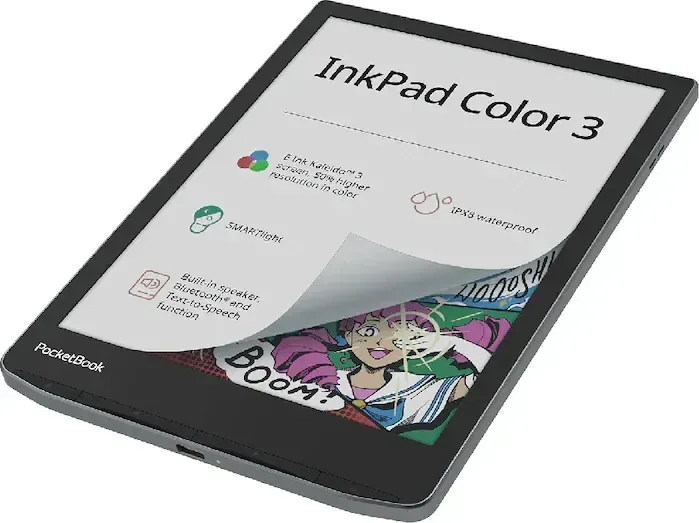
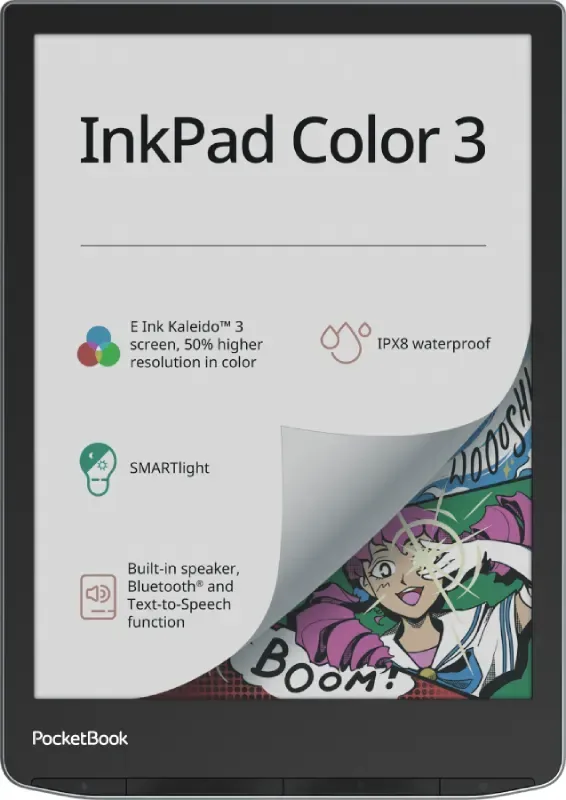
Reading has evolved significantly from traditional black and white sheets to vibrant digital experiences. The PocketBook Color eBook Reader with Color Display Manual highlights how this specific device transforms the reading journey. Its 7.8-inch E Ink Kaleido 3 screen brings text and images to life with remarkable clarity and detail. Whether you are studying technical diagrams, enjoying graphic novels, or reading children storybooks, the color depth ensures critical details are never lost.
The device features advanced lighting systems designed to protect your eyes. SMARTlight adjusts the color temperature automatically based on the time of day, shifting from neutral white in the morning to warmer hues in the evening. This reduces eye strain during long late night sessions. You can also customize brightness levels manually to suit your environment perfectly. For power users, the built-in battery lasts up to a month with reasonable use depending on settings. Connectivity is seamless via Wi-Fi and Bluetooth, allowing you to sync books from the Cloud or connect wireless headphones for audio books and music.
Managing your vast digital library is intuitive and efficient. You can group books by author or genre, set favorites, and access the store directly from the device without needing a computer. The integrated browser allows you to read articles, while the note-taking tools let you mark passages easily. You can also use the built-in dictionary for quick translations. The device supports a wide range of formats including PDF, EPUB, and MOBI. For those interested in the full capabilities, the PocketBook Color eBook Reader with Color Display Manual provides step-by-step guidance on gestures and settings to maximize your utility.
Safety is paramount during usage. Avoid water exposure and keep the screen protected from sharp objects. Always charge using the provided USB cable to ensure safety. Regular firmware updates ensure your reading journey remains smooth and bug-free. You can sync with services to access content across devices. The library includes games and a calculator, making it a versatile tool.
The physical build is lightweight, making it comfortable to hold for extended periods. The screen is fragile glass, so using a protective cover is recommended when traveling. Inside, the device runs on a Linux Kernel which powers the smooth interface. You can play games without draining battery significantly due to the power efficiency of the display.
Writing and drawing are also possible with the Scribble application. This allows you to annotate text or keep digital journals. If you enjoy coloring, the Coloring app lets you bring black and white images to life with various colors. Bluetooth support enables remote control via compatible devices like keyboards.
Note: Always back up your data regularly to prevent loss during system resets or factory configurations.
Search for 67,706 Manuals online


Type-in Brand or Model