
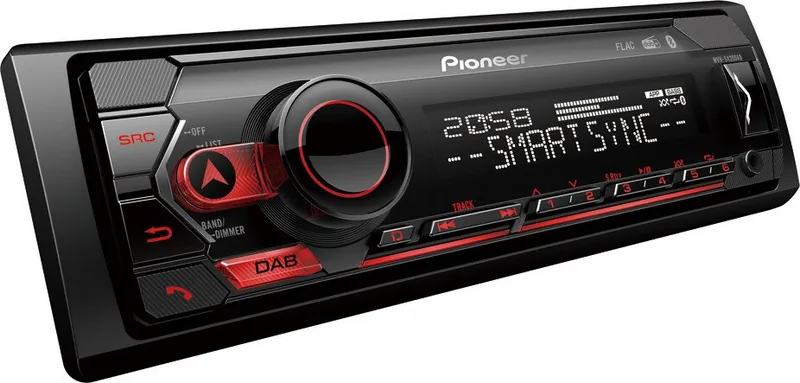
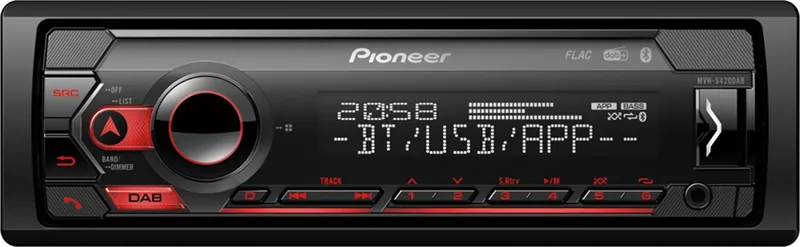
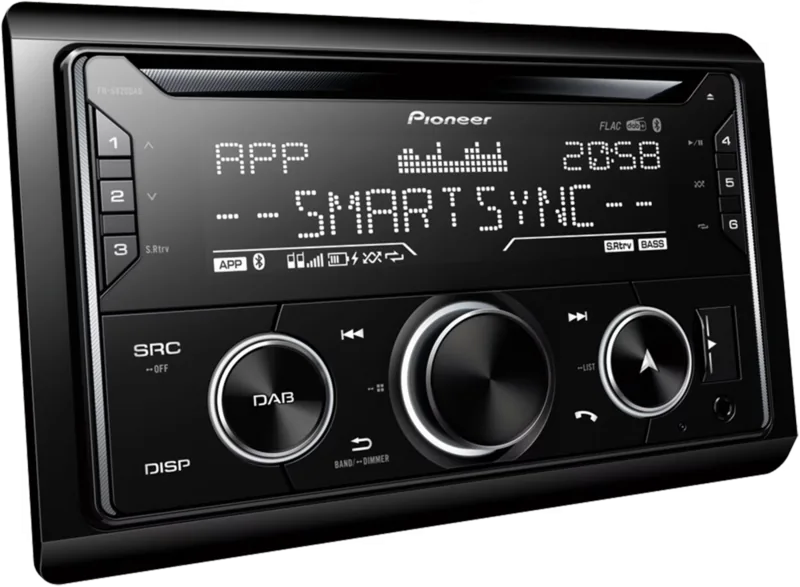
Pioneer MVH-S420DAB Manual
PDF manual · 238 Pages
English


Quick check
Incorrect answer, please try again.
Chat with your Pioneer MVH-S420DAB manual using AI
Get instant AI answers from your Pioneer MVH-S420DAB manual
Ask anything about the Pioneer MVH-S420DAB. Answers come from this manual, with the pages they are based on.
Ask a Question
Do you recommend MVH-S420DAB?
Yes NoFrequently Asked Questions
Turn on the Bluetooth function on your device. On the unit, press the button to display the Add Device setting. Select the unit name from the device list on your phone. Make sure the same 6-digit number appears on the unit and the device, then select Yes to confirm the connection.
Is this answer helpful?
No, the unit requires the optional AN-DAB1 antenna for Digital Audio Broadcasting reception. Power must be supplied to this optional antenna in the system settings if you are not using a passive antenna with no booster.
Is this answer helpful?
You must use the Spotify app on a mobile device connected via USB or Bluetooth to stream music. The app needs to be launched on the device to start playback while you select the Spotify source on the receiver.
Is this answer helpful?
MP3, WMA, AAC, FLAC, and WAV files are supported depending on the connection type. Note that WAV and FLAC cannot be connected via MTP. Ensure your device is formatted with a compatible file system like FAT32.
Is this answer helpful?
Access the Setup Menu and select Initial settings to reset the unit to factory defaults. You can also press the Reset button with a pointed instrument longer than 8 mm if the microprocessor needs a hard reset.
Is this answer helpful?
Yes, select a contact in the phone menu and press a number button from one through six to save. You can also recall these numbers from the preset menu or by pressing the number buttons directly while the phone menu is displayed.
Is this answer helpful?
Voice recognition is available when an iOS or Android device equipped with such features is connected via Bluetooth. You can use the command from the unit or from the Pioneer Smart Sync application to input commands hands-free.
Is this answer helpful?
Advantages and Disadvantages
Advantages

- Support for DAB and DAB+ digital radio services for high-quality audio reception
- Compatibility with multiple smartphone platforms including iOS and Android devices
- Features Pioneer Smart Sync for extended app integration and control
- Includes 13-band graphic equalizer for detailed sound customization
- Detachable front panel enhances vehicle security against theft
Disadvantages

- DAB antenna must be purchased separately for digital radio functionality
- Some USB devices may require specific MTP or AOA configuration settings
- Bluetooth audio streaming is muted during active phone calls
- Spotify control requires the app to be running on the mobile device
- Limited physical display screen compared to modern touchscreen units
Product Specification
Type
Digital Receiver, 1-DIN
Display
Dot Matrix
Navigation
No
Traffic
No
Tuner
FM, AM, DAB+
Media
USB Storage
Audio Formats
AAC, FLAC, MP3, WAV, WMA
Power
4 x 50W Peak, MOSFET
Connections
2 x Preamp Output, 1 x AUX In (Front), 1 x USB (Front), Bluetooth
Anti-Theft
Removable Panel
Features
Hands-Free, USB Charging, 13-Band Equalizer
Product Description
Upgrade Your Drive with the Pioneer MVH-S420DAB
Enhancing Your Audio Experience
Driving becomes significantly more enjoyable when you have high-quality sound in your vehicle. The Pioneer MVH-S420DAB is designed to transform your in-car entertainment. This digital media receiver supports seamless connectivity for modern smartphones and media players. You can easily switch between USB, Bluetooth, and AUX inputs to play your favorite tunes. For those who prefer digital radio, the DAB tuner ensures crisp signal reception without static. The interface is intuitive, utilizing a multi-control dial for navigation. It supports multiple language settings including English, French, German, Russian, and Turkish.
Seamless Smartphone Integration
Modern drivers rely on their phones for music and calls. This unit handles both effortlessly. You can connect up to two phones via Bluetooth simultaneously for hands-free calling. The interface allows you to manage call history, phone books, and recent calls directly from the display. For music streaming, Spotify Connect is supported natively. You can control your playlists through the app on your phone while the audio plays through the car speakers. Voice recognition works via compatible devices for safer control. iPhone and Android devices are supported with specific requirements regarding operating system versions. USB devices including Android can connect via AOA or MTP protocols depending on the settings.
Advanced Audio Customization
Sound quality is paramount for audiophiles. The system includes a thirteen-band graphic equalizer for precise frequency adjustments. Subwoofer connections are supported for deeper bass. You can adjust time alignment to optimize speaker positions relative to your seating. This ensures a balanced soundstage throughout the cabin. Audio settings allow for dynamic bass boost and loudness compensation at low volumes. The crossover settings allow you to fine-tune the frequency response for front, rear, and subwoofer speakers. This level of control allows you to tailor the sound to your specific vehicle acoustics.
Smart Features and Control
The Pioneer Smart Sync application extends functionality beyond the physical buttons. Maps, messages, and music are accessible via the companion app. Voice command support enables safer interaction while driving. The detachable front panel adds a layer of security against theft. Installation is straightforward with standard DIN dimensions. The system also features a best stations memory function that presets the strongest signals. Time shift capabilities on DAB allow you to pause and rewind broadcasts.
System Stability and Power
The unit is designed for robust performance with a 14.4 V DC power source. It includes features to reduce battery power consumption when the source is off. Troubleshooting is aided by a helpful error message display system. Common issues like antenna errors or USB format problems are easily identifiable. The display brightness can be set automatically or manually to suit lighting conditions. Whether you use analog tuning or digital services, performance remains reliable. Regular updates ensure longevity and new features.
Search for 67,732 Manuals online


Type-in Brand or Model