
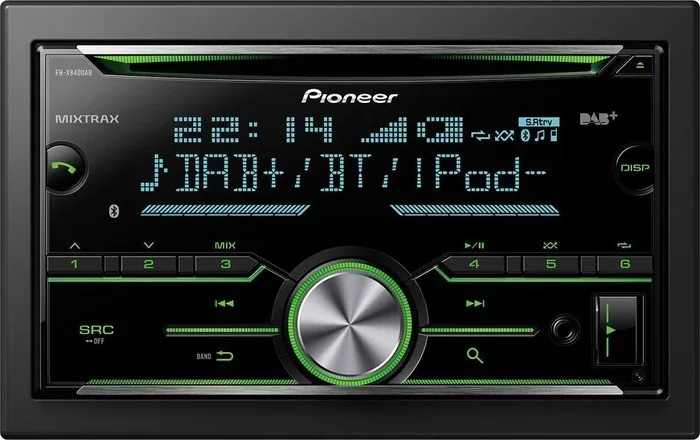
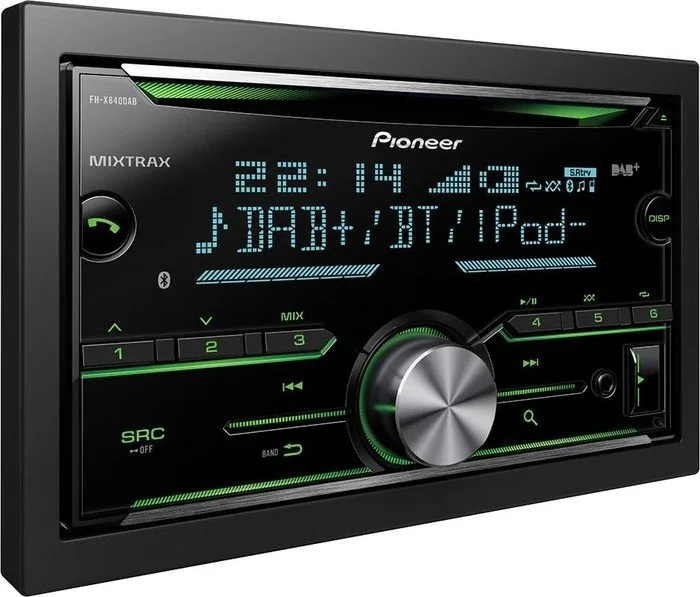
Pioneer FH-X840DAB Manual
PDF manual · 204 Pages
English


Quick check
Incorrect answer, please try again.
Chat with your Pioneer FH-X840DAB manual using AI
Get instant AI answers from your Pioneer FH-X840DAB manual
Ask anything about the Pioneer FH-X840DAB. Answers come from this manual, with the pages they are based on.
Ask a Question
Do you recommend FH-X840DAB?
Yes NoFrequently Asked Questions
It combines DAB radio, CD, USB, Bluetooth, Spotify, and app control with advanced audio tuning, making it a versatile car stereo for both everyday listening and customized sound.
Is this answer helpful?
Yes. The unit supports Bluetooth hands-free calling, including call answer/end controls, phonebook access, recent calls, preset numbers, and voice recognition on compatible iPhones.
Is this answer helpful?
Yes. You can connect a compatible phone and play Spotify through the stereo. The app must be installed on the mobile device, and the phone connection mode must be set correctly.
Is this answer helpful?
Standard mode is for typical front/rear or subwoofer setups. Network mode is for a more advanced 2-way system with separate high, mid, and subwoofer outputs and tuning.
Is this answer helpful?
Yes. You can adjust key and display colors, brightness, and some illumination effects. MIXTRAX also adds animated lighting synced to playback.
Is this answer helpful?
Yes. It supports USB storage devices and many iPod/iPhone models, with browsing, repeat, shuffle, alphabetical search, and playback control options.
Is this answer helpful?
Basic installation is standard for a car stereo, but the unit includes detailed setup steps for wiring, DAB antenna power, microphone placement, and speaker mode selection.
Is this answer helpful?
Advantages and Disadvantages
Advantages

- DAB, Bluetooth, CD, USB, AUX, iPod, Spotify, and app support in one unit.
- Flexible sound tuning with EQ, crossover, time alignment, and speaker level control.
- Choice of standard or network mode for different speaker configurations.
- Custom lighting and MIXTRAX effects add visual personality to the dashboard.
Disadvantages

- Setup can feel complex, especially when choosing speaker mode and wiring options.
- Some features depend on compatible phones, apps, or optional accessories.
- Bluetooth and app functions may vary by device and operating system.
- Advanced sound settings may be more than casual users need.
Product Specification
Type
CD Receiver, 2-DIN
Display
Dot-Matrix
Navigation
no
TMC
no
Tuner
FM, AM, LW, DAB, DAB+
Media
CD (CD-R/RW), USB storage
Audio formats
AAC, FLAC, MP3, WAV, WMA
Power
4x 50W Peak, MOSFET
Connections
3x Pre-amp output, 1x AUX In (Front), 1x USB (Front), Bluetooth
Features
Hands-free system, variable illumination, 13-Band equalizer
Product Description
Pioneer FH-X840DAB: a flexible car stereo for modern listening
The Pioneer FH-X840DAB Manual reflects a head unit built for drivers who want more than basic radio playback. The FH-X840DAB combines DAB digital radio, FM/AM tuning, CD playback, USB, iPod, AUX, Bluetooth, Spotify support, and app control in one compact system. It is designed to fit a wide range of listening habits, from casual commuting to more customized in-car audio setups.
One of its strongest points is the choice between standard mode and network mode. That flexibility makes it appealing to users who want either a straightforward four-speaker layout or a more advanced multi-speaker arrangement with separate high, mid, and subwoofer control. The built-in audio tools go further with equalizer presets, crossover settings, bass boost, loudness, time alignment, and speaker level adjustments, giving you plenty of ways to shape the sound.
The FH-X840DAB also keeps convenience in mind. Bluetooth pairing supports hands-free calls and wireless music streaming, while USB and iPod support make it easy to play local files. The unit can also work with Spotify and Pioneer ARC APP, letting compatible phones extend the stereo’s functionality. For drivers who use radio often, features like DAB service lists, presets, BSM, PTY search, and time shift/pause functions add useful everyday value.
Visually, the unit offers customizable illumination options that help it blend into different interiors. You can adjust key and display colors, brightness, and even special MIXTRAX effects for a more animated playback style. That said, the system is still built with practical driving use in mind, reminding users to avoid distractions and keep volume at safe levels.
Installation and setup are detailed and safety-focused, with guidance for speaker mode selection, DAB antenna power, wiring, and microphone placement. The overall design suggests a stereo for users who want a strong balance of sound tuning, connectivity, and in-car usability.
Notes
- Best suited for drivers who want DAB, Bluetooth, and deeper sound customization.
- Network mode is ideal for more advanced speaker setups.
- Safe installation and correct speaker mode selection are essential for proper operation.
Search for 67,732 Manuals online


Type-in Brand or Model
Sven Krüger
9 months ago
Does the radio bezel (radioblende) fit properly? In one review it did not match after asking. How do you ensure compatibility with different car models, and can you provide the correct bezel?
Manual.ly
9 months ago
Thanks for the heads-up. The included front bezel can vary depending on the car model and dashboard trim. To ensure a perfect fit, please share your vehicle make, model, year, and the current radio frame/dashboard opening (or a photo). Our team will verify compatibility for the FH-X840DAB and confirm whether the supplied bezel is correct or if an appropriate replacement/frame is needed. If it did not match in your order, contact support with your order number so we can help with the correct part and arrange a solution quickly.