
Pioneer DEH-S410DAB Manual
PDF manual · 193 Pages
English


Quick check
Incorrect answer, please try again.
Chat with your Pioneer DEH-S410DAB manual using AI
Get instant AI answers from your Pioneer DEH-S410DAB manual
Ask anything about the Pioneer DEH-S410DAB. Answers come from this manual, with the pages they are based on.
DEH-S410DAB Maintenance Schedule
Wipe the disc with a soft cloth outward from the center if it is dirty.
Replace discs that are scratched, cracked, chipped, warped, or otherwise damaged.
Ask a Question
Do you recommend DEH-S410DAB?
Yes NoFrequently Asked Questions
It combines DAB digital radio, CD playback, USB and AUX inputs, and smartphone app support in one compact receiver. It is designed for drivers who want both traditional media and modern connectivity.
Is this answer helpful?
Yes, Spotify playback is supported, but the compatibility is tied mainly to iPhone use on this model. You need the Spotify app installed and a proper USB connection to start playback.
Is this answer helpful?
Yes. Android devices can connect through USB, and Pioneer ARC APP support is available for compatible phones. Some functions depend on Android version, AOA support, and the selected connection mode.
Is this answer helpful?
The unit supports DAB, but good reception may require a compatible external antenna. The settings also include antenna power control for the optional DAB antenna.
Is this answer helpful?
You can adjust a five-band equalizer, loudness, bass boost, subwoofer phase and cutoff, high-pass filtering, and source level adjustment. This gives you broad control over the sound profile.
Is this answer helpful?
Yes. The receiver supports USB storage devices and iPod connections, with playback controls for folders, tracks, repeat, shuffle, and sound retriever functions. Some file formats and older devices may be limited.
Is this answer helpful?
Advantages and Disadvantages
Advantages

- Supports DAB, FM, CD, USB, AUX, Spotify, and app-based playback.
- Offers strong sound tuning with EQ, loudness, bass boost, and subwoofer controls.
- Includes handy radio tools like presets, PTY search, TA, and BSM.
- Customizable display lighting adds a personal touch to the cabin.
- Works with iPod, Android, and Pioneer ARC APP for wider compatibility.
Disadvantages

- Some advanced app features depend on a connected phone and compatible software.
- DAB performance may require an optional antenna for best results.
- Setup and menu options can feel technical for first-time users.
- Spotify support is more limited on some platforms and device combinations.
- Using many media types may require careful source and cable management.
Product Specification
Type
CD Receiver, 1-DIN
Display
Dot-Matrix
Navigation
no
TMC
no
Tuner
FM, MW, LW, DAB, DAB+
Media
CD (CD-R/RW), USB storage
Audio formats
AAC, MP3, WAV, WMA
Power
4x 50W Peak, MOSFET
Connections
2x Pre-out, 1x AUX In (Front), 1x USB (Front)
Anti-theft protection
detachable front panel
Special features
variable illumination, USB charging function, 5-band equalizer
Product Description
Pioneer DEH-S410DAB Manual: A Smart Upgrade for Everyday Driving
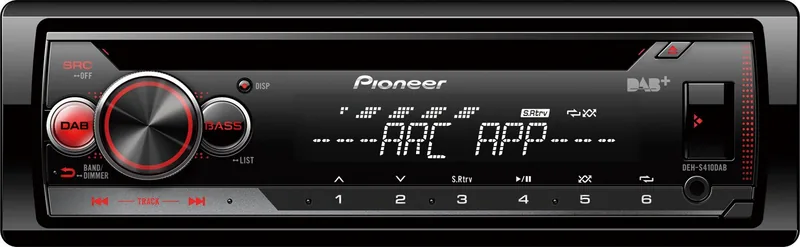
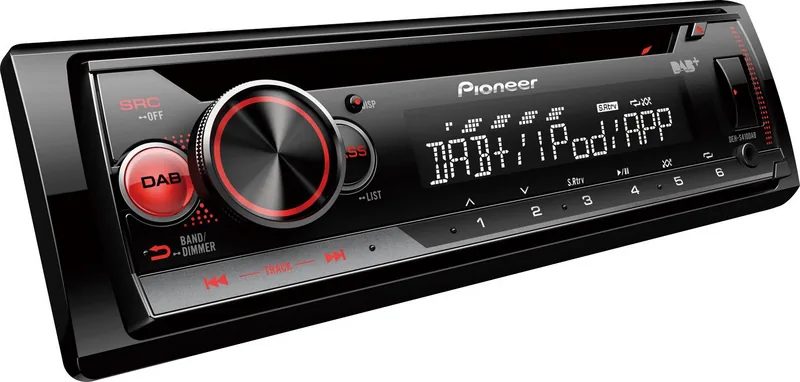
The Pioneer DEH-S410DAB brings a modern mix of classic and connected audio features to the dashboard. Built for drivers who want more than basic radio, it combines DAB digital radio, FM/AM tuning, CD playback, USB support, AUX input, and smartphone-friendly options in a compact single-DIN design. The result is a versatile head unit that suits daily commuting, long road trips, and anyone looking to refresh an older car stereo.
One of its strongest points is the broad playback support. You can enjoy music from CDs, USB drives, iPod devices, Android phones, and auxiliary sources, while also exploring streaming options like Spotify and Pioneer ARC APP. That makes it easy to move between traditional media and app-based listening without changing hardware. The unit also includes useful playback tools such as repeat, shuffle, sound retriever, and folder navigation, which help keep music organized and enjoyable on the road.
The tuner section is equally practical. With DAB service lists, FM station presets, PTY search, traffic announcements, and best station memory, the DEH-S410DAB is designed to make radio listening more flexible and reliable. Its setup menus also let you control features such as language, clock format, tuning steps, antenna power, and system behavior, so you can fine-tune the receiver to your vehicle and preferences.
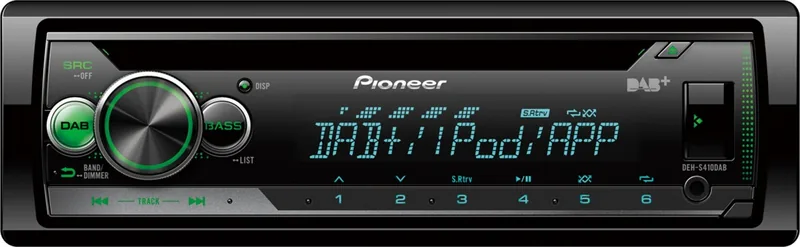
Sound shaping is another highlight. The five-band graphic equalizer, loudness control, bass boost, subwoofer settings, high-pass filter, and source level adjustment offer plenty of room for customization. Whether you want clearer vocals, firmer bass, or a balanced listening profile, the interface gives you meaningful control without becoming overly complex. Illumination settings also let you personalize the look with preset colors, custom tones, and brightness options.
Notes
- DAB use may require a compatible antenna, such as the optional AN-DAB1.
- iPhone support is especially important for Spotify and Pioneer ARC APP features.
- The unit is designed to be practical, but safe installation and proper speaker wiring matter.
- A wide range of settings makes it suitable for both casual users and audio tinkerers.
Overall, the Pioneer DEH-S410DAB Manual reflects a receiver built around flexibility, clear sound, and easy integration with today’s music habits. It is a strong choice for drivers who want dependable radio performance plus smart app connectivity in one straightforward package.
Search for 67,732 Manuals online


Type-in Brand or Model