
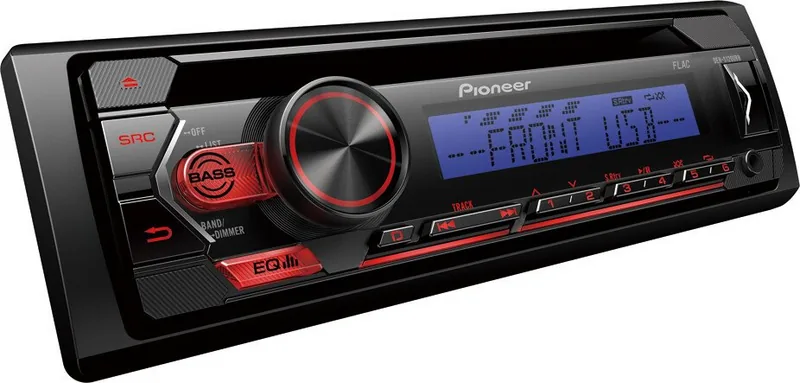
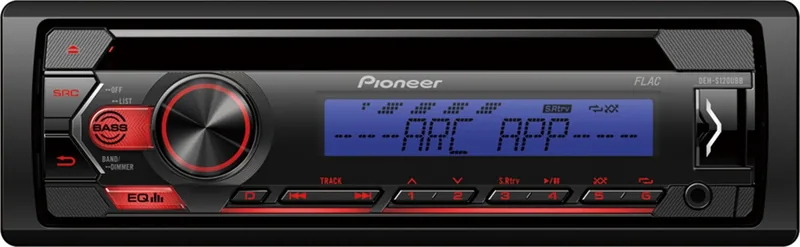
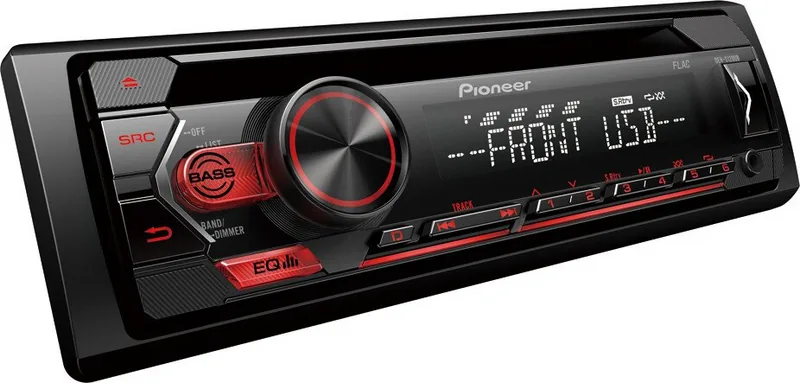
Pioneer DEH-S120UB Manual
PDF manual · 152 Pages
English


Quick check
Incorrect answer, please try again.
Chat with your Pioneer DEH-S120UB manual using AI
Get instant AI answers from your Pioneer DEH-S120UB manual
Ask anything about the Pioneer DEH-S120UB. Answers come from this manual, with the pages they are based on.
Ask a Question
Do you recommend DEH-S120UB?
Yes NoFrequently Asked Questions
The remote control is supplied only for specific models like DEH-S121UB/S121UBG. Other variants may not include this accessory in the box, so check your specific package content upon purchase.
Is this answer helpful?
Yes, the device supports MP3, WMA, and FLAC files via the USB port. Ensure the file system is formatted correctly and the device does not exceed power limits.
Is this answer helpful?
Use the Pioneer ARC APP with a compatible USB cable connected to the port. The phone runs Android 4.1 to 7.1.2 for optimal functionality and AOA support.
Is this answer helpful?
The display shows codes like AMP ERROR or FORMAT READ. Follow the troubleshooting guide to check speaker connections, remove dirty discs, or reformat the USB drive.
Is this answer helpful?
Yes, there is a dedicated BASS button. You can also adjust the Bass Boost settings in the system menu to customize the low-frequency output to your preference.
Is this answer helpful?
Yes, the front panel detach feature helps prevent theft. You must press the button to release it and remove all cables before detaching to avoid damage.
Is this answer helpful?
Yes, it includes RDS support for FM stations. You can receive traffic announcements and select specific program types like news or music through the tuner functions.
Is this answer helpful?
Advantages and Disadvantages
Advantages

- Detachable faceplate for security against theft
- Sound Retriever enhances compressed audio quality
- USB and Android ARC App connectivity options
- RDS radio with traffic and program type support
- Customizable equalizer and subwoofer settings
Disadvantages

- Remote control not included in all model variants
- Wired USB connection required for app support
- No built-in Bluetooth connectivity
- Fixed DIN dimensions require dash adapters
- Subwoofer settings limited by initial config
Product Specification
Type
CD Receiver, 1-DIN
Display
Dot Matrix
Navigation
No
TMC
No
Tuner
FM, AM
Media
CD (CD-R/RW), USB Storage
Audio Formats
FLAC, MP3, WAV, WMA
Power
4 x 50W Peak, MOSFET
Connections
2x Preamp Output, 1x AUX In (Front), 1x USB (Front)
Theft Protection
Removable Faceplate
Features
USB Charging Function, 5-Band Equalizer
Product Description
Unleash Premium Sound in Your Vehicle
The Pioneer DEH-S120UB represents a significant leap forward in car audio technology. This unit is designed for drivers who want crystal clear music without compromising safety or convenience. The device supports multiple input sources including CD, USB, and AUX connections, ensuring you can play your favorite tracks regardless of the format. Security features include a detachable faceplate, which helps prevent theft by allowing you to store the front unit safely when you leave your vehicle.
Connectivity and Control
Modern life requires seamless integration. The receiver pairs well with the Pioneer ARC APP for Android devices, offering remote control capabilities directly from your smartphone. This connection allows for easy navigation of playlists and source selection. Users can enjoy wireless-like freedom even though the connection relies on a USB wire. Following the standard setup procedures found in the Pioneer DEH-S120UB Manual ensures that all settings are optimized for your specific vehicle environment. You can adjust the Android wiring settings to choose between memory mode or app control for the best experience. Always pull off the road before using app controls for safety.
Advanced Audio Features
Sound quality is paramount. The unit features a Sound Retriever function that enhances compressed audio tracks, restoring richness to MP3 or WMA files. Bass Boost allows for deeper low-end response, while the graphic equalizer lets you fine-tune frequencies to your preference. The illumination settings can be adjusted to match your dashboard lighting, creating a cohesive look inside the car cabin. Power output capabilities reach up to 50 watts per channel, driving your speakers with authority. Subwoofer control allows for precise phase and cutoff frequency adjustments to match your trunk setup.
Tuning and Reception
The built-in tuner covers FM, MW, and LW bands with RDS support. This means you can receive traffic announcements and program types directly. Preset stations are easily saved using the memory buttons for quick access to your favorite radio channels. You can store the six strongest stations automatically or use PTY functions to find specific music genres. Whether you are commuting or on a long road trip, the reception quality remains stable. The auto PI function ensures you stay on the same station even if the frequency changes.
Installation and Maintenance
Installation is straightforward with standard DIN chassis dimensions. Proper grounding and wiring connections are essential for operation. The unit includes comprehensive troubleshooting features to indicate errors clearly on the display such as AMP error. Battery saving modes help preserve your car's power when the engine is off. Users can set the initial system settings to match their speaker configuration, ensuring the speakers and subwoofer work together optimally for a balanced sound stage. Installing the unit requires standard vehicle wiring harness connections and secure grounding to prevent electrical noise.
Search for 67,732 Manuals online


Type-in Brand or Model