
Pioneer AVH-Z9200DAB Manual
PDF manual · 128 Pages
English


Quick check
Incorrect answer, please try again.
Chat with your Pioneer AVH-Z9200DAB manual using AI
Get instant AI answers from your Pioneer AVH-Z9200DAB manual
Ask anything about the Pioneer AVH-Z9200DAB. Answers come from this manual, with the pages they are based on.
Ask a Question
Do you recommend AVH-Z9200DAB?
Yes NoVideo Manual
Radio Conversion for Audi R8 | Head Unit Upgrade | Pioneer AVH Z9200 DAB
Frequently Asked Questions
No. For safety reasons, video images are not viewable while the vehicle is in motion. To view video, stop in a safe place and apply the handbrake. The system also disables certain touch-panel operations while driving to reduce distraction.
Is this answer helpful?
Turn on Bluetooth on your phone, then open the unit's Bluetooth screen, choose Connection, and start device search. Select your phone from the list to register. If SSP is supported, confirm the shown code. If a PIN is requested, the default is 0000. You can also manage visibility, auto-connect, and manually connect or disconnect.
Is this answer helpful?
Wi-Fi audio is used to support Apple CarPlay or Android Auto wireless-like experiences. The unit displays Wi-Fi Audio as Android Auto when Android Auto is in use, or as Apple CarPlay when Apple CarPlay is in use. Setup requires stopping safely and using the handbrake for certain Wi-Fi settings.
Is this answer helpful?
Yes. With a separately sold compatible rear view camera, the screen can automatically switch to the rear camera image when the gear is set to REVERSE (R). You can also enable Camera View to display camera view at all times (with specific resizing behavior). Parking Assist guidelines can be turned on and adjusted when stopped.
Is this answer helpful?
It supports discs such as music CDs and DVD-Video/Video-CD, plus compressed audio, compressed video, and still images from compatible SD cards and USB storage devices. It also supports iPod/iPhone playback via USB (with model and app limitations). The manual lists supported codecs and media categories, but not every device or file is guaranteed compatible.
Is this answer helpful?
Download the correct firmware update files to a computer, copy the update file onto a blank formatted external storage device, then set that storage device into the unit. Turn the source off, open System Information, and start Firmware Update. Do not turn off the engine, eject SD, or disconnect USB during the update. Updates require the vehicle stopped and the handbrake engaged.
Is this answer helpful?
Advantages and Disadvantages
Advantages

- Digital Radio support (DAB/DAB+) with preset memory, service handling, and optional antenna power control for better reception.
- Comprehensive smartphone integration: Bluetooth hands-free calling, Bluetooth audio, Apple CarPlay, Android Auto, and WebLink.
- Flexible entertainment sources: disc, USB, SD, and AV inputs (AUX/HDMI/AV input) plus still-image and video playback modes.
- Rear camera and parking assistance features: automatic reverse switching, Camera View, and guideline overlay settings.
- Personalization options: theme, illumination, dimmer scheduling, and picture adjustment per source.
Disadvantages

- Safety interlocks restrict video viewing and some touch functions while driving; many controls require stopping and using the handbrake.
- Compatibility is not guaranteed for all USB/SD devices, iPod models, smartphones, or file types, so some content may not behave as expected.
- Firmware updates require external storage and must be done with the vehicle stopped and the handbrake engaged.
- Improper SD/USB ejection can lead to data loss or corruption.
- Using the receiver without running the engine can drain the vehicle battery.
Product Specification
Type
Moniceiver, 2-DIN
Display
7.0", LCD, 2520x480 Pixels, Touchscreen
Navigation
optional
TMC
no
Tuner
FM, MW, LW, DAB, DAB+
Media
CD (CD-R/RW), DVD (DVD-R/RW), USB storage, Memory card
Audio formats
AAC, FLAC, MP3, WAV, WMA
Video formats
DivX, FLV, MKV, MPEG-1, MPEG-2, MPEG-4
Image formats
JPG
Power
4x 50W Peak, MOSFET
Connections
3x Pre-out (4V), 1x AUX In (Rear), 1x HDMI In, 2x Audio/Video input, 2x USB (Rear), Card reader (SD), Wi-Fi (WLAN), Bluetooth
Software features
Apple CarPlay Wireless, Android Auto, Voice control
Features
Hands-free system, Remote control (optional), Variable illumination, USB charging function, 13-band equalizer
Product Description
Pioneer AVH-Z9200DAB - All-in-one in-car entertainment and connectivity
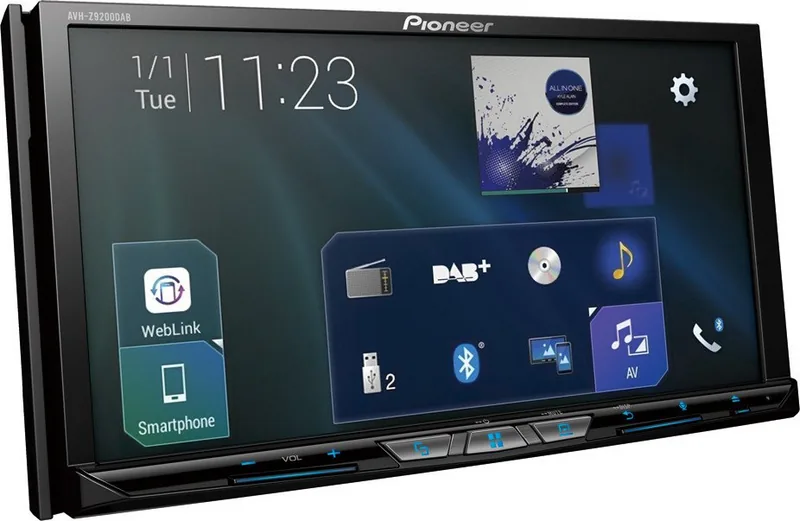
If you are looking for a modern, feature-rich car receiver, the Pioneer AVH-Z9200DAB brings together digital radio, smartphone integration, and flexible media playback in one touchscreen experience. Built around a full AV source interface, it supports Disc and compressed files, plus USB and SD playback for music, video, and still images. It also offers Bluetooth hands-free calling and Bluetooth audio streaming, with clear connection and pairing guidance.
On the radio side, the unit focuses on Digital Radio (DAB/DAB+) and can be tuned efficiently with preset management, seek tuning, and station/service handling. For reception stability, it includes options such as service following and DAB antenna power control (active/phantom-style aerial power via the DAB setting).
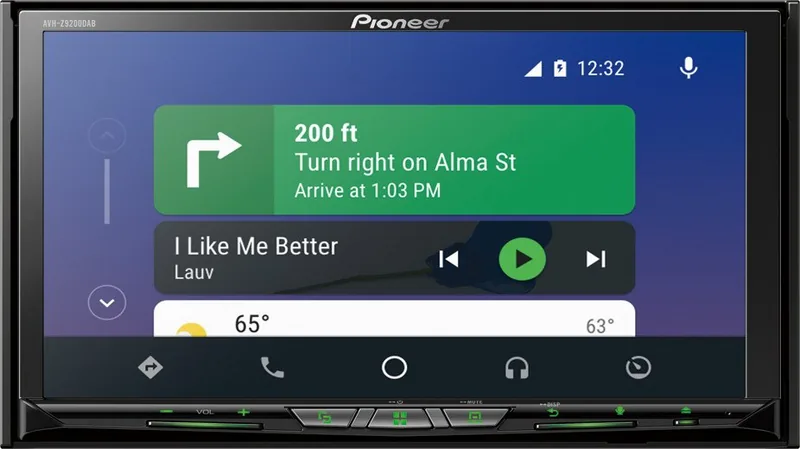
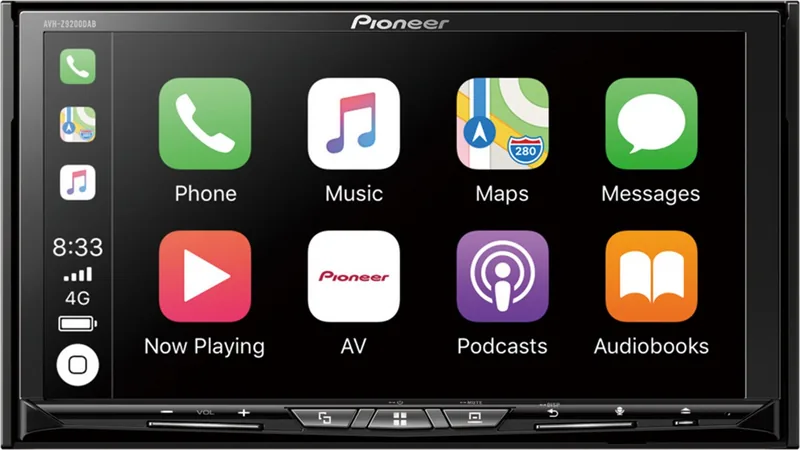
For connected driving, it supports Wi-Fi audio experiences that align with Apple CarPlay and Android Auto, and it can run WebLink for compatible apps. Wireless Mirroring is also supported for select Android behavior via Miracast-style display mirroring, with the system switching confirmation when CarPlay/Android Auto wireless is active.
Camera and safety features are a major part of the design. With a compatible rear view camera, the display automatically switches to the camera view when the gear is set to reverse, and it can also show camera view at all times for driving awareness. Parking Assist options can overlay guidelines, and the system includes safety interlocks and warnings that restrict certain video and touch behaviors while the vehicle is in motion.
For day-to-day usability, the receiver includes customization tools such as dimmer scheduling, theme and clock styles, picture adjustments per source, and a firmware update workflow that relies on external storage. Detaching the front panel adds a practical layer of theft protection.
Key results (highlights)
- Digital Radio focus with DAB+ support, presets, service follow options, and optional antenna power control.
- Strong smartphone integration: Bluetooth calling, Apple CarPlay, Android Auto, and WebLink.
- Media flexibility: CD/DVD playback plus compressed media from USB and SD, with tag-based Music Browse on supported files.
- Camera support with automatic reverse switching, Camera View options, and Parking Assist guideline controls.
Notes
- Video viewing and certain touch actions are disabled while the vehicle is moving; use the car parked and with the handbrake when needed.
- Data protection matters: eject SD/USB only after transfers complete to reduce corruption risk.
- Device and media compatibility is not guaranteed for all models and files, so check support details when needed.
Keyword note: If you want setup and safety guidance, the Pioneer AVH-Z9200DAB Manual is the reference-style resource that walks through connection steps, settings, and warnings.
Search for 67,706 Manuals online


Type-in Brand or Model