
Pioneer AVH-Z7200DAB Manual
PDF manual · 117 Pages
English


Quick check
Incorrect answer, please try again.
Chat with your Pioneer AVH-Z7200DAB manual using AI
Get instant AI answers from your Pioneer AVH-Z7200DAB manual
Ask anything about the Pioneer AVH-Z7200DAB. Answers come from this manual, with the pages they are based on.
AVH-Z7200DAB Maintenance Schedule
Wipe discs with a soft cloth from the center outward. Do not use chemicals or labels.
Turn off the product and wipe with a soft dry cloth. Do not use aggressive cleaners.
Do not use cracked, warped, or damaged discs as they may damage the drive.
Ask a Question
Do you recommend AVH-Z7200DAB?
Yes No
Tess Wilderman
5 months ago
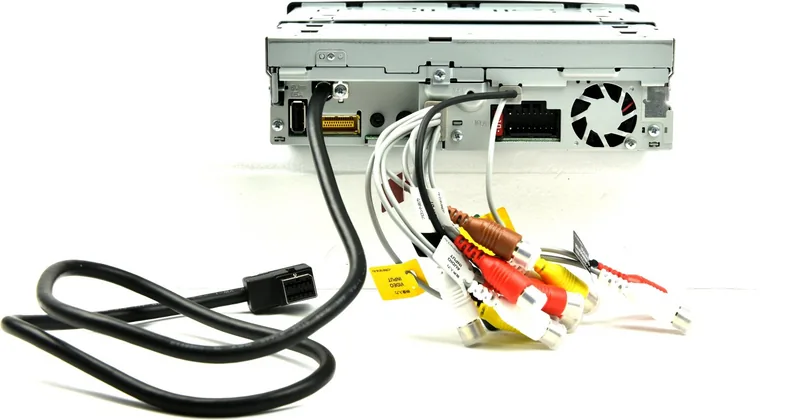
Is the installation difficult, and is there enough space for all the cables?

Manual.ly
5 months ago
The installation is designed to be straightforward. However, some users may need to create additional space at the rear to accommodate all the necessary cables. Overall, it is easy to install and offers excellent sound quality.

architecto_sit
6 months ago
How does this product compare to previous versions in terms of sound quality?
Luca Weber
3 months ago
Is installation straightforward, and is there enough space for the wiring?
Manual.ly
3 months ago
Installation is generally straightforward and the sound quality is reported to be very good. Please note that the rear area may need a little extra clearance to accommodate the wiring harnesses.
Frequently Asked Questions
It is an in-car multimedia receiver with a motorized touchscreen, DAB digital radio, Bluetooth, smartphone integration, disc playback, USB media support, and optional camera connectivity.
Is this answer helpful?
Yes. Compatible iPhones can use Apple CarPlay and compatible Android phones can use Android Auto through USB connection. Available apps and functions depend on the phone, software version, region, and app provider.
Is this answer helpful?
Yes. The receiver supports DAB digital radio and can use service-following features to locate a stronger version of a station. An optional active DAB antenna with suitable phantom power requirements is needed.
Is this answer helpful?
Yes. The system can connect two compatible mobile phones simultaneously for telephone functions. It can store up to five registered Bluetooth devices and lets users switch between connected devices in supported areas.
Is this answer helpful?
It supports audio CDs, DVD-Video, Video CDs, compatible compressed audio and video files, image files from supported discs or USB storage, Bluetooth audio, iPod playback, Spotify, radio, AUX, and AV input sources.
Is this answer helpful?
Yes. A compatible optional rear camera can be connected for reverse viewing. The system can switch to the camera image when reverse gear is selected and can display adjustable parking assistance guidelines.
Is this answer helpful?
Advantages and Disadvantages
Advantages

- Motorized LCD screen supports opening, closing, tilt, and slide adjustments for better dashboard fit and visibility.
- Supports DAB digital radio, FM, MW/LW, station presets, traffic announcements, and automatic service-following features.
- Works with Apple CarPlay, Android Auto, WebLink, Spotify, Bluetooth audio, iPod, USB, AUX, AV input, CDs, and DVDs.
- Bluetooth supports hands-free calls, phonebook access, speed dial, voice recognition, and connections for up to two phones.
- Rear-camera support and configurable parking guidelines can help with reversing and tight parking situations.
Disadvantages

- An active DAB antenna is required separately for digital radio reception.
- Some features vary by smartphone model, operating system, app version, region, and service availability.
- Video viewing is restricted while driving, limiting entertainment functions for the front display.
- The system can register only five Bluetooth devices, and full Bluetooth audio controls depend on device profiles.
- Professional installation is advisable because vehicle wiring, parking-brake detection, cameras, and antenna power require correct setup.
Product Specification
Type
Moniceiver, 1-DIN with motorized monitor
Display
7.0 in, LCD, 800 x 480 pixels, touchscreen
Navigation
No
TMC
No
Tuner
FM, AM, LW, DAB, DAB+
Media
CD (CD-R/RW), DVD (DVD-R/RW), USB storage
Audio formats
AAC, FLAC, MP3, WAV, WMA
Video formats
DivX, FLV, MKV, MPEG-1, MPEG-2, MPEG-4
Image formats
JPG
Power
4 x 50 W peak, MOSFET
Connections
3 x preamp output (4 V), 1 x AUX In (rear), 2 x video input, 1 x USB (rear), Bluetooth
Software features
Apple CarPlay, Android Auto, voice control
Features
Hands-free system, remote control (optional), variable illumination, 13-band equalizer
Product Description
Pioneer AVH-Z7200DAB - Read, Download & Print Free
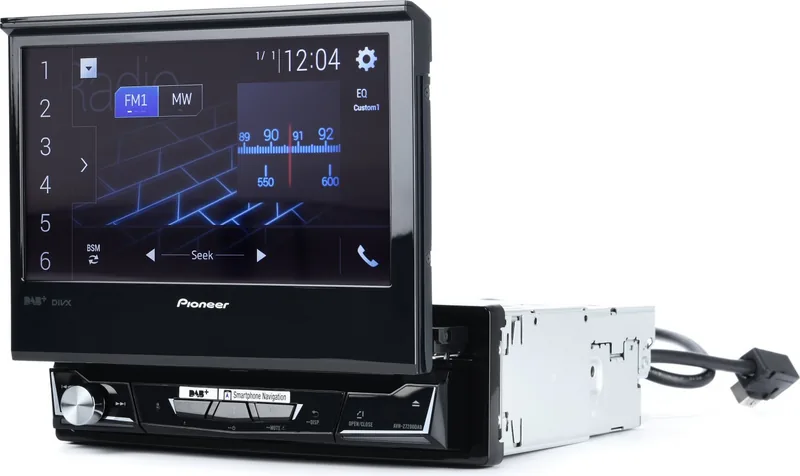
The Pioneer AVH-Z7200DAB is an in-car multimedia receiver designed to combine entertainment, communication, smartphone integration, and radio reception in one central dashboard system. Its motorized LCD display provides a clear touch-based interface for controlling media, calls, settings, and supported mobile apps. The adjustable screen can open, close, tilt, and move to help achieve a comfortable viewing position in different vehicle interiors.
This receiver supports DAB digital radio alongside FM, MW, and LW radio. DAB offers clear reception and access to digital stations, while service-following features can search for a stronger version of the same station when available. The tuner can also store favorite stations, scan for broadcasts, and receive traffic announcements. An optional active DAB antenna is required for digital radio operation.
Entertainment and media options
The Pioneer AVH-Z7200DAB plays conventional audio CDs, DVD-Video discs, Video CDs, and compatible compressed music, video, and image files from discs or USB storage. Playback controls include track skipping, repeat, shuffle, search, fast forward, and rewind. Image files can be displayed as slideshows and selected images can be saved as custom backgrounds for the AV screen or home screen.
Bluetooth connectivity supports hands-free calling and wireless audio streaming. Up to five Bluetooth devices can be registered, with two phones able to connect simultaneously for calling functions. Users can access contacts, call histories, speed dial entries, voice recognition on compatible iPhones, and adjustable call volume. Bluetooth audio playback supports common controls when the connected device provides the required profile.
Smartphone integration
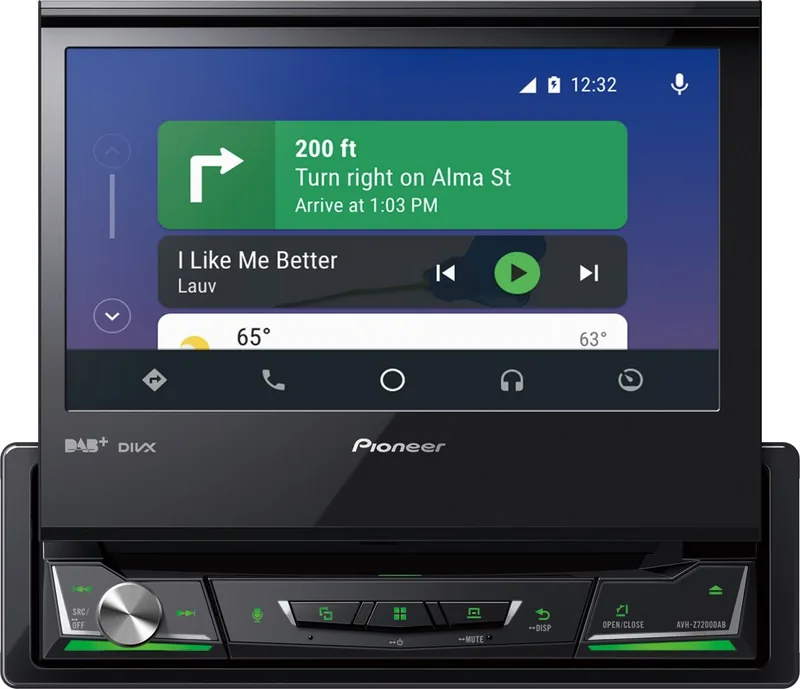
Apple CarPlay and Android Auto bring compatible smartphone apps and voice-control features to the receiver's display through USB connection. These platforms make it easier to access navigation, communication, and music functions while keeping attention on the road. WebLink support adds access to compatible smartphone apps, while Spotify integration offers playback controls, saved music access, browsing, radio mode, and track ratings.
The system also supports iPod and iPhone playback through USB or Bluetooth, including list browsing, repeat, shuffle, audiobook speed control, and selected Apple Music Radio features. AUX and AV inputs provide connection options for additional audio or video equipment. A compatible rear camera can be configured for reverse viewing, and adjustable parking guidelines can assist when maneuvering.
Notes
- Video display functions are restricted while driving for safety.
- Professional installation is recommended for wiring, camera connections, and DAB antenna setup.
- App availability, compatibility, and features depend on the connected device, region, software version, and provider.
- Always keep volume low enough to hear traffic and emergency vehicles.
Pioneer AVH-Z7200DAB - Read, Download & Print Free offers a practical overview of the receiver's media, connectivity, radio, display, and safety-focused capabilities.
Search for 67,706 Manuals online


Type-in Brand or Model
Lukas Weber
8 months ago
Is the product easy to install, and does it require extra space at the back for the cables?
Manual.ly
8 months ago
Yes, installation is straightforward and you can get it working quickly. Reviewers report that the sound quality is excellent right away and that mounting fits without major effort. The main thing to plan for is cable space: if you have many cables, make sure there is enough room at the back so you can route and connect everything comfortably. Taking a moment to organize the cable layout before closing up helps avoid pinching or a tight fit. If you have the required clearance, the installation should feel light and hassle-free.