
Pioneer AVH-Z5100DAB Manual
PDF manual · 48 Pages
English


Quick check
Incorrect answer, please try again.
Chat with your Pioneer AVH-Z5100DAB manual using AI
Get instant AI answers from your Pioneer AVH-Z5100DAB manual
Ask anything about the Pioneer AVH-Z5100DAB. Answers come from this manual, with the pages they are based on.
AVH-Z5100DAB Maintenance Schedule
The LED backlight has a lifespan of more than 10,000 hours. If the screen becomes dark and the image is no longer visible, contact an authorized dealer.
Clean discs by wiping with a soft cloth from the center to the outside to remove dust and fingerprints.
Ask a Question
Do you recommend AVH-Z5100DAB?
Yes NoFrequently Asked Questions
You can connect via Bluetooth or USB cable. For best experience, install the AppRadio app and pair the device through the settings menu.
Is this answer helpful?
No. The system locks video playback while the vehicle is moving. You must park safely and engage the handbrake to view video content.
Is this answer helpful?
Yes, it has a built-in DAB tuner for high quality audio. It also supports standard FM and AM bands for wider coverage.
Is this answer helpful?
Press the small reset button with a sharp object if issues arise. You can also restore factory settings via the system menu.
Is this answer helpful?
Yes, you can play compressed audio, video, and photo files from USB drives. Ensure files are in compatible formats like MP3 or FLAC.
Is this answer helpful?
You need to connect an optional rear camera to the AV input. The system supports camera input but the cable and camera are often sold separately.
Is this answer helpful?
Yes, the Bluetooth system allows two devices to be connected simultaneously. You can switch between them using the phone controls.
Is this answer helpful?
Advantages and Disadvantages
Advantages

- DAB Digital radio support for clear reception
- AppRadio Mode for seamless smartphone integration
- Tiltable LCD screen for better viewing angles
- Rear camera input for safer reversing
- Hands-free Bluetooth calling for two devices
Disadvantages

- Video playback locked while driving for safety
- Rear camera cable often sold separately
- Potential battery drain if engine is off
- Some apps depend on active internet connection
- Requires precise handbrake sensor wiring installation
Product Specification
Type
Receiver, 2-DIN
Display
7.0", LCD, Touchscreen
Navigation
optional
TMC
No
Tuner
FM, AM, DAB, DAB+
Media
CD (CD-R/RW), DVD (DVD-R/RW), USB Storage
Audio Formats
AAC, FLAC, MP3, WAV, WMA
Video Formats
DivX, FLV, MKV, MPEG-1, MPEG-2, MPEG-4
Image Formats
JPG
Power
4x 50W Peak, MOSFET
Connections
3x Pre-Amp Out (4V), 1x AUX In (Rear), 3x Video In, 1x Video Out, 1x USB (Rear), Bluetooth
Software Features
Apple CarPlay, Android Auto, Voice Control
Features
Hands-free, Remote Control (optional), Variable Lighting, USB Charging (1A), 13-Band Equalizer
Product Description
Pioneer AVH-Z5100DAB Media Center Review
Modern driving requires a reliable entertainment system. The Pioneer AVH-Z5100DAB offers a comprehensive solution for vehicle audio and video needs within a car environment. It features a large touch display that tilts for better visibility. This flexibility helps drivers customize their view angle easily when adjustments are necessary for comfort.
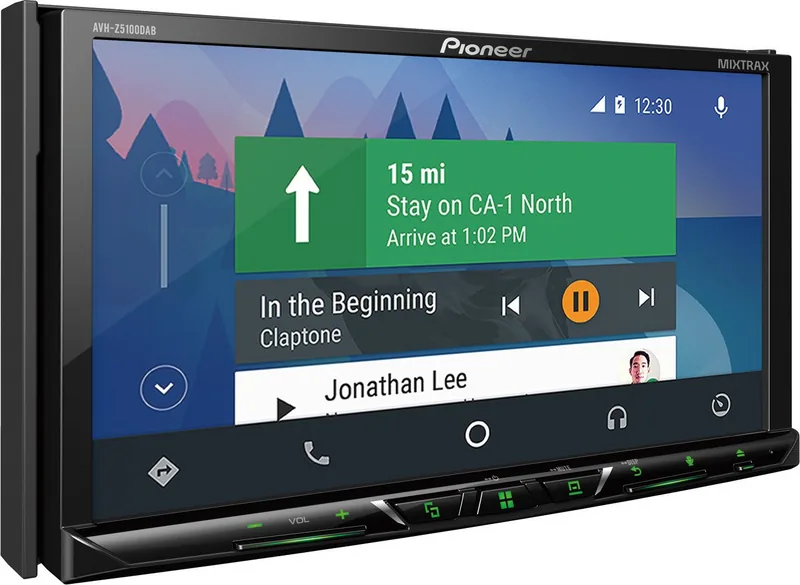
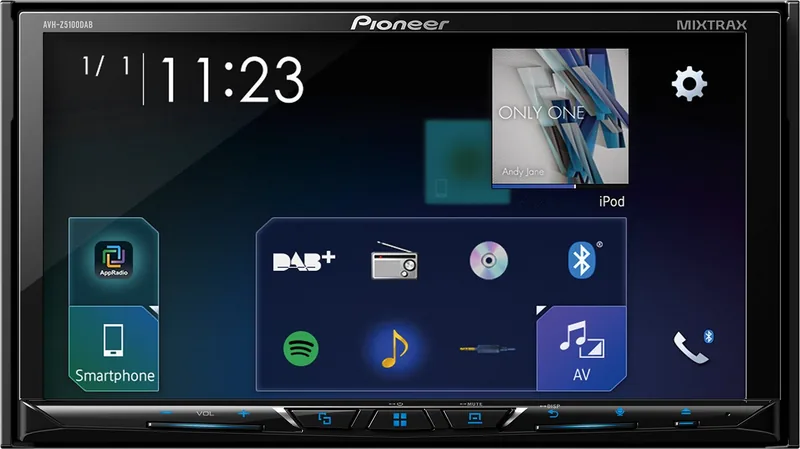
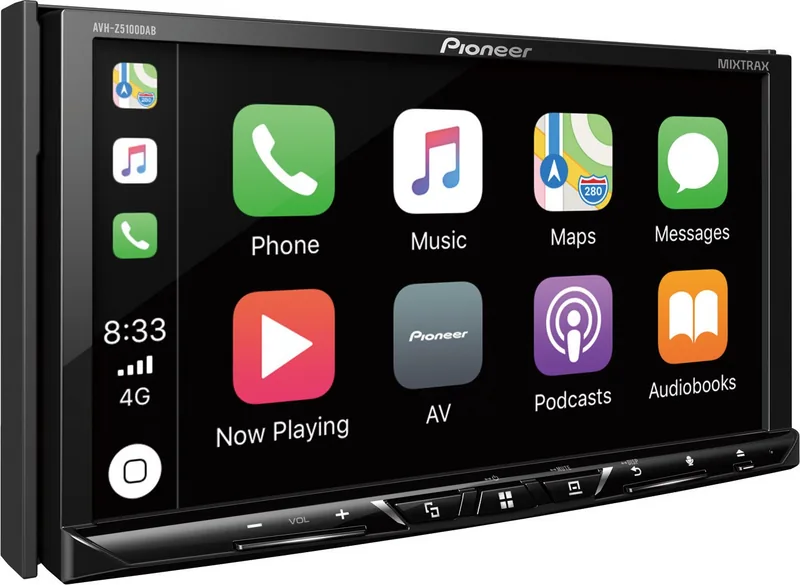
Connectivity is a major highlight for many users seeking modern updates. People can connect smartphones via Bluetooth or USB cables for media transfer. AppRadio Mode allows seamless integration with music and map applications from various providers including Android and iOS. Digital radio support ensures clear reception in many regions using DAB technology for noise free audio. Standard radio bands like FM and AM are also fully supported for classic listening without data usage.
Safety is paramount in any vehicle system design and testing. The system locks video playback while driving actively on the road to comply with regulations strictly. You must park safely and apply the handbrake to use video features on the screen. This prevents distractions during movement which could lead to serious accidents on public streets. Instructions for these settings are often found in the Pioneer AVH-Z5100DAB Manual for users who need clarification on specific configurations or technical limits regarding installation procedures and safe usage protocols.
Audio customization includes mixer options and equalizer settings for personal preference adjustment. MIXTRAX technology adds effects to playlists automatically for a continuous experience while driving through traffic. Bluetooth hands-free calling is supported for two devices simultaneously during travel sessions for convenience.
Installation requires care and attention to detail regarding wiring and power. Connect the handbrake sensor wire to prevent illegal video viewing scenarios in public spaces. Proper ventilation is needed around the unit to avoid overheating components inside the chassis during hot summer days. The unit supports various disc formats and compressed media files stored on USB drives. Rear camera input allows for safer reversing maneuvers in tight spaces or parking lots.
Users should be aware of regional restrictions on usage patterns across countries. Some apps may not function depending on internet connectivity or subscription status availability. Regular software updates improve performance and introduce new features over time for the owner. The design ensures that the main controls remain accessible without taking eyes off the road excessively. Always refer to official support channels for further assistance if problems persist after reset.
Notes:
- Ensure compatible cables are purchased separately for older devices like iPods.
- Update firmware regularly using the official website for best results and security.
- Avoid pointing direct sunlight at the LCD screen to prevent damage over years.
- Do not operate video while moving to stay within safety laws.
- Reset the unit by pressing the small reset button with a sharp object if errors occur.
Search for 67,706 Manuals online


Type-in Brand or Model