
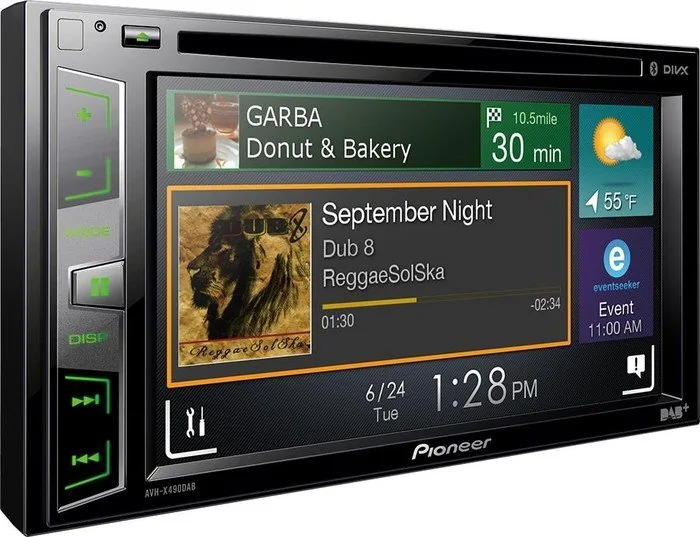
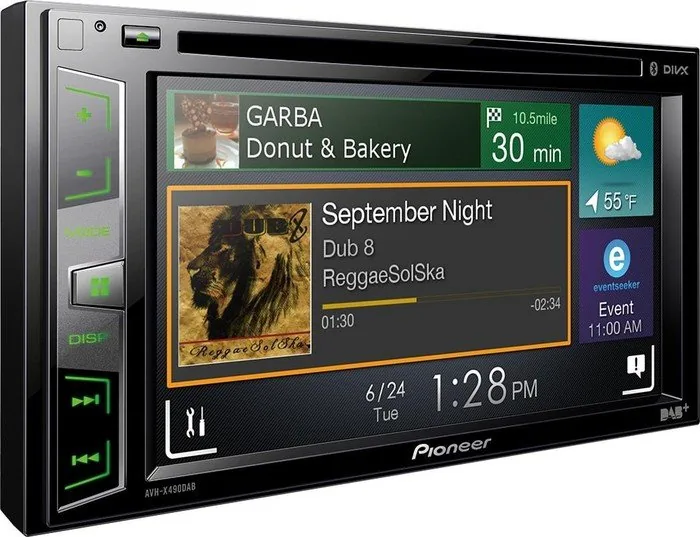
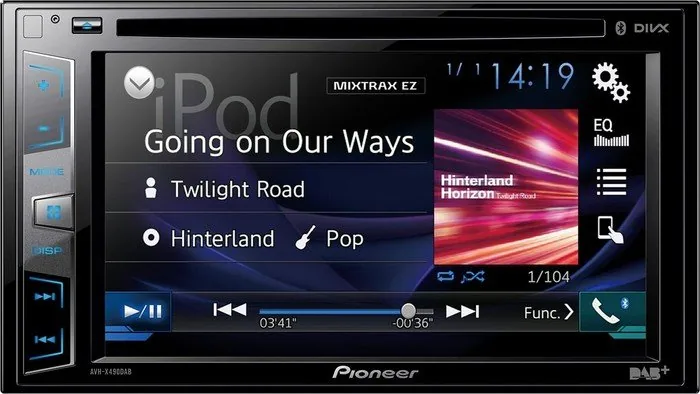
Pioneer AVH-X490DAB Manual
PDF manual · 32 Pages
English


Quick check
Incorrect answer, please try again.
Chat with your Pioneer AVH-X490DAB manual using AI
Get instant AI answers from your Pioneer AVH-X490DAB manual
Ask anything about the Pioneer AVH-X490DAB. Answers come from this manual, with the pages they are based on.
AVH-X490DAB Maintenance Schedule
Turn off the product and wipe the screen with a soft, dry cloth. Do not use aggressive or abrasive chemical cleaners.
If the screen becomes dark and the image is no longer visible, contact an authorized Pioneer service center as the LED backlight has reached its end of life.
Ask a Question
Do you recommend AVH-X490DAB?
Yes No
maria_k
10 months ago
I like the Pioneer radio, but I mainly need Android for Google Maps mirroring. Does it support Android Auto or any way to display Google Maps on the screen, and is there an update path if support is missing?

Manual.ly
10 months ago
It depends on the exact Pioneer model and its supported phone integration. For Google Maps on the head unit screen, many systems require Android Auto (usually via USB). If direct mirroring is not supported on your model, you will likely not be able to mirror Google Maps by itself. Check the product specifications for Android Auto/CarPlay support. You can also improve compatibility by installing the latest firmware updates from Pioneer. If no updates are available for your device, the practical workaround is to use Android Auto for navigation and audio streaming rather than relying on standalone mirroring. If you share the model number, we can confirm which integration is supported.
Frequently Asked Questions
It combines DAB radio, Bluetooth calling, USB playback, disc support, and smartphone integration. That means you can switch between music, radio, and calls without needing separate devices.
Is this answer helpful?
Yes. It supports Bluetooth hands-free calling, contact syncing, call history, and dual-phone connection, making it practical for drivers who use their phone often.
Is this answer helpful?
Yes, both Spotify and Pandora are supported through compatible smartphone connections. Availability depends on the device, setup method, and app support.
Is this answer helpful?
No, video features are restricted for safety while the vehicle is moving. Video playback is intended for use when parked and the handbrake is applied.
Is this answer helpful?
You can adjust balance, fader, EQ, bass boost, subwoofer output, crossover, time alignment, and listening position. This gives you plenty of control over sound quality.
Is this answer helpful?
The setup is straightforward for basic use, but the manual is helpful for choosing the right connection mode, configuring audio settings, and enabling features like Bluetooth and camera input.
Is this answer helpful?
Advantages and Disadvantages
Advantages

- DAB, FM/AM, disc, USB, Bluetooth, and app support in one unit.
- Hands-free calling with phonebook, call history, and dual-phone switching.
- Strong audio tuning tools, including EQ, time alignment, and subwoofer control.
- Rear camera support and driving safety lockouts help reduce distraction.
Disadvantages

- Some smartphone and app features depend on compatibility and extra cables.
- Video playback is restricted while driving, which limits convenience in motion.
- Initial setup can feel complex because there are many menus and settings.
- Optional accessories may be needed for the full iPod or Android experience.
Product Specification
Type
Moniceiver, 2-DIN
Display
6.2", LCD, 800x480 Pixel, Touchscreen
Navigation
no
TMC
no
Tuner
FM, AM, LW, DAB, DAB+
Media
CD (CD-R/RW), DVD (DVD-R/RW), USB storage
Audio formats
AAC, FLAC, MP3, WAV, WMA
Video formats
DivX, MPEG-4, Xvid
Image formats
JPG
Power
4x 50W Peak, MOSFET
Connections
3x Pre-out (4V), 1x AUX In (Rear), 2x Video In, 1x Video Out, 1x USB 2.0 (Rear), Bluetooth
Special features
Hands-free system, Remote control (optional), variable illumination, USB charging function (1A), 13-Band equalizer
Product Description
Pioneer AVH-X490DAB: A Smart In-Car Entertainment Upgrade
The Pioneer AVH-X490DAB brings together everyday convenience and flexible media playback in a clean, touchscreen-focused design. It is built for drivers who want more than simple radio reception: DAB digital radio, FM/AM, disc playback, USB media, Bluetooth calling, and smartphone app support all live in one unit. If you are searching for the Pioneer AVH-X490DAB Manual, this model clearly shows how much emphasis Pioneer places on setup, source control, and personalization.
A connected driving experience
One of the strongest points of this receiver is its broad compatibility. It supports Bluetooth for hands-free calling and audio streaming, with useful functions such as automatic reconnection, phonebook access, call history, and dual-phone switching. That makes it practical for drivers who use more than one handset or want a smoother daily routine.
The AVH-X490DAB also fits well with modern mobile habits. iPod and iPhone users can connect through supported cables or Bluetooth, while Android users can access compatible app-based features depending on the chosen setup. Services such as Spotify and Pandora add even more listening options, turning the receiver into a small media center rather than just a radio.
Built for sound, safety, and control
Beyond connectivity, the unit offers plenty of audio tuning tools. You can adjust balance, fader, subwoofer output, crossover points, time alignment, EQ curves, bass boost, and listening position to shape the sound around your car interior. MIXTRAX support adds a more dynamic playback style for users who enjoy energetic transitions between tracks.
Safety is also a key part of the design. The system includes parking-brake-based video restrictions, rear camera support, and settings that help reduce distraction while driving. This makes it suitable for everyday commuting as well as longer trips, especially when rear visibility and easy source switching matter.
Why it stands out
The Pioneer AVH-X490DAB is a versatile choice for anyone upgrading an older dashboard or building a more connected cockpit. It combines digital radio clarity, smartphone integration, and rich multimedia support with enough setup depth to satisfy users who like to fine-tune their system.
Notes:
- Best results come from correct initial setup and compatible accessories.
- Some video and app features are limited while driving.
- Audio performance improves noticeably with careful speaker and EQ adjustment.
Search for 67,732 Manuals online


Type-in Brand or Model
HicPlaceat88
9 months ago
Does this Pioneer car radio work with Android for mirroring Google Maps on the screen, or do I have to use a Pioneer navigation app?
Manual.ly
9 months ago
Based on user reports, Android mirroring of Google Maps to the radio screen is not supported (so you cannot display Google Maps directly on the unit). Navigation is therefore primarily done through the Pioneer navigation app and its in-car functions. Some customers were disappointed because they could not use their main navigation workflow and mentioned that a workable update is not available at the time of their reviews. If you want the latest Android compatibility, check for the newest firmware for your exact model and ask support whether any updates or new casting/mirroring options are planned.