
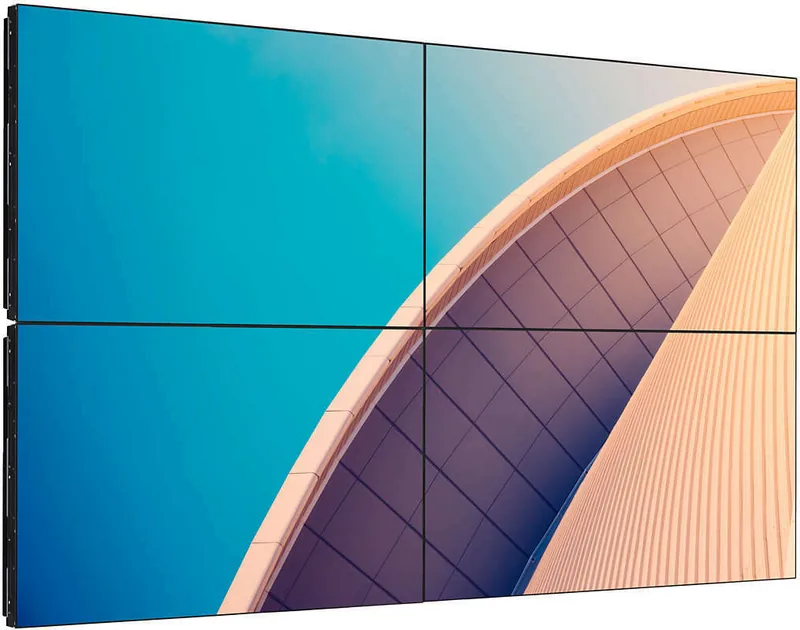
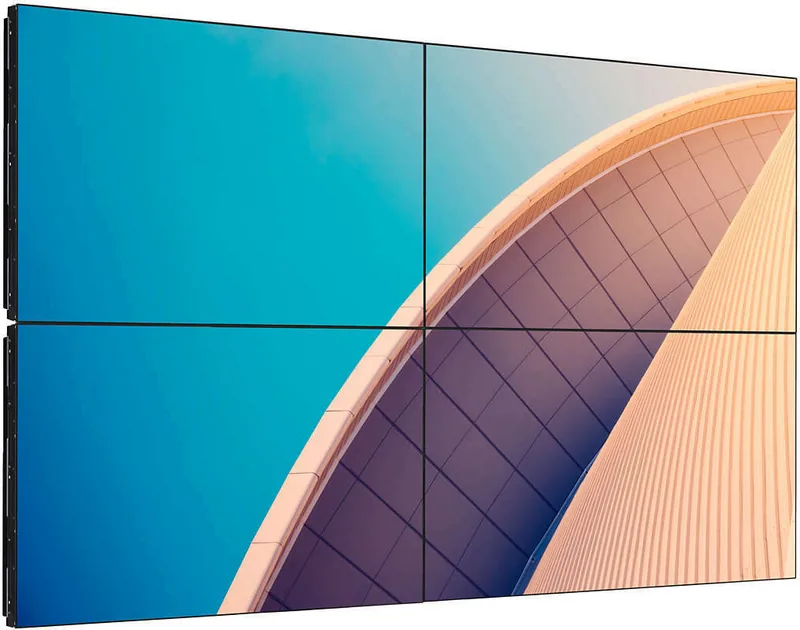
Philips X-Line 55BDL3105X Manual
PDF manual · 50 Pages
English



Quick check
Incorrect answer, please try again.
Chat with your Philips X-Line 55BDL3105X manual using AI
Get instant AI answers from your Philips X-Line 55BDL3105X manual
Ask anything about the Philips X-Line 55BDL3105X. Answers come from this manual, with the pages they are based on.
X-Line 55BDL3105X Maintenance Schedule
Always activate a moving screen saver or periodic screen refresh when leaving the display unattended or showing static content to prevent burn-in.
Unplug the display from the wall outlet as a safety precaution before carrying out any type of cleaning or maintenance procedure.
Wipe the surface gently using a soft lint-free cloth; if dirty, use mild detergent solution and dry immediately with another dry cloth.
Wipe the cabinet with a soft dry cloth or slightly damp cloth with mild detergent, ensuring no water enters the unit.
Ask a Question
Do you recommend X-Line 55BDL3105X?
Yes NoFrequently Asked Questions
To install in portrait mode, rotate the display 90 degrees clockwise so the logo is on the left side. Ensure the mounting bracket supports the new orientation and secure it firmly to prevent falling.
Is this answer helpful?
The USB port supports video formats like MP4, MKV, AVI, and MTS, as well as audio files such as MP3 and AAC. Image formats include JPG, PNG, and BMP. Check the manual for specific resolution and bitrate limits.
Is this answer helpful?
Yes, you can connect multiple units using RS232 cables for control and DisplayPort outputs for video signals. This setup allows synchronized content display across a video wall.
Is this answer helpful?
Use a soft, dry, lint-free cloth. If needed, dampen the cloth slightly with water or a mild cleaner, but never spray liquid directly on the screen. Avoid alcohol or ammonia-based solvents.
Is this answer helpful?
Stuck pixels may be covered under warranty if they exceed the acceptable defect count defined by Philips. Refer to the pixel policy section in the manual to determine if repair or replacement is eligible.
Is this answer helpful?
Advantages and Disadvantages
Advantages

- Supports flexible orientation with landscape and vertical installation options
- Comprehensive connectivity including HDMI, DisplayPort, DVI, and VGA inputs
- Built-in media player supports various USB formats like MP4 and MKV
- Includes tools for seamless video wall creation with edge alignment kits
Disadvantages

- Requires careful ventilation management to prevent overheating during long runs
- Sensitive LCD panel needs gentle cleaning to avoid scratches
- Static image burn-in risk if screensavers are not used regularly
- Heavy unit requires four technicians for safe transport and installation
Product Specification
Diagonal
55"/139.7cm
Resolution
1920x1080, 16:9
Brightness
500cd/m²
Contrast
1,200:1 (static), 500,000:1 (dynamic)
Response Time
8ms
Viewing Angle
178°/178°
Panel
IPS
Shape
straight (flat)
Backlight
White-LED
HDR
N/A
Refresh Rate
60Hz
Signal Frequency
not specified (horizontal), not specified (vertical)
Connections
1x VGA (60Hz@1920x1080), 1x DVI, 2x HDMI, 1x DisplayPort, 1x RCA Composite In, 1x RCA Component, 1x DVI-Out, 1x DisplayPort-Out, 1x 3.5mm Jack (Line-In), 1x RCA Stereo L+R Line-In, 1x RCA Stereo L+R Line-Out
Additional Connections
1x RJ-45 LAN, 2x serial, 1x JAE 80-Pin OPS
VESA
400x400 (free)
Power Consumption
320W (max), 160W (typical), not specified (old energy label A+++ to G), 0.5W (standby)
SDR Energy Efficiency Class (A to G)
G
SDR Power Consumption
100kWh/1000h
Dimensions (WxHxD)
1213x684x98mm
Weight
26.2kg
Features
Speakers (2x 10W), integrated media player
Manufacturer Warranty
two years
Product Description
Discover the Philips X-Line 55BDL3105X Manual Experience
The Philips X-Line 55BDL3105X is a robust digital signage solution designed for professional environments where reliability and clarity are paramount. This 55-inch display offers more than just visual output; it provides a comprehensive platform for information dissemination, advertising, and interactive content delivery. The manual serves as an essential guide to unlocking the full potential of this device, ensuring users can navigate its advanced features with confidence.
At the heart of the Philips X-Line 55BDL3105X lies a commitment to durability and performance. Whether installed in airports, banks, or corporate lobbies, this display is built to withstand the rigors of continuous operation. The manual details critical safety protocols, emphasizing the importance of proper ventilation to prevent overheating and ensure longevity. It advises against exposing the unit to direct sunlight or extreme humidity, which could compromise internal components. Users are guided on how to maintain optimal operating temperatures, keeping the panel cool even during extended use.
Installation flexibility is a key highlight of this model. The display supports both landscape and portrait orientations, allowing it to fit seamlessly into various architectural designs. For those creating video walls, the manual provides step-by-step instructions on using edge-bezel alignment kits and frame compensation tools to achieve a seamless viewing experience. The VESA mounting standard ensures compatibility with a wide range of wall brackets, while the included accessories like RS232 and IR cables facilitate complex control setups.
Connectivity is another area where this product shines. With inputs including HDMI, DVI, DisplayPort, VGA, and Component, the Philips X-Line 55BDL3105X connects effortlessly to diverse media sources. The integrated USB port allows for easy playback of multimedia files directly from flash drives, supporting formats like MP4, MKV, and JPEG. Network capabilities enable DLNA streaming and web browsing via the built-in Opera browser, turning the screen into a dynamic information hub.
Maintenance is simplified through clear guidelines on cleaning and troubleshooting. The manual warns against using harsh chemicals or abrasive materials that could damage the sensitive LCD panel. Instead, it recommends soft, dry cloths or mild solutions specifically designed for screens. By following these instructions, users can preserve the visual quality and extend the operational life of their investment.
Important Notes
- Always unplug the device before cleaning to avoid electrical shock.
- Use only Philips-approved power cords to ensure safety compliance.
- Activate a screensaver when displaying static images to prevent burn-in effects.
- Ensure adequate airflow around the unit to maintain cooling efficiency.
Search for 67,706 Manuals online


Type-in Brand or Model