
Philips VideoTracer Manual
PDF manual · 26 Pages
English



Quick check
Incorrect answer, please try again.
Chat with your Philips VideoTracer manual using AI
Get instant AI answers from your Philips VideoTracer manual
Ask anything about the Philips VideoTracer. Answers come from this manual, with the pages they are based on.
VideoTracer Maintenance Schedule
Charge the integrated battery before first use or after long periods of non-use. If the device shuts down due to a fully discharged battery, allow it time to charge sufficiently before turning it on.
Disconnect all cables and clean the device with a soft dry cloth. Use disinfectants for clinical environments if necessary, but avoid aggressive chemicals or sharp objects.
If image or video quality is poor, clean the camera lens with a soft dry cloth.
Ask a Question
Do you recommend VideoTracer?
Yes NoFrequently Asked Questions
It is designed for body-worn video, audio, and photo recording in professional or security-focused situations. It works well when hands-free capture, durability, and quick access to recordings are important.
Is this answer helpful?
Yes. It includes infrared night mode and an additional LED light to improve visibility in dark or low-light environments. A laser light can also help aim the camera area more accurately.
Is this answer helpful?
Yes. The device supports dedicated audio recording and video recording modes, plus photo capture. Users can switch modes depending on the situation and later review or transfer the files.
Is this answer helpful?
Important files can be marked with a star so they are less likely to be removed by loop recording. This is useful for keeping key clips safe when storage becomes limited.
Is this answer helpful?
Yes. GPS can be enabled to add location coordinates to recordings and photos. This can help with evidence tracking, scene documentation, and later file review on the device or computer.
Is this answer helpful?
It has built-in internal storage and also supports microSD cards up to 128 GB. Files can be transferred to a computer through USB for backup, review, or cleanup.
Is this answer helpful?
Advantages and Disadvantages
Advantages

- Compact body-worn design makes hands-free recording easy in active situations.
- Supports video, audio, and photos, giving users flexible capture options.
- Night vision, LED light, and laser assist improve low-light usability.
- GPS tags, timestamps, and user ID watermarks help organize and verify files.
Disadvantages

- Some file management tasks require a computer, which adds extra steps.
- High-resolution recording can consume storage and battery faster.
- Built-in battery cannot be user-replaced, so service support may be needed.
- Recording quality depends on correct setup, especially microphone sensitivity and lighting.
Product Specification
Effective Megapixels
5.0 Megapixel
Sensor
CMOS 1/2.3"
Video Function
H.264, 2560x1080@30p (2:1), 1920x1080@30p (16:9)
Photo Resolution
JPEG
Viewing Angle
170°
Digital Zoom
no
Display
2" LCD, 0.23 M pixels
Removable Storage
microSD/microSDHC/microSDXC
Connections
USB 2.0, HDMI, Audio/Video Output, Headphone
Power Supply
Li-Polymer Battery (3400mAh)
Color
black
Dimensions
2.40x3.58x1.34in (WxHxD)
Weight
0.40 lb
Product Description
Philips VoiceTracer Body Recorder: a compact capture tool for video, audio, and evidence
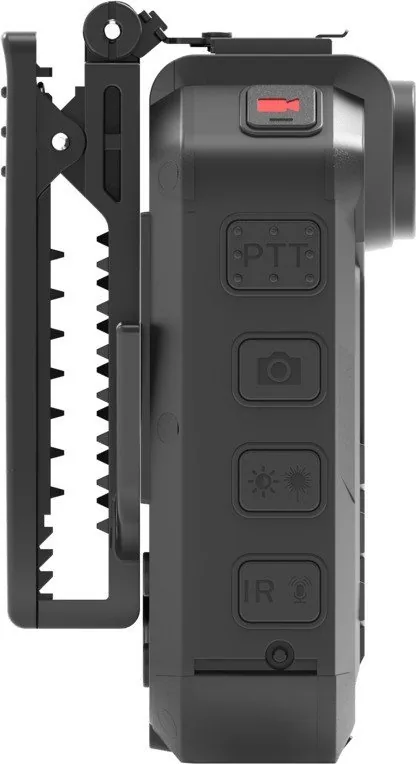
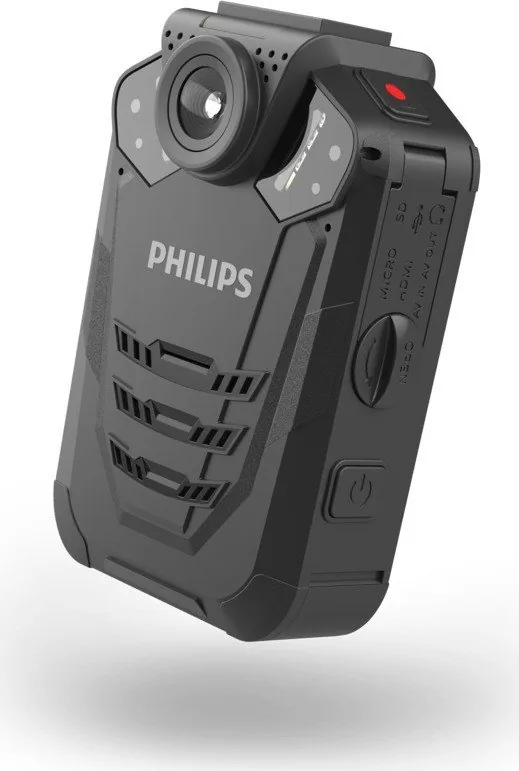
The Philips VoiceTracer Body Recorder is built for people who need reliable, hands-free recording in fast-moving situations. It combines video, audio, and photo capture in one rugged body-worn unit, making it a practical choice for security, field work, interviews, inspections, and everyday professional use. The Philips VoiceTracer Body Recorder Manual shows just how much attention has been given to simplicity, durability, and control.
What makes this device stand out is its balance of portability and function. It offers a wide 170° lens, night vision support, built-in GPS tagging, and an LED/laser assist for low-light scenes. With pre-recording, post-recording, motion detection, and loop recording, it is designed to help users capture the moments that matter without constantly managing settings. That makes it especially useful when recordings need to start quickly and remain organized.
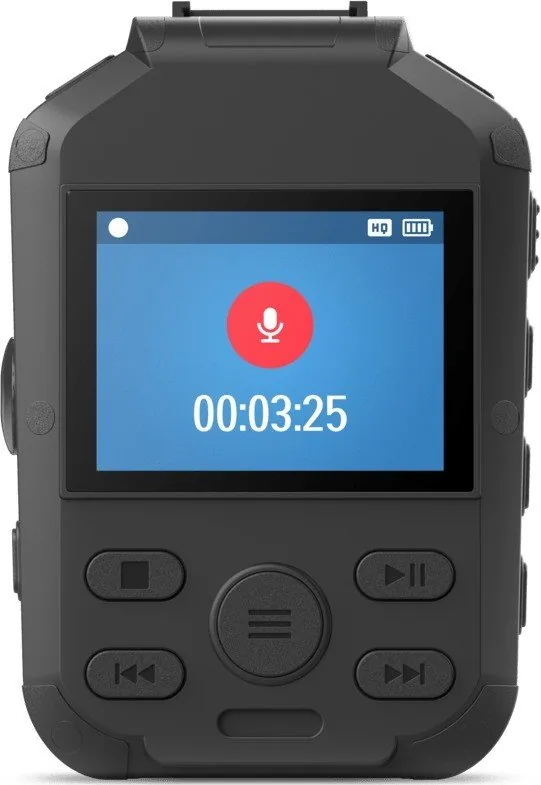
Audio performance is another strong point. The recorder includes built-in microphone support, noise reduction tools, and adjustable sensitivity options so users can adapt to louder environments or clearer speech capture. For added flexibility, you can switch between video, audio, and photo modes, then review files directly on the device or transfer them to a computer through USB.
Durability is also a major advantage. The body-worn recorder is compact, water- and dust-resistant, and designed for demanding conditions. Its long battery life helps support extended shifts, while the clip and magnetic pin attachments make it easier to wear securely on clothing. For users who need a dependable everyday recording companion, this device feels purpose-built rather than overcomplicated.
Another practical benefit is the security-oriented design. Time stamps, user ID watermarks, and GPS coordinate tagging help make recordings easier to identify and verify later. This is especially valuable when recordings need to be sorted, reviewed, or backed up as part of a workflow.
Notes
- Best suited for professional or safety-focused recording needs.
- Night features and motion tools add value in low-light or active environments.
- File management is straightforward, especially when backing up to a computer.
- The device is strongest when used with careful setup and regular charging.
Search for 67,706 Manuals online


Type-in Brand or Model