
Philips Sonicare ProtectiveClean 5100 HX6859/17 Manual
PDF manual · 40 Pages
English



Quick check
Incorrect answer, please try again.
Chat with your Philips Sonicare ProtectiveClean 5100 HX6859/17 manual using AI
Get instant AI answers from your Philips Sonicare ProtectiveClean 5100 HX6859/17 manual
Ask anything about the Philips Sonicare ProtectiveClean 5100 HX6859/17. Answers come from this manual, with the pages they are based on.
Sonicare ProtectiveClean 5100 HX6859/17 Maintenance Schedule
Remove the brush head from the handle and rinse the brush head connection with warm water at least once a week.
Replace the brush head every 3 months or sooner if signs of wear appear. Stop using if bristles are crushed or bent.
Rinse the brush head and bristles with warm water after each use to remove toothpaste residue.
Free maintenance reminders
Timed to your purchase date. Always free, unsubscribe anytime.
Ask a Question
Do you recommend Sonicare ProtectiveClean 5100 HX6859/17?
Yes NoFrequently Asked Questions
Use the mode button located below the power on/off button. Clean runs 2 minutes, White runs 2 minutes 30 seconds, and Gum Care runs 3 minutes. Each mode is designed to support a different routine goal and duration.
Is this answer helpful?
When you attach a new smart brush head for the first time, the reminder light blinks green three times to confirm BrushSync sync. Over time, based on usage and pressure, the light turns amber to indicate the brush head should be replaced for best results.
Is this answer helpful?
The toothbrush measures how much pressure you apply. If you press too hard, it provides feedback immediately by changing vibration and the brushing sensation. This helps you reduce pressure for a more comfortable, gum-friendly clean.
Is this answer helpful?
Yes. After completing the programmed brushing cycle, the handle automatically shuts off. In White mode it continues for an additional 30 seconds after 2 minutes, and in Gum Care mode it continues for an additional minute after 2 minutes.
Is this answer helpful?
Yes. It is described as safe to use with braces (with the note that brush head wear may be faster) and with dental restorations such as fillings, crowns, and veneers.
Is this answer helpful?
The instructions state it can be used by children with supervision or appropriate instruction to ensure safe use and understanding of hazards. Cleaning and user maintenance should not be done by children without supervision. Children should not play with the appliance.
Is this answer helpful?
Rinse the brush head and bristles after each use, and rinse the connection area at least weekly. Wipe the handle with a damp cloth and avoid harsh cleaners that can discolor it. Unplug and wipe the charger with a damp cloth, keep it away from water, dry it fully, and store in a cool, dry place away from direct sunlight.
Is this answer helpful?
Advantages and Disadvantages
Advantages

- Pressure sensor provides immediate feedback when brushing too hard.
- BrushSync (RFID) reminder helps track brush head wear and replacement timing.
- Quadpacer interval timing helps you brush evenly across mouth sections.
- Multiple modes (Clean, White, Gum Care) match different oral care goals.
- Safe for use with braces and many dental restorations.
Disadvantages

- Charger cord cannot be replaced, so damage means discarding the charger.
- Must keep the charger away from water and ensure it is fully dry before use.
- Brush heads should not be replaced with non-recommended types.
- EasyStart must be deactivated for clinical efficacy conditions.
- Not intended for multiple patients in dental practices or institutions.
Product Specification
Type
Sonic toothbrush
Operating mode
Battery operated (Li-Ion)
Brush head
elongated
Cleaning programs
3
Timer
4x 30 seconds
Special features
Charging indicator light, Charge status display, Pressure control
Operating time
56 min (14 days)
Scope of delivery
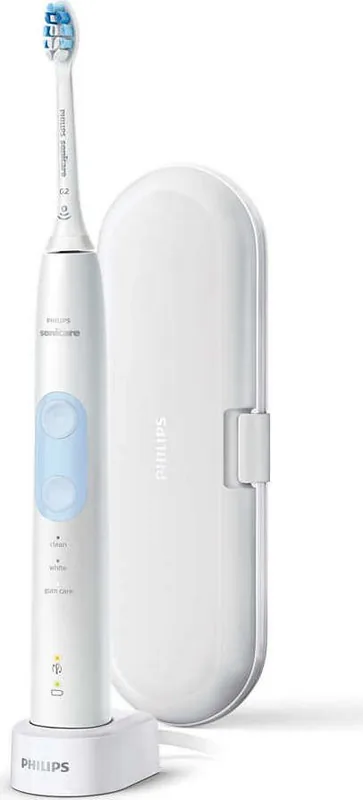
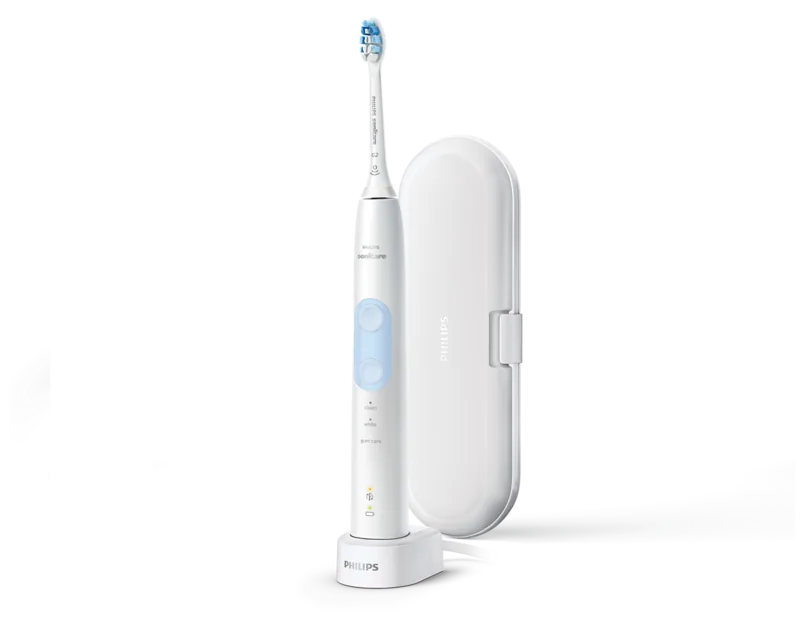
Charging station, Case, 1x brush head (1x G2 Optimal Gum Care)
Product Description
Philips HX6859/17 Sonicare ProtectiveClean 5100: smarter brushing, clearer guidance
If you want a more controlled daily routine, the Philips HX6859/17 Sonicare ProtectiveClean 5100 is built to help you brush with confidence. Powered by Sonic technology and designed around comfort and consistency, it pairs different brushing modes with practical feedback so you can clean thoroughly without overdoing pressure. With guidance aligned to the Philips HX6859/17 Sonicare ProtectiveClean 5100 Manual, this model focuses on everyday results you can feel and track.
Smart features that support better technique
The ProtectiveClean 5100 includes a BrushSync smart brush head system (RFID). When you attach a smart head, the reminder confirms it is synced. As wear builds up, the indicator switches to amber to signal when it is time to replace the brush head for best performance. It also adds a pressure sensor, giving immediate feedback through vibration changes if you press too hard, helping protect gums.
Modes for different goals
Choose the mode button below the power control to fit your day:
- Clean: 2 minutes for a thorough, complete routine (recommended with the C2 Optimal Plaque Control brush head).
- White: 2 minutes 30 seconds to brighten and polish front teeth (recommended with the W2 Optimal White brush head).
- Gum Care: 3 minutes for gentle gum stimulation and massage (recommended with the G2 Optimal Gum Care brush head).
A Quadpacer interval timer helps you cover the mouth evenly by beeping after 30 seconds and pausing during the session. Depending on the selected mode, brushing continues briefly after the initial 2 minutes so you can focus where needed.
Key results you can expect
- More consistent coverage with Quadpacer guidance across mouth sections.
- Better pressure awareness thanks to real-time sensor feedback.
- Clearer brush head replacement timing via BrushSync (RFID) reminders.
- Tailored session lengths and goals through Clean, White, and Gum Care modes.
- Comfort-adaptive use with EasyStart, which ramps power during the first sessions.
Notes for care and safe everyday use
- Replace the brush head about every 3 months (or sooner if bristles show wear).
- Avoid dishwasher cleaning for the brush head, handle, and charger.
- Keep the charger away from water and always dry it fully before plugging in.
- If you had oral or gum surgery recently, or if bleeding persists, consult your dentist.
- This is a personal care device and should not be shared between patients.
Search for 67,706 Manuals online


Type-in Brand or Model