

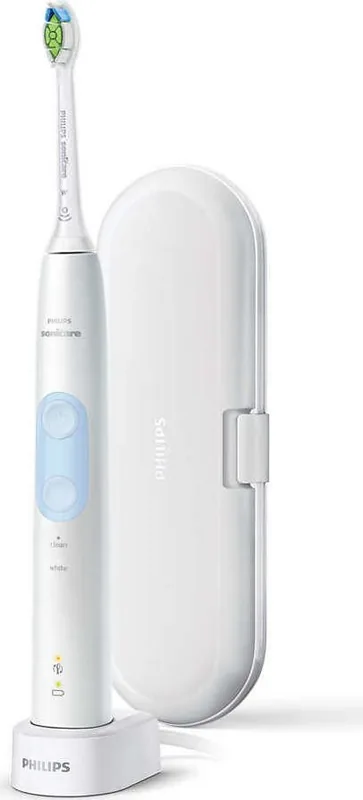
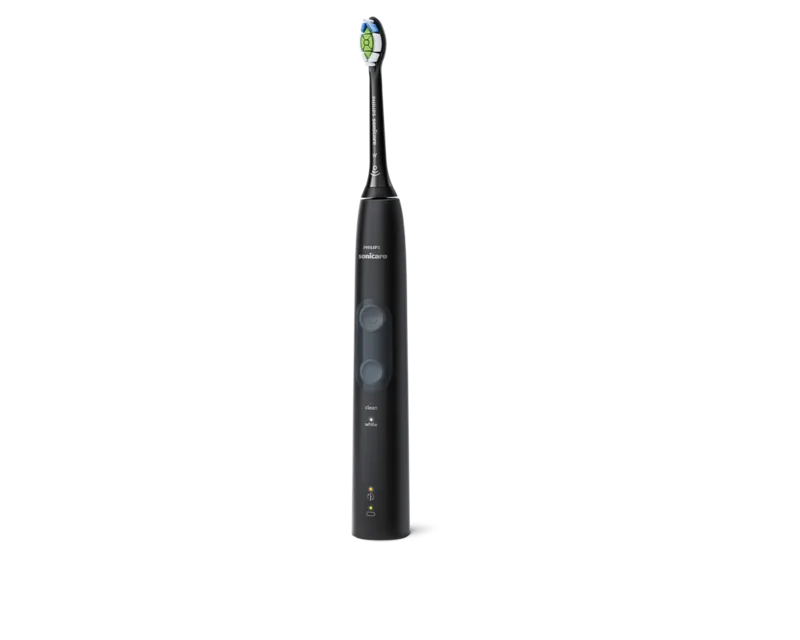
Philips Sonicare ProtectiveClean 4500 HX6839/28 Manual
PDF manual · 132 Pages
English



Quick check
Incorrect answer, please try again.
Chat with your Philips Sonicare ProtectiveClean 4500 HX6839/28 manual using AI
Get instant AI answers from your Philips Sonicare ProtectiveClean 4500 HX6839/28 manual
Ask anything about the Philips Sonicare ProtectiveClean 4500 HX6839/28. Answers come from this manual, with the pages they are based on.
Sonicare ProtectiveClean 4500 HX6839/28 Maintenance Schedule
Remove the brush head from the handle and rinse the connection area with warm water at least once a week.
Replace the brush head every 3 months or sooner if signs of wear appear. Stop using if bristles are crushed or bent.
Rinse the brush head, bristles, and metal shaft area with warm water after each use to remove toothpaste residue.
Wipe the entire surface of the handle and charger with a damp cloth. Do not use alcohol, vinegar, or bleach on the handle.
Free maintenance reminders
Timed to your purchase date. Always free, unsubscribe anytime.
Ask a Question
Do you recommend Sonicare ProtectiveClean 4500 HX6839/28?
Yes NoFrequently Asked Questions
It combines Sonicare cleaning with smart features like BrushSync, a pressure sensor, EasyStart, and Quadpacer timing. These tools help improve brushing habits and support a more even, gentle clean.
Is this answer helpful?
Clean mode runs for 2 minutes, White mode runs for 2 minutes and 30 seconds, and Gum Care mode runs for 3 minutes. Quadpacer helps divide the mouth into sections for balanced brushing.
Is this answer helpful?
Yes. The model is suitable for braces, fillings, crowns, and veneers. However, brush heads may wear out faster when used on braces, so you may need to replace them more often.
Is this answer helpful?
BrushSync tracks wear over time using brushing duration and pressure. When the reminder light turns amber, it is time to replace the brush head for best cleaning performance.
Is this answer helpful?
The pressure sensor detects when you are pressing too hard. If that happens, the toothbrush changes vibration to alert you to ease up, which helps protect your teeth and gums.
Is this answer helpful?
Place the handle on the charger and let it charge for at least 24 hours after the first use. The battery light shows charging progress and indicates when the handle is fully charged.
Is this answer helpful?
Advantages and Disadvantages
Advantages

- BrushSync helps track brush head wear and reminds you when it is time to replace it.
- Pressure sensor feedback helps prevent brushing too hard and protects gums.
- Multiple modes support cleaning, whitening, and gum care routines.
- EasyStart and Quadpacer make the toothbrush easier to use and more consistent.
Disadvantages

- Replacement brush heads add ongoing cost over time.
- Some features may need manual activation or deactivation on the charger.
- The brush head, handle, and charger require careful cleaning and cannot go in the dishwasher.
- The battery must be recharged regularly, and the first charge takes 24 hours.
Product Specification
Type
Sonic toothbrush
Operating mode
Battery operated (Li-Ion)
Brush head
elongated
Cleaning programs
2
Timer
4x 30 seconds
Special features
Charging indicator light, Charge level indicator, Pressure control
Operating time
56min (14 days)
Scope of delivery
Charging station, Case
Product Description
Philips HX6839/28 Sonicare ProtectiveClean 4500: Smart Daily Care with a Gentle Touch
The Philips HX6839/28 Sonicare ProtectiveClean 4500 is built for people who want a more confident brushing routine without making oral care feel complicated. The Philips HX6839/28 Sonicare ProtectiveClean 4500 Manual highlights a toothbrush that blends smart guidance with a comfortable brushing experience, making it a practical choice for everyday use.
At the center of this model is Philips Sonicare technology, which uses fast brushing movements to help clean along the gumline and between teeth more effectively than a basic manual brush. It is designed to feel gentle while still delivering a thorough clean, which is especially useful if you want a toothbrush that encourages better habits rather than aggressive scrubbing. The handle works with smart brush heads, and BrushSync technology helps track wear so you know when it is time to replace the head for the best results.
Another standout feature is the pressure sensor. If you brush too hard, the handle gives immediate feedback through a change in vibration, helping protect gums and enamel from overbrushing. EasyStart also makes the experience friendlier for new users by gradually increasing power during the first few brushing sessions. That small detail can make the transition from a manual brush much easier.
The ProtectiveClean 4500 offers useful brushing modes for different needs. Clean mode focuses on a full two-minute daily clean, White mode adds extra time for polishing front teeth, and Gum Care mode gives a longer session for gentle gum stimulation. Quadpacer timing breaks the mouth into sections, helping you brush evenly instead of rushing one area and neglecting another.
Battery status lights, simple charging, and straightforward maintenance keep the routine practical. The brush is also compatible with braces and dental restorations, which adds flexibility for many households. For best performance, regular head replacement, proper cleaning, and following the recommended brushing instructions matter just as much as the device itself.
Notes
- Replace the brush head about every 3 months, or sooner if it shows wear.
- Do not clean the handle, head, or charger in a dishwasher.
- The first charge should be at least 24 hours after initial use.
- Consult a dentist if brushing causes pain, discomfort, or unusual bleeding.
Search for 67,706 Manuals online


Type-in Brand or Model
Lea Wagner
9 months ago
My Philips Sonicare ProtectiveClean 4500 stopped working after about two years (and once within two months). What is the expected lifespan, and how do I claim warranty or repair if it fails early?
Manual.ly
9 months ago
A typical Sonicare handle should last for years with normal use, but if yours fails early, it may be covered by the warranty in your country. Please stop using the brush and check the basics first (fully charge it, confirm the charger is working, and use a compatible brush head). Then contact our support with your proof of purchase and the handle model/serial number. We will advise whether a replacement or repair is available under warranty. To reduce premature wear, avoid dropping the handle, keep it dry (especially the charging contacts), and do not apply excessive pressure (the pressure sensor is there to help).