
Philips Sonicare ExpertClean 7300 HX9601/03 Manual
PDF manual · 248 Pages
English



Quick check
Incorrect answer, please try again.
Chat with your Philips Sonicare ExpertClean 7300 HX9601/03 manual using AI
Get instant AI answers from your Philips Sonicare ExpertClean 7300 HX9601/03 manual
Ask anything about the Philips Sonicare ExpertClean 7300 HX9601/03. Answers come from this manual, with the pages they are based on.
Sonicare ExpertClean 7300 HX9601/03 Maintenance Schedule
Rinse the entire handle, especially the brush head connection, at least once a week. Do not push on the rubber seal; clean gently around it.
For optimal effectiveness, clean the sanitizer weekly. Unplug, remove drip tray, protective screen, and UV bulb, then wipe all parts with a damp cloth.
Replace the brush head every 3 months or sooner if signs of wear appear. The handle tracks wear and blinks amber when replacement is recommended.
Remove the brush head from the handle and rinse it thoroughly after each use. Shake off excess water before sanitizing or storing.
If using toothpaste with peroxide, baking soda, or bicarbonate, thoroughly clean the brush head with soap and water after each use to prevent plastic cracking.
Free maintenance reminders
Timed to your purchase date. Always free, unsubscribe anytime.
Ask a Question
Do you recommend Sonicare ExpertClean 7300 HX9601/03?
Yes NoDo you recommend Sonicare ExpertClean 7300 HX9601/03?
Yes NoFrequently Asked Questions
Yes, you can always keep your Philips Sonicare toothbrush on a plugged-in charger. This will not affect the battery lifetime.
Is this answer helpful?
All Philips Sonicare electric toothbrush brush heads that snap on will fit. However, not all can be used for Smart mode pairing.
Is this answer helpful?
We recommend you to replace your Philips Sonicare brush head after 3 months of use, based on brushing twice a day for 2 minutes each session.
Is this answer helpful?
Yes, your Philips Sonicare toothbrush is waterproof. However, never put your handle in a dishwasher to clean it.
Is this answer helpful?
The Philips Sonicare app supports Android OS 5.0 and newer, and iPhone 9.0 and newer. Mobile devices must also have Bluetooth 4.0 and newer.
Is this answer helpful?
Wi-Fi is not needed to use the Philips Sonicare app. It works using Bluetooth for connection to the toothbrush.
Is this answer helpful?
You can use Philips Sonicare Flexcare Platinum Connected and DiamondClean Smart toothbrushes with the Sonicare app. Look for the Bluetooth symbol on the package.
Is this answer helpful?
Advantages and Disadvantages
Advantages

- Superior plaque removal with sonic technology
- Four brushing modes: Clean, Deep Clean+, White+, Gum Health
- Smart BrushSync technology for automatic pairing
- Includes UV sanitizer for brush head hygiene
- Pressure sensor protects gums from damage
Disadvantages

- Mains cord cannot be replaced if damaged
- Requires USB adapter for travel case charging
- UV light bulb contains mercury for recycling
- Not intended for multiple patients in dental practice
- EasyStart feature deactivates by default on arrival
Product Specification
Type
Sonic Toothbrush
Power Source
Battery (Li-Ion)
Brush Head
Oval
Cleaning Modes
3
Timer
2 min
Features
App Control (Bluetooth), Charging Indicator Light, Pressure Sensor
Run Time
56 min (14 days)
Package Contents
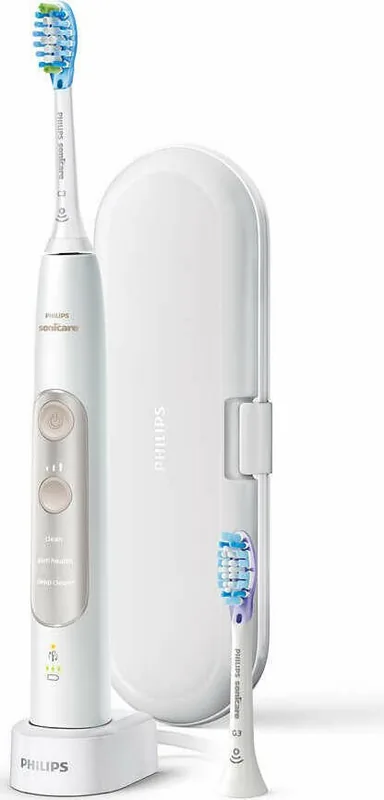
Charging Station, Case, 2x Brush Heads (1x C3 Premium Plaque Defense, 1x G3 Premium Gum Care)
Product Description
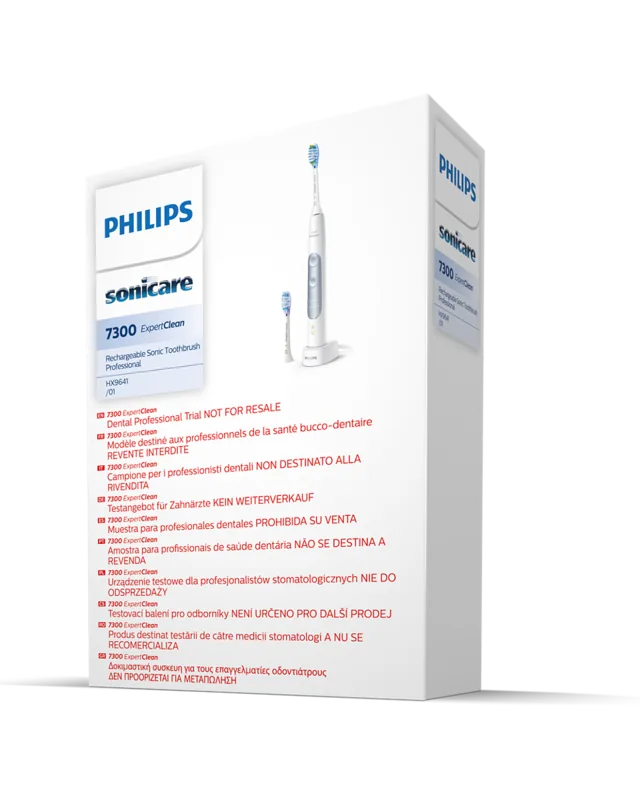
Discover the Philips HX9601/03 Sonicare ExpertClean 7300
Welcome to the Philips Sonicare family with the new Philips HX9601/03 Sonicare ExpertClean 7300 white Manual. This power toothbrush delivers superior plaque removal, whiter teeth, and healthier gums at your fingertips. Using sonic technology combined with clinically proven features, you can be confident about getting the best clean every time. The provided manual outlines intended use for consumer home use only. It is designed to remove adherent plaque and food debris for better dental hygiene outcomes significantly.
Advanced Brushing Modes
Your power toothbrush is equipped with four different modes including Clean, Deep Clean+, White+, and Gum health. Based on the smart brush head you use, the mode selects automatically to match your needs. You can also manually change the mode using the button if desired. Different modes offer specific benefits like plaque removal or gummassage for optimal hygiene. Total brushing times vary for each mode to ensure thorough cleaning of the mouth effectively.
Smart Technology Integration
The device features BrushSync technology which enables your brush heads to communicate with your handle using a microchip mechanism. This facilitates brush head mode pairing and replacement reminders for the user. A pressure sensor measures the pressure you apply while brushing to protect your gums from damage. If you apply too much pressure, the handle changes its vibration until you reduce it gently. The BrushPacer indicates when to move to the next section via brief vibration change alert.
Charging and Battery Status
Charging is simple by plugging the charger into an electrical outlet safely at home. Place the handle on charger to begin the process. The charging indicator flashes green until fully charged for long sessions. The handle comes pre-charged for first use to get started immediately without delay. After first use, charge for at least 24 hours for optimal battery life performance. Battery status shows via LEDs on the handle clearly showing levels. Three lights mean high, two mean medium, and one means low charge remaining visibly.
Cleaning and UV Sanitizer
With the UV sanitizer, you can clean your brush head after every use effectively quickly. Unplug the sanitizer if the UV light bulb remains on when the door is open accidentally. The device is waterproof for daily use safely during brushing. Never put your handle in a dishwasher to clean it as damage may occur. Clean all parts with a damp cloth or rinse with warm water gently. Avoid using isopropyl rubbing alcohol to prevent damage to the material.
Connectivity and Support
Download the Sonicare App for interactive brushing features and personalized feedback for you. It supports Android OS 5.0 and newer, and iPhone 9.0 and newer for connectivity. Mobile devices must have Bluetooth 4.0 and newer for successful pairing. Wi-Fi is not needed to use the app for personal care needs. For support, visit the official website for warranty information and help. Warranty covers the device but excludes brush heads usually from coverage. Correct disposal helps preserve the environment regarding heavy metals properly. Some ExpertClean handles charge in travel case but need USB adapter sometimes. Safety warnings advise keeping the appliance away from heated surfaces always. If you have a pacemaker, contact your doctor prior to use safely.
Search for 67,732 Manuals online


Type-in Brand or Model
Sarah Klein
5 months ago
Does the companion app work reliably for tracking brushing habits on this model?
Manual.ly
5 months ago
The app is designed to work seamlessly with both iOS and Android devices to track your brushing habits. While most users report stable connections, there have been occasional reports of Bluetooth sync issues. We recommend ensuring your Bluetooth is active and the app is updated to the latest version for the best experience. Note that all core brushing modes and cleaning functions operate independently of the app connection.