
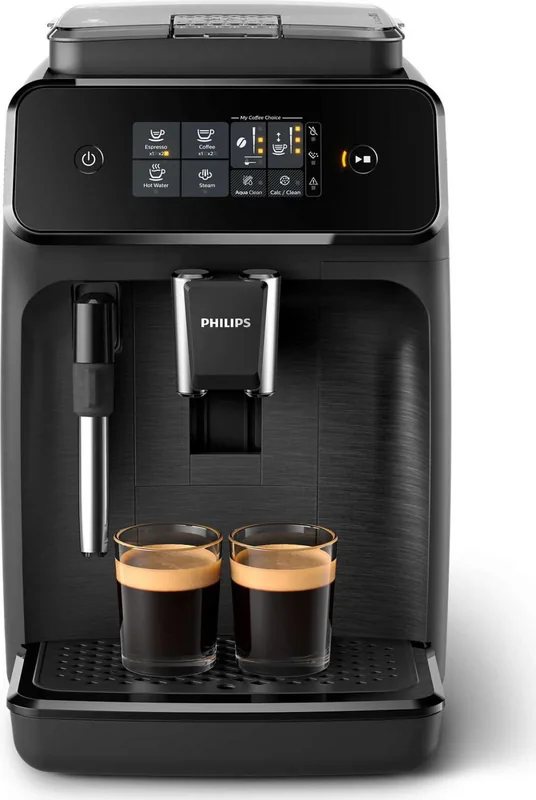
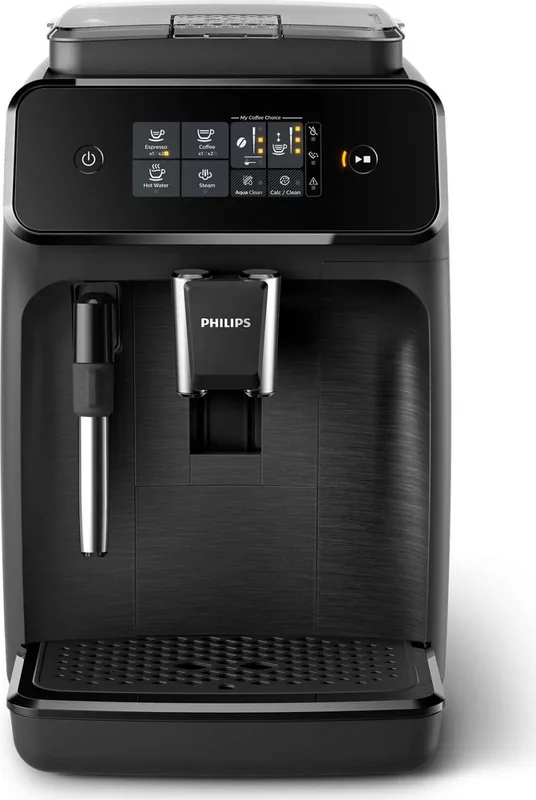
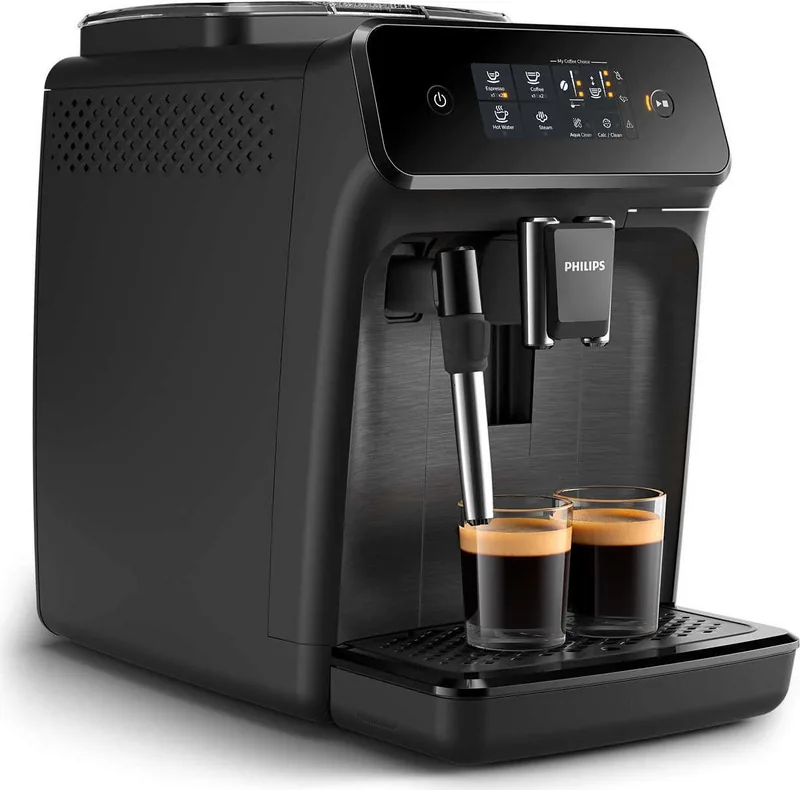
Philips Series 1200 EP1220/00 Manual
PDF manual · 270 Pages
English



Quick check
Incorrect answer, please try again.
Chat with your Philips Series 1200 EP1220/00 manual using AI
Get instant AI answers from your Philips Series 1200 EP1220/00 manual
Ask anything about the Philips Series 1200 EP1220/00. Answers come from this manual, with the pages they are based on.
Series 1200 EP1220/00 Maintenance Schedule
Empty the drip tray daily or as soon as the red 'drip tray full' indicator pops up.
Remove the brew group from the machine and rinse it thoroughly under the tap. Let it air-dry before reinserting.
Check weekly for clogs. Unplug the machine, remove the brew group, and move a spoon handle up and down to clear grounds.
Empty when prompted by the machine. Rinse under the tap with washing-up liquid or clean in the dishwasher.
Remove the drip tray and rinse it under the tap with washing-up liquid. It can also be cleaned in the dishwasher.
Rinse the water tank under the tap regularly to ensure clean water supply.
Apply a thin layer of Philips grease on the piston, shaft, and rails to ensure smooth movement of moving parts.
Replace the filter at least every 3 months even if the machine does not indicate replacement is required yet.
Dispense hot water with the frother attached, then remove and disassemble. Clean all parts under the tap or in the dishwasher.
Free maintenance reminders
Timed to your purchase date. Always free, unsubscribe anytime.
Ask a Question
Do you recommend Series 1200 EP1220/00?
Yes NoFrequently Asked Questions
After switching on, the machine may dispense a small amount of water during heating and the automatic rinsing cycle. For best results, brew about 5 coffees initially to complete self-adjustment. Also rinse LatteGo (milk container) or the classic milk frother before first use.
Is this answer helpful?
Yes. Turn on the machine, open the pre-ground coffee compartment, add one leveled measuring scoop, and close it. Select the pre-ground function by pressing the aroma strength icon for 3 seconds, then start brewing. Pre-ground coffee brews one cup at a time, and the pre-ground selection must be repeated each use.
Is this answer helpful?
Water hardness affects how often the machine needs descaling and supports a longer machine lifetime. Use the supplied test strip by immersing it in tap water, waiting about 1 minute, and matching the red squares to the correct setting. Then set the machine water hardness using the aroma strength icon while switched off.
Is this answer helpful?
The brew group should be rinsed weekly under the tap after removing it from the machine. Monthly, clean it using the recommended Philips coffee oil remover tablet method. Regular brew group care helps prevent coffee residue from clogging internal circuits.
Is this answer helpful?
AquaClean is a water filter that helps preserve coffee taste and reduces limescale buildup, which lowers descaling needs. Before inserting, prepare the filter by soaking it in water to remove air. Then insert it vertically into the tank, press the AquaClean icon for 3 seconds, and start the activation process, which dispenses hot water for several minutes.
Is this answer helpful?
When the Calc/Clean light flashes slowly, start the descaling procedure using only Philips descaler. Remove LatteGo or the milk frother if attached, empty the drip tray and grounds container, remove and empty the water tank (including the AquaClean filter), add the descaler to the tank, then run the full cycle. When finished, install and activate a new AquaClean filter.
Is this answer helpful?
Advantages and Disadvantages
Advantages

- Automatic rinsing cycle helps maintain clean flavor between drinks.
- Customizable aroma strength and drink quantity for more consistent taste.
- Milk-based drinks supported via LatteGo or classic milk frother (type dependent).
- AquaClean filter reduces limescale buildup and lowers descaling frequency.
- Clear cleaning routines for brew group and milk systems support long-term performance.
Disadvantages

- AquaClean must be activated manually for new filters; the machine does not always detect it.
- Pre-ground coffee requires a special selection each time and brews one cup only.
- Grinder adjustments should wait until you have brewed enough cups to avoid unnecessary changes.
- Maintenance is periodic and frequent (weekly rinsing, monthly tablet cleaning).
Product Specification
Power
1,500W
Color
black
Pump pressure
217.56psi
Coffee system
Coffee beans, ground coffee
Milk system
no
Grinder
adjustable ceramic disc grinder (12 levels)
Coffee quantity
adjustable
Water quantity
adjustable
Coffee temperature
adjustable (3 levels)
Water tank capacity
0.48gal
Bean container capacity
0.61lb
Coffee grounds container capacity
12 servings
Display
yes
Special features
Touch control operation, double beverage dispenser, 2-cup function, automatic shut-off (adjustable), steam nozzle, hot water function, removable water tank, integrated water filter, removable brewing group, adjustable water hardness, descaling program
Dimensions
9.69x14.61x17.05in (WxHxD)
Weight
16.53lb
Product Description
Philips EP1220/00 Series 1200: Smart Fully Automatic Coffee, Built for Daily Use
If you want a straightforward way to enjoy café-style drinks at home, the Philips EP1220/00 Series 1200 is designed for everyday simplicity. This Philips EP1220/00 Series 1200 Manual keyword guide focuses on how the machine works in real routines: warming up, auto-rinsing, brewing bean-to-cup coffee, and switching between milk drinks using LatteGo or a classic milk frother (depending on your exact type).
After startup, the machine heats up and runs an automatic rinsing cycle, so your first cup is ready with minimal fuss. Choose from drink icons, then personalize aroma strength and drink quantity. The machine also supports coffee temperature adjustments on compatible types, helping you tune each cup to your preferences.
For milk-based favorites, LatteGo (on specific types) is assembled with a secure click and then placed on the hot water spout for stable performance. Cappuccino and latte macchiato follow a milk-then-coffee flow, while caffè latte can switch the order to coffee-then-milk. If your version uses the classic milk frother, steaming is controlled with clear icons, and frothing automatically stops after a set maximum time to keep quality consistent.
Want variety beyond beans? The machine allows brewing with pre-ground coffee. You will need to select the pre-ground function each time (and it brews one cup at a time). Hot water dispensing is also available for quick Americano-style preparation or tea.
To keep the system running smoothly, the guide emphasizes regular maintenance: the brew group should be rinsed weekly and cleaned monthly (with the recommended tablet method). Milk systems should be cleaned after every use to prevent residue build-up.
Finally, the AquaClean water filter is a key feature for reducing limescale. By preparing and activating the filter correctly, you can lower descaling frequency. The Calc/Clean reminders and the water hardness setup help you maintain long-term performance with less interruption.
Key Takeaways
- Automatic rinsing and icon-driven drinks make daily brewing quick and consistent.
- Aroma strength, quantity, and (on supported types) temperature let you fine-tune every cup.
- Milk quality depends on correct assembly and after-use cleaning for LatteGo or the classic frother.
- AquaClean activation and water hardness settings help reduce descaling needs.
- Regular brew group cleaning keeps flow stable and improves taste over time.
Notes
- Brew about 5 coffees initially so the machine completes its self-adjustment.
- Use Philips accessories and approved solutions for descaling and maintenance.
- If the Calc/Clean cycle is interrupted, a manual catch-up rinse and prompt descaling may be required.
Search for 67,732 Manuals online


Type-in Brand or Model