
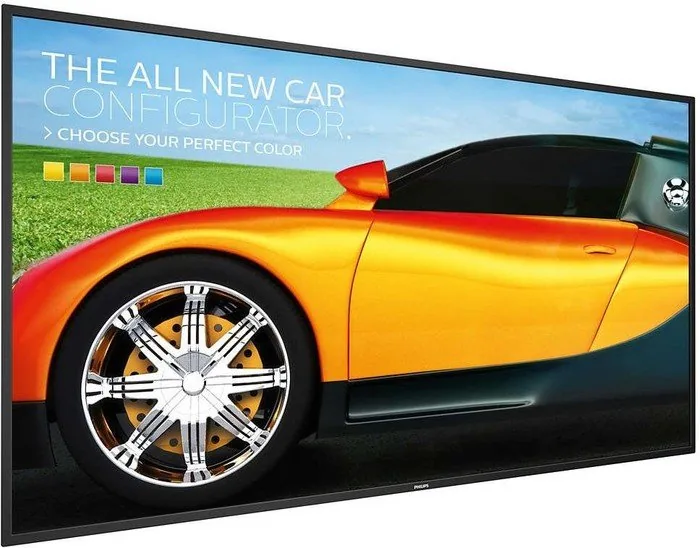
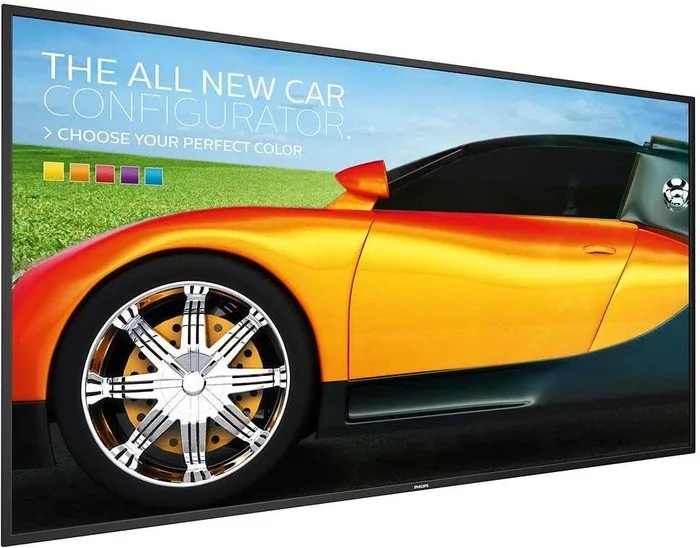
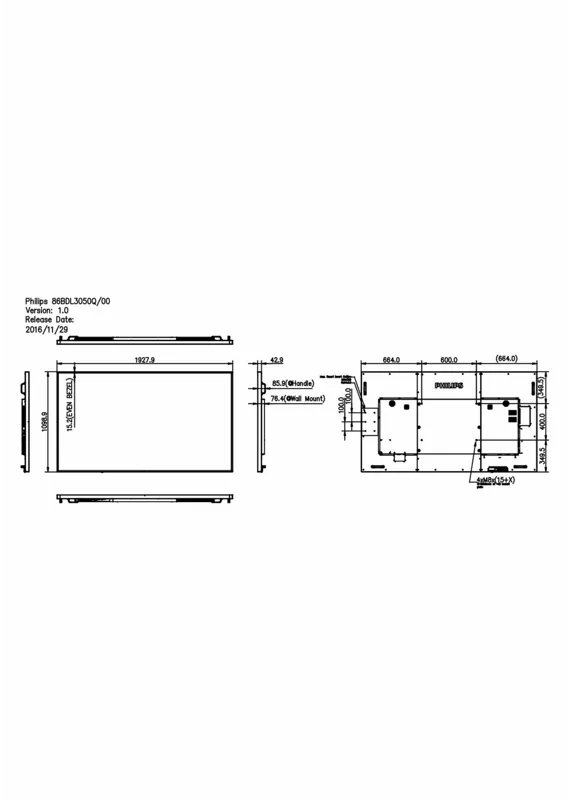
Philips Q-Line 86BDL3050Q Manual
PDF manual · 69 Pages
English



Quick check
Incorrect answer, please try again.
Chat with your Philips Q-Line 86BDL3050Q manual using AI
Get instant AI answers from your Philips Q-Line 86BDL3050Q manual
Ask anything about the Philips Q-Line 86BDL3050Q. Answers come from this manual, with the pages they are based on.
Ask a Question
Do you recommend Q-Line 86BDL3050Q?
Yes NoFrequently Asked Questions
It is designed for professional and public display applications such as digital signage, menu boards, information screens, and large presentation setups. Its size and connectivity make it suitable for commercial environments.
Is this answer helpful?
Yes. The display supports several common connections, including HDMI, DisplayPort, VGA, RS232, USB, micro SD, and network control. This makes it adaptable to many installation scenarios.
Is this answer helpful?
Yes. The platform supports internal media playback, playlists, PDFs, browser content, and Android-based apps. Content can be loaded from internal storage, USB, or SD card depending on the setup.
Is this answer helpful?
Yes. The unit supports wall mounting with a compatible bracket and proper VESA-style installation. Because of its size and weight, correct mounting hardware and careful handling are very important.
Is this answer helpful?
Use a moving screen saver or periodic refresh when the display shows static content for long periods. Avoid leaving still images on screen too long, as this can lead to after-image or ghosting effects.
Is this answer helpful?
Yes. The manual describes daisy-chain control options using RS232 and IR connections. This is useful for multi-screen installations where synchronized operation is needed.
Is this answer helpful?
Make sure the area has enough ventilation, the power plug is accessible, the surface is stable, and the environment is not too humid. The display should also be handled carefully because of its size and weight.
Is this answer helpful?
Advantages and Disadvantages
Advantages

- Massive 85.6-inch screen ideal for high-visibility messaging and large spaces.
- Wide connectivity includes HDMI, DisplayPort, VGA, USB, micro SD, RS232, and LAN.
- Supports Android-based signage tools, media playback, browser use, and custom apps.
- Daisy-chain and remote ID features make multi-display control more practical.
- Built-in safety and maintenance guidance helps support long-term reliable use.
Disadvantages

- Large size and weight make installation and handling more demanding.
- Static images can cause burn-in if screen saver or refresh features are ignored.
- Class A behavior may create interference in residential environments.
- Many advanced features require careful setup and familiarization.
- Moisture, heat, and blocked ventilation can shorten the display’s lifespan.
Product Specification
Diagonal
85.6"
Resolution
3840x2160, 16:9
Brightness
410cd/m2
Contrast
1.20:1 (static), not specified (dynamic)
Response time
8ms
Viewing angle
178 degrees/178 degrees
Panel
IPS
Shape
straight (flat)
Backlight
White-LED
HDR
N/A
Refresh rate
60Hz
Signal frequency
not specified (horizontal), not specified (vertical)
Connectors
1x VGA, 4x HDMI, 1x DisplayPort 1.2, 1x RCA Component, 1x 3.5mm jack (Line-In), 1x RCA Stereo L+R Line-Out
Additional connectors
2x USB-A 2.0 (480Mb/s), 1x RJ-45 LAN, 1x serial 2.5mm jack (RS-232), 1x serial-Out 2.5mm jack (RS-232), 1x JAE 80-Pin OPS
VESA
600x400 (free)
Power consumption
not specified (maximum), 302W (typical), not specified (old energy label A+++ to G), 0.5W (Standby)
Energy efficiency class SDR (A to G)
G
Energy consumption SDR
302kWh/1000h
Dimensions (WxHxD)
75.91x43.31x3.39in
Weight
140.71 lb
Special features
Speakers (2x 10W), Android
Manufacturer warranty
three years
Product Description
Philips Q-Line 86BDL3050Q, 85.6" Manual: a closer look at a large-format signage display
The Philips Q-Line 86BDL3050Q, 85.6" Manual points to a display built for demanding public and commercial environments. With its oversized 85.6-inch screen, this model is clearly designed to make content visible from a distance, whether it is used for retail promotion, corporate communication, wayfinding, or digital menu boards. Its size alone gives it a strong presence, but the real value comes from the practical features around installation, control, and content playback.
One of the most appealing aspects of this display is its flexibility. The manual highlights multiple input options, including HDMI, DisplayPort, VGA, RS232, USB, micro SD, and network-based control through RJ45. That kind of connectivity makes the screen easy to fit into a wide range of setups. It also supports daisy-chain configurations, which is especially useful when several displays need to work together in a synchronized layout.
The Philips platform also leans heavily into signage-friendly software tools. Users can manage media playback, browser content, PDFs, and custom apps, while Android-based functions make it easier to organize playlists and launch content from internal storage, USB, or SD card. Features such as CMND & Play, browser bookmarks, and custom source support suggest a system built not just for display, but for ongoing content management.
Another strength is operational control. The manual covers remote control IDs, OSD navigation, scheduled operation, and system tools like import/export, factory reset, and cloning media files. For teams handling multiple screens, these options can save time and reduce setup errors. At the same time, the guidance is careful about long-term reliability, reminding users to avoid heat, moisture, blocked ventilation, and static images that may cause burn-in.
Why it stands out
This display is not trying to be a casual home TV. It is a professional tool that balances size, control, and durability. The instructions emphasize proper lifting, wall mounting, approved power cords, and ventilation clearance, which reflects the weight and scale of the unit. If installed correctly, it can serve as a dependable centerpiece for large visual messaging.
Notes
- Best suited for commercial and signage applications
- Use screen savers to reduce burn-in risk
- Keep ventilation open and avoid high-moisture areas
- Follow mounting guidance carefully for safety
Search for 67,706 Manuals online


Type-in Brand or Model