
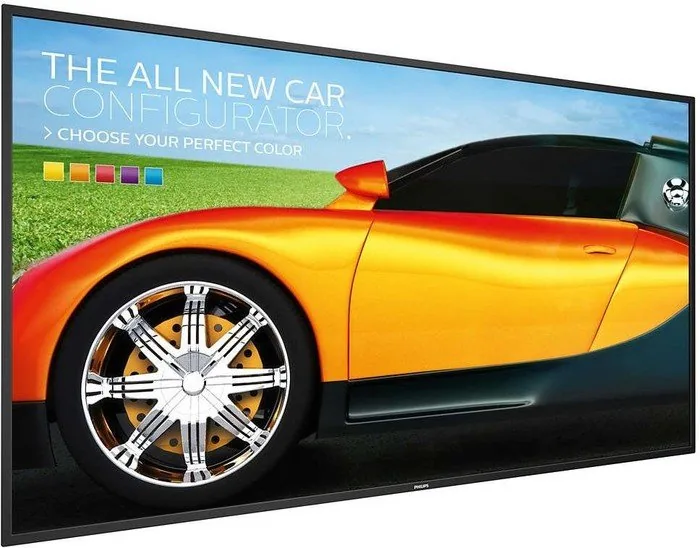
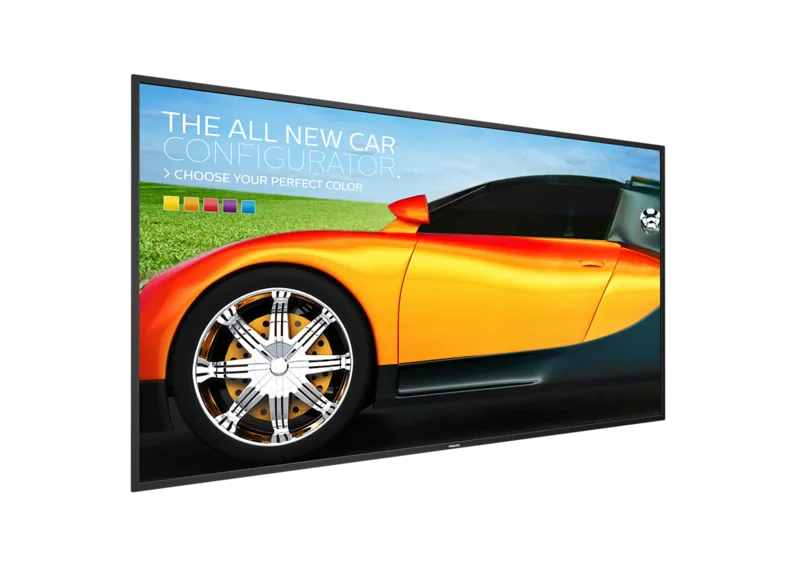
Philips Q-Line 49BDL3050Q Manual
PDF manual · 67 Pages
English



Quick check
Incorrect answer, please try again.
Chat with your Philips Q-Line 49BDL3050Q manual using AI
Get instant AI answers from your Philips Q-Line 49BDL3050Q manual
Ask anything about the Philips Q-Line 49BDL3050Q. Answers come from this manual, with the pages they are based on.
Q-Line 49BDL3050Q Maintenance Schedule
Wipe gently with a soft cloth. If dirty, use a mild cleaning solution on a damp cloth, wring well, wipe, and dry with a clean cloth.
Wipe with a soft dry cloth. For heavy dirt, use a mild solution on a damp cloth, then dry thoroughly.
Ask a Question
Do you recommend Q-Line 49BDL3050Q?
Yes NoFrequently Asked Questions
It is built for commercial signage, information displays, and multi-screen setups. The focus is on reliable continuous operation, content scheduling, and flexible control rather than home entertainment use.
Is this answer helpful?
The display supports HDMI, DVI, VGA, RS232, RJ45 network control, USB storage, IR input/output, and audio connections. This makes it suitable for both modern and older AV systems.
Is this answer helpful?
Yes. The Android-based signage environment supports media playback, PDF viewing, browser content, playlists, and custom apps. That allows many content workflows to run directly on the display.
Is this answer helpful?
It includes monitor ID settings, RS232 routing, IR daisy-chain support, and network control options. These help administrators manage several displays from a central point.
Is this answer helpful?
Use a moving screen saver or periodic refresh when static content is shown. Avoid leaving the same still image on screen for long periods, especially at high contrast.
Is this answer helpful?
Yes, wall mounting is supported with a suitable VESA-compatible bracket. The manual stresses using proper hardware, correct screw length, and enough ventilation space behind the unit.
Is this answer helpful?
Keep the display dry, avoid heat and direct sunlight, unplug it before cleaning, and use only a soft damp or dry cloth. Also avoid pressure on the LCD panel during handling.
Is this answer helpful?
Advantages and Disadvantages
Advantages

- Wide input support with HDMI, DVI, VGA, RS232, USB, RJ45, and IR options for flexible integration.
- Built-in Android signage tools support media playback, browser content, PDF display, and custom apps.
- Useful for multi-display installations with daisy-chain, monitor ID, and centralized control features.
- Strong maintenance and system tools help with settings import/export, cloning, screenshots, and storage management.
Disadvantages

- Static images left on screen too long may cause burn-in or ghosting, which is not covered by warranty.
- Requires careful installation, proper ventilation, and correct mounting hardware to avoid damage or safety issues.
- Some features depend on accessories or optional modules such as Wi-Fi dongles and specific storage setups.
- The interface and setup options can feel complex for users who only need a simple plug-and-play display.
Product Specification
Diagonal
49"/49.02 in
Resolution
3840x2160, 16:9
Brightness
350 cd/m²
Contrast
1,200:1 (static), no information (dynamic)
Response time
9 ms
Viewing angle
178°/178°
Panel
IPS
Shape
straight (flat)
Backlight
White-LED
HDR
N/A
Refresh rate
60 Hz
Signal frequency
no information (horizontal), no information (vertical)
Connections
1x VGA, 1x DVI, 2x HDMI, 1x 0.14 in jack (Line-In), 1x RCA Stereo L+R Line-Out
Other connections
2x USB-A 2.0 (480Mb/s), 1x RJ-45 LAN, 1x serial
VESA
400x400 (free)
Power consumption
no information (maximum), 125 W (typical), no information (Energy label old A+++ to G), 0.5 W (Standby)
Dimensions (WxHxD)
43.27x24.88x2.44 in
Weight
25.13 lb
Special features
Speakers (2x 10 W), Android 5
Manufacturer warranty
three years
Product Description
Philips Q-Line 49BDL3050Q, 49" Manual: A Practical Look at a Professional Signage Display
The Philips Q-Line 49BDL3050Q, 49" Manual reveals a display built for dependable commercial use, where clarity, control, and long-term stability matter more than flashy extras. This 49-inch signage screen is designed to handle continuous operation, structured content playback, and multi-display setups while giving users a flexible set of connection and management options.
At its core, the display is meant to perform in public-facing environments such as retail, lobbies, meeting spaces, and information points. It supports common video and PC inputs, including HDMI, DVI, VGA, RS232, and USB, making it easy to connect modern and legacy equipment. The manual also highlights daisy-chain capability, IR pass-through, and network-based control, which are especially useful when one display needs to work as part of a larger visual system.
A strong point of the Philips Q-Line is its built-in Android-based signage environment. Users can manage media playback, browser bookmarks, PDF content, and custom apps without relying on a separate player in every setup. The media tools are organized around playlists, scheduled playback, and source-specific behavior, giving teams more control over what appears on screen and when it appears. That makes it a practical option for content that changes throughout the day.
The manual also emphasizes installation and care. Ventilation, safe mounting, correct power handling, and protection from moisture or direct heat are treated seriously, which reflects the needs of a display intended for long service life. There are repeated reminders about avoiding static images for too long, using screen savers, and maintaining appropriate temperature and humidity conditions to reduce image persistence.
For administrators, the display offers an impressive list of system tools. These include factory reset, import/export of settings, media cloning, remote control configuration, email notifications, screenshot automation, and security options for external storage. Combined with monitor ID management and OSD controls, the screen is clearly built for environments where multiple units must be maintained consistently.
Overall, the Philips Q-Line 49BDL3050Q, 49" is a versatile business display that balances usability, connectivity, and control. It stands out for its signage-focused software, flexible input support, and structured approach to installation and maintenance.
Notes
- Best suited for commercial signage and controlled indoor environments.
- Use screen savers and refresh cycles to reduce burn-in risk.
- Keep ventilation clear and follow mounting guidance carefully.
- External storage and network settings make content management easier.
Search for 67,706 Manuals online


Type-in Brand or Model