


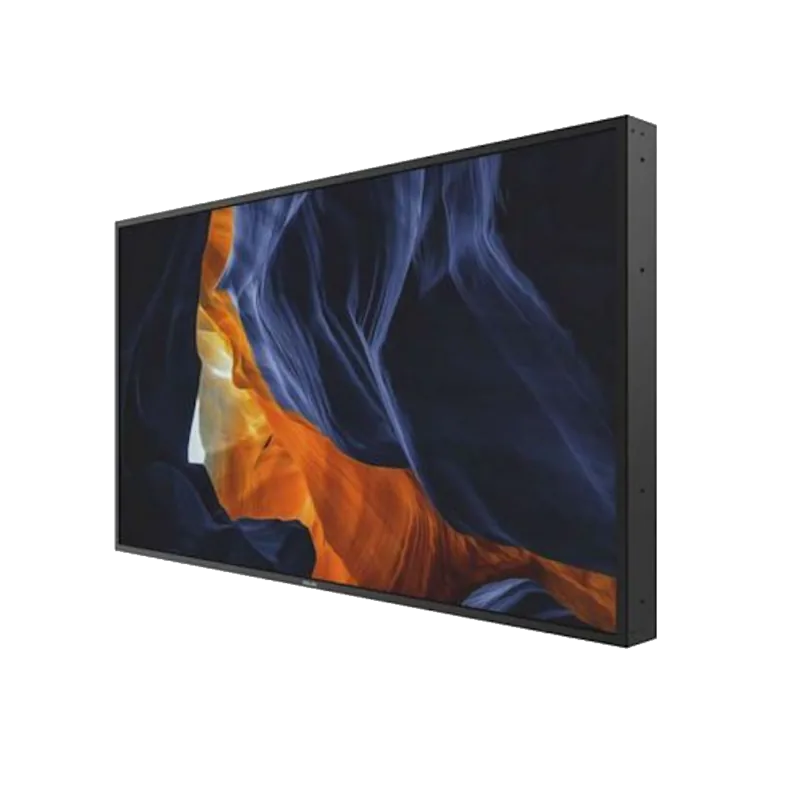
Philips H-Line 75BDL3003H Manual
PDF manual · 44 Pages
English



Quick check
Incorrect answer, please try again.
Chat with your Philips H-Line 75BDL3003H manual using AI
Get instant AI answers from your Philips H-Line 75BDL3003H manual
Ask anything about the Philips H-Line 75BDL3003H. Answers come from this manual, with the pages they are based on.
Ask a Question
Do you recommend H-Line 75BDL3003H?
Yes NoFrequently Asked Questions
It is a 75-inch professional LCD display intended for digital signage, public information, business presentations, retail spaces, and multi-display visual installations.
Is this answer helpful?
The display includes HDMI, DisplayPort, DVI-D, VGA, component video, and composite video inputs. It also provides USB playback capability and audio input and output connections.
Is this answer helpful?
Yes. It supports tiled layouts with horizontal and vertical display settings, position assignment, bezel compensation, DisplayPort daisy chaining, and RS232 control chaining.
Is this answer helpful?
Yes. Compatible music, movie, and photo files can be played from a USB storage device. The display can also use USB playlists in scheduled playback setups.
Is this answer helpful?
Use a suitable commercial wall mount with a minimum load rating of 54.1 kg. The display uses a 600 x 400 mm VESA mounting pattern. Professional installation is recommended.
Is this answer helpful?
Avoid leaving static, high-contrast content on screen for long periods. Enable a moving screen saver, use pixel shift, vary displayed content, and consider brightness reduction when appropriate.
Is this answer helpful?
Advantages and Disadvantages
Advantages

- 75-inch professional display provides a large canvas for signage, presentations, and public information.
- Wide connectivity includes HDMI, DisplayPort, DVI-D, VGA, USB, LAN, RS232, component, and composite video.
- Daisy-chain control and DisplayPort output support coordinated multi-display and video wall installations.
- Built-in USB media playback, scheduling, browser access, and extensive picture controls support standalone operation.
- Tiling, bezel compensation, monitor IDs, and remote-control IDs help simplify larger deployments.
Disadvantages

- At 54.1 kg, the display requires careful handling and a wall mount rated for its weight.
- Long static images can cause persistent image retention that may not be covered by warranty.
- The integrated browser does not support Flash and does not preserve its screen after a display restart.
- Adequate clearance and ventilation are required to prevent overheating during installation.
- Some picture-in-picture combinations and adjustments depend on the selected input source.
Product Specification
Diagonal
75 in / 75 in
Resolution
3840 x 2160, 16:9
Brightness
3,000 cd/m^2
Contrast
1,200:1 (static), 500,000:1 (dynamic)
Response Time
8 ms
Viewing Angle
178 degrees / 178 degrees
Panel
IPS
Shape
straight (flat)
Backlight
White LED
HDR
N/A
Refresh Rate
60 Hz
Signal Frequency
not specified (horizontal), not specified (vertical)
Connections
1x VGA, 1x DVI, 2x HDMI, 1x DisplayPort 1.2, 1x RCA Composite In, 1x RCA Component, 1x VGA Out, 1x DVI Out, 1x DisplayPort Out 1.2, 1x 3.5 mm jack (Line In), 1x RCA Stereo L+R Line In, 1x 3.5 mm jack (Line Out)
Additional Connections
1x RJ-45 LAN, 2x serial, 1x USB-A 2.0 (480 Mb/s), 1x JAE 80-pin OPS
VESA
23.62 x 15.75 in (unrestricted)
Power Consumption
not specified (maximum), 200 W (typical), not specified (old energy label A+++ to G), 0.5 W (standby)
Dimensions (W x H x D)
66.18 x 37.64 x 5.59 in
Weight
119.27 lb
Special Features
speakers (2x 10 W)
Manufacturer Warranty
two years
Product Description
Philips H-Line 75BDL3003H, 75 Manual: Professional Large-Format Display
The Philips H-Line 75BDL3003H is a 75-inch professional LCD display designed for high-impact digital signage, information screens, presentation areas, and multi-display installations. Its expansive viewing area makes it well suited to corporate spaces, retail environments, public venues, and control rooms where content needs to remain clear and visible from a distance.
Flexible connectivity for modern installations
This display supports a broad collection of video and control connections, helping installers integrate it with PCs, media players, AV equipment, and commercial control systems. Available inputs include three HDMI ports, DisplayPort, DVI-D, VGA, component video, composite video, USB, and audio connections. DisplayPort output and RS232 input/output support daisy-chain arrangements, while LAN connectivity enables network-based control.
For multi-screen projects, the Philips H-Line 75BDL3003H can be configured for tiled display layouts. The setup menu includes bezel compensation, screen position settings, and delayed power-on control to help manage coordinated video wall deployments. Monitor IDs and remote-control ID settings are also available for addressing individual displays in larger systems.
Built-in playback and operational controls
USB playback allows compatible music, video, and photo files to be presented directly from a connected storage device. The display also includes an HTML5 Opera browser for web-based content, although browser sessions are not retained after a restart and Flash content is not supported. Scheduling tools provide up to seven programmable time periods for automated power and input selection, supporting routine signage operations.
Picture controls include brightness, contrast, sharpness, color temperature, gamma selection, noise reduction, Smart Picture modes, and Smart Contrast. Audio settings cover volume limits, balance, bass, treble, mute control, and external speaker support. Picture-in-picture and multi-window modes can show selected combinations of connected sources at the same time.
Installation and care considerations
The 75-inch panel weighs 54.1 kg, so transport should be handled by two people and wall installation should use a suitably rated mount. The VESA pattern is 600 x 400 mm. Adequate ventilation is essential, with clearance around the enclosure to allow heat to dissipate. The stated operating range is 0 to 40 degrees C and 20 to 80 percent relative humidity.
Notes
- Use moving content, a screen saver, brightness controls, or pixel shift to reduce the risk of image retention from prolonged static images.
- Keep ventilation openings clear and protect the display from moisture, direct sunlight, shock, and excessive heat.
- For safe cleaning, disconnect power and use a dry or lightly dampened cloth without alcohol, solvent, or ammonia-based cleaners.
- Use qualified service personnel for internal repairs and professional installers for wall mounting.
Search for 67,706 Manuals online


Type-in Brand or Model