
Philips FastCare Compact GC6730/30 Manual
PDF manual · 58 Pages
English



Quick check
Incorrect answer, please try again.
Chat with your Philips FastCare Compact GC6730/30 manual using AI
Get instant AI answers from your Philips FastCare Compact GC6730/30 manual
Ask anything about the Philips FastCare Compact GC6730/30. Answers come from this manual, with the pages they are based on.
FastCare Compact GC6730/30 Maintenance Schedule
The appliance reminds you after 1-3 months. Fill tank halfway, place iron on container, hold CALC-CLEAN button for 2 seconds until beeping starts.
Wipe with a moist cloth. For stains, heat the soleplate and move the iron over a moist cloth to ensure smooth gliding.
Free maintenance reminders
Timed to your purchase date. Always free, unsubscribe anytime.
Ask a Question
Do you recommend FastCare Compact GC6730/30?
Yes NoDo you recommend FastCare Compact GC6730/30?
Yes NoFrequently Asked Questions
Use the temperature dial according to the garment label. Lower settings suit synthetics, medium settings suit silk and wool, and higher settings suit cotton and linen. Steam is available from the medium setting upward. Do not iron fabrics marked as non-ironable.
Is this answer helpful?
The iron-ready light becomes steady when the appliance is ready, which takes about two minutes. On first use, or after a period without use, steam can take up to 30 seconds to come through after holding the steam trigger.
Is this answer helpful?
Yes. Hold the iron vertically, press the steam trigger, lightly touch the fabric with the soleplate, and move it up and down. Only steam hanging garments or fabrics. Never remove wrinkles from clothing while someone is wearing it.
Is this answer helpful?
The appliance is designed for tap water. In hard-water areas, distilled or demineralized water is recommended to reduce scale buildup. Do not use perfumed water, vinegar, starch, descaling products, dryer water, ironing additives, or other chemicals.
Is this answer helpful?
This is a reminder to run the Smart Calc-Clean process. Fill the tank halfway, place the iron on the supplied Calc-Clean container, and hold the Calc-Clean button for two seconds. The process takes about two minutes and restores steam if it was disabled.
Is this answer helpful?
Check that the tank contains water above the minimum mark, that the temperature is set to at least the medium setting, and that the steam trigger is held down. If the Calc-Clean light flashes, complete the descaling cycle to re-enable steam.
Is this answer helpful?
Advantages and Disadvantages
Advantages

- Compact ProVelocity technology combines continuous steam performance with a lighter, easier-to-store design.
- Automatic steam adjustment matches the selected temperature setting for different fabric types.
- Steam boost delivers a powerful three-second burst for stubborn creases.
- Smart Calc-Clean reminders and steam lockout encourage regular descaling and long-term performance.
- Carry lock, hose and cord storage, and auto shut-off improve portability and everyday convenience.
Disadvantages

- Steam is unavailable at the lowest temperature setting, limiting use on delicate synthetic fabrics.
- The steam trigger must be held for continuous steam, and first use may take up to 30 seconds to produce steam.
- Regular Calc-Clean maintenance is required; steam is disabled if the descaling cycle is not completed.
- High steam output can cause condensation on unsuitable or worn ironing board covers.
- The Calc-Clean container and iron become hot during cleaning, requiring cooling time and careful handling.
Product Specification
Power
2,400 W
Color
white/purple
Steam pressure
75.42 psi
Steam output
3.88 oz/min
Steam boost
7.76 oz/min
Water tank
0.34 gal
Soleplate
ceramic
Features
vertical steam, steam output control, anti-scale function, ready indicator, descaling indicator, suitable for tap water, automatic shut-off, transport lock
Heat-up time
2 min
Cord length
5.41 ft
Product Description
Philips GC6730/30 FastCare Compact Steam Ironing Station - Read, Download & Print Free
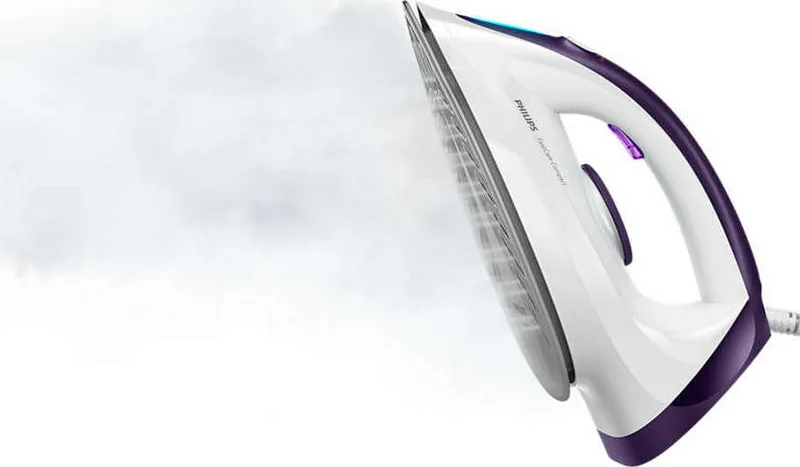
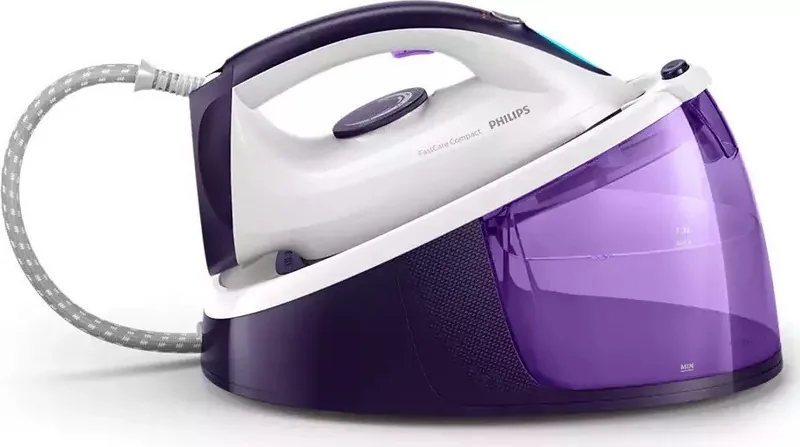
The Philips GC6730/30 FastCare Compact Steam Ironing Station is designed for households that want powerful steam performance without the bulk of a traditional steam generator. Its Compact ProVelocity technology delivers continuous steam that penetrates fabric to help loosen creases efficiently, while keeping the unit lighter and easier to store. The station combines a separate water tank, iron platform, and steam hose for a practical ironing setup.
Fast, flexible ironing performance
The iron offers automatic steam adjustment based on the selected temperature. Choose a lower setting for synthetic fabrics, a medium setting for silk and wool, or a higher setting for cotton and linen. Once the iron-ready light stays on, it is ready for use in around two minutes. Hold the steam trigger for continuous steam while ironing, or press it twice quickly for a powerful three-second steam boost on stubborn wrinkles.
Vertical steaming adds useful flexibility for hanging garments and fabrics. This function can help refresh and smooth items without placing them on an ironing board. For safe use, hot steam should never be directed at people or used on clothing while it is being worn.
Water tank and convenient storage
The water tank can be filled before use and topped up whenever the level falls below the minimum mark. The appliance is designed for tap water, although distilled or demineralized water is recommended in hard-water areas to reduce scale buildup. Avoid perfumed water, vinegar, starch, chemically treated water, and other additives, as these may cause stains, spitting, or damage.
The GC6730 series includes a carry lock that secures the iron to its platform for easier transport. A dedicated compartment stores the power cord and water hose, helping keep the ironing area tidy after use. The automatic shut-off feature provides added reassurance: the station enters standby after 15 minutes without use and switches off after a further 10 minutes.
Smart Calc-Clean maintenance
The Smart Calc-Clean system helps maintain steady steam output by reminding users when descaling is needed. After roughly one to three months of use, the Calc-Clean light flashes and the appliance beeps. If cleaning is postponed, the steam function is disabled until the process is completed.
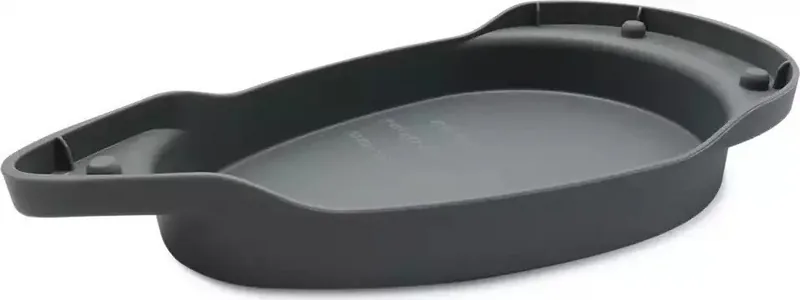
To descale, place the iron on the supplied Calc-Clean container, hold the Calc-Clean button for two seconds, and allow approximately two minutes for the cycle to finish. The container collects hot water and scale particles. Regular soleplate cleaning with a damp cloth also supports smooth gliding.
Notes
- Allow up to 30 seconds for steam to appear when starting.
- Use a stable ironing board suitable for high steam output.
- Empty the water tank and lock the iron before storage.
Search for 67,732 Manuals online


Type-in Brand or Model