
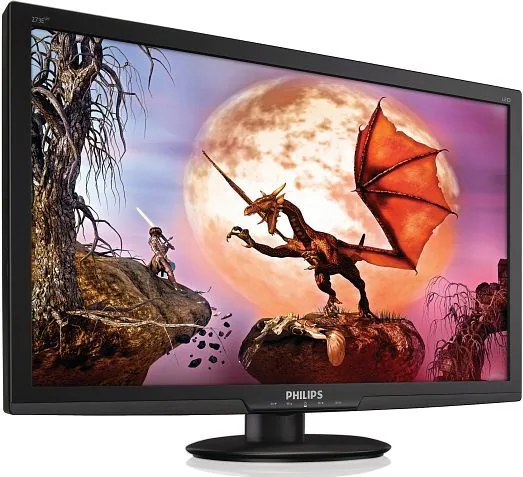
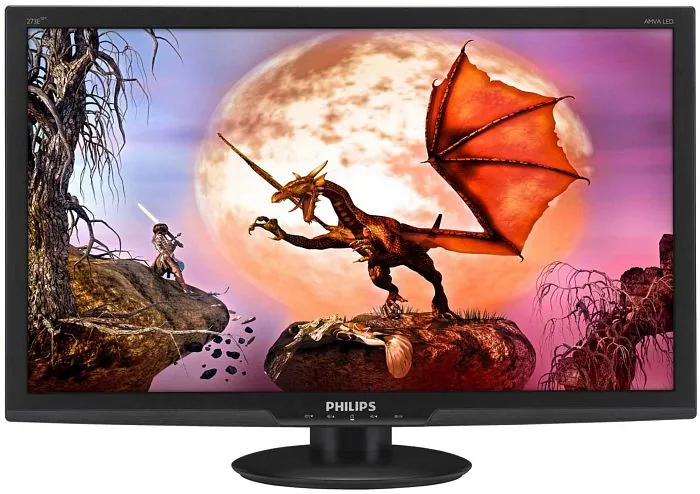
Philips E Line 273E3LHSB Manual
PDF manual · 41 Pages
English



Quick check
Incorrect answer, please try again.
Chat with your Philips E Line 273E3LHSB manual using AI
Get instant AI answers from your Philips E Line 273E3LHSB manual
Ask anything about the Philips E Line 273E3LHSB. Answers come from this manual, with the pages they are based on.
E Line 273E3LHSB Maintenance Schedule
Wipe with a soft dry cloth when off. For stubborn dirt use a slightly damp cloth or isopropyl alcohol; never use organic solvents.
Enable a moving screen saver to prevent burn-in images from static content.
Ask a Question
Do you recommend E Line 273E3LHSB?
Yes No
GamerMarkus
7 months ago
Is this monitor suitable for fast-paced FPS games like BO3 and BF4, and does it allow easy mode switching with physical buttons?

Manual.ly
7 months ago
Yes, customers report excellent performance for FPS titles such as BO3 and BF4. The display includes physical keys to toggle preset modes like Game, Internet, and Standard. These settings automatically optimize brightness and contrast for the specific use case. Users note it is energy efficient on standard settings while maintaining high quality visuals during gaming.
Frequently Asked Questions
Wipe with dry cloth when power is off. Do not use organic solvents like alcohol.
Is this answer helpful?
Uninterrupted display of static images may cause phantom imagery. Moving screen savers help prevent this.
Is this answer helpful?
1920 by 1080 at 60 hertz for optimal performance.
Is this answer helpful?
Pixel defects are covered if they exceed acceptable tolerances per policy.
Is this answer helpful?
Yes, it carries the TCO Certified label for quality and environment.
Is this answer helpful?
Yes, automatic power saving reduces consumption when idle.
Is this answer helpful?
Yes, fully compatible with standard PCs and Macs. Adapter may be needed.
Is this answer helpful?
Advantages and Disadvantages
Advantages

- Native 1920x1080 resolution
- Wide 170 160 viewing angles
- Energy Star 5.0 compliant
- VESA Mountable 100mm x 100mm
- SmartImage Lite for presets
Disadvantages

- Built-in speakers not listed
- Response time is 5ms on standard models
- Requires external speakers for audio
- OSD limited without software
- Tiling can cause ghosting
Product Specification
Product Type
Monitor (Desktop)
Diagonal
27 in (27.01 in)
Resolution
1920x1080 (FHD), 16:9, 82 ppi
Panel
TN
Backlight
LED, flicker-free
Brightness
300 cd/m2 (typical)
Contrast
1,200:1 (static), 20,000,000:1 (dynamic)
Response Time
3.5ms (Gray-to-Gray)
Refresh Rate
60Hz (1920x1080)
Signal Frequency
30-83kHz (H) / 56-75Hz (V)
Ports
1x VGA (60Hz@1920x1080), 1x HDMI 1.4, 1x DVI, 1x AC-In C13 (Power)
Form
Flat (Straight)
Viewing Angles
178 deg / 170 deg
Coating
non-glare (Matte), Hardness 3H
Color Depth
8 bit (16.7 Million colors)
FRC
Unknown
Certifications/Standards
EPEAT
Speakers
Speakers (2x 2W)
Ergonomics
With base, Height adjustable N/A, Swivel N/A, Tilt (+20 deg / -5 deg)
VESA
100x100 (Standard)
Power Consumption
0.5W (Standby)
Features
Security Lock (Kensington Security Slot)
Screen-to-Body Ratio
80.06% (Calculated)
Dimensions
25.28 x 17.32 x 8.94 in (WxHxD) with base compressed, 25.28 x 15.39 x 2.52 in (WxHxD) without base
Color
Black (Display Frame) / Black (Lower Bezel) / Black (Stand)
Weight
18.08 lbs (with base), 14.33 lbs (without base)
Power Supply
Internal
Warranty
Two Years
USB Layout
Link
Product Description
Experience the Clarity of the Philips E-line 273E3LHSB
The Philips E-line 273E3LHSB, 27" offers an immersive visual experience designed for modern users. This monitor features a substantial 27-inch screen with a 16:9 aspect ratio. It is perfect for those seeking a large workspace without sacrificing clarity. The display supports a native resolution of 1920 by 1080 pixels at 60 hertz. The viewing angles are wide, reaching up to 170 degrees horizontally and 160 degrees vertically.
Advanced Image Optimization
One of the strongest selling points is the SmartImage Lite software. This function allows users to optimize the display based on current content applications. There are three specific modes available including Standard, Internet, and Game. Standard mode enhances text readability for office tasks. Internet mode improves color saturation for photos. Game mode reduces jagged edges for smoother action. The monitor features SmartContrast technology as well. This analyzes content in real time to adjust contrast ratios automatically. It ensures bright images during gaming and darker backgrounds save power.
Connectivity and Control
Connecting peripherals is flexible with various inputs available. The back panel includes VGA and DVI-D ports. Selected models also provide HDMI input capabilities. Audio inputs allow for connected sound output from the monitor. Users can control settings using the physical buttons or the SmartControl Lite software. This software provides a graphical interface for fine-tuning brightness and color. It supports Windows environments and integrates with the desktop environment for access. The On-Screen Display menu also handles adjustments directly from the screen. Resetting factory settings is an option if configurations go awry.
Energy Efficiency and Safety
Environmental responsibility is highlighted in the product design. It meets Energy Star 5.0 requirements for power management. The sleep mode consumes minimal energy when not in use. Handling involves lifting the frame rather than the panel itself to prevent damage.
Comprehensive Support
Detailed guidance is available in the Philips E-line 273E3LHSB, 27" Manual. It covers pixel defect policies and troubleshooting steps. Power management includes automatic waking from VESA compliant systems. Warranty information assures quality control standards across various regions. The tilt range allows for ergonomic adjustments between negative and positive degrees.
Conclusion
This monitor blends performance with efficiency. It serves various needs from gaming to productivity. By utilizing the included guidance, users can maintain high performance. The combination of hardware features and software tools creates a robust ecosystem. You will find this screen suitable for long-term daily tasks easily. The EPEAT Silver rating confirms adherence to environmental criteria. The OSD menu structure is logical, offering quick access to Picture, Input, and Setup tabs.
Search for 67,732 Manuals online


Type-in Brand or Model
Max Weber
7 months ago
Do the preset picture modes for gaming work well on this 27 inch monitor compared to standard settings
Manual.ly
7 months ago
Yes the monitor includes distinct picture settings for gaming internet and standard use. Customers confirm that the gaming mode optimizes brightness and contrast for titles like Battlefield 4. These presets help improve visual clarity without manual tweaking allowing for better performance in competitive scenarios.