
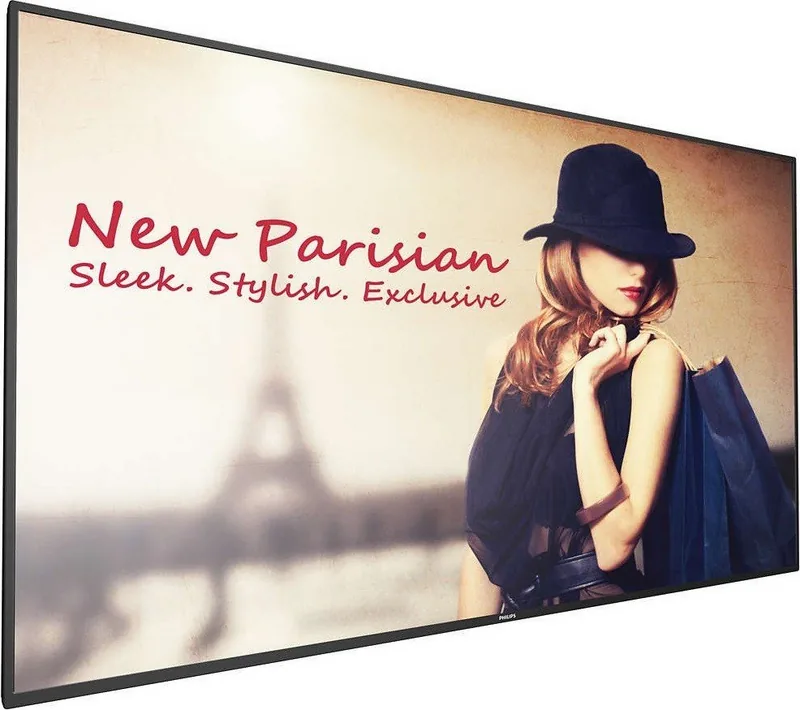
Philips D-Line BDL4150D Manual
PDF manual · 77 Pages
English



Quick check
Incorrect answer, please try again.
Chat with your Philips D-Line BDL4150D manual using AI
Get instant AI answers from your Philips D-Line BDL4150D manual
Ask anything about the Philips D-Line BDL4150D. Answers come from this manual, with the pages they are based on.
D-Line BDL4150D Maintenance Schedule
Wipe the surface gently with a cleaning cloth or soft, lint-free cloth. If dirty, use a mild cleaning solution and dry with a clean cloth.
Wipe the housing with a soft, dry cloth. If heavily soiled, use a mild cleaning solution and dry immediately.
Unplug the power cable from the outlet before performing any cleaning or maintenance work to ensure safety.
Ask a Question
Do you recommend D-Line BDL4150D?
Yes NoFrequently Asked Questions
It is mainly used for commercial digital signage, such as menu boards, retail messaging, meeting-room displays, and other professional content presentation setups.
Is this answer helpful?
It is built for professional digital signage, presentations, and multi-screen commercial setups. The display works well in retail, corporate, and public information environments where reliable playback and flexible control are important.
Is this answer helpful?
Yes. It includes built-in media player functions and can handle video, images, music, and PDFs from internal storage, USB, or SD card when organized correctly.
Is this answer helpful?
Yes. The display can be installed in portrait orientation. This makes it useful for vertical advertising, directory screens, and other layouts that benefit from a tall viewing format.
Is this answer helpful?
Yes. The display supports portrait installation, and the logo position can be adjusted to match the rotated orientation.
Is this answer helpful?
It supports HDMI, DisplayPort, DVI, VGA, RS232, USB, LAN, IR, and audio connections. That gives installers many options for integrating the display into different systems.
Is this answer helpful?
It includes HDMI, DisplayPort, DVI, VGA, USB, LAN, RS232, IR, audio in/out, SPDIF out, and speaker connections, plus support for daisy-chain setups.
Is this answer helpful?
Advantages and Disadvantages
Advantages

- Supports many inputs and outputs for flexible integration.
- Wide input support makes integration with PCs, players, and control systems straightforward.
- Android signage tools support media playback, PDFs, browser content, and custom apps.
- Built-in media, browser, PDF, and playlist tools reduce extra hardware needs.
- Works in landscape or portrait setups with VESA-compatible mounting.
Disadvantages

- Heavy unit and careful mounting make installation more demanding.
- Large size and weight require careful transport and often more than one installer.
- Setup is strict, with detailed rules for ventilation, power, and mounting.
- Static images can cause burn-in if content is left unchanged too long.
- Indoor/commercial focus means it is not ideal for casual home use.
Product Specification
Resolution
3840x2160, 16:9
Brightness
500 cd/m2
Viewing Angle
178 degrees/178 degrees
Panel
IPS
Form
straight (flat)
Backlight
White-LED
HDR
N/A
Refresh Rate
60 Hz
Signal Frequency
not specified (horizontal), not specified (vertical)
Manufacturer Warranty
three years
Product Description
Philips D-Line BDL4150D: Built for Reliable Digital Signage
The Philips D-Line BDL4150D is designed for professional display environments where uptime, flexibility, and controlled content delivery matter most. It fits naturally into retail spaces, meeting areas, menu boards, and other public-facing installations that need a polished screen with dependable day-to-day operation. If you are searching for the Philips D-Line BDL4150D Manual, you are likely looking for a display that balances installation flexibility with practical control features—and this model delivers exactly that.
One of its strongest advantages is versatility. The display supports a wide range of connections, including HDMI, DisplayPort, DVI, VGA, USB, LAN, RS232, IR, and audio outputs. That makes it easier to integrate with PCs, media players, external speakers, and multi-screen setups. For larger signage projects, daisy-chain options and IR pass-through support help simplify system design and make coordinated control more manageable.
The Philips D-Line BDL4150D also stands out for its built-in digital signage tools. It includes media playback, browser-based content, PDF viewing, CMND & Play support, and custom app options, all designed to reduce dependency on separate hardware. In practice, this means teams can schedule playlists, manage content folders, and automate playback with less friction. The Android-based environment adds another layer of convenience for operators who want a more modern and adaptable signage workflow.
Installation is another area where this model shows its professional focus. It supports wall mounting and portrait orientation, while the VESA layout and mounting guidance make it suitable for structured installations. At the same time, the product emphasizes safe handling, proper ventilation, and environmental care. The included warnings about heat, moisture, static images, and transport are not just formalities—they reflect the realities of running a large display in demanding commercial settings.
For businesses that value control, this display offers useful admin and network features such as remote management, scheduled operation, Ethernet and Wi-Fi support, and local update functions. The result is a signage platform that can be adapted to many workflows without losing the clarity and consistency needed in public spaces.
Notes
- Best suited for commercial and indoor signage use.
- Use screen savers and refresh tools to reduce burn-in risk.
- Professional installation is recommended for wall or portrait mounting.
- Keep content folders organized for smoother media playback.
Search for 67,706 Manuals online


Type-in Brand or Model