
PetSafe Smart Feed Manual
PDF manual · 52 Pages
English



Quick check
Incorrect answer, please try again.
Chat with your PetSafe Smart Feed manual using AI
Get instant AI answers from your PetSafe Smart Feed manual
Ask anything about the PetSafe Smart Feed. Answers come from this manual, with the pages they are based on.
Smart Feed Maintenance Schedule
Always replace batteries with new ones before leaving for an extended time to ensure backup power.
Check operation frequently to be sure the pet feeder is dispensing properly.
The feeder conveyor must be primed anytime the food gets low to ensure correct meal sizes are dispensed.
Ask a Question
Do you recommend Smart Feed?
Yes NoFrequently Asked Questions
No, the device is designed specifically for dry or semi-moist food. Wet or canned food may jam the conveyor mechanism and cause mechanical errors.
Is this answer helpful?
Download the My PetSafe app, plug in the power adaptor, and follow on-screen instructions. You will need your Wi-Fi password and a valid email address to complete setup.
Is this answer helpful?
You can install four D-cell alkaline batteries in the compartment. They serve as backup power to ensure the feeder continues dispensing meals.
Is this answer helpful?
No. Keep the area clear and supervise children closely. Do not allow pets to chew on the cord or access the internal components.
Is this answer helpful?
Use a paperclip to press and hold the reboot/reset button for eight seconds until the LED turns solid white. This deletes all programs and returns it to setup mode.
Is this answer helpful?
Yes, the Low Food icon indicates when the hopper needs refilling so you can monitor inventory levels easily.
Is this answer helpful?
Advantages and Disadvantages
Advantages

- Allows remote scheduling and portion control via My PetSafe app for flexible management.
- Battery backup compartment ensures feeding continues during power outages.
- Slow feed mode prevents choking by dispensing meals over fifteen minutes.
- Stainless steel bowl resists rust and maintains hygiene during daily use.
- Activity logs track meal times and errors for better pet monitoring.
Disadvantages

- Requires stable Wi-Fi connection and router for initial setup and control.
- Compatible only with dry or semi-moist food preventing wet food usage.
- Indoor use only and cannot be installed in exposed weather conditions.
- Must use alkaline D-cell batteries as rechargeable ones are prohibited.
- Cord safety risks require supervision and protection from chewing pets.
Product Specification
Type
Automatic feeder
Suitability
Dog, Cat
Color
Blue
Features
Wi-Fi 802.11b/g/n, controllable via app (Android, iOS)
Product Description
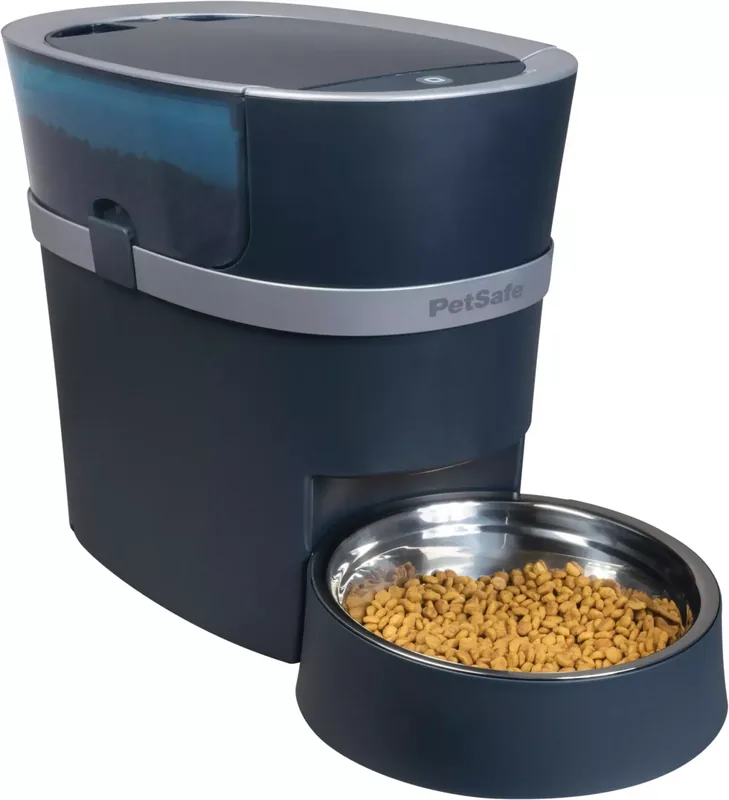
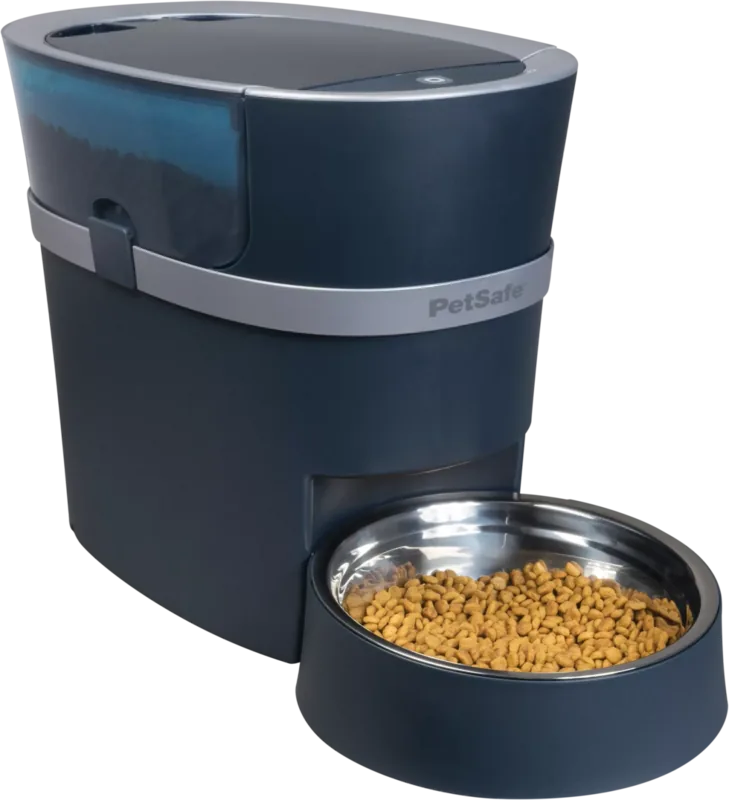
Elevate Your Pet Care Routine with the PetSafe Smart Feed Feeder
Owning a pet involves dedication and love, but managing feeding schedules can sometimes become a challenge for busy owners. The PetSafe Smart Feed Feeder offers a seamless solution designed to provide peace of mind and ensure your furry friend receives their nutrition on time. Whether you are at work or traveling, this automated device helps maintain consistency for dogs and cats alike.
Setting up the system is straightforward when you utilize the resources available, often referenced alongside the PetSafe Smart Feed Feeder Manual during initial configuration. Users appreciate the intuitive design that integrates directly with smartphones via Bluetooth and Wi-Fi. The accompanying My PetSafe app allows you to schedule meals precisely, controlling portion sizes and timing remotely from anywhere. You can even dispense a snack manually through the app or the physical button located on the device itself. This flexibility means you never have to guess if your pet ate enough or too much throughout the day.
Safety is paramount with this appliance. It features a secure lid latch and requires dry food only to prevent jams and mechanical issues inside the dispenser. The included stainless steel bowl promotes hygiene and durability against daily wear and tear from enthusiastic eaters. Additionally, a backup battery compartment ensures operation continues even during unexpected power outages, keeping your pet fed without interruption. For fast eaters prone to bloating, a specialized slow feed mode disperses kibble over fifteen minutes to aid proper digestion habits.
Installation requires a stable Wi-Fi connection and careful placement on a level surface indoors. You should avoid placing the unit where direct water contact could damage internal electronic components permanently. The internal conveyor system primes automatically to guarantee correct meal dispensing volume every single time. Regular cleaning of the food hopper and bowl keeps the mechanism running smoothly without clogs. Always supervise small children near the appliance and keep packaging materials away from pets to prevent accidental ingestion hazards during unpacking.
LED indicators provide visual status updates regarding connectivity and food levels clearly. If issues arise, the reset button allows for quick reconnection to your network settings without losing programmed data. These thoughtful features demonstrate why this product stands out in the market. Ensuring your pet eats regularly supports overall vitality and reduces anxiety related to hunger cues. Many owners find the remote capability invaluable for sudden schedule changes. Trustworthy engineering backs the warranty coverage offering long-term reliability for years of use. Proper disposal of old batteries ensures environmental safety alongside effective household management. This combination makes the device a robust addition to any home.
By combining advanced technology with reliable pet care standards, this feeder becomes an essential part of any modern home environment. It simplifies daily maintenance tasks while actively monitoring your pet's well-being through detailed activity logs stored within the application interface. Remember to review all critical safety notices printed on the unit before operating the device for the very first time. Embrace modern convenience without compromising the health, happiness, or nutritional balance of your beloved animal companion.
Search for 67,706 Manuals online


Type-in Brand or Model