Manual.ly Logo

Pet Mate Cat Mate Elite Microchip Cat Flap Manual

0.0 · 0 Ratings

PDF manual · 23 Pages

English

M: OA-GPT-54-NAN
page

/ 23

Loading...
9362f36ba002e3d132e2dc5efc352cb3fb56 page 4
3.3 To program your cat's microchip, encourage your cat to slowly pass through the
tunnel by holding the flap open as shown in Fig. 4. Alternatively, to program your
cat's I.D. Disc, place the front of the I.D. Disc in the tunnel opening (Fig. 5).
3.4 When programmed, the 'TWO ZEROS' will disappear and 'Pr1' will flash.
3.5 Press the 'PROG' button to save the setting.
For additional cats, up to a maximum of 9, repeat steps 3.1 to 3.5.
4. Fitting Instructions (see Figs. 8a to 16, pages 4 and 5)
IMPORTANT:
• Do not cut tunnel of cat flap.
• To check that your cat’s microchip is correctly positioned and functioning, we
strongly recommend you program the cat flap for all your cats before
installation (see Section 3). Then check the cat’s microchip operates the lock
when the cat’s head is pushed gently against the flap as shown in Fig. 6.
4.1. Wooden Doors 0-50mm (0-2") Thick
4.1.1 Place exterior frame in desired position on door. We recommend the bottom of
the aperture is approximately 150mm (6") above ground level. (Fig. 8a). If you
must fit higher consider providing a step to help your cat enter.
4.1.2 Draw around the aperture (Fig. 8a), then using an electric jigsaw cut 5mm (
3
/
16
")
outside of the line. (Fig. 8b).
Be careful to cut hole square to the door, particularly with thicker doors. Ensure
interior frame is free fitting in hole.
4.1.3 Determine thickness of door panel, (t). (Fig. 10).
4.1.4 Holding the interior frame and the exterior frame in position, mark the 2 screw
holes. (Fig. 11).
4.1.5 Remove the frames and drill screw clearance holes in panel to 6mm (
1
/
4
")
diameter.
4.1.6 Position interior frame on inside of door and screw exterior frame to it by using
appropriate screws for panel thickness, (t), as shown in Fig. 12. If necessary, cut
supplied screws to length. Finally fit two screw caps.
4.2 UPVC / Metal Doors 0-50mm (0-2”) Thick
Doors constructed with metal panels may reduce the range of the microchip reader. You
may test for metal panels by drilling a small trial hole in the middle of the intended cat
flap location.
For UPVC / metal doors it is essential to cut a larger hole than for wooden doors
and to retune the cat flap as below:
4.2.1 Place exterior frame in desired position on door. We recommend the bottom of
the aperture is approximately 150mm (6") above ground level. (Fig. 9a). If you
must fit higher consider providing a step to help your cat enter.
1. Introduction
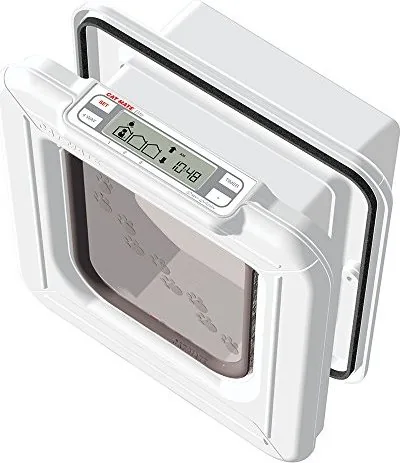
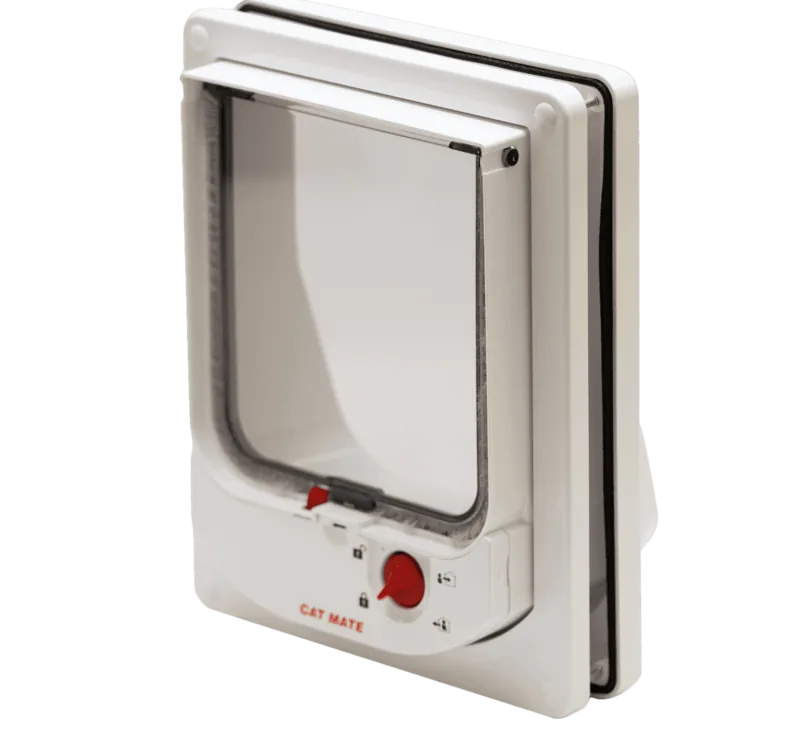
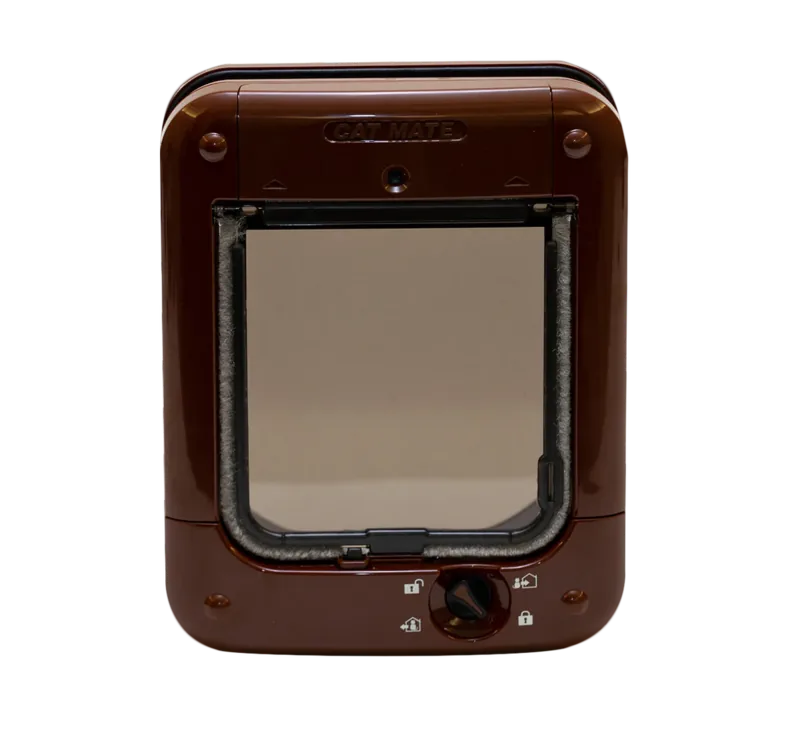
Thank you for choosing the Cat Mate Elite Microchip Cat Flap with Timer Control.
CAREFULLY READ THESE INSTRUCTIONS AND PROGRAM / TEST THE CAT
FLAP BEFORE YOU INSTALL IT.
The Cat Mate Elite Microchip Cat Flap with Timer Control allows entry for up to 9 cats
into your property. It also allows you to control the exit of all your pets using a timer
or 4 way lock. Furthermore, it will allow you to monitor the movement of up to 3
individual cats - showing when your cat last entered or left the house, and how many
hours since your cat last used the flap.
The cat flap is suitable for all popular microchips. Alternatively it may be operated by
a Cat Mate I.D. Disc (available separately). You may wish to use an I.D. Disc for cats
without a microchip or in the event that your cat's microchip is faulty or poorly
positioned.
To ensure that your chosen settings cannot easily be tampered with, we have made
the control buttons so that they need to be pressed firmly to operate.
If you wish to stop any task (except programming) at any stage, the system will time
out after 60 seconds.
Settings will not be saved unless you press the 'PROG' button.
2. Fitting the Batteries
2.1 Remove the battery cover by pushing the battery cover upwards (see Fig. 2).
The cover will snap off.
2.2 Insert 4 x AA (R6) batteries as shown (Fig. 3), by sliding the 2 end batteries
in first.
2.3 The cat flap will self-check for up to 60 seconds after which only the 'IN & OUT'
arrows will be visible on the LCD display. The flap is ready to program.
You may use all popular batteries including rechargeable and lithium batteries but
the 'BATTERY INDICATOR' will only work correctly with alkaline batteries. Good
quality alkaline batteries should last approximately 12 months (depending on number
of cats and usage).
3. Programming
The next step is to program the microchip (or I.D. Disc) belonging to each cat.
NOTE: The programming sequence is time sensitive and the LCD will revert to the
normal display if each step is not completed within approximately 15 minutes.
In order for the flap to recognise your cat(s) microchip you need to do the following:
3.1 Press and hold the 'PROG' button for 5 seconds ( 1 , Fig. 1) until the search
indicator ( 2 , Fig. 1) appears.
3.2 'CAT 1' and the number '1' will flash - there will be lines moving around the first
'TWO ZEROS'.
6 7

Chat with your Pet Mate Cat Mate Elite Microchip Cat Flap manual using AI

Get instant AI answers from your Pet Mate Cat Mate Elite Microchip Cat Flap manual

Ask anything about the Pet Mate Cat Mate Elite Microchip Cat Flap. Answers come from this manual, with the pages they are based on.

Ask a Question

0/1000

Do you recommend Cat Mate Elite Microchip Cat Flap?

Yes No

Frequently Asked Questions

A

It can be programmed for up to 9 cats. Each cat can be registered using a microchip or, if needed, a compatible I.D. disc.

Is this answer helpful?

A

Yes. A Cat Mate I.D. disc can be used as an alternative for cats without a microchip or when a microchip is faulty or poorly positioned.

Is this answer helpful?

A

The timer lets you set access rules for all cats during selected time periods. For example, you can keep cats in at night and allow normal access during the day.

Is this answer helpful?

A

The available settings are in and out, in only, out only, and locked. These let you control whether cats may enter, leave, both, or neither.

Is this answer helpful?

A

Yes. The display can show the last known flap activity for up to 3 cats and indicate how long it has been since each one used it.

Is this answer helpful?

A

Installation is straightforward on wooden doors, but glass, metal, and wall fittings may require extra care or additional parts. Testing the flap before final fixing is recommended.

Is this answer helpful?

M: OA-GPT-54-NAN

Advantages and Disadvantages

Advantages

  • Recognizes up to 9 microchipped cats or I.D. discs.
  • Timer function helps control access during set hours.
  • 4-way lock offers flexible security options.
  • Tracks recent use for up to 3 cats at a glance.
VS

Disadvantages

  • Installation can be complex on glass or wall setups.
  • Metal doors may reduce reader range and need retuning.
  • Buttons must be pressed firmly, which may feel stiff.
  • Training mode temporarily allows access to other animals.
M: OA-GPT-54-NAN

Product Specification

Type

Cat flap

M: OA-GPT-54-NAN

Product Description

Pet Mate Cat Mate Elite Microchip Cat Flap with Timer Function

The Pet Mate Cat Mate Elite Microchip Cat Flap with Timer Function Manual highlights a smart pet access solution designed to give cats freedom while keeping control in your hands. This flap is built for busy homes that need secure, flexible entry management without the hassle of keys or manual locks.

Smart access for everyday routines

One of the strongest features is its microchip compatibility. The flap can recognize up to 9 cats, making it a practical choice for multi-pet households. If a cat does not have a microchip, an optional I.D. disc can be used instead, which adds convenience for older pets or backup use. The system also supports training mode, helping shy cats learn the flap at a comfortable pace.

Timed control and security

The timer function is a major benefit for owners who want to control when pets can come and go. You can set access rules for all cats at specific hours, such as keeping them indoors overnight. In addition, the 4-way lock gives you more control with modes like in-only, out-only, locked, or fully open. This makes it easier to balance freedom with safety.

Helpful monitoring features

Beyond access control, the flap can track the last movement of up to 3 individual cats. It also shows how long it has been since each cat last used the flap. While this is only a guide, it can still be very useful for checking pet activity at a glance. For households with routines, this added visibility is a welcome bonus.

Installation and daily use

The product is designed for installation in wooden doors, UPVC/metal doors, glass panels, and walls, though some setups may need extra parts such as wall liners or professional glass cutting. The manual also reminds users not to overtighten screws and to test the flap before final installation. Once powered by 4 AA batteries, the unit provides a tidy, low-maintenance way to manage pet access.

Notes

  • Best suited for owners who want selective entry control.
  • Training mode should be used before leaving cautious cats alone.
  • Battery life and performance depend on usage and battery quality.
  • High security mode adds extra protection after pets learn the flap.
M: OA-GPT-54-NAN

© Copyright 2026 Manual.ly