
Pet Mate Cat Mate Elite I.D. Disc Cat Flap Manual
PDF manual · 30 Pages
English



Quick check
Incorrect answer, please try again.
Chat with your Pet Mate Cat Mate Elite I.D. Disc Cat Flap manual using AI
Get instant AI answers from your Pet Mate Cat Mate Elite I.D. Disc Cat Flap manual
Ask anything about the Pet Mate Cat Mate Elite I.D. Disc Cat Flap. Answers come from this manual, with the pages they are based on.
Ask a Question
Do you recommend Cat Mate Elite I.D. Disc Cat Flap?
Yes NoFrequently Asked Questions
It controls which cats can enter or leave, while also offering timer-based scheduling and activity tracking for up to three cats.
Is this answer helpful?
Yes. It can recognize common microchips, and it also supports a separate ID disc for cats without a chip or with a difficult-to-read chip.
Is this answer helpful?
Up to 9 cats can be programmed. The flap can also show the last movement and time-since-use information for up to 3 cats.
Is this answer helpful?
Yes. The timer function lets you set a scheduled lock mode, such as allowing entry only during nighttime hours and restoring normal access later.
Is this answer helpful?
The flap keeps programmed cats and lock settings, but the timer schedule must be set again after new batteries are installed.
Is this answer helpful?
Training mode is useful for cautious cats because it keeps the flap open for learning. It should still be supervised until the cat is fully comfortable.
Is this answer helpful?
Advantages and Disadvantages
Advantages

- Supports microchips and optional ID discs, giving owners flexible pet recognition.
- Timer-based locking makes it easy to manage day, night, and routine access.
- Stores up to 9 cats and can show recent activity for up to 3 cats.
- Training mode and energy-saving mode improve usability and battery life.
Disadvantages

- Timer settings must be reset after battery replacement.
- Setup can be time-sensitive and buttons need firm presses.
- Individual access control is only available on the ID disc model.
- Location tracking is approximate and can be misleading if cats use other entrances.
Product Specification
Type
Cat flap
Product Description
Pet Mate Cat Mate Elite ID Tag Cat Flap with Timer Function Manual
Smart access for modern cat households
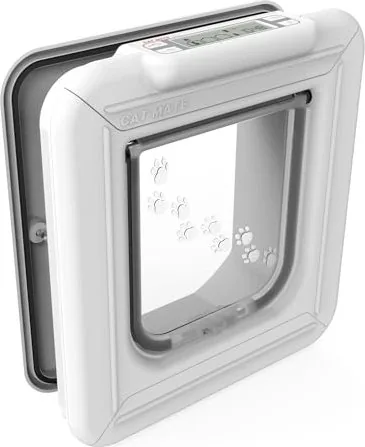
The Pet Mate Cat Mate Elite ID Tag Cat Flap with Timer Function is built for cat owners who want more control without taking away independence. It combines selective entry, scheduled locking, and basic activity tracking in one practical unit. Whether your cat uses a microchip or an ID disc, the flap is designed to recognize approved pets and help keep unwanted animals outside.
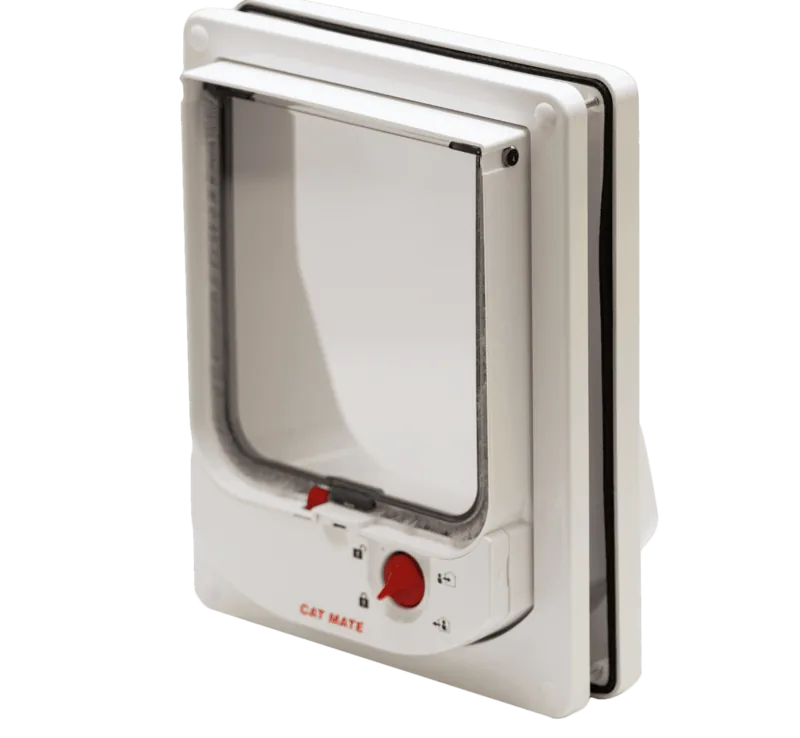
At the core of the design is flexibility. You can set the flap to allow in and out access, in only, out only, locked, or off, depending on your routine. The timer feature adds even more value by letting you apply a specific access rule during chosen hours, such as keeping cats indoors at night and restoring normal access during the day. For multi-cat homes, the manual also explains how to assign individual settings on supported models, so each cat can have a different level of freedom.
Another useful feature is visibility. The display can show which of up to three cats last used the flap and whether they came in or went out. It can also show how long ago the flap was last used. That makes it easier to monitor habits, notice changes in behavior, and keep a closer eye on pets that like to roam. A training mode is included as well, which is especially helpful for shy cats or kittens that need a gentler introduction to the flap.
The product is designed to be practical over the long term. It runs on AA batteries, includes a low-battery warning, and offers an energy-saving mode for better battery life once your cat is comfortable using it. The system remembers cat programming and lock settings after battery replacement, although the timer schedule must be reset. The manual also covers reprogramming, factory reset, and troubleshooting, making it a helpful guide for everyday use.
For owners dealing with clever pets or neighborhood visitors, the combination of recognition-based access and timed control adds peace of mind. The unit is meant to respond only to registered cats, which helps reduce surprise entries while still giving your pet freedom when it matters. Because the buttons must be pressed firmly and settings must be saved with care, the flap rewards careful setup with reliable operation.
Notes
- Best for homes that want controlled access with schedule-based freedom.
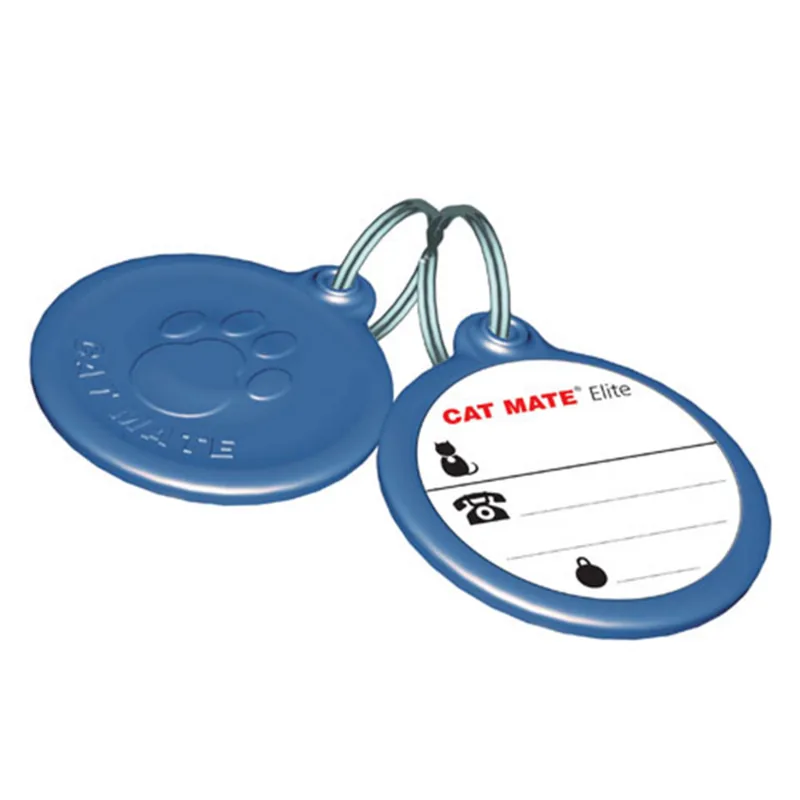
- ID discs should be fitted high on the collar and kept parallel to the flap.
- Timer settings need to be entered again after battery changes.
- Training mode is useful, but supervision is recommended until cats are confident.
Overall, the Pet Mate Cat Mate Elite ID Tag Cat Flap with Timer Function Manual describes a smart, pet-focused access solution that balances security, convenience, and comfort for both cats and their owners.
Search for 67,706 Manuals online


Type-in Brand or Model