
PerfectPro Workstation Manual
PDF manual · 104 Pages
English



Quick check
Incorrect answer, please try again.
Chat with your PerfectPro Workstation manual using AI
Get instant AI answers from your PerfectPro Workstation manual
Ask anything about the PerfectPro Workstation. Answers come from this manual, with the pages they are based on.
Workstation Maintenance Schedule
Recharge the rechargeable batteries at least every 2 months to maintain battery health and performance.
Replace the two AA back-up batteries used for time memory once a year as they are not recharged.
Clean the metal contacts of the batteries and charger inside the radio from time to time using contact spray.
Free maintenance reminders
Timed to your purchase date. Always free, unsubscribe anytime.
Ask a Question
Do you recommend Workstation?
Yes NoFrequently Asked Questions
Turn on Bluetooth mode on the radio. Select Workstation from your phone settings. LED blinks during pairing and stays on when connected.
Is this answer helpful?
Yes, it has IP65 protection. However, keep rubber covers closed to prevent water entering sockets.
Is this answer helpful?
Supports 6x D-size Alkaline or 6x Rechargeable NiMH batteries. Also uses 2x AA for backup power.
Is this answer helpful?
Hold time set knob for 12 seconds. Rotate to set hour, confirm, then repeat for minute, day, month, and year.
Is this answer helpful?
Yes, the USB port outputs 5V 1A. Use AC power recommended to save battery.
Is this answer helpful?
Check batteries first. Replace with identical T4AL 250V fuse to restore charging function.
Is this answer helpful?
Yes, 2 years limited warranty covers defects. Opening the unit voids coverage.
Is this answer helpful?
Advantages and Disadvantages
Advantages

- Supports DAB and FM modes with RDS data for clear station information
- IP65 splash water protection suitable for outdoor construction sites
- USB charging capability allows phone power via 5V 1A output
- Adjustable tone controls allow bass and treble customization
- Long runtime supported by alkaline or NiMH battery options
Disadvantages

- USB cable and memory stick not included in the box
- No Wi-Fi connectivity features available for streaming
- Bluetooth LED cannot be dimmed only off
- Fuse replacement requires specific tool access to the compartment
- Clock resets without backup batteries during power loss
Product Specification
Power Source
6 x D Batteries, AC Power (230V)
Output Power
2 x 10W
Tuner
FM, DAB+
Connections
AUX Input (3.5mm), USB, Bluetooth (4.1)
Features
Carrying Handle, Clock, 10 Memory Presets, USB Charging Port, Battery Charging Function, Stereo Speakers, Microphone
Protection
Splash Resistant, Shock Resistant, Dust Resistant, IP65
Dimensions (WxHxD)
16.14 x 9.84 x 8.66 in
Weight
10.14 lbs (without battery)
Package Contents
Power Adapter
Product Description
Exploring the PerfectPro Workstation Construction Radio Manual Guide
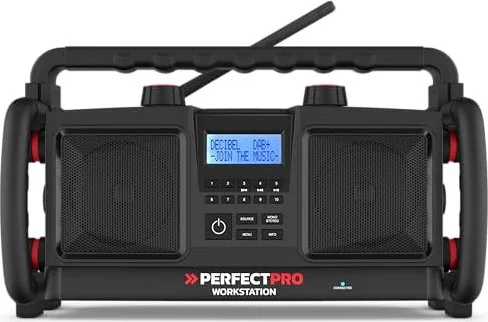
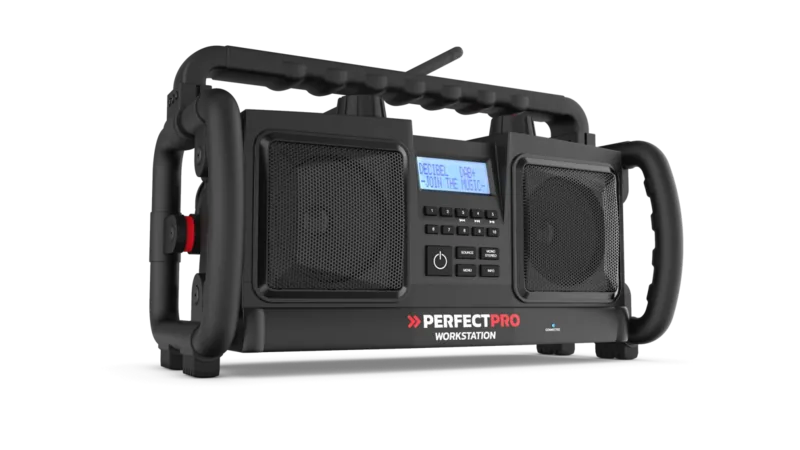
When working on construction sites, having reliable entertainment tools is essential. The PerfectPro Workstation Construction Radio stands out as a robust companion designed to withstand environments. Whether you need audio or ability to charge devices, this unit delivers performance.
Power and Versatility
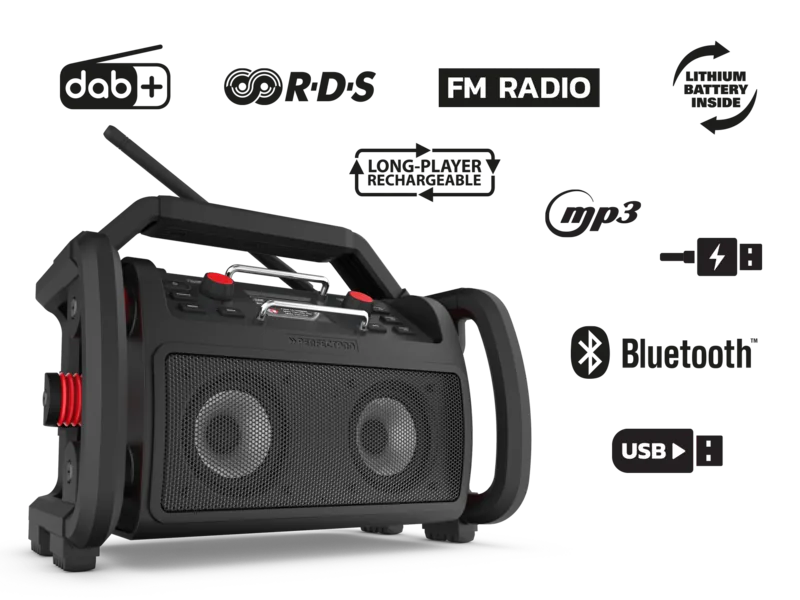
One standout feature is flexible power supply. Users choose between Alkaline batteries or rechargeable NiMH options. The manual highlights a charging switch for optimal management. You can plug it into AC power for continuous operation during shifts. Built-in backup batteries ensure clock settings remain intact during outages. Proper maintenance involves avoiding mixing old and new batteries to prevent damage. Recharging should happen in continuous sessions for best results. The compartment design keeps dust out effectively. Ensure correct polarity for insertion to avoid failure.
Sound and Connectivity
Audio quality is prioritized with adjustable tone controls for bass and treble customization. The Loudness feature enhances sound at lower volumes, ensuring clarity in noisy zones. Connectivity options are vast. Bluetooth mode allows hands-free calling and wireless streaming. The USB mode supports MP3 files, letting you play personal playlists. An auxiliary input provides flexibility for external players when Bluetooth is unavailable. Stereo mode improves separation in FM.
Digital Reception
The radio includes advanced Digital Audio Broadcasting modes alongside FM bands. Auto-scanning finds strong stations quickly. RDS information displays track details when signal quality is sufficient. Tuning is intuitive with clear knob controls and LCD display showing signal strength. You can prune stations from the list if you move locations. Dynamic Range Control settings help in loud environments.
Durability and Safety
Designed for construction, the casing offers protection against splashing water up to IP65 standards. Safety instructions emphasize keeping ventilation clear to prevent overheating. Documentation warns against opening the cabinet to maintain warranty coverage. It also details fuse replacement procedures. Battery level indications notify users when power is running low. This ensures you are not left without sound.
Final Thoughts
Integrating the PerfectPro Workstation Construction Radio Manual into your workflow ensures you get the most from this equipment. It combines rugged reliability with digital features. From music playback to phone charging via USB, it serves multiple purposes on site. Understanding system reset options allows for personalized configuration. This radio proves professional grade audio does not compromise portability. Always adhere to safety guidelines regarding rain exposure to ensure electrical safety. Two-year warranty covers defects effectively. This radio is ideal for professionals. Check the manual regularly.
Search for 67,732 Manuals online


Type-in Brand or Model
Thomas Klein
8 months ago
Does the device deliver the excellent sound quality mentioned in reviews?
Manual.ly
8 months ago
Yes, customer feedback highlights strong audio performance across multiple units. The device is designed to provide clear vocals and deep bass without noticeable distortion at high volumes. Please ensure you use quality audio sources to experience the full potential.