
PerfectPro TeamBox Manual
PDF manual · 54 Pages
English



Quick check
Incorrect answer, please try again.
Chat with your PerfectPro TeamBox manual using AI
Get instant AI answers from your PerfectPro TeamBox manual
Ask anything about the PerfectPro TeamBox. Answers come from this manual, with the pages they are based on.
Ask a Question
Do you recommend TeamBox?
Yes NoFrequently Asked Questions
Approximately 20 to 26 hours on medium volume depending on music type and volume levels.
Is this answer helpful?
Yes, when operating in battery mode only. Do not expose to rain while plugged into mains power.
Is this answer helpful?
MP3, AAC, FLAC, and WAV formats up to 32GB capacity with FAT or FAT32 file system.
Is this answer helpful?
Go to system settings menu, select factory reset, and confirm by pressing select/info button.
Is this answer helpful?
No, warranty becomes void if the radio cabinet is opened or any modifications are made.
Is this answer helpful?
Approximately 10 meters, though this may be reduced by solid objects or interference.
Is this answer helpful?
Yes, a telescopic antenna is included on top of the radio for better signal reception.
Is this answer helpful?
Advantages and Disadvantages
Advantages

- IP65 water and dust resistance for outdoor safety.
- Supports DAB, FM, Bluetooth, USB and Aux-in connectivity.
- Long battery life of up to 26 hours on medium volume.
- 25-watt output with customizable equalizer profiles.
- Auto update clock and date from radio signals.
Disadvantages

- Built-in battery cannot be replaced by users.
- Warranty voids if casing is opened or modified.
- USB stick is not included with the radio unit.
- Only USB files up to 32GB are tested for compatibility.
- WMA lossless format files are not supported.
Product Specification
Operation Mode
Battery 11.1V 4Ah Li-Ion, AC Power (230V)
Output Power
25W
Tuner
FM, DAB, DAB+
Connectors
AUX In (3.5mm), USB, Bluetooth
Features
Carrying Handle, 5 Memory Presets, USB Charging Port
Safety
Splash Protection, Shock Protection, Dust Protection, IP65
Dimensions (WxHxD)
11.02x12.20x10.24 in
Weight
9.92 lbs
Package Contents
Power Supply
Product Description
Discover PerfectPro TeamBox Construction Site Radio
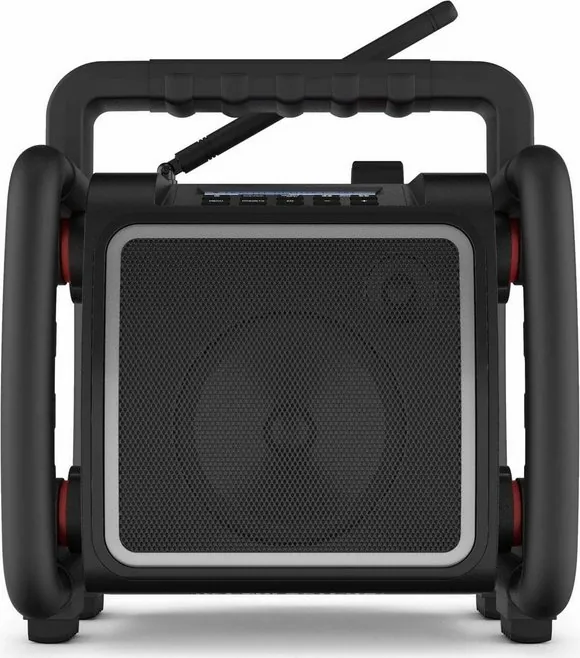
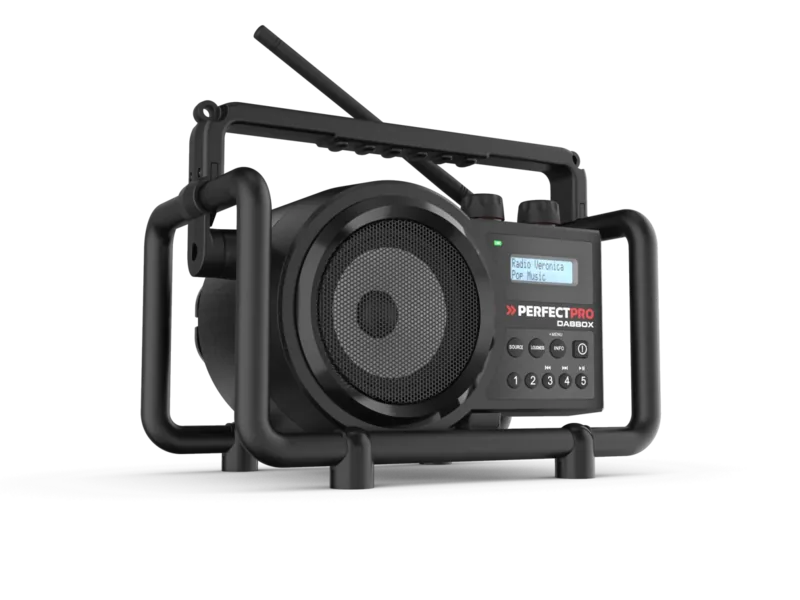
The construction industry demands equipment that can withstand harsh environments while providing reliable communication and entertainment. The PerfectPro TeamBox Construction Site Radio is designed specifically for professionals who need durability and versatility on the job site. Whether you are managing a large infrastructure project or working in a remote location, having a trusted audio companion is essential. This device integrates multiple tuning options including DAB digital radio, traditional FM, Bluetooth connectivity, USB playback, and Aux-in inputs. Its robust build ensures it meets IP65 standards for water and dust resistance, making it suitable for outdoor use even during light rain when battery power is active.
Powering up is straightforward with the built-in lithium polymer battery. When operating on battery power, the TeamBox offers substantial playing time ranging from approximately 20 to 26 hours depending on volume and music type. The charging process takes around five to six hours from empty to full when in standby mode. Safety instructions emphasize never opening the device cabinet as the warranty becomes void immediately upon casing separation. Users should refer to the PerfectPro TeamBox Construction Site Radio Manual for detailed steps on pairing Bluetooth devices or setting up presets. The manual provides critical guidance on protecting the device from conductive immunity disturbance in industrial areas.
Features and Functionality
Sound quality is enhanced by a 25-watt output with a 5-inch plus 1-inch speaker setup. The equalizer allows customization between Neutral, Rock, Indoor, Jazz, and Outdoor profiles to suit the listening environment. For digital convenience, the radio supports RDS information display for FM stations and scrolling text for DAB services. Battery life monitoring is visual, displayed directly on the LCD screen with a flashing icon when low. The device can automatically update the clock and date from broadcast signals to ensure accurate timekeeping without manual input.
Note: Always ensure the rubber covers for USB and Aux-in sockets are closed to prevent moisture entry when not in use. Do not expose the device to rain while plugged into mains power unless using battery mode. Keep the power plug close to the apparatus for emergency disconnection.
Versatility in Construction
The device acts as a versatile hub for audio entertainment. USB playback supports MP3, AAC, FLAC, and WAV files up to 32GB capacity. Bluetooth connectivity extends to ten meters, allowing workers to stream audio from personal devices easily. Safety remains paramount, with warnings against attempting battery replacement or disassembling the unit. The inclusion of an additional metal telescopic antenna supports areas with weak signals. Finally, the factory reset option restores settings if malfunctions occur due to static discharge. This radio ensures morale remains high on site with crystal clear audio regardless of conditions.
Search for 67,732 Manuals online


Type-in Brand or Model