
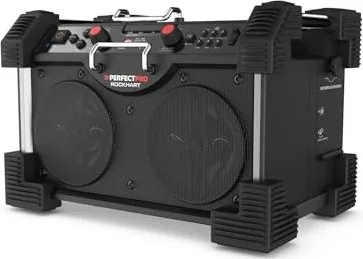
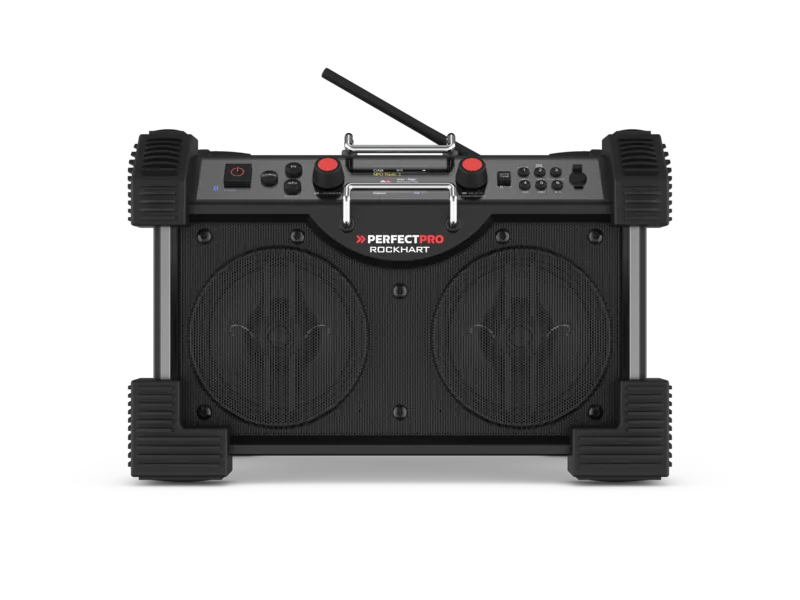
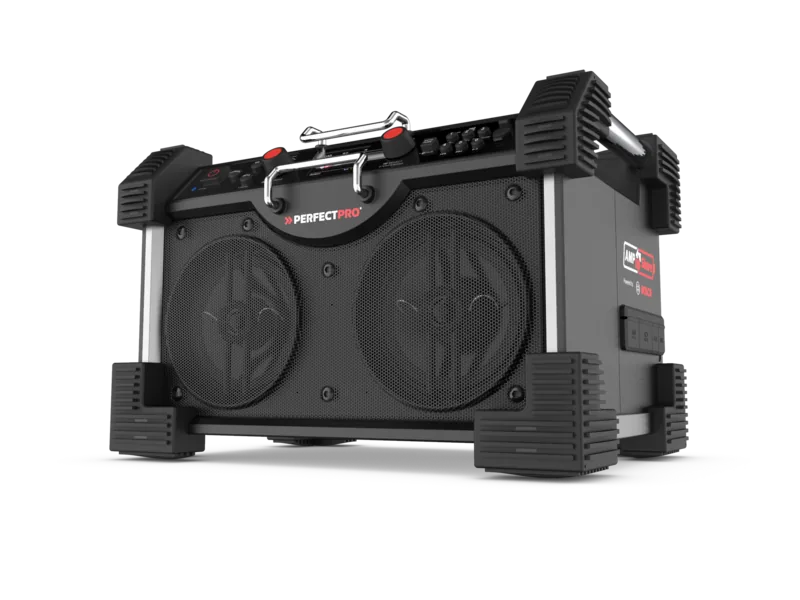
PerfectPro Rockhart 18V Solo Manual
PDF manual · 90 Pages
English



Quick check
Incorrect answer, please try again.
Chat with your PerfectPro Rockhart 18V Solo manual using AI
Get instant AI answers from your PerfectPro Rockhart 18V Solo manual
Ask anything about the PerfectPro Rockhart 18V Solo. Answers come from this manual, with the pages they are based on.
Ask a Question
Do you recommend Rockhart 18V Solo?
Yes NoFrequently Asked Questions
Yes, it accepts 18V Bosch Li-ion battery packs for operation.
Is this answer helpful?
Yes, PerfectPro stereo pairing features allow dual speakers to connect wirelessly.
Is this answer helpful?
It has IP44 protection against splashing water but is not fully submersible.
Is this answer helpful?
Press source button to select Bluetooth mode and pair via device settings.
Is this answer helpful?
It features a sleep timer adjustable up to 120 minutes automatically.
Is this answer helpful?
Yes, the USB port outputs 5V 1A for charging compatible devices.
Is this answer helpful?
It comes with a 2 year limited warranty excluding battery consumables.
Is this answer helpful?
Advantages and Disadvantages
Advantages

- Compatible with 18V Bosch Li-ion battery packs for extended site use.
- Supports DAB, FM, Bluetooth, USB, and SD card playback functionality.
- Stereo pairing allows connecting two units for wider sound coverage.
- IP44 weather protection makes it suitable for damp outdoor conditions.
- Built-in sleep timer and customizable equalizer settings for better control.
Disadvantages

- Warranty becomes void once the device cabinet is opened by user.
- Limited range for Bluetooth connectivity is typically under 10 meters.
- USB port only charges at 5V 1A which is slower for some phones.
- External microphone is not included with the product packaging.
- Manual tune for DAB might be less precise than automatic presets.
Product Specification
Power Source
Battery 18V Li-Ion (AMP-Share), Mains (230V)
Output Power
2x 30W
Tuner
FM, DAB+
Connections
2x AUX In (3.5mm), SD Card Reader, Bluetooth, NFC
Features
Carrying Handle, Clock, 6 Memory Presets, 12V Socket, USB Charging Port, Battery Charging Function, Stereo Speakers, Subwoofer
Safety
Splash-Proof, Shock-Proof, Dust-Proof, IP44
Dimensions (WxHxD)
18.5 x 12.2 x 12.2 in
Weight
20.06 lbs (without battery)
Package Contents
Without charger and battery, including power supply
Product Description
PerfectPro Rockhart 18V Solo Construction Radio Overview
The PerfectPro Rockhart 18V Solo Construction Radio brings professional audio to your work site. Designed for power users, it integrates seamlessly with 18V Bosch Li-ion battery packs ensuring long operation times. This versatile device supports multiple radio bands including DAB and FM with RDS for local station info. You can enjoy wireless music streaming via Bluetooth technology for modern convenience. Auxiliary inputs allow connection of personal devices through the AUX socket. The USB port offers audio playback and charging capabilities for portable electronics quickly.
Durability and Protection
Built for tough environments, this unit resists water splashes. The IP44 rating ensures reliability outdoors in damp conditions. Safety first with guidelines against opening the casing to prevent voids. Warranty voids if modified externally by yourself. Use dry cloths for cleaning only to maintain surfaces. Avoid moisture exposure for longevity and performance. Never open the device casing to maintain safety standards properly.
Sound and Customization
Audio quality is enhanced via equalizer settings available in the menu system. Select presets like Rock or Outdoor modes for specific environments instantly. 3D SRS surround sound creates depth for larger open spaces. Microphone input supports public address features for team communication. Adjustable backlight brightness levels suit day or night lighting needs perfectly. A sleep timer helps conserve battery during idle working hours automatically. EQ buttons cycle through flat, rock, and outdoor sounds quickly. Custom treble and bass levels allow personalized sound adjustment.
Wireless Connectivity
Pairing two units creates a stereo experience for enhanced volume output. This adds clarity for larger groups at busy construction sites effectively. NFC simplifies connection for compatible mobile phones quickly over short range. Manual tuning options help find weak station signals easily on DAB bands. Preset buttons save your favorite frequencies for instant recall across modes. Reconnects memorize last used device automatically when in range. Connect the battery pack by aligning the tongue groove correctly.
System Configuration
Access settings to adjust time, date, and language preferences globally. Factory reset returns default configurations easily for troubleshooting any errors. Check remaining battery capacity with a dedicated button on the pack. Always align ventilation openings for cooling during continuous high power operation. Store the AC cable when not in use neatly in hooks. The instructions provide detailed steps for setup and maintenance effectively. PerfectPro Rockhart 18V Solo Construction Radio Manual guides operation clearly for all users. Regular checks maintain optimal performance levels consistently over extended time. Battery storage requires moderate temperature and periodic charging cycles.
Note
Always verify power source before plugging in to ensure safety. Keep the device away from children during operation.
Search for 67,635 Manuals online


Type-in Brand or Model