
PerfectPro DAB+Pro Manual
PDF manual · 64 Pages
English



Quick check
Incorrect answer, please try again.
Chat with your PerfectPro DAB+Pro manual using AI
Get instant AI answers from your PerfectPro DAB+Pro manual
Ask anything about the PerfectPro DAB+Pro. Answers come from this manual, with the pages they are based on.
DAB+Pro Maintenance Schedule
Replace when power is reduced, distortion occurs, or the low battery sign flashes on the display.
Remove batteries from the radio if it will not be used for an extended period of time.
Ask a Question
Do you recommend DAB+Pro?
Yes NoFrequently Asked Questions
Yes. It is designed for demanding environments and has IPX3 protection against splashes and dust. It is still best kept out of heavy rain and direct moisture when possible.
Is this answer helpful?
Yes. The radio can operate on 4 x C-size batteries, which makes it useful when power is unavailable or when you need more mobility on site.
Is this answer helpful?
It offers 5 presets for DAB and 5 presets for FM, giving you quick access to your favorite stations in both bands.
Is this answer helpful?
Yes. The 3.5 mm Aux In socket lets you connect devices such as an MP3 player or CD player and listen through the radio speaker.
Is this answer helpful?
Yes. The clock can update automatically from DAB or FM signals. If no signal is available, you can also set the time manually.
Is this answer helpful?
Software updates are possible through the USB upgrade port, but they should only be done if recommended by PerfectPro. Updates may erase presets and settings, so mains power should be used during the process.
Is this answer helpful?
Advantages and Disadvantages
Advantages

- Rugged jobsite-focused design with IPX3 splash and dust protection.
- Supports both DAB and FM for flexible station access.
- Runs on AC power or 4 x C batteries for portable use.
- Includes presets, clock functions, backlight, and aux-in support.
Disadvantages

- Only IPX3-rated, so it is not fully waterproof.
- Preset memory is limited to 5 stations per band.
- Battery operation depends on 4 C-size cells, which are not included.
- Software upgrades require a PC and should be done carefully.
Product Specification
Operation Mode
4x C-battery, Mains operation (230V)
Output Power
4W
Tuner
FM, DAB+
Connections
AUX In (3.5mm)
Special Features
Carrying handle, 5 memory slots
Safety
Splash protection, Shock protection, Dust protection, IPX3
Dimensions (WxHxD)
7.09x7.09x5.12in
Weight
3.31 lbs
Scope of delivery
Power supply unit
Product Description
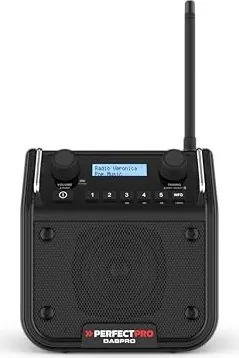
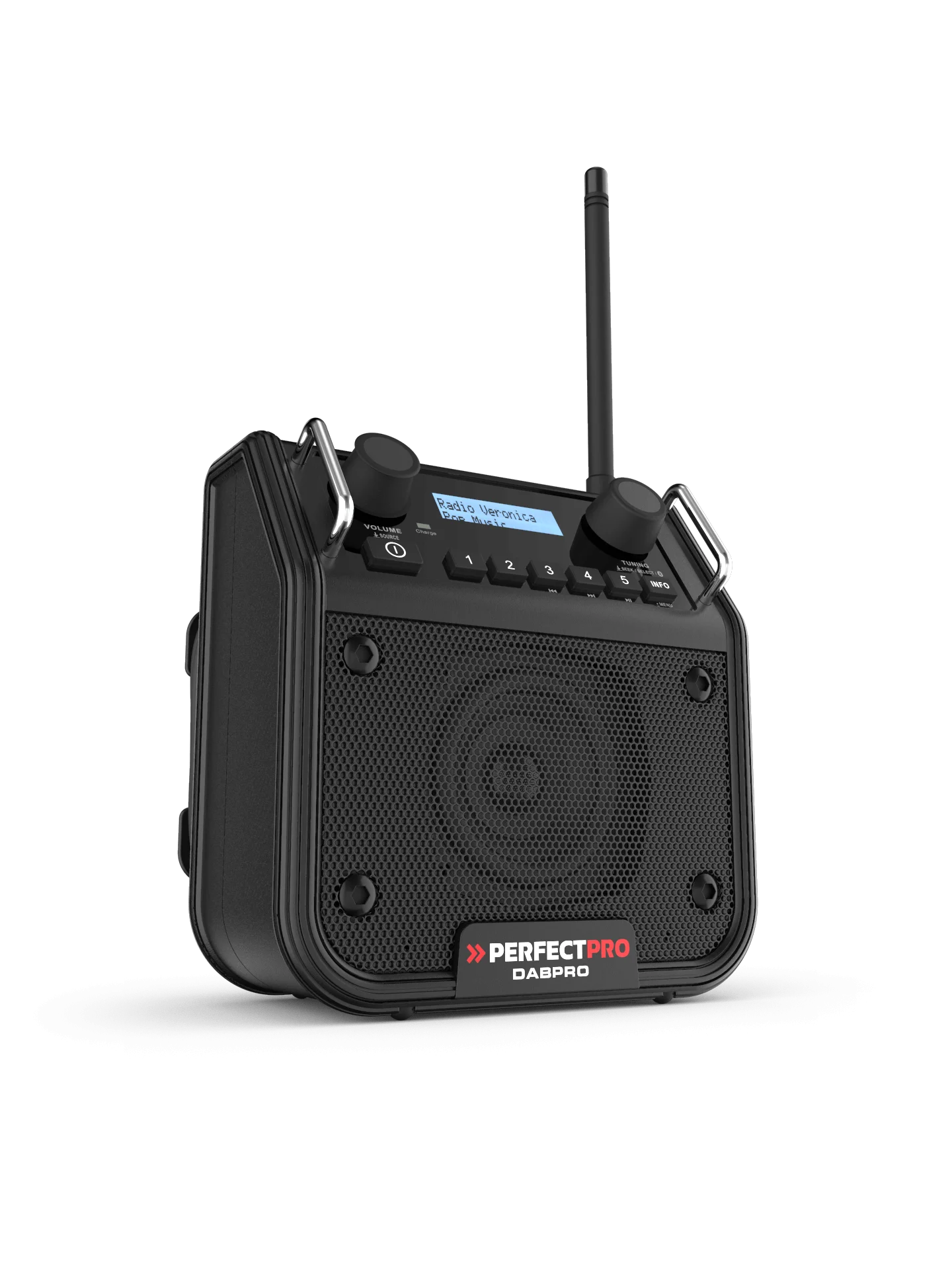
PerfectPro DAB+Pro Construction Site Radio
The PerfectPro DAB+Pro construction site radio Manual describes a rugged radio designed for busy worksites, outdoor jobs, and places where ordinary audio gear would struggle. It combines practical controls with reliable reception, making it a useful companion for tradespeople who want radio, timing, and simple music playback in one tough unit.
Built for demanding environments
One of the biggest strengths of the DAB+Pro is its work-ready design. It supports DAB and FM radio, so you can enjoy digital sound quality where coverage is strong and switch to FM when needed. The radio is also splash- and dust-protected to IPX3, which makes it more suitable for jobsite life than a standard home radio. While it should not be treated as fully waterproof, it is clearly made with real-world conditions in mind.
Flexible power and easy operation
The radio can run from AC power or 4 x C-size batteries, giving you freedom to use it indoors, in a workshop, or away from a mains socket. That flexibility matters on construction sites where power availability can change throughout the day. The controls are straightforward too: source selection, tuning, presets, volume, and menu access are all handled from the front panel, so daily use stays simple even with work gloves off for only a moment.
Useful features for everyday listening
Beyond basic radio playback, the DAB+Pro adds practical extras that improve the experience. You get preset memory for quick access to favorite stations, display modes for station text and signal info, automatic or manual clock setting, adjustable backlight, and multiple language options. There is also an auxiliary input for connecting an MP3 player or similar device, which is handy if you want to play your own audio on the job.
Maintenance, safety, and long-term use
The manual also places strong emphasis on safety. It warns against opening the cabinet, exposes the limits of warranty coverage, and reminds users to keep volume at sensible levels for long periods. A factory reset option is included if the radio behaves unpredictably, and software upgrade support is available through PerfectPro when needed. Altogether, this makes the DAB+Pro feel like a dependable tool rather than just another radio.
Notes
- Best suited for work areas where durability matters.
- IPX3 protection helps, but keep the rubber covers closed.
- Use batteries in wet weather if mains power is not appropriate.
- Software updates should only be done when recommended.
Search for 67,732 Manuals online


Type-in Brand or Model
Sven König
8 months ago
How much better is the sound and radio reception with DAB, and is the device easy to use outdoors?
Manual.ly
8 months ago
With DAB, many users notice a clear improvement in sound quality and more available stations compared to older reception modes. The device is designed to be small and compact, so it is easy to carry and handle during outdoor work. Controls are straightforward for quick operation, which makes it practical even when you are on the move. Overall, customers report not being disappointed when using it outdoors, with solid audio and a wider DAB station selection.