
PEAQ PSB 400 Manual
PDF manual · 87 Pages
English



Quick check
Incorrect answer, please try again.
Chat with your PEAQ PSB 400 manual using AI
Get instant AI answers from your PEAQ PSB 400 manual
Ask anything about the PEAQ PSB 400. Answers come from this manual, with the pages they are based on.
PSB 400 Maintenance Schedule
Check if the cord, product or extension cable is defective. If found defective, do not use the product and immediately pull the plug.
Disconnect power before cleaning. Use a lightly damp cloth. Do not use petrol, alcohol, or abrasive cleansers. Keep liquids away from openings.
Ask a Question
Do you recommend PSB 400?
Yes NoDo you recommend PSB 400?
Yes No
Jane Evans
6 months ago
Does this soundbar work well with Alexa voice commands for control?
Frequently Asked Questions
Yes, the soundbar supports Dolby Atmos but only when connected via HDMI inputs (HDMI 1, HDMI 2, or HDMI eARC). Your television must also support Dolby Atmos for this feature to work correctly.
Is this answer helpful?
The device features HDMI IN 1, HDMI IN 2, HDMI OUT (eARC), Optical, Coaxial, AUX, and USB ports. It also supports wireless audio streaming via Bluetooth 4.2.
Is this answer helpful?
Yes, a wall mounting kit is included. You will need to drill holes and use appropriate anchors suitable for your wall type, such as concrete or brick. Additional tools are required for installation.
Is this answer helpful?
Press the BT button on the remote or the mode selection button on the soundbar until 'bt' appears. Enable Bluetooth on your device, search for 'PSB 400', and select it to pair. A confirmation tone will play upon success.
Is this answer helpful?
Check if the batteries are inserted correctly with the right polarity. Replace them if they are old. Ensure there are no obstacles between the remote and the soundbar's IR receiver, and try reducing the distance.
Is this answer helpful?
No, the product is designed strictly for indoor household use. Exposure to rain, moisture, or extreme temperatures can damage the internal components and void the warranty.
Is this answer helpful?
Advantages and Disadvantages
Advantages

- Supports immersive Dolby Atmos for cinematic sound
- Multiple connectivity options including HDMI eARC and Bluetooth
- Includes a powerful subwoofer for deep bass
- Flexible installation with wall-mounting capability
- Easy-to-use remote control with dedicated mode buttons
Disadvantages

- Requires specific HDMI ARC-compatible TV for full features
- Wall mounting requires additional tools not included
- Bluetooth range limited to approximately 10 meters
- Remote control uses standard AAA batteries not rechargeable
- No Wi-Fi streaming capabilities mentioned in specifications
Product Specification
Type
Soundbar with Subwoofer
Channels
3.1
Power
220W Peak
Frequency Range
40Hz-20kHz
Audio Decoder
Dolby Atmos, Dolby Digital
HDR
No
Video Inputs
2x HDMI In, 1x HDMI Out
Audio Inputs
1x Digital Audio In (Coaxial), 1x Digital Audio In (Optical), 1x AUX In (3.5mm Jack)
Other Connections
1x USB-A
Wireless
Bluetooth 4.2
Color
Black
Dimensions
37.4x2.8x4.4in (WxHxD)
Subwoofer Dimensions
9.45x16.54x9.45in (WxHxD)
Weight
14.33 lbs
Includes
Soundbar, 1x Wireless Subwoofer
Product Description
Experience Immersive Sound with PEAQ PSB 400
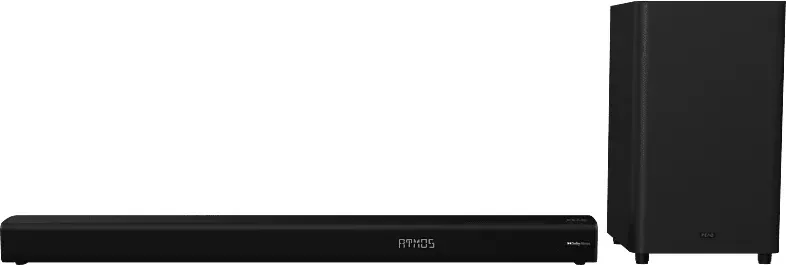
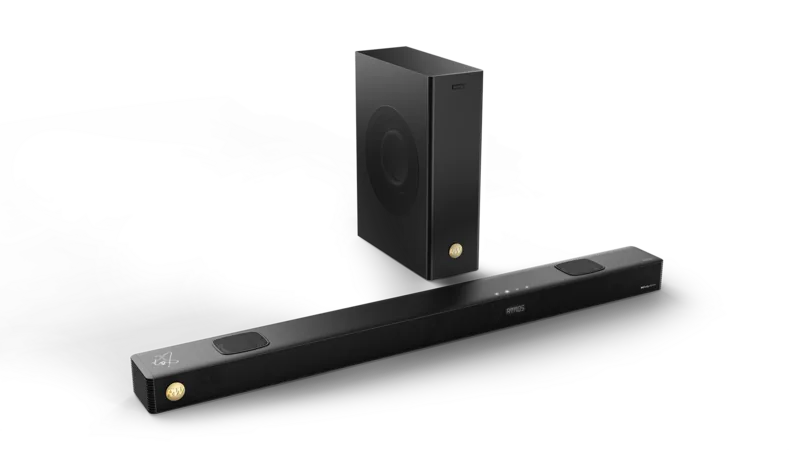
Transform your home entertainment setup with the PEAQ PSB 400, a versatile 3.1 channel Dolby Atmos soundbar designed to deliver cinema-quality audio directly into your living room. This sleek audio solution combines powerful performance with elegant design, making it an ideal choice for movie nights, music sessions, and gaming marathons. Whether you are watching the latest blockbuster or enjoying your favorite playlist, the PSB 400 ensures every detail is crisp and every bass note hits hard.
The system features a robust subwoofer that handles low frequencies effortlessly, complementing the main soundbar unit which supports advanced spatial audio formats like Dolby Atmos. Connectivity is seamless thanks to multiple input options including HDMI eARC, optical, coaxial, USB, and Bluetooth 4.2. You can easily pair your smartphone or tablet wirelessly or connect your TV and gaming consoles via high-speed HDMI cables for lossless audio transmission. The included remote control offers intuitive access to all functions, allowing you to adjust volume, switch modes, and control bass levels with ease.
Installation is flexible, supporting both tabletop placement and wall mounting for a clean, uncluttered look. Safety guidelines ensure long-term reliability, emphasizing proper ventilation and protection from moisture. With its user-friendly interface and comprehensive feature set, the PEAQ PSB 400 stands out as a premium audio companion that elevates your daily listening experience without requiring complex setups.
Search for 67,732 Manuals online


Type-in Brand or Model
AliasVoluptas88
4 months ago
Why do my sound settings reset every time I turn the TV off or put the soundbar in standby?
Manual.ly
4 months ago
Thank you for your feedback. We understand that having to readjust bass and treble levels frequently is frustrating. Unfortunately, the PEAQ PSB 400 model does not have a feature to save custom equalizer presets after a power cycle or standby mode. The system reverts to factory defaults upon restart. However, we recommend using the four built-in presets (Movie, Music, Voice, Sport) which offer optimized sound profiles for different content types without needing manual adjustments each time.