
PEAQ PMO S271-IQC Manual
PDF manual · 86 Pages
English



Quick check
Incorrect answer, please try again.
Chat with your PEAQ PMO S271-IQC manual using AI
Get instant AI answers from your PEAQ PMO S271-IQC manual
Ask anything about the PEAQ PMO S271-IQC. Answers come from this manual, with the pages they are based on.
PMO S271-IQC Maintenance Schedule
Check supply cord, product, or extension cable regularly. If defective, do not operate; immediately pull the plug.
Unplug before cleaning. Use a slightly damp cloth for housing and special screen cloths for display. Avoid water entry.
Ask a Question
Do you recommend PMO S271-IQC?
Yes NoFrequently Asked Questions
The monitor features a 27-inch IPS panel with 2560 by 1440 resolution and 16:9 aspect ratio. It offers 99 percent sRGB coverage.
Is this answer helpful?
No, the device does not have integrated audio. You must connect external headphones or speakers for sound playback.
Is this answer helpful?
Yes, but the graphics card must support it. AMD APUs or NVIDIA GTX 10 series with DisplayPort 1.2 ports are compatible.
Is this answer helpful?
The unit features HDMI and DisplayPort inputs for connecting computers and gaming consoles.
Is this answer helpful?
Press the left menu switch to open settings. Select OSD Setup, then Language, and choose your desire from the list.
Is this answer helpful?
The monitor supports a 75 Hertz refresh rate for smoother motion performance.
Is this answer helpful?
Use a soft damp cloth. Do not spray water directly on the unit and never use chemical cleaners.
Is this answer helpful?
Advantages and Disadvantages
Advantages

- IPS panel delivers 178 degree viewing angles with consistent color accuracy.
- 75 Hertz refresh rate provides smoother motion than standard 60Hz displays.
- AMD FreeSync technology reduces screen tearing during fast-paced gaming.
- Edge-LED backlighting ensures energy efficient operation and uniform lighting.
- High resolution 2560 by 1440 provides sharp text and clear images.
Disadvantages

- No integrated speakers require connection of external headphones for audio.
- Response time of 14ms may be insufficient for professional competitive gaming.
- Specific power adapter model required for replacement purchases.
- Standard monitor stand does not offer height or swivel adjustment.
- USB-C input is not supported limiting connectivity options.
Product Specification
Feature
Monitor (Stationary)
Screen Size
27" (69 cm)
Resolution
2560x1440 (QHD), 16:9, 109ppi
Panel
IPS
Backlight
LED, Blue Light Filter, Flicker-Free
Brightness
250 cd/m^2 (typical)
Contrast
1,000,000:1 (Dynamic)
Response Time
14ms (GtG), 5ms (MPRT)
Refresh Rate
75Hz (2560x1440)
Variable Refresh Rate
Adaptive Sync, AMD FreeSync
Ports
1x HDMI 1.4, 1x DisplayPort 1.2, 1x USB-A (BC), 1x 3.5mm Jack (Line-Out), 1x DC-In (Power)
Shape
Straight (Flat)
Viewing Angles
178 deg/178 deg
Coating
Non-Glare (Matte)
Color Depth
8bit (16.7 Million Colors)
Frame Rate Control
Unknown
sRGB
99%
Controls
Joystick
Ergonomics
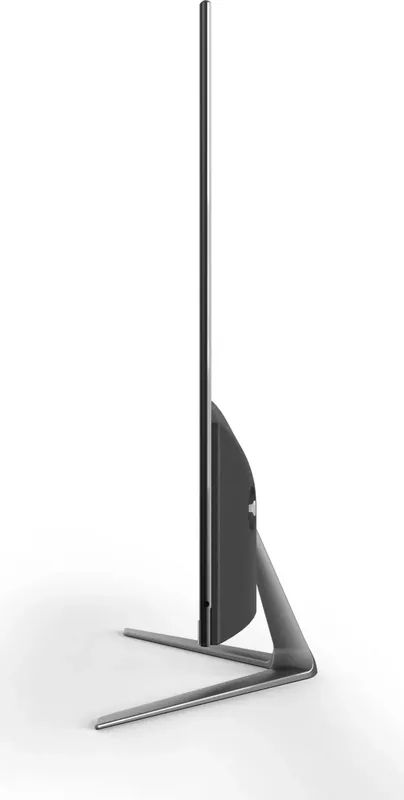
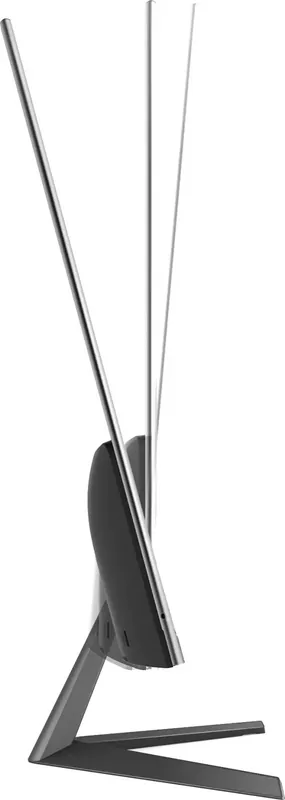
With Stand, Height-Adjustable N/A, Pivot N/A, Rotatable N/A, Tiltable (+15 deg/-5 deg)
VESA
75x75 (Free)
Power Consumption
26W (typical), 0.3W (Standby)
Energy Efficiency SDR (A-G)
26kWh/1000h (F)
Features
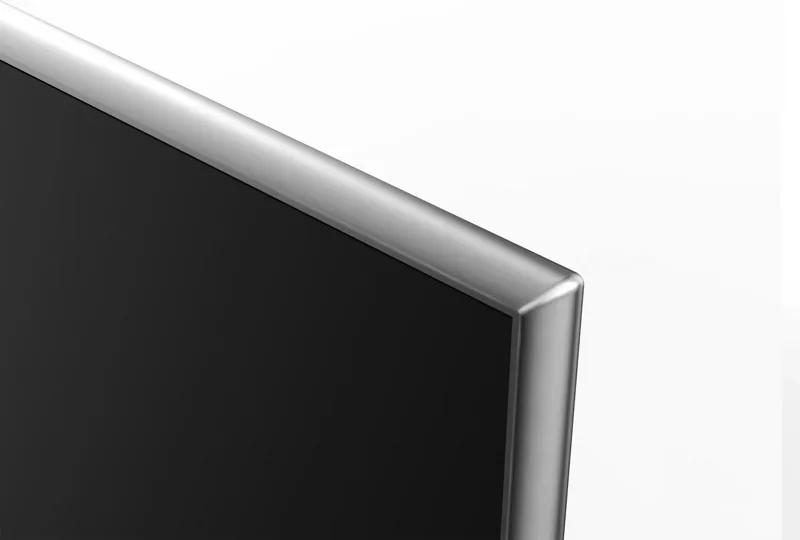
Security Lock (Kensington Security Slot), Slim Bezel
Screen-to-Body Ratio
91.52% (Calculated)
Dimensions
24.0 x 6.3 x 17.7 inches (WxDxH) with Stand, 24.0 x 1.5 x 14.2 inches (WxDxH) without Stand
Color
Grey (Bezel) / Grey (Bottom Bezel) / Black (Stand) / Black (Rear)
Power Adapter
External
Warranty
2 Years
USB Notation
Link
Product Description
PEAQ PMO S271-IQC Overview
The PEAQ PMO S271-IQC offers an excellent viewing platform for daily tasks and entertainment needs. Measuring 27 inches, this LED monitor features an IPS panel for superior color accuracy and wide viewing angles. The resolution of 2560 by 1440 pixels ensures crisp text and sharp images on a 16 to 9 display ratio. It is perfect for productivity work or media consumption within a home office setting. Installation requires minimal effort with the included stand.
Enhanced Visual Performance
Operating at 75 Hertz, the refresh rate provides smoother motion than standard screens. AMD FreeSync technology is supported to minimize tearing and stuttering during high-speed content. The response time is optimized to reduce blur in fast-moving scenes. The Edge-LED backlight ensures uniform illumination across the screen surface. The sRGB color coverage reaches approximately 99 percent. This ensures accurate colors for creative tasks. Users accessing the PEAQ PMO S271-IQC, 27" Manual will find detailed calibration steps for optimal results. Viewing angles remain consistent even when sitting at the side of the desk.
Connectivity and Features
This unit supports both HDMI and DisplayPort signal inputs for versatile connections. A USB jack with charging function provides additional utility for peripheral devices. Sound is not built-in, so external headphones or speakers are necessary for audio output. The menu navigation is handled through a multifunction switch on the base. Language options are available within the screen menu setup for international users. The HDMI cable is included in the package.
Settings and Configuration
The On-Screen Display allows adjustment of brightness and contrast levels easily. Users can switch between different mode presets like gaming or reading on the fly. Factory reset options are provided for clearing custom settings efficiently. The standby power consumption is minimal at under 0.3 Watts. Energy efficiency is maintained during normal operation. Timeout settings can be configured in the extra menu. OSD positioning can be adjusted horizontally and vertically.
Safety and Maintenance
Ensure the power plug is removed before cleaning the display panel. Avoid exposing the device to moisture or direct sunlight for longevity. Use only the recommended power adapter listed in the technical data section. Keep the ventilation openings clear to prevent overheating during extended use. A minimum of 10 centimeters clearance is required around the product. A warranty card is included to protect your investment for the initial period. Follow local regulations for disposal of electronic waste properly.
Search for 67,732 Manuals online


Type-in Brand or Model
Ellie Green
8 months ago
Is the image quality accurate enough for professional work, and does the monitor perform well for gaming applications?
Manual.ly
8 months ago
Our QHD monitor is designed for optimal home office performance with vibrant color reproduction. While generally suitable for casual gaming, competitive users may prefer higher refresh rates. We recommend standard calibration for detailed color work to ensure accuracy across different settings.