
Patriot Viper V530 Manual
PDF manual · 13 Pages
English



Quick check
Incorrect answer, please try again.
Chat with your Patriot Viper V530 manual using AI
Get instant AI answers from your Patriot Viper V530 manual
Ask anything about the Patriot Viper V530. Answers come from this manual, with the pages they are based on.
Ask a Question
Do you recommend Viper V530?
Yes NoVideo Manual
TEST Myszki OMEGA za 15,99! (Nieprofesjonalny)
Frequently Asked Questions
Yes, you can adjust DPI settings between 250 and 4000 using the Viper software or buttons six and seven.
Is this answer helpful?
The mouse supports up to six distinct profiles that can be personalized with specific button assignments.
Is this answer helpful?
It connects via USB but software support is typically Windows focused, check manufacturer site for specifics.
Is this answer helpful?
The polling rate defaults to 500 Hz, providing a response interval of 2 milliseconds for fast input.
Is this answer helpful?
Yes, you can choose from constant, breathe, blink, or finger-tapping modes with brightness adjustments.
Is this answer helpful?
Press the reset button located underneath the mouse to restore factory default settings immediately.
Is this answer helpful?
It uses an optical Avago sensor capable of 4000 DPI tracking with 20G acceleration limits.
Is this answer helpful?
Advantages and Disadvantages
Advantages

- High precision Avago 4000 DPI optical sensor ensures accurate tracking on various surfaces.
- Seven programmable buttons plus twelve macro capabilities enhance user control and efficiency.
- Six user-defined profiles allow distinct settings for different games or tasks easily.
Disadvantages

- No wireless option available as the device relies strictly on a wired USB connection.
- Infrared laser beam requires safety precautions to avoid accidental eye exposure during use.
- Maximum polling rate is capped at 500 Hz which may suit some but not all competitive users.
Product Specification
Compatibility
right hand
Buttons
7 (total), 2 (main), 2 (top), 2 (side), 1 (scroll wheel click)
Scroll wheel
1x 2-way
Tracking technology
LED-red/IR
Resolution
4000 dpi, adjustable
Switches
mechanical switches, Omron
Illumination
red
Connection
wired (5.9 ft), USB
Power supply
USB
Dimensions (WxDxH)
2.79x1.65x5.08 in
Approximate Volume
6.17 in³ (approximate shape)
Weight
4.66 oz
Special Features
fabric cable
Product Description
Unlocking Precision with the Patriot Viper V530
Enhancing Your Gaming Experience
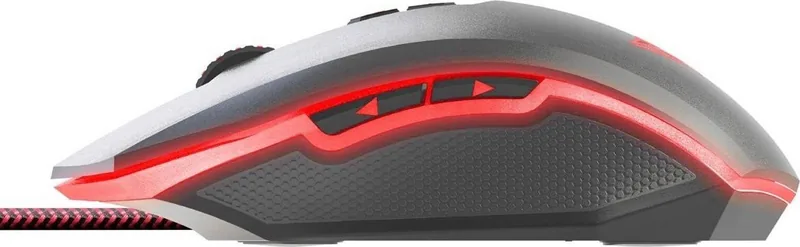
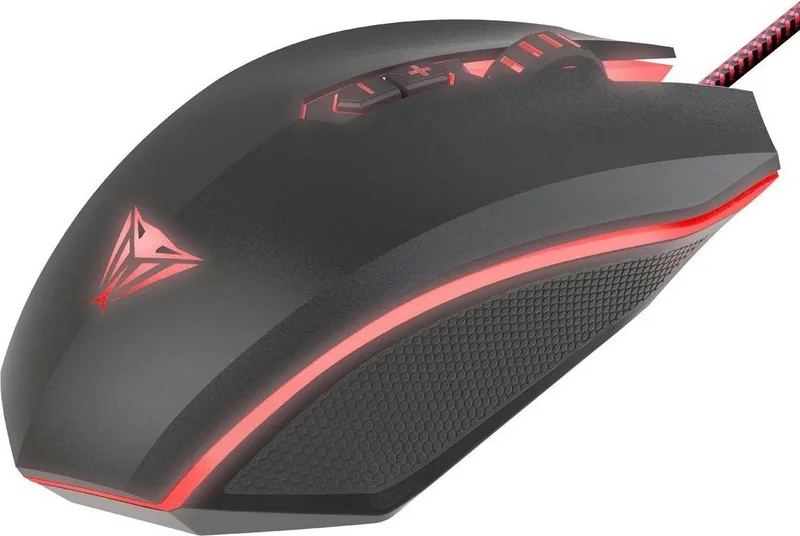
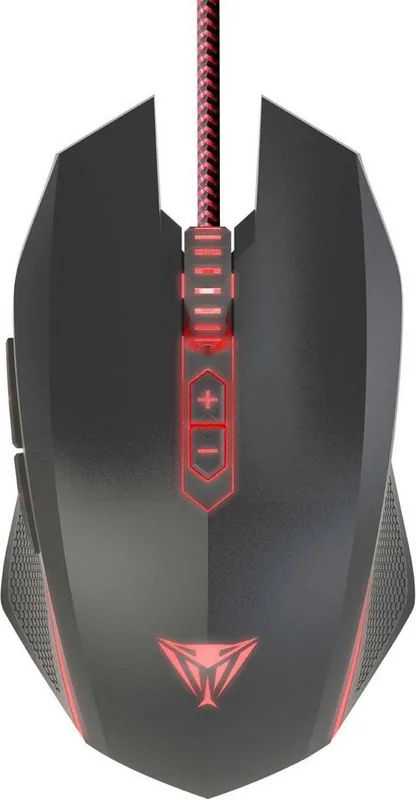
The Patriot Viper V530 Optical Gaming Mouse stands out as a versatile tool for competitive play. Designed for gamers who demand accuracy, this device utilizes a robust Avago 4000 DPI optical sensor. This high-performance component ensures smooth tracking on various surfaces. Users appreciate the flexibility offered by up to six user-defined profiles. Each profile allows for distinct customization, catering to different game genres or personal preferences.
Customization and Control
Control is paramount in gaming. This unit features seven programmable buttons, providing ample access to commands without straining hands. Macro technology integrated into the printed circuit board empowers players. Through the dedicated Viper gaming software, users can record, read, and edit scripts. These scripts can be bound to specific mouse buttons. This feature is particularly useful for executing complex tasks with a single click, reducing repetitive movements and improving efficiency. You can create up to twelve macros using the Macro Manager.
Visual Feedback and Lighting
Visual cues help maintain awareness. The mouse includes an LED indicator that displays the current DPI setting through distinct colors. Red indicates 500 DPI, while violet signifies the maximum 4000 DPI. Additionally, the lighting effects are customizable. Gamers can choose between constant, breathe, blink, or finger-tapping modes. Adjusting brightness and speed ensures the style matches the user's setup without distracting from gameplay. Buttons six and seven toggle DPI changes instantly in flight.
Performance Specifications and Installation
Technical capabilities support competitive performance. The tracking speed reaches up to sixty inches per second. Acceleration handles up to twenty Gs, ensuring rapid movements are captured accurately. The polling rate operates at five hundred Hertz, minimizing input lag. Connectivity relies on a standard USB connection, ensuring compatibility with most modern systems. Installation is straightforward, requiring only a driver download from the official manufacturer site. Users should allow five to ten seconds for detection after plugging in.
Safety and Compliance
Safety guidelines are crucial for responsible ownership. This device contains a Class 1M laser and complies with FCC regulations. Users are warned never to look directly into the laser beam. The product also adheres to international standards for electrical safety. Temperature ranges must be respected, keeping the device between zero and forty degrees Celsius. Cleaning involves avoiding liquids and ensuring the device remains free of moisture.
Final Thoughts
Navigating the digital battlefield requires reliable gear. The Patriot Viper V530 Optical Gaming Mouse, USB Manual provides the foundation for this reliability. Whether adjusting sensitivity on the fly or managing macros, this peripheral adapts to your needs. Axis sensitivity can be individualized for X and Y movements. Ultimately, this mouse represents a solid investment for enthusiasts seeking precision and customization.
Search for 67,706 Manuals online


Type-in Brand or Model