
Patriot Viper V360 Manual
PDF manual · 13 Pages
English



Quick check
Incorrect answer, please try again.
Chat with your Patriot Viper V360 manual using AI
Get instant AI answers from your Patriot Viper V360 manual
Ask anything about the Patriot Viper V360. Answers come from this manual, with the pages they are based on.
Ask a Question
Do you recommend Viper V360?
Yes No
Lina Schäfer
8 months ago
Do I need to install the software, and is the sound and microphone actually suitable for gaming?

Manual.ly
8 months ago
You will need to download and install the software to access the headset settings, but it only provides basic options. The reviews you saw are accurate that there are no advanced features like custom profiles or frequency adjustments. For audio, the sound quality is mostly fine for music, but it is not ideal for competitive or detail-heavy gaming. The microphone performance is only around average for communication, so it may fall short for video work. Also note there is no 3.5mm adapter, which can limit long-term use if your preferred connection method depends on software support.
Video Manual
KROME UNBOXING! HeadSet Viper V360 www.megatronics.com.br
Frequently Asked Questions
The headset uses a 7.1 virtual surround engine that functions via the Viper Audio Center software. Full surround features require installation of the software from Patriot’s product page and a USB connection.
Is this answer helpful?
On-ear controls are located on the left earcup and include the UBR (Ultra Bass Response) switch, a volume wheel, and an LED switch. These let you adjust bass intensity, overall volume, and lighting without software.
Is this answer helpful?
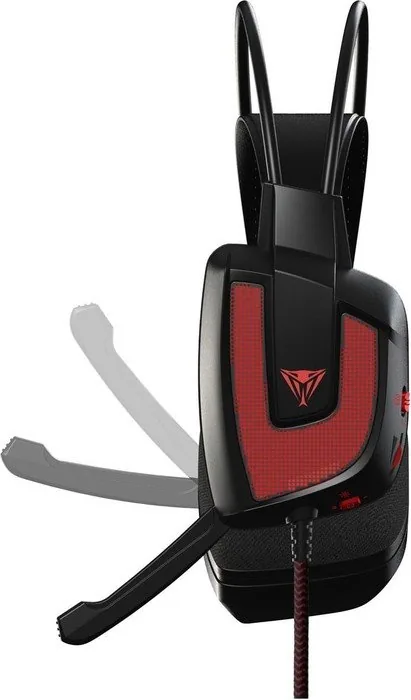
The V360 includes a foldable omnidirectional microphone with a 100Hz–10kHz response and a 93dB signal-to-noise ratio. Software options include mic sensitivity, microphone boost, and voice-changing/vocal effects.
Is this answer helpful?
Yes — the earcups use a breathable fabric mesh designed to repel sweat and improve comfort over long periods. However, individual comfort varies and the headset’s weight (385 g) may be noticeable during extended use.
Is this answer helpful?
The Viper V360 complies with FCC Class B limits. If you experience interference, try reorienting or relocating antennas, increasing separation from affected devices, or connecting to a different circuit. Contact Patriot support if problems persist.
Is this answer helpful?
Download the headset software from Patriot’s official website (patriotmemory.com) on the Viper product page. After downloading, run the installer and follow on-screen instructions to configure surround, EQ, and microphone settings.
Is this answer helpful?
Advantages and Disadvantages
Advantages

- 7.1 virtual surround with per-channel adjustments for precise positional audio.
- Dual-driver design including 20mm UBR sub-drivers for strong, thundering bass.
- On-ear controls and a foldable omnidirectional mic for quick, convenient adjustments.
- Breathable fabric earcups designed for extended comfort and sweat resistance.
- Comprehensive software (Viper Audio Center) with EQ, effects, mic boost and profiles.
Disadvantages

- USB-only interface limits direct analog compatibility with non-USB devices.
- Fabric earcups can absorb sweat and may need maintenance compared to leatherette.
- May require software installation for full functionality, adding setup steps.
- Bulk/weight (385 g) might feel heavy during very long sessions for some users.
- LED illumination and effects can increase power draw and may not suit all tastes.
Product Specification
Design
Headphones (Over-Ear)
Form Factor
Headband
Acoustic Design
closed
Microphone
Microphone arm (retractable)
Connection
USB
Wireless
no
Cable
7.22 ft, single-sided
Controls
Volume control
Frequency range
20Hz-20kHz
Impedance
32 ohm
Sensitivity
105dB
Driver
1.57 in
Device features
LED illumination
Software features
Virtual 7.1-Surround
Color
black
Weight
0.79 lb
Product Description
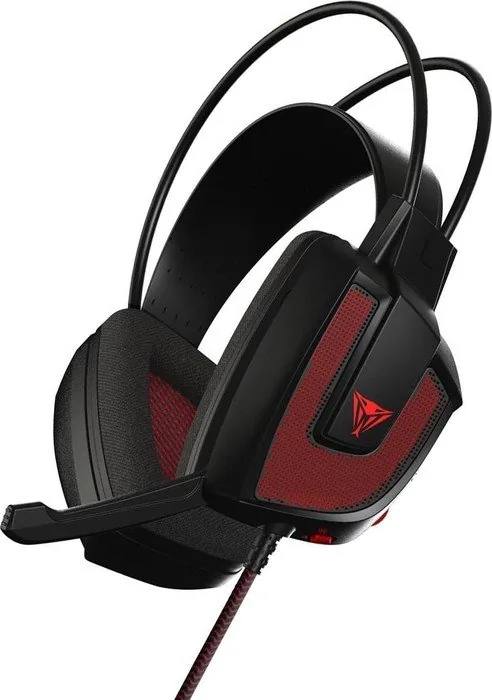
Patriot Viper V360 — Immersive Gaming Headset
The Patriot Viper V360 is a USB gaming headset engineered for deep, immersive audio with a 7.1 virtual surround sound engine and dual-driver design. Each earcup houses a main 40mm neodymium driver for clear mids and highs plus a dedicated 20mm sub-driver with Ultra Bass Response (UBR) technology to deliver powerful low-end impact. The V360 aims to reproduce directional audio cues precisely, putting players at the center of in-game action.
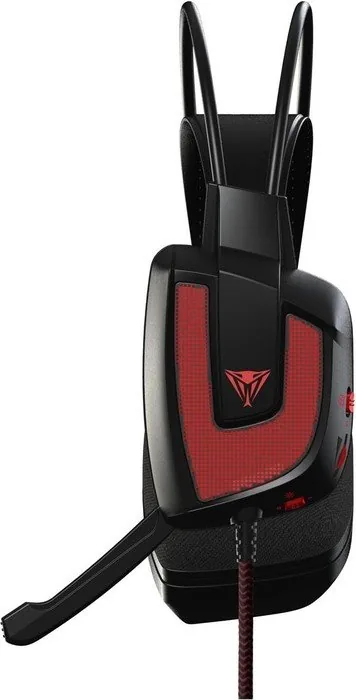
Comfort and usability were prioritized: breathable fabric earcups resist sweat for extended sessions, and on-ear controls on the left cup provide quick access to volume, UBR, LED illumination, and a foldable omnidirectional microphone that stows away when not in use. The headset connects via USB and includes a 2.2 meter (7 ft) cable and integrated LED lighting for style.
Software integration expands functionality through the Viper Audio Center. From here you can enable 7.1 surround, tweak individual channel positions and volumes, choose or create equalizer presets, and apply sound effect environments. Microphone options include sensitivity adjustment, boost, and vocal effects such as pitch shifting and vocal fading. The software also provides general settings like tray icon behavior and background transparency.
Technical highlights include a 20Hz–20kHz speaker response, 32 Ω impedance, 97dB ±3dB sensitivity, and a microphone response of 100Hz–10kHz with a 93dB signal-to-noise ratio. The headset ships with a carrying bag, quick start guide, and sticker.
With an emphasis on powerful bass, positional accuracy, and user-friendly controls, the Viper V360 is well suited for gamers seeking an affordable USB headset with customizable virtual surround and effects.
Notes
- USB-only connection — requires the Viper Audio Center software for full feature access.
- Fabric earcups enhance breathability but may require occasional cleaning.
- Follow recommended volume and safety guidelines to avoid hearing damage.
Search for 67,706 Manuals online


Type-in Brand or Model
Mohammed Taylor
9 months ago
Does the headset software let me do EQ or frequency adjustments, and is the sound actually good for gaming?
Manual.ly
9 months ago
The included software is very basic and does not offer advanced EQ or frequency/profile adjustments. For most users that means you cannot meaningfully tune the sound beyond what the headset provides. Reviews also report the sound quality as only acceptable for music, but not suitable for gaming, especially if you expect better separation or bass control. The microphone is typically mid-level, good enough for casual voice chat but not for high-quality video or studio use. If you want better tuning, plan to use EQ in your operating system or in the game itself instead of relying on the headset app.