
Party Light & Sound PARTY-8LED Manual
PDF manual · 24 Pages
English



Quick check
Incorrect answer, please try again.
Chat with your Party Light & Sound PARTY-8LED manual using AI
Get instant AI answers from your Party Light & Sound PARTY-8LED manual
Ask anything about the Party Light & Sound PARTY-8LED. Answers come from this manual, with the pages they are based on.
PARTY-8LED Maintenance Schedule
If unused for a long period, keep the battery at about 40% capacity and check/charge it once per month.
Recharge the battery after each use without waiting for it to discharge completely. Disconnect the adapter when charging is complete.
Free maintenance reminders
Timed to your purchase date. Always free, unsubscribe anytime.
Ask a Question
Do you recommend PARTY-8LED?
Yes NoFrequently Asked Questions
The PARTY-8LED supports Bluetooth, USB stick, microSD card, AUX inputs (3.5mm and 6.35mm) and FM radio. USB/microSD playback accepts MP3 and WMA files; maximum supported device size is 32 GB.
Is this answer helpful?
Charging typically takes around 6–8 hours using the supplied adapter. The charger LED is red while charging and turns green when full. Charge before first use, recharge regularly after use, never fully discharge the Li-ion battery, and if unused long-term, store at about 40% charge and check monthly.
Is this answer helpful?
Plug a wired microphone into the MIC IN jack and switch it on. Adjust mic volume and echo on the rear controls; enable mic priority if needed. Karaoke works with any source (AUX/USB/SD/Bluetooth/FM). Note: connecting a mic does not mute the music source automatically.
Is this answer helpful?
Turn the unit on, press MODE to select Bluetooth. Enable Bluetooth on your external device and search for devices; the speaker appears as "PARTY-LED." Select it to pair, then use play/pause and track buttons to control playback.
Is this answer helpful?
Use indoors only; avoid moisture, extreme temperatures and strong vibrations. Do not place liquids or small objects on the unit. Allow condensation to evaporate before powering after temperature changes. Recycle the product and batteries properly per local WEEE directives; batteries are not covered by warranty if damaged through misuse.
Is this answer helpful?
Common causes are unsupported file formats or poor connection. Ensure files are MP3 or WMA, and that the USB stick or SD card is properly inserted. If problems persist, try power-cycling the speaker and reinserting the media.
Is this answer helpful?
Keep the microphone at least 2 meters away from the speaker and avoid pointing its capsule toward the speaker. Lower the mic volume or switch off the mic when not in use. Also keep mobile phones and other wireless devices away from the speaker to reduce interference.
Is this answer helpful?
Advantages and Disadvantages
Advantages

- Versatile inputs: Bluetooth, USB, microSD, AUX (3.5mm & 6.35mm) and FM radio for flexible playback.
- Dedicated mic input with echo, mic volume and mic priority for karaoke and PA use.
- Portable with built-in rechargeable Li-ion battery and external 12V input for mobile operation.
- LED-illuminated 8" woofer and 300W power deliver party-ready sound and visual impact.
- Comprehensive controls: EQ presets, remote control, MP3 display and easy Bluetooth pairing (shows as PARTY-LED).
Disadvantages

- Battery capacity (7.4V, 1.8Ah) may limit runtime on high-volume use compared with larger PA batteries.
- Maximum USB/microSD support limited to 32 GB, which may restrict large libraries or high-bitrate collections.
- No waterproofing—strictly for indoor/dry use and sensitive to extreme temperatures and moisture.
- Potential feedback/noise if microphone placed too close to speaker; requires careful mic placement.
- Remote and IR sensor can be affected by bright sunlight and obstacles, limiting control range outdoors.
Product Specification
Power
200W RMS, 300W Peak
Frequency Range
60Hz-18kHz
Speakers
2 (1x 1" Tweeter, 1x 8" Woofer)
Tuner
FM
Audio Connections
AUX In (3.5mm Jack), Mic In (6.35mm Jack), Instrument In (6.35mm Jack)
Other Connections
USB-A, Card Reader (microSD)
Wireless
Bluetooth
Power Supply
Li-Ion Battery (4400mAh), Mains Operation
Special Features
Remote Control, Wheels, Light Effects, incl. Microphone
Dimensions
14.17x21.26x13.78in (WxHxD)
Weight
14.00 lb
Product Description
Party Light & Sound PARTY-8LED Manual
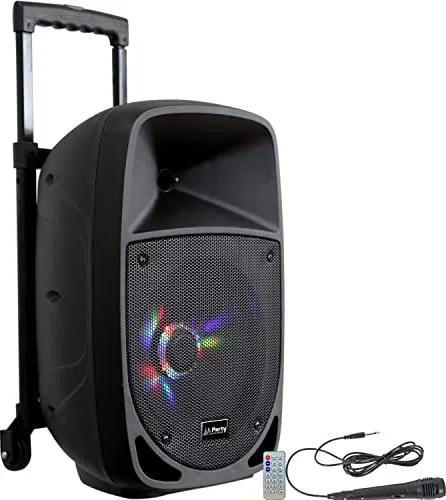
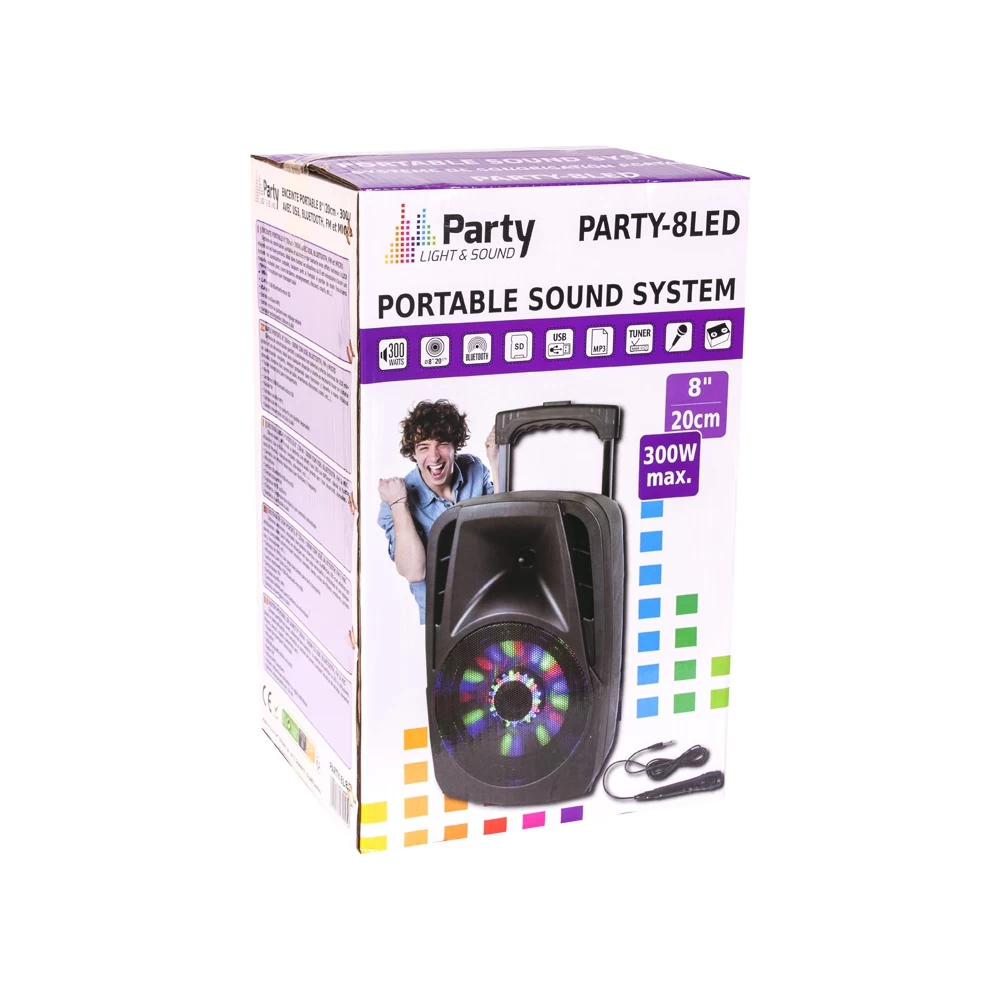
The Party Light & Sound PARTY-8LED is a portable 300W PA speaker built around an 8" (20cm) LED-illuminated woofer, designed for parties, karaoke and mobile events. It combines multiple playback options—Bluetooth, USB, microSD, AUX and FM radio—plus a dedicated mic input with echo and mic volume controls to support live vocals or announcements. Battery-powered with a 7.4V 1.8Ah Li-ion cell, the unit offers cordless operation (6–8 hours charge time) and an AC input for mains use. The rear panel provides clear controls: master volume, input selector, MP3 display, EQ presets (Jazz, Rock, Bass, Normal, Classic), USB and microSD slots, AUX jacks (3.5mm and 6.35mm), mic/guitar input, mic priority, echo and mic volume, remote sensor, LED on/off switch for woofer illumination, and DC 12V external battery input.
Compact but robust (about 8.5 kg), the PARTY-8LED emphasizes ease of use. Pairing via Bluetooth is straightforward—the speaker appears as "PARTY-LED"—and playback controls are accessible on both the unit and the included remote. The remote supports play/pause, track skip, numeric track selection, EQ, volume, mute and mode switching. USB/microSD playback supports MP3 and WMA files (max device 32 GB). FM mode includes an auto-scan and memory store for stations. Karaoke is supported across all inputs: simply play backing music and plug in a microphone.
Safety and battery care are highlighted: charge fully before first use, avoid deep discharge (which can irreversibly reduce capacity), recharge regularly, and store at about 40% if unused long-term. The manual stresses indoor-only use, protection from moisture, extreme temperatures and mechanical shocks, and proper disposal/recycling in accordance with EU WEEE rules. CE conformity and applied standards are declared for RED, LVD and EMC directives.
Practical notes
- Charging indicator: red while charging, green when full. Allow condensation to evaporate before powering after temperature changes. Avoid covering vents and placing liquids or small objects atop the unit. Keep microphone at a sensible distance (~2 m) from the speaker to avoid feedback. Remote works up to ~6 m within a 30° angle.
Notes:
- Battery is not covered by warranty; follow charging recommendations to avoid damage.
- Supported formats: MP3, WMA. Max USB/SD size: 32 GB.
Search for 67,706 Manuals online


Type-in Brand or Model