
Parrot AR.Drone 2.0 Elite Edition Manual
PDF manual · 39 Pages
English



Quick check
Incorrect answer, please try again.
Chat with your Parrot AR.Drone 2.0 Elite Edition manual using AI
Get instant AI answers from your Parrot AR.Drone 2.0 Elite Edition manual
Ask anything about the Parrot AR.Drone 2.0 Elite Edition. Answers come from this manual, with the pages they are based on.
Ask a Question
Do you recommend AR.Drone 2.0 Elite Edition?
Yes No
rem98
9 months ago
How easy is the setup and pairing on iPhone or iPad, and is the AR.Drone 2.0 Elite Edition really stable in light to moderate wind with good 720p camera quality?

Manual.ly
9 months ago
Setup is straightforward: unbox the drone, install the Parrot AR app on your iPhone or iPad, then pair/connect the drone from the app. Many users can get their first flight quickly once the connection is established. For stability, the AR.Drone 2.0 uses onboard control to maintain a steady hover in light to moderate air movement, and it can handle the manufacturer-stated operating altitude (around 50 m) without typical instability issues in normal conditions. The included HD camera records sharp video at 1280x720 (720p) and captures clear images, so footage quality is a strong point of the Elite Edition.
Video Manual
AR.Drone 2.0 Tutorial video #1 : Setup
Frequently Asked Questions
Insert and secure the charged battery, wait for motor initialization, enable Wi‑Fi on your smartphone and select the network named "ardrone2_parrot", then launch the AR.FreeFlight 2.0 app to complete connection.
Is this answer helpful?
Disconnect and reconnect the battery, then wait again. If the LED remains red or orange, check battery condition, ensure proper seating and consult troubleshooting steps in the app or manual before attempting flight.
Is this answer helpful?
Charging the Parrot LiPo battery takes about 1.5 hours using the supplied Parrot charger. Typical flight duration per fully charged battery is roughly 12 minutes; carry spare approved batteries for longer sessions.
Is this answer helpful?
Only one smartphone controls the drone at a time. To allow another phone to connect, disable the Pairing option in the AR.FreeFlight 2.0 settings (take off first, then deactivate Pairing) and connect the second device.
Is this answer helpful?
Maintain direct line of sight, keep at least 1 meter distance during takeoff/landing, avoid flying near people, pets, water or power lines, don’t fly in rain or strong wind, and never touch spinning propellers.
Is this answer helpful?
Enable storage on USB stick in app settings if a USB stick with at least 100 MB free is connected to the drone, or disable that option to save media to your smartphone. Use the app’s sign-in features to upload to services like YouTube or Picasa.
Is this answer helpful?
Use only the approved Parrot charger, charge between 0–40°C, do not use swollen or damaged batteries, avoid overcharging or charging unattended, keep away from children, and recycle batteries at appropriate collection points according to local regulations.
Is this answer helpful?
Advantages and Disadvantages
Advantages

- Stable, easy-to-learn flight with on-board stabilization and autopilot hover.
- Live front-camera streaming and photo/video capture to smartphone or USB stick.
- Flexible control modes: Joypad or accelerometer-based steering for different pilots.
- Compact, distinctive snow-white Elite Edition aesthetic and protective hull options.
- AR.Games and FreeFlight app integration for multiplayer and sharing to online services.
Disadvantages

- Short flight time per battery (about 12 minutes), requiring spare batteries.
- Sensitive to wind, weather and electromagnetic interference — limited outdoor use.
- Requires careful battery handling and approved charger to avoid safety risks.
- Not suitable for children under 14; contains small magnets and moving propellers.
- Video storage on USB requires minimum available space and may impact Wi‑Fi performance.
Product Specification
Type
Ready-to-fly model
Range
164.04 ft
Flight time
12min
Camera
yes
Flight modes
Hover
Special features
App control (iOS, Android)
Dimensions
20.35x20.35in (LxW)
Weight
0.93 lb (C1)
Scope of delivery
Charger, Battery, Spare rotor blades, Rotor protection
Product Description
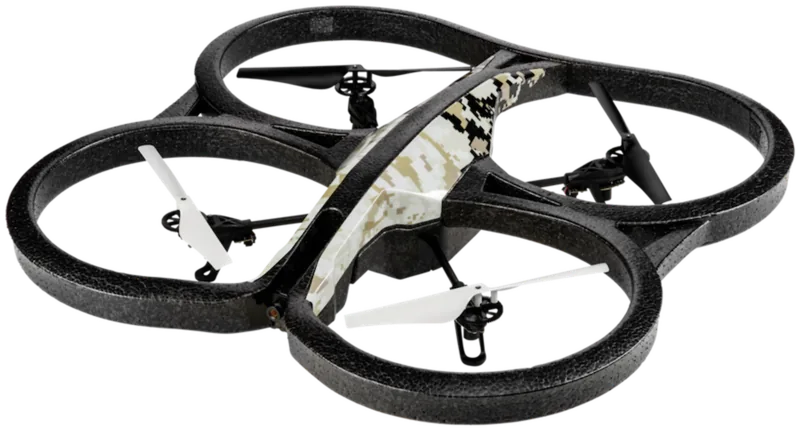
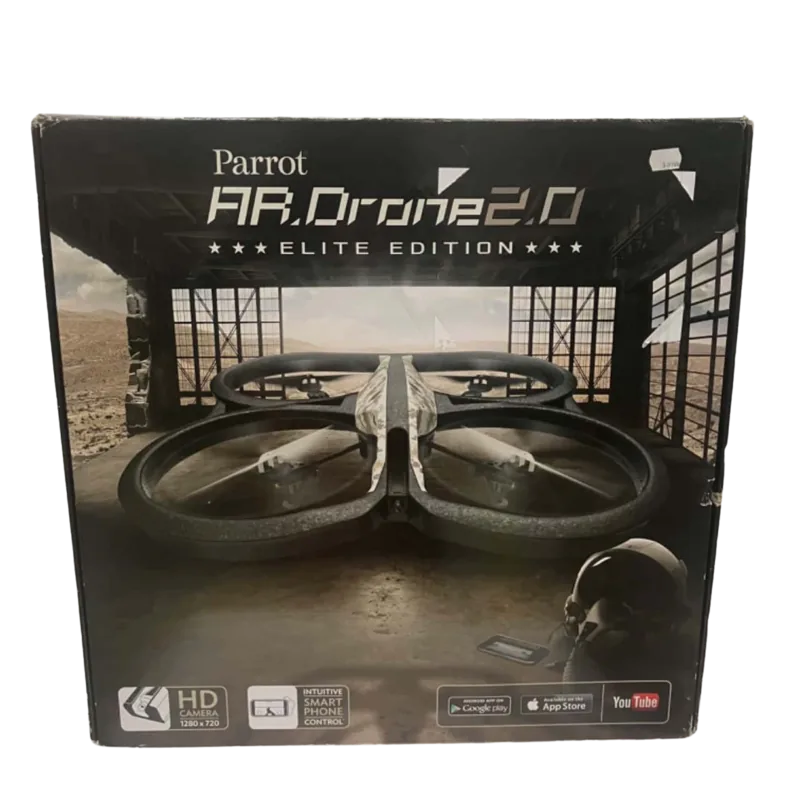
Parrot AR.Drone 2.0 Elite Edition Snow Manual — Product Overview
The Parrot AR.Drone 2.0 Elite Edition Snow is a compact, consumer quadcopter designed for immersive smartphone-controlled flight, aerial photography and casual gameplay. With a distinctive snow-white finish, this edition combines the AR.Drone’s stabilized flight platform, integrated front camera, Wi‑Fi connectivity and Parrot’s FreeFlight app to deliver an accessible experience for hobby pilots and content creators.
What it offers
Equipped with four brushless motors, on-board stabilization and an ultrasonic altimeter, the AR.Drone 2.0 provides stable hovering, responsive controls and basic autopilot features. The included front-facing camera streams live video to your smartphone and allows photo and video capture; media can be stored on the phone or on a USB stick connected to the craft. The FreeFlight app offers piloting modes (Joypad or accelerometer-based), camera switching, automatic stabilization and safety features like an emergency cut-off and low-battery auto-landing.
Usability and setup
Setup emphasizes safety and simplicity: charge the Parrot lithium-polymer battery with the supplied charger, insert it correctly, attach the chosen hull for indoor or outdoor flight, and connect your smartphone to the drone’s Wi‑Fi network. The app guides calibration, flight mode selection (indoor/outdoor hulls), and pairing behavior for single or multiple smartphones. LED indicators report system and motor status so pilots can verify readiness before takeoff.
Safety, battery and maintenance
The manual highlights safety: avoid flying near people, pets or hazards; maintain at least a 1 m clearance during takeoff/landing; keep the drone away from water, sand and strong electromagnetic fields; and never touch spinning propellers. Battery handling instructions stress using only approved chargers, charging between 0–40°C, avoiding swollen or damaged packs, and proper recycling. Warnings cover potential health risks (epilepsy triggers from flashing lights, repetitive strain, and pet disturbance from ultrasonic sensors).
Features for creators and gamers
Photo and video capture, USB storage support, and the ability to upload to services like YouTube or Picasa (via account sign-in) make this drone suitable for quick social sharing. AR.Games integration expands functionality with augmented-reality multiplayer experiences that encourage skill development and competitive play.
Notes
- Flight time is limited by battery capacity (typical single-battery sessions ~12 minutes), so carry spare approved batteries for extended use.
- Use indoor and outdoor hulls appropriately and avoid flying in winds exceeding recommended limits.
- Follow local laws and privacy rules when filming people or public spaces.
Search for 67,706 Manuals online


Type-in Brand or Model
Lena Müller
9 months ago
Is the AR.Drone 2.0 Elite Edition stable in light to medium air movement, and how good is the HD camera for clear photos and video?
Manual.ly
9 months ago
Based on user feedback, the AR.Drone 2.0 Elite Edition handles light to medium air movement with solid stability, especially while hovering. The setup is also straightforward: unpack the drone, download the app, and pair it with an iPhone or iPad. For imaging, it includes a new HD camera with 1280x720 resolution, producing sharp, clear pictures and video. Performance will still depend on local conditions (wind, indoor vs. outdoor) and how you fly, but the camera quality and overall stabilization are widely seen as strong for this model.