7.The warranties hereby conferred do not extend to, and exclude, any costs associated with the installation, de-installation or
re-installation of a product, including costs related to the mounting, de-mounting or remounting of any screen, (and any other
ancillary activities), delivery, handling, freighting, transportation or insurance of the product or any part thereof or replacement
of and do not extend to, and exclude, any damage or loss occurring by reason of, during, associated with, or related to such
installation, de-installation, re-installation or transit.
Panasonic Authorised Service Centres are located in major metropolitan areas and most regional centres of Australia, however,
coverage will vary dependant on product. For advice on exact Authorised Service Centre locations for your product, please
telephone our Customer Care Centre on 132600 or visit our website and use the Service Centre Locator.
In addition to your rights under this warranty, Panasonic products come with consumer guarantees that cannot be excluded under
the Australian Consumer Law. If there is a major failure with the product, you can reject the product and elect to have a refund or
to have the product replaced or if you wish you may elect to keep the goods and be compensated for the drop in value of the
goods. You are also entitled to have the product repaired or replaced if the product fails to be of acceptable quality and the failure
does not amount to a major failure.
If there is a major failure in regard to the product which cannot be remedied then you must notify us within a reasonable period by
contacting the Panasonic Customer Care Centre. If the failure in the product is not a major failure then Panasonic may choose to
repair or replace the product and will do so in a reasonable period of time from receiving notice from you.
If you require assistance regarding warranty conditions or any other enquiries, please visit the
Panasonic Australia website www.panasonic.com.au or contact by phone on 132 600
If phoning in, please ensure you have your operating instructions available.
Panasonic Warranty
THIS WARRANTY CARD AND THE PURCHASE DOCKET (OR SIMILAR PROOF OF PURCHASE)
SHOULD BE RETAINED BY THE CUSTOMER AT ALL TIMES
Panasonic Australia Pty. Limited
ACN 001 592 187 ABN 83 001 592 187
1 Innovation Road, Macquarie Park NSW 2113
PRO-031-F11 Issue: 4.001-01-2011
Making the connections
Connect the AC mains lead only after all the other
connections have been made.
SC-PM602
SC-PM600
1 SC-PM602
Connect the DAB antenna.
Be sure to tighten fully the nut.
Do not use any other DAB antenna except the
supplied one.
Use an outdoor antenna if the reception is poor.
SC-PM600
Connect the FM indoor antenna.
Place the antenna where reception is best.
Connect the AM loop antenna.
Stand the antenna up on its base until it clicks.
2Connect the speakers.
3Connect the AC mains lead.
Do not use an AC mains lead from other equipment.
Conserving power
The system consumes a small amount of power
(Z“Specifications”) when it is in standby mode.
Disconnect the power supply if you do not use the
system.
Some settings will be lost after you disconnect the
system. You have to set them again.
(6:
)
(6
:)
3
2
1
(6:)
(6:)
3
2
1
Adhesive tape
(not supplied)
Adhesive tape
(not supplied)
Be careful not to cross
(short-circuit) or reverse
the polarity of the speaker
wires as doing so may
damage the speakers.
(For the AC mains plug of three pins)
READ THE “Caution for AC mains lead” BEFORE
CONNECTION.
B
A
B
A
Red
Black
To household
mains socket
/2
%
Quick check
I'm not a robot
Incorrect answer, please try again.
Chat with your Panasonic SC-PM602 manual using AI
Get instant AI answers from your Panasonic SC-PM602 manual
Ask anything about the Panasonic SC-PM602. Answers come from this manual, with the pages they are based on.
Ask a Question
0/1000
Do you recommend SC-PM602?
YesNo
Video
Manual
Hard Reset Panasonic SC-PM600 Stereo
Frequently Asked
Questions
A
Yes, hold pairing button on main unit or use menu. Enter code 0000 if asked. Connect up to 8 devices.
Is this answer helpful?
A
Supports FAT12, 16, and 32 file systems. Must contain MP3 files. Max drive size is 32 gigabytes.
Is this answer helpful?
A
Unplug power cord. Hold power button while plugging back in until dashes appear on display.
Is this answer helpful?
A
Around 0.3 watts if Bluetooth standby is off. Roughly 0.4 watts if Bluetooth standby is on.
Is this answer helpful?
A
No, use only provided speakers to prevent damage to amplifier components and ensure safety standards.
Is this answer helpful?
M: qwen/qwen3.5-flash-20260224
Advantagesand
Disadvantages
Advantages
Bluetooth connectivity allows wireless streaming from phones and tablets.
DAB+ and FM tuners provide extensive radio station selection.
Sleep and playback timers offer automation for daily routines.
Customizable sound profiles save preferred equalization settings.
Compact design fits well in small living spaces.
VS
Disadvantages
Speakers emit magnetic fields so must be kept away from screens.
USB drive capacity limit is thirty-two gigabytes max.
Remote control requires specific battery types for operation.
M: qwen/qwen3.5-flash-20260224
Product
Specification
Includes
CD Player, Tuner, Speaker
Power
2 x 20W RMS
Tuner
FM, DAB+
Audio Formats
CD Audio, CD-R/RW, MP3
Audio Ports
Headphone (3.5mm Jack)
Additional Ports
USB-A 2.0
Wireless
Bluetooth
Features
Removable front cover
Device Color
Black
Device Dimensions
6.02x8.82x9.13in (WxHxD)
Speaker Dimensions
5.28x8.82x7.76in (WxHxD)
Weight
11.46 lbs
M: qwen/qwen3.5-flash-20260224
Product
Description
Elevate Your Home Audio Experience
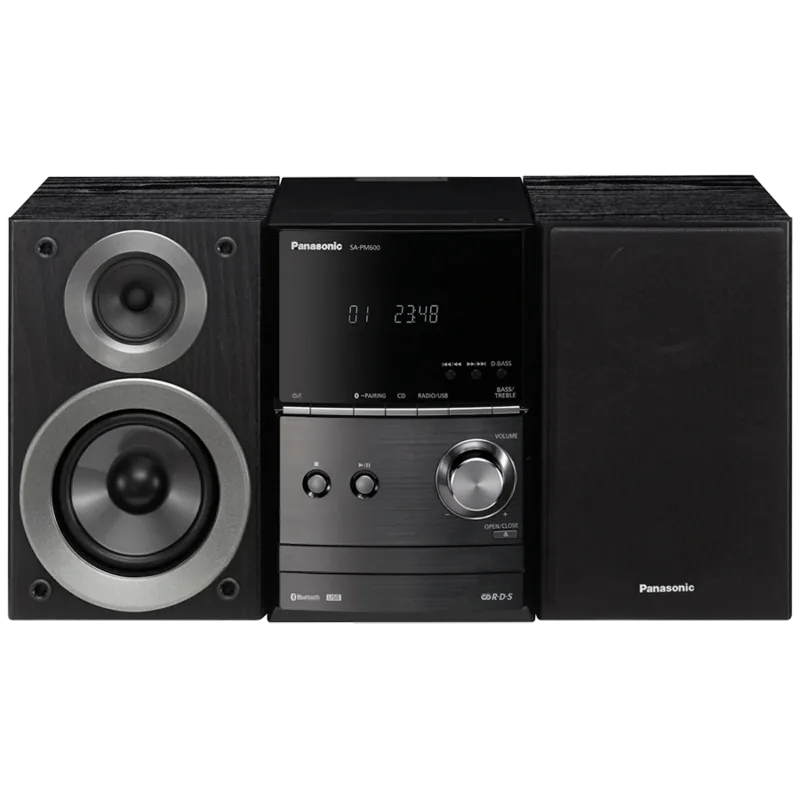
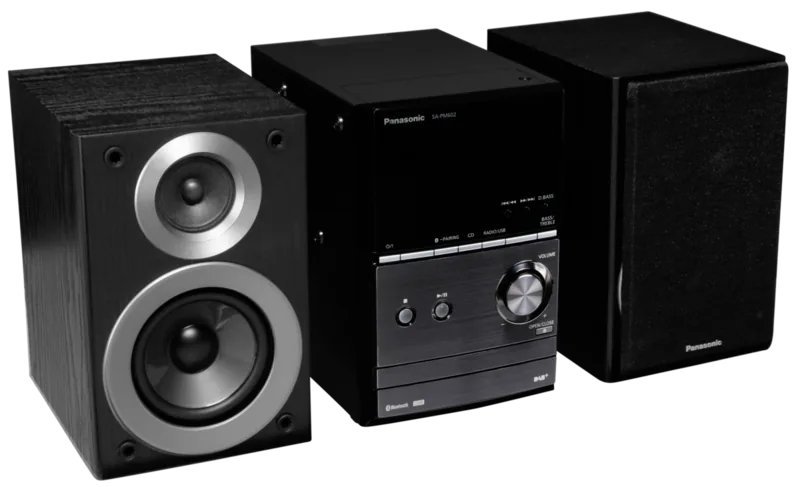
The Panasonic SC-PM602 represents a compact yet powerful addition to any living space. Whether for background music or immersive listening sessions, this CD stereo system delivers consistent performance. Integrating wireless capabilities with traditional media playback, it bridges the gap between modern smartphones and classic audio formats. Reference the Panasonic SC-PM602 Manual for detailed settings to ensure maximum enjoyment without hassle.
Connectivity and Playback Versatility
Enjoy seamless streaming through Bluetooth technology. Pairing your device allows for wireless convenience without compromising on quality. The included USB port supports digital files, expanding your library beyond physical discs up to thirty-two gigabytes. For traditionalists, the built-in CD player handles standard audio and MP3 recorded discs with ease. Simple controls make navigation intuitive even for first-time users. Connection ranges extend up to ten meters for stable transmission without interference.
Radio and Digital Tuning
Stay informed with advanced radio features. DAB+ reception ensures high fidelity digital broadcasts are accessible across various regions. FM tuning remains robust for local stations. Users can pre-program thirty stations for quick access. Signal quality indicators guide antenna positioning for optimal reception in any room without guesswork. Receive clear audio signals daily. Secure stable signals. Tuners allow for auto and manual scanning options.
Sound Customization
Audio enthusiasts appreciate flexible equalizer settings. Bass and treble adjustments allow personalization to your taste with ten levels of depth. Special modes like Surround add depth to music and movie media. Saving custom sound profiles ensures your preferred audio signature returns instantly whenever you power up the main unit. Preset settings are available for quick adjustments. Optimize your sound quality.
Timer and Power Management
Convenience drives this design. The playback timer wakes you gently at a set time with gradual volume increase. The sleep timer dims your lights and powers down automatically after listening ends. Power saving modes keep standby consumption minimal. Safety guidelines emphasize proper ventilation to prevent overheating during extended use in enclosed spaces.
Installation and Maintenance
Setup requires basic assembly of provided speakers using included cables. Ensure a distance of approximately 10 millimeters from the main unit for airflow and cooling. Use the supplied remote for effortless control from across the room safely. Regular cleaning with a dry cloth maintains the finish. Always disconnect power before moving components to ensure safety compliance. Routing cables neatly avoids hazards.
Proper configuration ensures longevity and stable operation. Adhering to these operational principles guarantees reliable service for years. The system supports multiple media sources simultaneously ready for instant playback. Enjoy your entertainment with confidence and clarity. Troubleshooting common issues like remote codes resolves quickly with guidance. Additional resources help maintain system integrity. Enjoy your daily listening.