
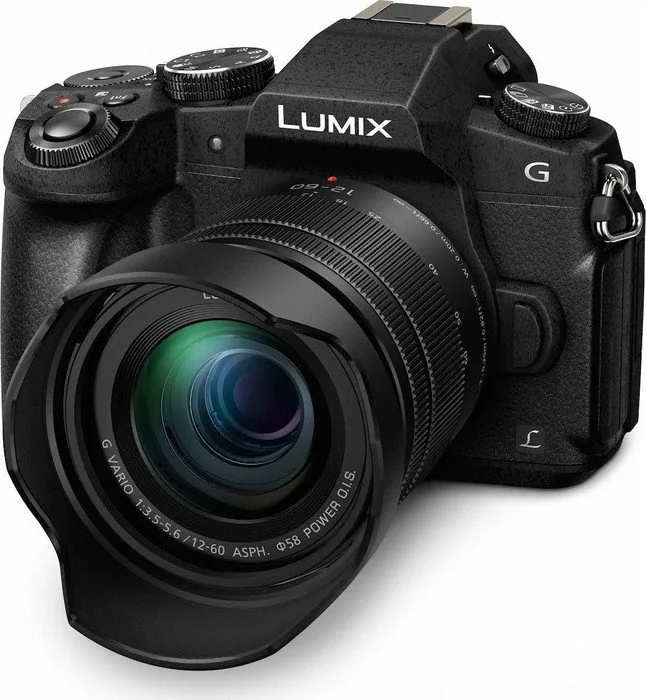
Panasonic Lumix DMC-G81 Manual
PDF manual · 339 Pages
English


Quick check
Incorrect answer, please try again.
Chat with your Panasonic Lumix DMC-G81 manual using AI
Get instant AI answers from your Panasonic Lumix DMC-G81 manual
Ask anything about the Panasonic Lumix DMC-G81. Answers come from this manual, with the pages they are based on.
Lumix DMC-G81 Maintenance Schedule
Turn off the camera for about 2 hours if condensation forms on the lens, viewfinder, or monitor to allow it to evaporate naturally.
If the camera is exposed to water, sand, or foreign matter, clean it as soon as possible while taking precautions to prevent particles from entering.
Free maintenance reminders
Timed to your purchase date. Always free, unsubscribe anytime.
Ask a Question
Do you recommend Lumix DMC-G81?
Yes NoFrequently Asked Questions
The camera supports recording videos in 4K resolution at various frame rates, including 25p, 30p, and 60p depending on the region and format settings.
Is this answer helpful?
While some third-party batteries may fit, Panasonic recommends using original BLG10E batteries to ensure safety, performance, and warranty coverage.
Is this answer helpful?
Download the 'Image App' on your smartphone, enable Wi-Fi on the camera, and follow the pairing instructions in the app to establish a connection.
Is this answer helpful?
Yes, the camera body is splash-proof and dust-resistant, making it suitable for use in light rain and dusty environments.
Is this answer helpful?
It supports SD, SDHC, and SDXC memory cards, with UHS-I speed class ratings recommended for 4K video recording.
Is this answer helpful?
No, the DMC-G81 does not have a built-in flash; users must attach an external flash unit via the hot shoe for additional lighting.
Is this answer helpful?
Advantages and Disadvantages
Advantages

- Excellent 5-axis hybrid image stabilization for sharp handheld shots
- High-quality 4K video recording with multiple frame rate options
- Intelligent autofocus system with face and eye detection
- Built-in Wi-Fi for easy remote control and image sharing
- Weather-resistant body design for outdoor durability
Disadvantages

- Limited native lens selection compared to larger sensor systems
- Battery life may be insufficient for very long shoots without spares
- Touchscreen interface can be less responsive in cold weather
- No internal flash, requiring external lighting for fill-in
- Complex menu system may have a steep learning curve for beginners
Product Specification
Type
Mirrorless
Effective Megapixels
16.0 Megapixels
Sensor
Four-Thirds, Live MOS 17.3x13.0mm, 3.77um pixel size, no low-pass filter
Autofocus
Contrast detection, 49 areas
Resolutions
max. 4592x2584(16:9)/4592x3064(3:2)/4592x3448(4:3)/3424x3424(1:1) pixels (JPEG/RAW)
Lens Mount
Micro Four Thirds, Crop Factor 2.0
Image Stabilizer
Optical (IS), compensates up to 5 shutter speed steps
Display
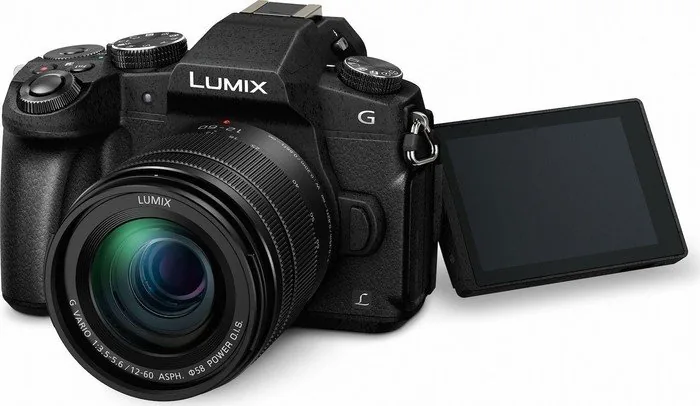
3.0" LCD, Live View, Touchscreen, 1.04 million dots, tilting, swiveling, 180 degrees flip-up
Viewfinder
OLED, 2.36 million dots, 100% field of view, 0.74x magnification
Flash
Built-in and flash shoe
Flash Sync Speed
1/160s, first curtain sync, second curtain sync
Video Function
AVCHD, 3840x2160@30p (16:9), 1920x1080@60p (16:9)
Sensitivity (ISO)
200-25600, expandable to 100-25600
Shutter Speed
1/4000-60s (mechanical), 1/16000-1s (electronic)
Continuous Shooting
max. 9 frames/sec
Storage Media
SD/SDHC/SDXC (UHS-II)
Connections
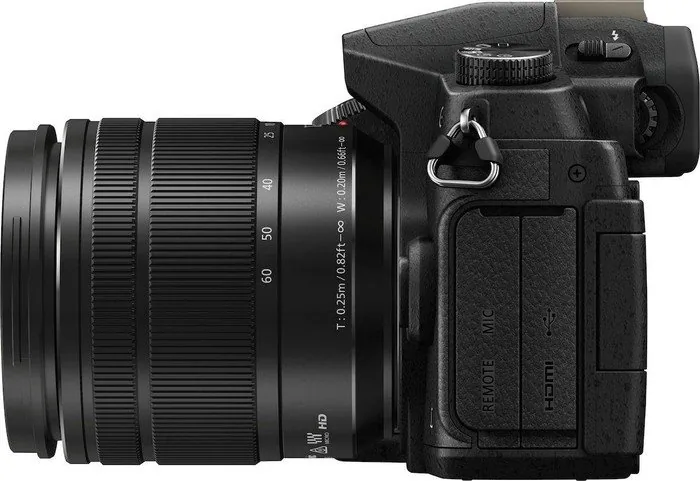
USB 2.0, HDMI, Microphone
Wireless
Wi-Fi 4 (WLAN 802.11b/g/n)
Power Supply
Li-Ion Battery (DMW-BLC12), AC adapter optional
Color
Black
Dimensions (WxHxD)
5.05x3.50x2.93 inches
Weight
16.0 oz
Weight incl. battery and card
17.8 oz
Manufacturer Warranty
2 years
Product Description
Discover the Panasonic Lumix DMC-G81 Manual
The Panasonic Lumix DMC-G81 represents a pinnacle in mirrorless camera technology, designed for photographers who demand versatility and high-quality results without the bulk of traditional DSLRs. This guide delves into the extensive capabilities of this digital camera, highlighting its advanced features that make it a favorite among enthusiasts and professionals alike.
At the heart of the DMC-G81 lies its robust sensor system, capable of capturing stunning 4K video and high-resolution stills. The camera offers an intelligent autofocus system that ensures your subjects are sharp, whether you are shooting fast-moving action or serene landscapes. The inclusion of a 5-axis hybrid image stabilization system allows for handheld shooting in low-light conditions, significantly reducing blur and enhancing image clarity.
One of the standout features is the versatile touch screen interface. Users can easily navigate menus, adjust settings, and even control focus points with simple taps. The camera supports a wide range of lenses compatible with the Micro Four Thirds mount, offering endless creative possibilities. From macro photography to wide-angle landscapes, the DMC-G81 adapts to your needs seamlessly.
The built-in Wi-Fi functionality transforms how you share your work. Instantly transfer images to your smartphone or tablet using the dedicated Image App for remote control and social media sharing. The camera also supports wireless printing and cloud synchronization, ensuring your memories are always accessible and backed up.
Battery life is optimized for extended shooting sessions, providing approximately 330 shots per charge under standard conditions. The camera's weather-resistant design makes it suitable for outdoor adventures, protecting against dust and light rain. Whether you are capturing a sunset, a family event, or a professional shoot, the Panasonic Lumix DMC-G81 delivers reliability and performance.
Mastering the camera involves understanding its diverse modes, from Intelligent Auto for beginners to manual controls for experts. The quick menu system allows for rapid adjustments to exposure, white balance, and drive modes, keeping you in the moment. With detailed guides on setup, operation, and troubleshooting, this manual serves as your essential companion for unlocking the full potential of your device.
Search for 67,706 Manuals online


Type-in Brand or Model