
Panasonic Lumix DMC-G70 Manual
PDF manual · 412 Pages
English


Quick check
Incorrect answer, please try again.
Chat with your Panasonic Lumix DMC-G70 manual using AI
Get instant AI answers from your Panasonic Lumix DMC-G70 manual
Ask anything about the Panasonic Lumix DMC-G70. Answers come from this manual, with the pages they are based on.
Ask a Question
Do you recommend Lumix DMC-G70?
Yes NoFrequently Asked Questions
The camera supports AVCHD and MP4 formats. MP4 allows for higher quality settings including 4K recording at 100Mbit/s. You need a compatible SD card for the highest quality settings.
Is this answer helpful?
Yes. The camera has a built-in Wi-Fi function. You can download the Image App to connect with your smartphone for remote control, live viewing, and photo transfer.
Is this answer helpful?
Continuous recording stops if the single video file reaches 29 minutes and 59 seconds. If you continue shooting, a new file is created automatically.
Is this answer helpful?
The camera uses SD, SDHC, and SDXC cards. For 4K recording, a UHS-speed class 3 card is recommended for fast write speeds and performance.
Is this answer helpful?
Yes, it has a stereo microphone for standard audio recording. However, there is a dedicated microphone jack for external mics to improve quality.
Is this answer helpful?
No. The camera is not sealed against dust or water. You should avoid using it in rain or sandy environments to prevent damage.
Is this answer helpful?
Advantages and Disadvantages
Advantages

- Supports 4K video and 4K photo burst modes for high-resolution captures
- Built-in Wi-Fi allows remote control and instant file transfer
- Intuitive touch screen simplifies focusing and menu navigation
- Interchangeable lenses based on Micro Four Thirds system
- Optical image stabilization reduces camera shake in handheld shots
Disadvantages

- Camera is not dustproof or waterproof for harsh environments
- Single 4K video capture file limits recording at 29 minutes
- Battery life may be reduced during extended video recording sessions
- Requires specific high-speed SD cards for optimal 4K performance
- No built-in flash power suitable for deep outdoor fill light
Product Specification
Type
Mirrorless
Effective Megapixels
16.0 MP
Sensor
Four-Thirds, Live MOS 0.68x0.51 in, 3.77µm Pixel Size
Autofocus
Contrast detection, 49 areas
Resolutions
max. 4592x2584(16:9)/4592x3064(3:2)/4592x3448(4:3)/3424x3424(1:1) Pixel (JPEG/RAW)
Lens Mount
Micro-Four-Thirds, Crop Factor 2.0
Image Stabilization
No
Display
3.0" OLED, Live View, Touchscreen, 1.04 million pixels, tilting, swiveling, 180° flip-up
Viewfinder
OLED, 2.36 million pixels, 100% view coverage, 0.70x magnification
Flash
Built-in and hot shoe
Flash Sync
1/160s, first curtain, second curtain
Video Mode
AVCHD, 3840x2160@25p (16:9), 1920x1080@50p (16:9)
ISO Sensitivity
200-25600, expandable to 100-25600
Shutter Speed
1/4000-60s (mechanical), 1/16000-1s (electronic)
Continuous Drive
max. 8 frames/sec
Memory Card
SD/SDHC/SDXC (UHS-II)
Connections
USB 2.0, HDMI, Audio/Video Out, Microphone
Wireless
Wi-Fi 4 (WLAN 802.11b/g/n)
Power Supply
Li-Ion Battery, External power supply optional
Dimensions (WxHxD)
4.92x3.39x3.05 in
Weight
0.79 lbs
Weight with Battery and Card
0.90 lbs
Manufacturer Warranty
2 Years
Product Description
Capture Life in Stunning Detail
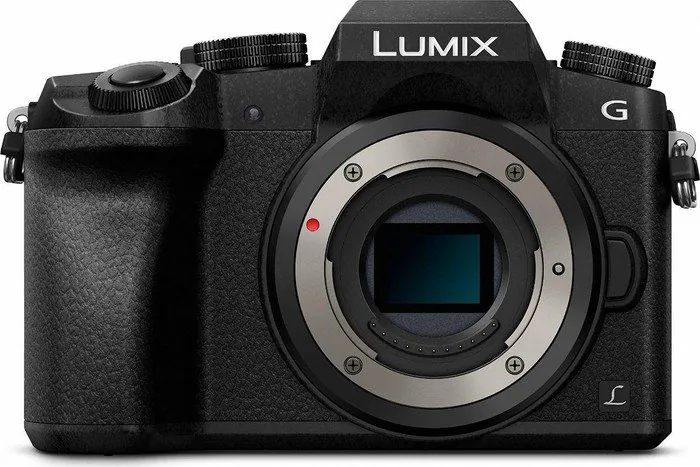
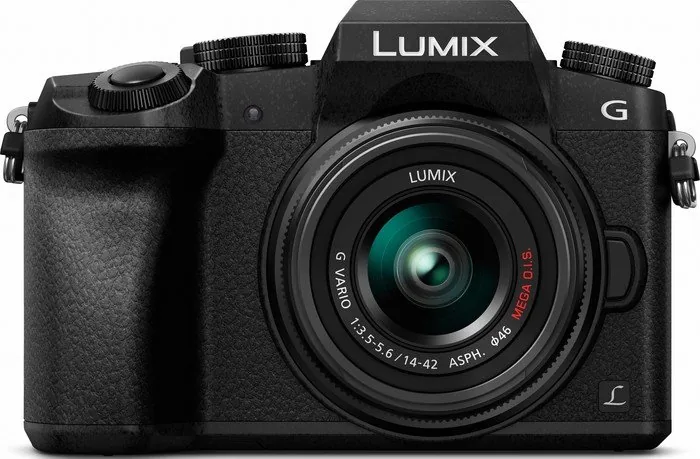
Capturing life with clarity has never been easier for enthusiasts seeking professional results. The Panasonic Lumix DMC-G70 stands out as a versatile tool for content creators and hobbyists alike. This camera utilizes the Micro Four Thirds system, allowing for a wide range of interchangeable lenses to suit any shooting environment. Users appreciate the intuitive interface that combines physical controls with modern touch technology.
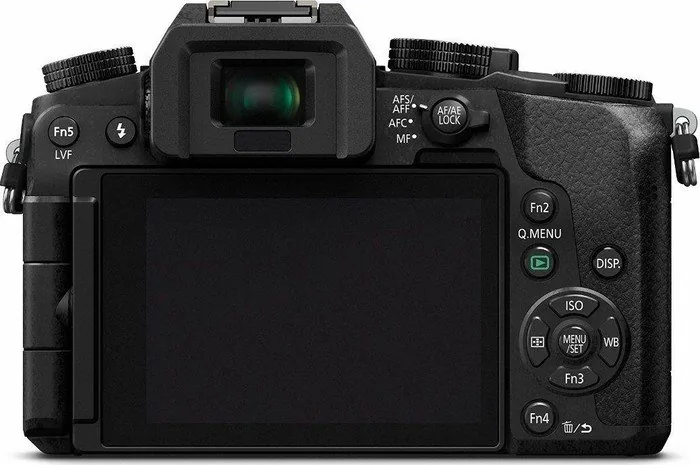
A significant highlight is the ability to shoot 4K video and utilize 4K Photo modes for capturing fleeting moments. The built-in Wi-Fi function enables seamless connectivity with smart devices. You can control the camera remotely or transfer large files instantly for social media sharing. The tilting monitor is another feature that enhances composition flexibility, particularly for high-angle or low-angle shots.
For those who prefer hands-on adjustments, the camera offers full manual control over aperture and shutter speed. This ensures that lighting conditions are mastered for every scene. Advanced users can explore the Panasonic Lumix DMC-G70 Manual for detailed setups regarding exposure compensation and white balance. The menu system is logical, guiding users through recording settings, playback options, and Wi-Fi configurations easily.
Battery performance is designed to keep up with busy schedules, though power management is key during heavy video usage. Compatible SD cards support high-speed data writing necessary for 4K recording. The optical image stabilization helps maintain sharp images in low light or when hand holding the device for extended periods. Audio recording options include microphone inputs for external devices to improve sound quality significantly.
Whether you are shooting professional video or casual snapshots, the build quality supports reliable daily use. Connectivity options extend beyond Wi-Fi to include HDMI for direct viewing on televisions. The autofocus system tracks subjects accurately, aided by touch screen interactions. Photographers can rely on this system for consistent focus during action sequences.
The camera includes numerous creative modes like time-lapse and stop motion animation capabilities. These features allow for unique storytelling without needing post-processing software initially. The quick menu system allows rapid access to frequently used settings during fast-paced shoots. ISO sensitivity can be adjusted to handle challenging lighting situations without excessive noise.
Additionally, the flash unit provides fill-in light for portraits in shadowy conditions. The lens mount supports various adapters for legacy optics, increasing the camera's longevity and value. Users should format the card before first use to ensure compatibility and data integrity. Maintenance involves keeping the sensor clean and protecting the lens from dust.
Ultimately, this equipment represents a balanced package of portability and performance. It bridges the gap between compact convenience and advanced manual photography. Understanding the interface takes a little practice but rewards the operator with powerful creative tools. The integration of smart technology simplifies sharing while maintaining professional output standards. It is an excellent choice for anyone entering mirrorless photography seriously.
Touch functionality allows users to select focus points directly on the display. This speeds up the process of isolating subjects in busy scenes. The histogram display aids in precise exposure judgment on location. White balance settings can be manually tuned or automated depending on the scene. The camera also supports custom function buttons for quick access to specific parameters.
Playback options allow for viewing galleries on a larger screen via HDMI connection. File management features include cropping tools and slide show creation directly on the device. Protection settings prevent accidental deletion of cherished memories. The design prioritizes handling ergonomics with a textured grip.
Connectivity apps extend the functionality, allowing remote shutter release and live view. Cloud services can be integrated for automatic backup of images to a safe location. This ensures data safety in case of hardware loss or failure. The camera supports UHS-I cards for faster write speeds during continuous shooting.
Overall, the system offers a comprehensive approach to digital imaging. It caters to both beginners learning the ropes and professionals needing a reliable backup system. The balance between size and capability makes it a market favorite. Following best practices ensures peak performance over the long term.
Search for 67,706 Manuals online


Type-in Brand or Model