
Panasonic Lumix DC-S1R Manual
PDF manual · 558 Pages
English


Quick check
Incorrect answer, please try again.
Chat with your Panasonic Lumix DC-S1R manual using AI
Get instant AI answers from your Panasonic Lumix DC-S1R manual
Ask anything about the Panasonic Lumix DC-S1R. Answers come from this manual, with the pages they are based on.
Lumix DC-S1R Maintenance Schedule
The camera automatically reduces dust when turned on. Use the Sensor Clean function manually if dust is visible.
Use Pixel Refresh to optimize the image sensor and processing if bright spots appear in images.
Wipe the camera with a dry soft cloth or a damp wrung-out cloth, then dry with a clean cloth.
Wipe the lens surface with a soft dry cloth to remove water, oil, or fingerprints.
Remove the eyecup and blow away dirt with a blower, then wipe with a soft dry cloth.
Ask a Question
Do you recommend Lumix DC-S1R?
Yes NoFrequently Asked Questions
It is a strong fit for advanced photographers, creators, and hybrid shooters who want high resolution, manual control, and flexible stills/video features. It especially suits landscape, portrait, studio, and travel work.
Is this answer helpful?
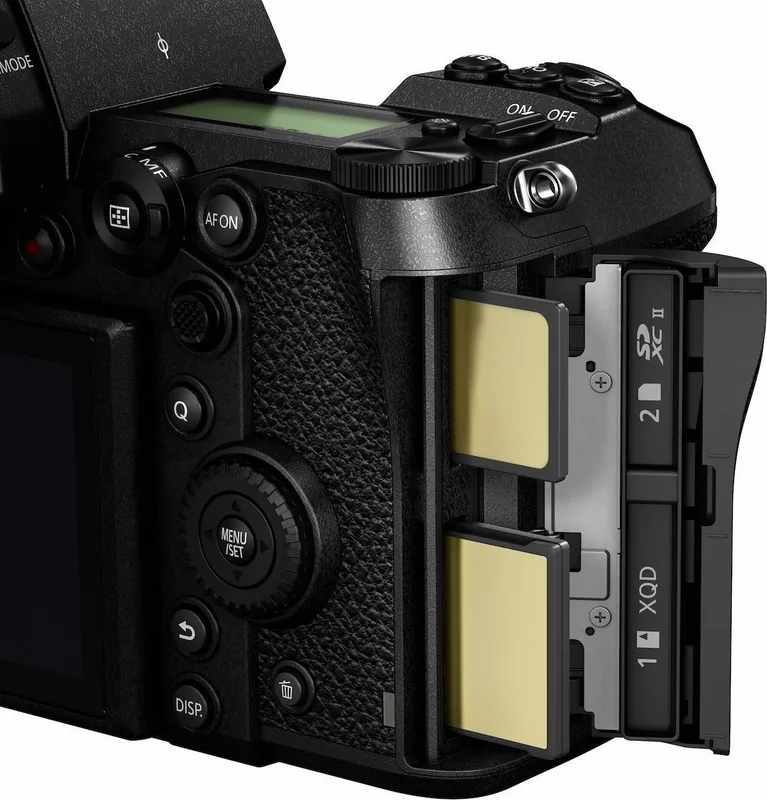
Yes. It uses two card slots and supports relay recording, backup recording, and allocation recording. This is useful for separating file types or creating a safety copy while shooting.
Is this answer helpful?
The camera uses the L-Mount system and works with compatible full-frame and APS-C lenses. Some functions may behave differently or be unavailable when APS-C lenses are attached.
Is this answer helpful?
Yes. It includes face, eye, body, and animal detection, tracking, 225-area AF, zone AF, and 1-area options. These tools help with both still subjects and moving scenes.
Is this answer helpful?
Yes. It offers video recording with several format and quality options, continuous AF, external microphone support, headphone monitoring, and HDMI output for advanced setups.
Is this answer helpful?
The body is splash resistant, which helps protect against light moisture, dust, and similar conditions. It is still important to keep doors and caps properly closed and avoid direct water contact.
Is this answer helpful?
Advantages and Disadvantages
Advantages

- High-resolution full-frame performance with strong creative control and detailed image options.
- Dual card slots support relay, backup, and allocation recording for safer workflows.
- Extensive autofocus modes, including face, eye, body, animal, and tracking detection.
- Customizable buttons, quick menu, and joystick controls improve speed and usability.
Disadvantages

- The feature set is deep, so beginners may need time to learn the controls and menu system.
- Some advanced functions change or disable options when APS-C lenses are used.
- Battery and charging performance depends on temperature, power source, and usage conditions.
- Certain card combinations limit features like video, 6K/4K photo, or post-focus modes.
Product Specification
Type
Mirrorless
Effective Megapixels
47.3 Megapixels
Sensor
Full-frame, CMOS 1.42x0.94in, 4.30um pixel size
Autofocus
Contrast detection, 225 fields
Resolutions
max. 8368x4712(16:9)/8368x5584(3:2)/7440x5584(4:3)/5584x5584(1:1) pixels (JPEG/RAW)
Lens Mount
Leica L, Crop Factor 1.0
Image Stabilizer
optical (Dual IS), compensates up to 5.5 exposure stops
Display
3.2" LCD, Live View, Touchscreen, 2.10 million pixels, tiltable, swivelable
Viewfinder
OLED, 5.76 million pixels, 100% field of view coverage, 0.78x magnification
Flash
Hot shoe
Flash Synchronization
1/320s, first curtain, second curtain
Video Function
H.264, MOV, [email protected] (16:9), [email protected] (16:9)
Light Sensitivity (ISO)
400-25600, expandable to 50-51200
Shutter Speed
1/8000-60s (mechanical), 1/16000-3600s (electronic)
Continuous Shooting
max. 9 frames/sec.
Removable Storage
XQD, SD/SDHC/SDXC (UHS-II)
Connections
USB-C 3.1 (5Gb/s), HDMI, Microphone, Headphones, Accessory shoe
Wireless
Wi-Fi 5 (WLAN 802.11a/b/g/n/ac), Bluetooth 4.2 LE
Power Supply
Li-Ion battery (DMW-BLJ31), continuous power optional (DMW-DCC16, DMW-AC10)
Special Features
Shoulder display
Color
black
Dimensions (WxHxD)
5.86x4.33x3.81in
Weight
1.98 lb
Weight incl. battery and card
2.25 lb
Manufacturer's Warranty
2 years
Product Description
Panasonic Lumix DC-S1R: A Full-Frame Creative Powerhouse
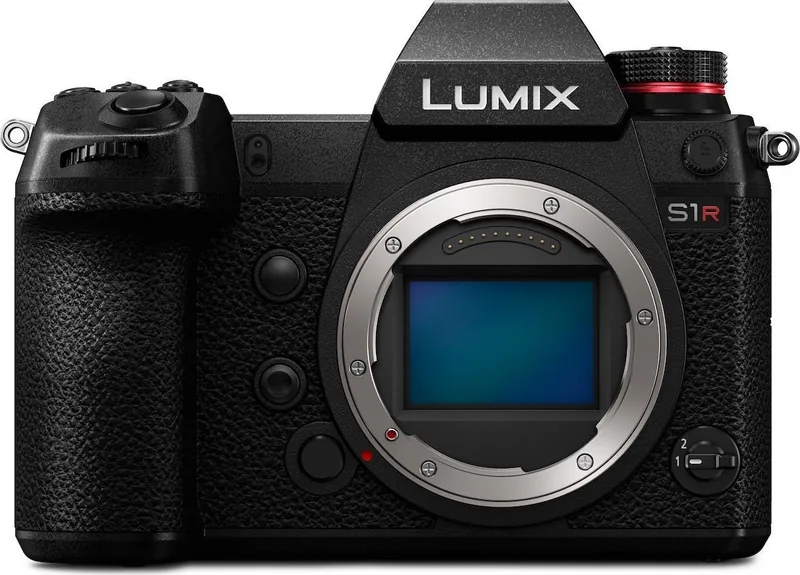
For readers searching for the Panasonic Lumix DC-S1R Manual, this camera represents a serious tool built for photographers and hybrid creators who want detail, control, and flexibility in one body. The Lumix DC-S1R is designed around a high-resolution full-frame sensor, advanced recording options, and a pro-style control layout that supports everything from landscapes and portraits to video work and studio sessions.
Built for precision and versatility
One of the strongest qualities of the DC-S1R is its broad feature set. The camera supports multiple exposure modes, RAW capture, high-resolution shooting, burst photography, 6K/4K photo functions, and advanced autofocus options. It also offers a choice of recording styles, white balance controls, picture quality settings, and customizable buttons, making it easy to tailor the camera to a personal workflow. The dual card slot design adds extra confidence for backup or relay recording, while the L-Mount system opens the door to a wide range of compatible lenses.
A body that feels made for serious shooting
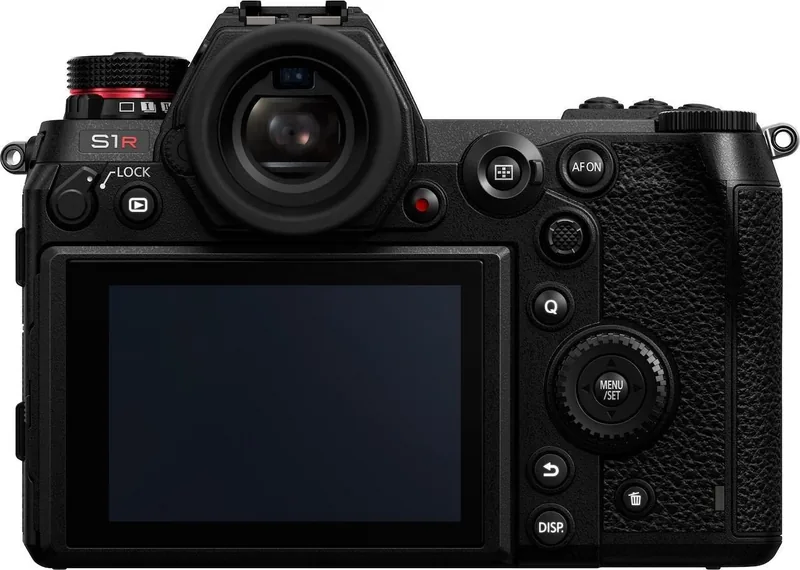
Panasonic clearly built the DC-S1R with usability in mind. The camera includes a tilting monitor, a high-visibility viewfinder, a status LCD, and physical dials that make on-the-fly adjustments quick and intuitive. Touch controls, joystick navigation, and a customizable quick menu further improve the shooting experience. For long sessions, features like power save mode and USB-powered charging help keep the camera ready for action. The body is also splash resistant, giving it a practical edge for outdoor use.
Flexible performance for photo and video
The DC-S1R is more than a stills camera. It supports video recording with customizable file formats, sound input options, external monitor output, and headphone monitoring. Autofocus modes include face, eye, body, and animal detection, plus tracking and zone-based focusing. This makes it suitable for creators who need dependable subject recognition and plenty of creative control. Firmware updates also show Panasonic’s commitment to improving performance over time.
Notes
- Best suited for users who value manual control and image quality.
- Compatible with both full-frame and APS-C L-Mount lenses.
- Dual card support is ideal for backup workflows.
- A solid choice for advanced photography and video setups.
Search for 67,706 Manuals online


Type-in Brand or Model